Security Logging and Monitoring Failures
· Matthew Crum
Introduction
WebGoat is a deliberately insecure web application maintained by OWASP designed to teach web application security lessons. More information including how to download and run WebGoat can be found here on the projects GitHub. This is post two of a series where I will be doing WebGoats challenges to further my understanding of the OWASP Top 10 and web application security as a whole. I have started from the number 10 and am working my way backwards to number 1.
#9. Security Logging and Monitoring Failures
Logging is very important for modern systems. It’s used for various reasons such as application monitoring and debugging, recording specific actions of users and systems, and Security Event Monitoring.
Failures occur anytime:
- Auditable events, such as logins, failed logins, and high-value transactions are not logged.
- Warnings and errors generate unclear, inadequate, or no log messages.
- Logs of applications and APIs are not monitored for suspicious activity.
- Logs are only stored locally.
- Appropriate alerting thresholds and response escalation processes are not in place.
- The application cannot detect, escalate, or alert for active attacks in real-time.
Types of Logs
There are many types of logs. Some examples include:
System Logs
System logs provide information about activities and events related to the operating system. System logs may contain:
- System Startup and Shutdowns.
- Hardware and Software errors.
- Kernel Events and other system level activities
Security Logs
Security logs record events related to security and access control. Security Information and Event Management (SIEM) systems often collect and analyze these logs for detecting and investigating security incidents. Security logs may contain:
- Authentication attempts.
- Login successes and failures.
- Changes to user permissions.
Application Logs
Application logs capture information about the behavior and operation of specific software applications. These logs are useful for troubleshooting, monitoring application performance or identifying software defects. Application logs may contain:
- Error and debug logs.
- User activity logs.
- Database queries and other application-specific events.
Network Logs
Network logs provide details about network related activities and events. They include logs from routers, switches, firewalls, and other network devices. These logs help in troubleshooting, identifying attacks, and monitoring performance. Network logs may contain:
- Network traffic patterns.
- IP address activity.
- Firewall events.
Access Logs
Access logs are a type of log file that records information about requests made to a web server. These logs should contain at least a few things:
- Where the request came from.
- When the request was made.
- What the response code was.
- Capturing the full URL used for a request can include sensitive parameters so they should not be logged in an openly accessible log.
Log Spoofing
In order to cover their tracks, evade detection systems, delay reactions, or misdirect and confuse attackers may employ a technique called Log-spoofing where they attempt to alter or fabricate log entries to deceive system administrators or security analysts. When maintaining log files the following prevention techniques are very important.
- Apply proper input-sanitization.
- Make sure that logs are generated in a format that log management solutions can easily digest.
- Make sure you can establish source authenticity and implement integrity controls to detect tampering.
- Make sure that log data is encoded correctly so a user cannot inject logs from any channel.
- Make sure that the logs storage is protected.
- Sensitive information like passwords, access tokens, symmetric or private keys should never be logged. This way in the event that logs are compromised authentication information can’t be reused.
- When logging personal information do not log facts that can establish the identity of the subject being logged which a user did not consent to having logged.
WebGoat Logging and Monitoring Failures Challenges
Challenge 1
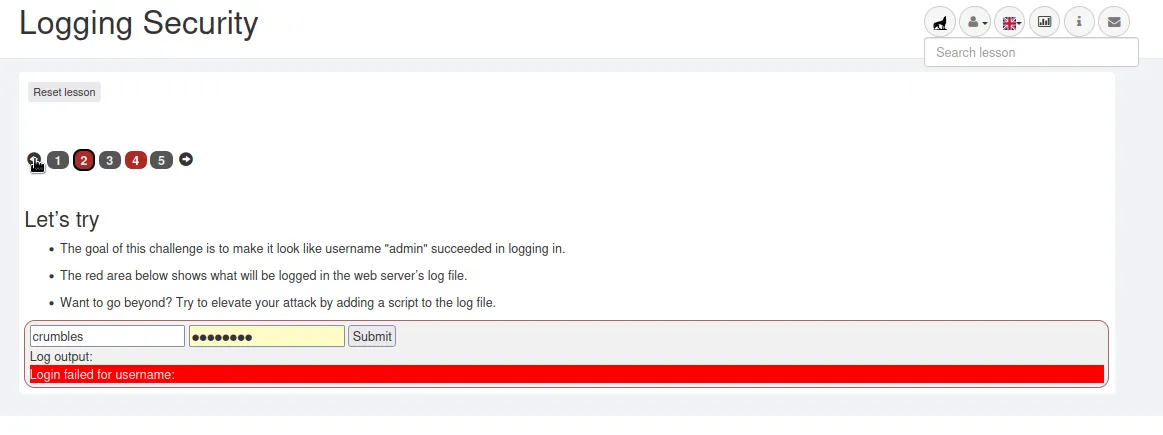
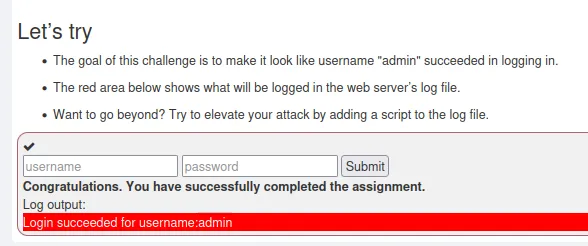
For this challenge I have to make the login log look like user admin was able to successfully logon. My first step was to try to log myself in to see what happened.
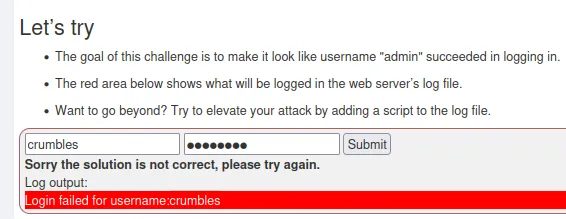
Just a message saying I failed the challenge. The log output highlighted in red changed to include my username though. If I right click on that red highlight and inspect the page it takes me right to where it’s happening within the HTML.
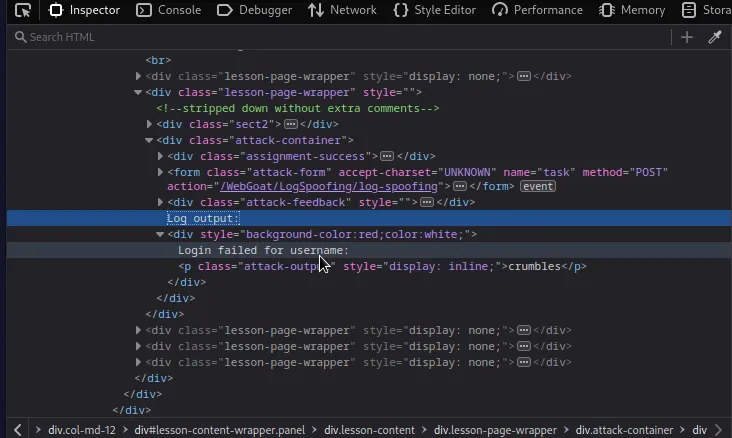
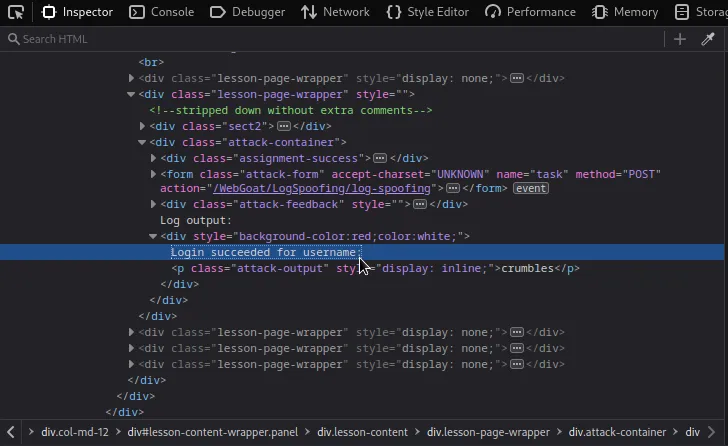
I can see the Log output is coded into the HTML. I Just have to change the word failed to succeeded. Then if I try to log in as the user admin but guess the password wrong the log will record my altered message satisfying the challenge.
Challenge 2
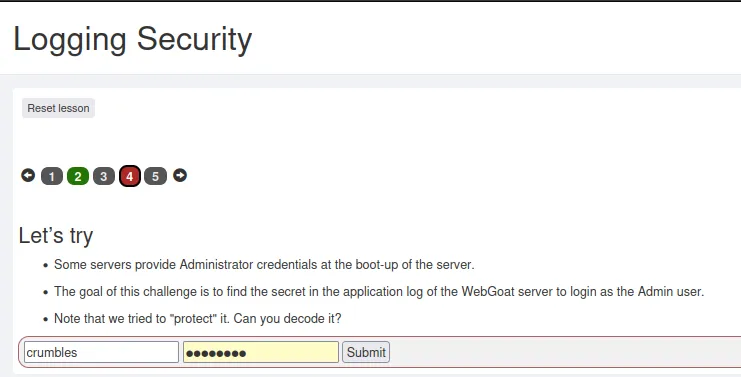
For the second challenge I need to analyze the WebGoat server application log for the login credentials of the admin user. Application logs are typically in one of two places on a Linux system /var/log/application_name or ~/.application_name. In WebGoat’s case it’s ~/.webgoat-2023.4(2023.4 being the current version as of writing this). Navigating over to that directory I find an ASCII text file named webgoat.log.
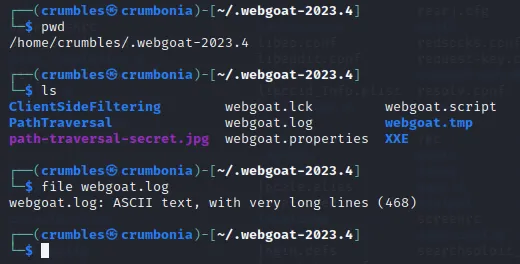
Unfortunately there wasn’t a whole lot about the admin user in the log file.

The challenge did mention that some applications provide administrator credentials at boot up. Since I’m the one who started the WebGoat server I can just check it out in my terminal.
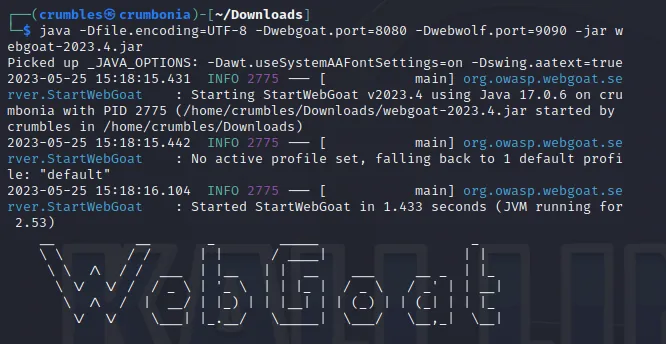
If I scroll far enough down I find the admins password ZWY1ODAwNzYtNjIzNS00OTUxLWEzNWItMzFlNmVlNzdiNmMx being broadcast in all of the startup messages.

The challenge says that the password needs decoding. Since it is a mix of capital letters, lowercase letters, and numbers it’s likely base64 encoded which means it can easily be decoded right from the command line.
echo "ZWY1ODAwNzYtNjIzNS00OTUxLWEzNWItMzFlNmVlNzdiNmMx" | base64 -d

The password decodes to what seems to be a random string ef580076-6235-4951-a35b-31e6ee77b6c1 but I tried logging in as Admin with it and it worked.
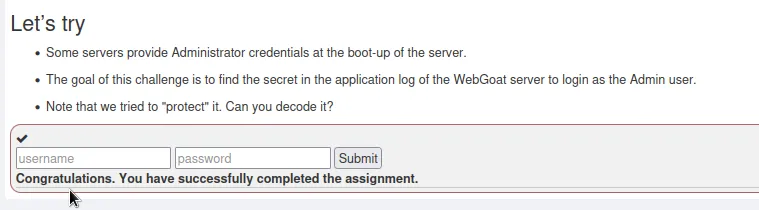
That’s all for WebGoat’s Security Logging and Monitoring Failures Challenges.