Cryptographic Failures
· Matthew Crum
Introduction
WebGoat is a deliberately insecure web application maintained by OWASP designed to teach web application security lessons. More information including how to download and run WebGoat can be found here on the projects GitHub. This is post nine of a series where I will be doing WebGoats challenges to further my understanding of the OWASP Top 10 and web application security as a whole. I have started from the number 10 and am working my way backwards to number 1.
#2 Cryptographic Failures
If web applications don’t protect sensitive data such as financial information and passwords, attackers can gain access to that data and sell or utilize it for nefarious purposes. Data exposure risk can be minimized by encrypting all sensitive data. The first thing is to determine the protection needs of data in transit and at rest. Passwords, credit card numbers, health records, personal information, and business secrets require extra protection, mainly if that data falls under privacy laws. For all such data there are several things to take into consideration:
- Is any data transmitted in clear text?
- Are any old or weak cryptographic algorithms or protocols used?
- Are default crypto keys in use, weak keys generated or re-used, or is proper key management or rotation missing?
- Are crypto keys checked into source code repositories?
- Is encryption enforced? Are any HTTP headers, security directives, or headers missing?
- Is the received server certificate and the trust chain properly validated?
- Are passwords being used as cryptographic keys in absence of a password base key function?
- Is randomness used for cryptographic purposes that was not designed to meet cryptographic requirements?
- Are deprecated hash functions, or non-cryptographic hash functions in use?
- Are cryptographic error messages exploitable?
To prevent cryptographic failures the following should be done at a minimum:
- Classify data processed, stored, or transmitted by an application and identify which data is sensitive.
- Don’t store sensitive data unnecessarily.
- Make sure to encrypt all sensitive data at rest.
- Ensure up-to-date and strong standard algorithms, protocols, and keys are in place.
- Encrypt all data in transit with secure protocols such as TLS.
- Disable caching for responses that contain sensitive data.
- Apply required security controls based on the data classification.
- Do not use legacy protocols such as FTP and SMTP to transport sensitive data.
- Store passwords using strong adaptive and salted hashing functions with a delay factor.
- Initialization vectors must be chosen appropriate for the mode of operation.
- Always use authenticated encryption instead of just encryption.
- Keys should be generated cryptographically randomly and stored in memory as byte arrays.
- Ensure that cryptographic randomness is used where appropriate, and that it has not been seeded in a predictable way with low entropy.
- Aovid deprecated cryptographic functions and padding schemes.
- Verify independently the effectiveness of configuration and settings.
Encoding
Encoding is not really cryptography, but it is used a lot in all kinds of standards around cryptographic functions. It is a process of converting data from one form to another according to a specific set of rules or standarads. Encoding does not invovle any deliberate attempt to conceal the information or make it unintelligible to unauthorized users.
Encoding is a general term used for various data transformation processes some of which include:
- Base64: A binary-to-text encoding scheme that converts binary data into a set of printable ASCII characters. Commonly used for encoding binary data in email attachments, cryptographic operations, and data storage.
- URL: Used to represent special characters in a URL. It replaces reserved characters with a percent sign followed by their ASCII code in hexadecimal format. For example space is encoded as
%20and the equals sign is encoded as%3D. - HTML: Used to represent special characters within HTML documents. It replaces reserved characters with character entities. For example the less-than sign
<is represented as<, adn the greater-than sign>is represented as>. - Unicode: A standard for representing characters from different writing systems. Unicode provides various encoding schemes such as UTF-8, UTF-16, and UTF-32, which assign unique numeric values to each character.
- XOR: Exclusive OR encoding is a simple form of encryption that uses the XOR operation between a data stream and a key to transform data. XOR encoding is symmetric meaning the same operation is used for both encoding and decoding.
- UUEncode: A binary-to-text encoding scheme primarily used in Unix systems for converting binary data into ASCII characters. It was commonly used for encoding binary files for transmission over E-mail.
Encryption Vs Hashing
Encryption is a specific process within the cryptography. It invovles converting plaintext data into ciphertext using an encryption algorithm and a secret key. The purpose of encryption is to protect the confidentiality of data by making it unreadable to unauthorized parties. The ciphertext can only be converted back into plaintext by using the corresponding decryption algorithm and key.
Common Encryption Algorithms include:
- Advanced Encryption Standard (AES): A widely adopted symmetric encryption algorithm. It supports key sizes of 128, 192, or 256 bits.
- RSA: An asymmetric encryption algorithm that uses two keys, a public key for encryption and a private key for decryptions. It is often used for digital signaturess.
- Triple Data Encryption Standard (3DES): A symmetric encryption algorithm that applies the Data Encrpytion Standard algorithm three times to each data block. Largely replaced by AES.
Hashing is a one-way function that takes an input and produces a fixed-size string of characters, which is typically a hash value or digest. The resulting vlue is uniq to the input data, meaning even a small change in the input will produce a significantly different hash value. Unlike encryption which can be reversed with a secret key hashing is designed to be irreversible. Hash functions are commonly used for data itegrity verification, password storage, digital signatures and other cryptographic applications.
Common Hahsing Algorithms include:
- Message Digest Algorithm 5 (MD5): A widely used hashing algorithm that produces a 128-bit hash value. It is now considered weak for cryptographic purposes due to vulnerabilities and collision attacks.
- Secure Hashing Algorithm 1 (SHA-1): A widely used hashing algorithm that produces a 160-bit hash value. Like MD5 it is also considered weak for cryptographic purposes and is being phased out of use.
- Secure Hashing Algorithm 256-bit (SHA-256): A part of the SHA-2 family of hashing algorithms it produces a 256-bit hash value and is commonly used for integrity checks, digital signatures, and other cryptogrpahic applications.
- Secure Hashing Algorithm 3 (SHA-3): A family of hashing algorithms that provide an alternative to the SHA-2 family. SHA-3 uses the Keccak Sponge Construction which allow it to offer various hash sizes, providing flexibility in choosing the desired output size.
WebGoat Challenges
Challenge 1
Basic Authentication
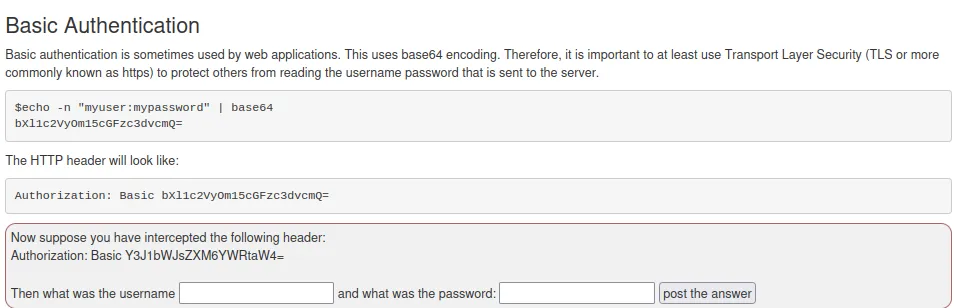
For this challenge I just need to decode the base64 string provided in the challenge. This can be done right from the terminal.
echo "Y3J1bWJsZXM6YWRtaW4=" | base64 –d


Challenge 2
XOR Decoding
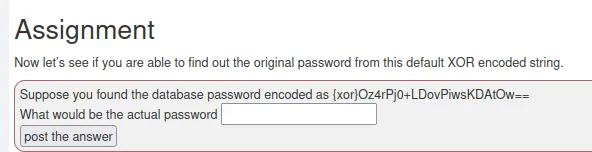
For this one I used an online decoding tool rather than trying to guess the cryptographic key used here XOR Decoder


Challenge 3
Plain Hashing
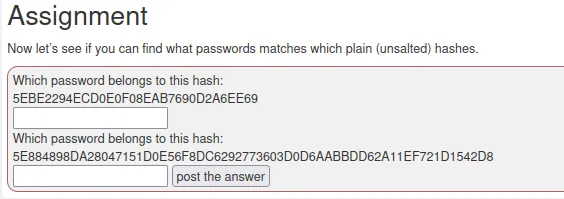
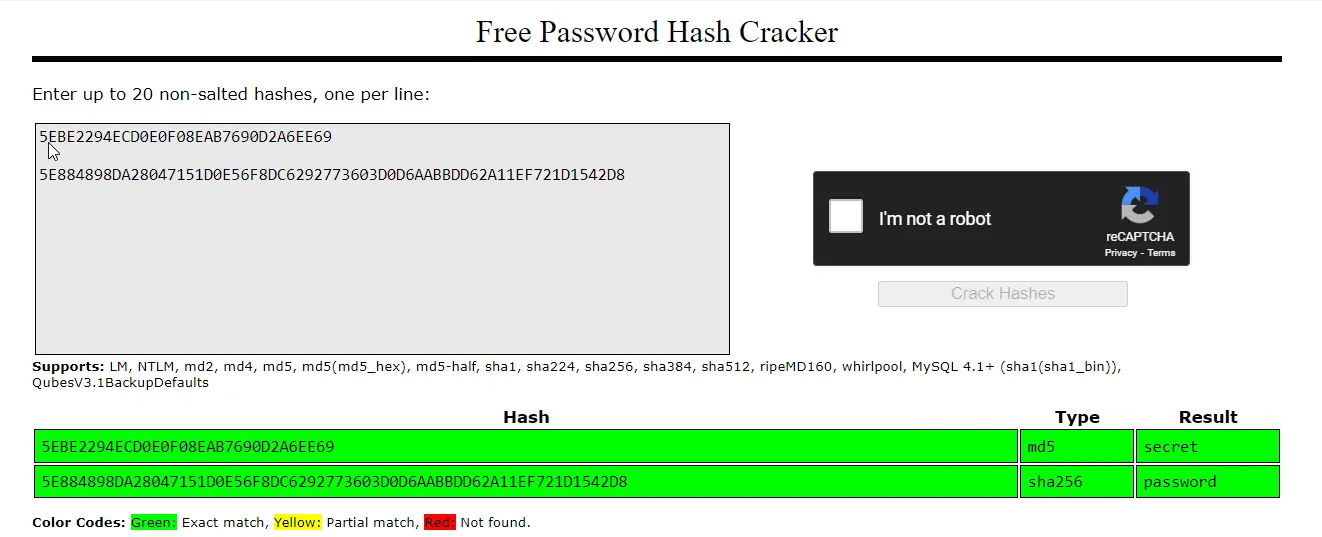
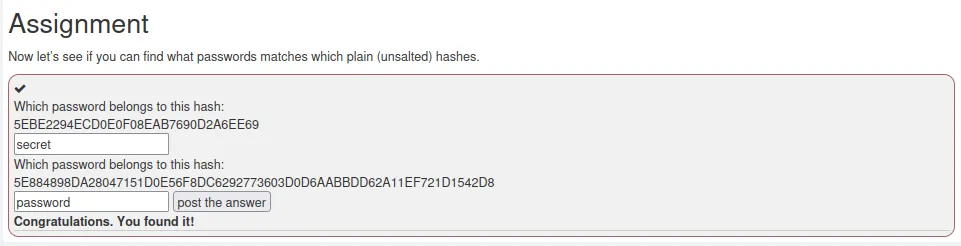
For this one I had over to crackstation to identify the hashing algorithms and crack the hashes for the challenge.
Challenge 5
RAW Signatures
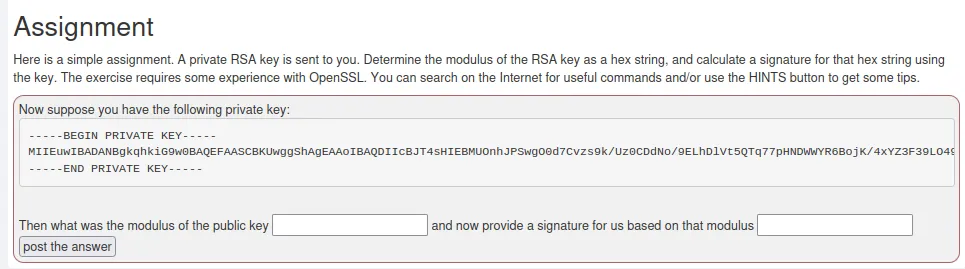
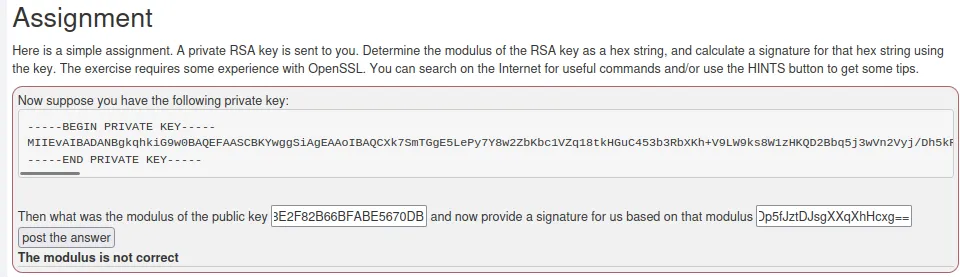
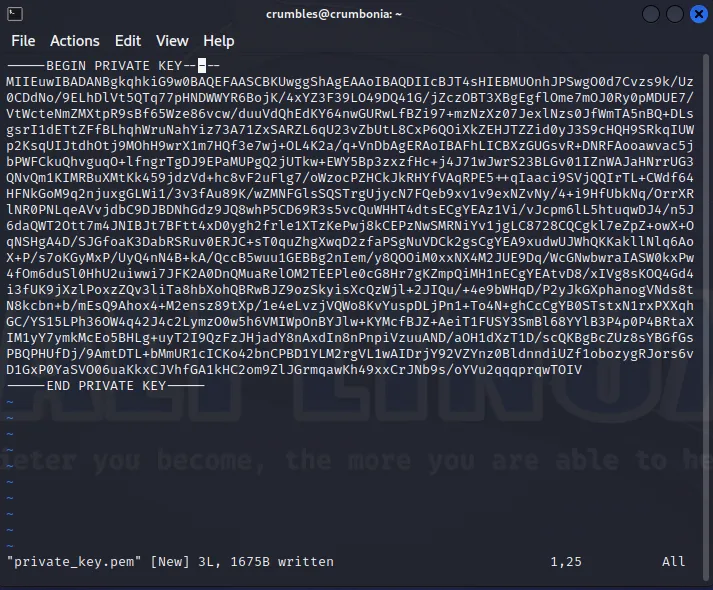
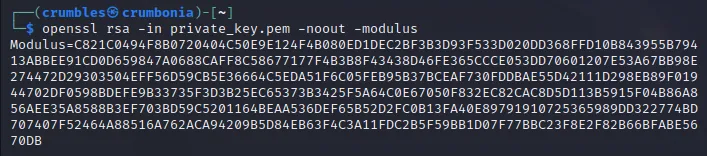
First I need to take the provided private key and save it as a file. From there I can run that file against the openssl command to try to obtain the Modulus.
openssl rsa -in private_key.pem -noout –modulus
openssl is the command line tool being used, rsa specifies that an RSA key will be invovled, -in specifies that the next parameter will be a filename for the command to take as input, private_key.pem is what I named the file. -noout specifies no output other than the desired information should be displayed, -modulus specifies that output should be the modulus of the RSA key.
The result is a pretty long string.
Modulus=C821C0494F8B0720404C50E9E124F4B080ED1DEC2BF3B3D93F533D020DD368FFD10B843955B79413ABBEE91CD0D659847A0688CAFF8C58677177F4B3B8F43438D46FE365CCCE053DD70601207E53A67BB98E274472D29303504EFF56D59CB5E36664C5EDA51F6C05FEB95B37BCEAF730FDDBAE55D42111D298EB89F01944702DF0598BDEFE9B33735F3D3B25EC65373B3425F5A64C0E67050F832EC82CAC8D5D113B5915F04B86A856AEE35A8588B3EF703BD59C5201164BEAA536DEF65B52D2FC0B13FA40E89791910725365989DD322774BD707407F52464A88516A762ACA94209B5D84EB63F4C3A11FDC2B5F59BB1D07F77BBC23F8E2F82B66BFABE5670DB
For the next step I need to take the Modulus output and generate a digital signature that then gets base64 encoded.
echo "C821C0494F8B0720404C50E9E124F4B080ED1DEC2BF3B3D93F533D020DD368FFD10B843955B79413ABBEE91CD0D659847A0688CAFF8C58677177F4B3B8F43438D46FE365CCCE053DD70601207E53A67BB98E274472D29303504EFF56D59CB5E36664C5EDA51F6C05FEB95B37BCEAF730FDDBAE55D42111D298EB89F01944702DF0598BDEFE9B33735F3D3B25EC65373B3425F5A64C0E67050F832EC82CAC8D5D113B5915F04B86A856AEE35A8588B3EF703BD59C5201164BEAA536DEF65B52D2FC0B13FA40E89791910725365989DD322774BD707407F52464A88516A762ACA94209B5D84EB63F4C3A11FDC2B5F59BB1D07F77BBC23F8E2F82B66BFABE5670DB" | xxd -r -p | openssl dgst -sha256 -sign private_key.pem | base64
The first part echo " " | takes my modulus from earlier and pipes it into the next command xxd -r -p which takes the hexadecimal string and converts it back to binary data, that is then piped into openssl dgst -sha256 -sign private_key.pem where OpenSSL will perform a SHA-256 hash of the data using the RSA private key supplied by the challenge, creating the digital signature. Finally that digital signature is piped into a base64 command to format it correctly for the challenge. Which outputs the following:
SenOVqUJG5uk4/QsIChkM3mOFS/ndk1eyXTAh/7iVn0GxEd+SSLtvU1Uy1+W2VdBtGRrs+akQwYp1Hc5boG75HZaZhNWMgnQRmKDKKOguCBIvXEL7bRJMJXz7OUThEtziBB9TxNlW6+8J1sum6Aq45F/q7CdDWpJNfT8ohfwNlynxwiIvMIXDq8sgISWs1TBlHstC3AIzPnCP0896OHdA3J1F+qfia/4I53kpm6zllvx4A2cN3VW/PhmC047lm63jna07avNPzo29P19EUrebIBGppsv27HS3iAV6SH7Y4uXKqi/g7KJFzpQwua1flDNolLAisc5ZaGJBblzOTs+pw==
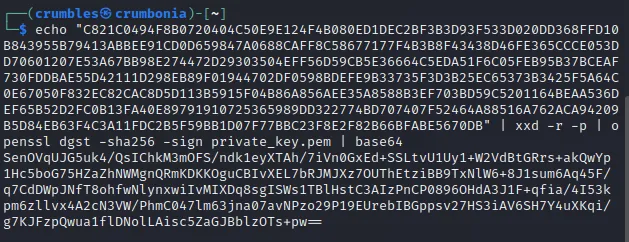
Unfortunately this didn’t solve the challenge since the modulus wasn’t correct. I tried formatting it a couple of different ways but that didn’t seem to be the problem. I’ve concluded I’ll have to learn more about digital signatures before I’m actually able to solve this challenge.